

Solved

customer notes multiple lines import

  • December 19, 2025
  • 3 replies
  • 45 views

Kandy Beatty
Captain II
Forum|alt.badge.img+18

Hi,

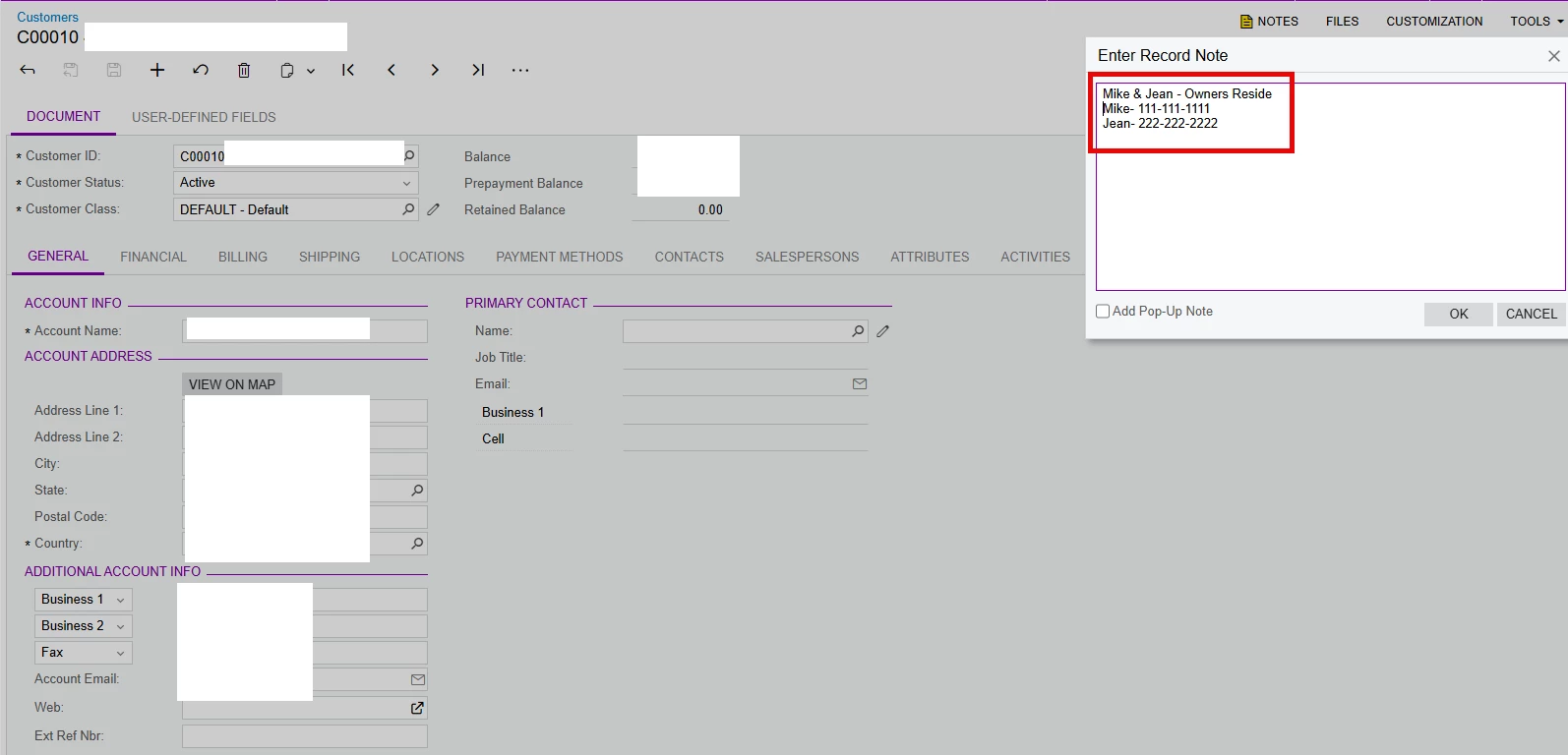
Does anyone have a way to import customer notes but with multiple lines such as for phone numbers. This is so it will carry over to service orders and appointments. 
 

Best answer by lauraj46

Hi ​@Kandy Beatty ,

I think you should be able to concatenate the values in Excel with an ascii line feed character and then map the concatenated in an import scenario as usual.  The formula in Excel would be something like:

="Phone1" & CHAR(10) & "Phone2" & CHAR(10)&"Phone3"

Hope this helps!

Laura 

3 replies

lauraj46
Captain II
Forum|alt.badge.img+9
  • Captain II
  • Answer
  • December 19, 2025

Hi ​@Kandy Beatty ,

I think you should be able to concatenate the values in Excel with an ascii line feed character and then map the concatenated in an import scenario as usual.  The formula in Excel would be something like:

="Phone1" & CHAR(10) & "Phone2" & CHAR(10)&"Phone3"

Hope this helps!

Laura 


Kandy Beatty
Captain II
Forum|alt.badge.img+18
  • Author
  • Captain II
  • December 22, 2025

Hi ​@Kandy Beatty ,

I think you should be able to concatenate the values in Excel with an ascii line feed character and then map the concatenated in an import scenario as usual.  The formula in Excel would be something like:

="Phone1" & CHAR(10) & "Phone2" & CHAR(10)&"Phone3"

Hope this helps!

Laura 

Thanks Laura, I will try this. I will let you know. 


Forum|alt.badge.img
  • Freshman I
  • December 29, 2025

To add on to ​@lauraj46  response: we needed to pull data from an existing system with an Excel file in the middle of the transition. In the export from the old system, we mapped CHAR(10) (and possibly CHAR(13)...can’t remember) to a pipe ‘|’. 

In the import scenario, a Replace was used to search for the pipe and swap in the CR/LF pair:

=Replace( [CustomerNotes], '|', '\r\n' )

It worked perfectly.

Other notes: I searched the source system for any instances of a pipe being used, which there were none. I also added in a bit of logic to remove duplicate CR/LF pairs when extracting the data to do a bit of clean up.


