Question

Create an Opportunity, Contact, and Business Account Using the Same Import Scenario?

  • July 10, 2026
  • 5 replies
  • 54 views

Forum|alt.badge.img

Hello Team,

I currently have an Import Scenario that imports Opportunities successfully.

The Opportunity is created correctly with the relevant contact information, and the Business Account is also created through the same Import Scenario. However, I am unable to map the Business Account Name correctly.

Has anyone created a similar Import Scenario where an Opportunity, Contact, and Business Account are created together using the same import process?

I would appreciate it if you could share a sample Import Scenario or provide guidance on how the Business Account Name should be mapped.


Regards

5 replies

Forum|alt.badge.img+4
  • Varsity III
  • July 10, 2026

Hi ​@NAAcumatica , can you share a screenshot of your import scenario better understand.


Forum|alt.badge.img

Hello Harshita,

Thank you for your response.

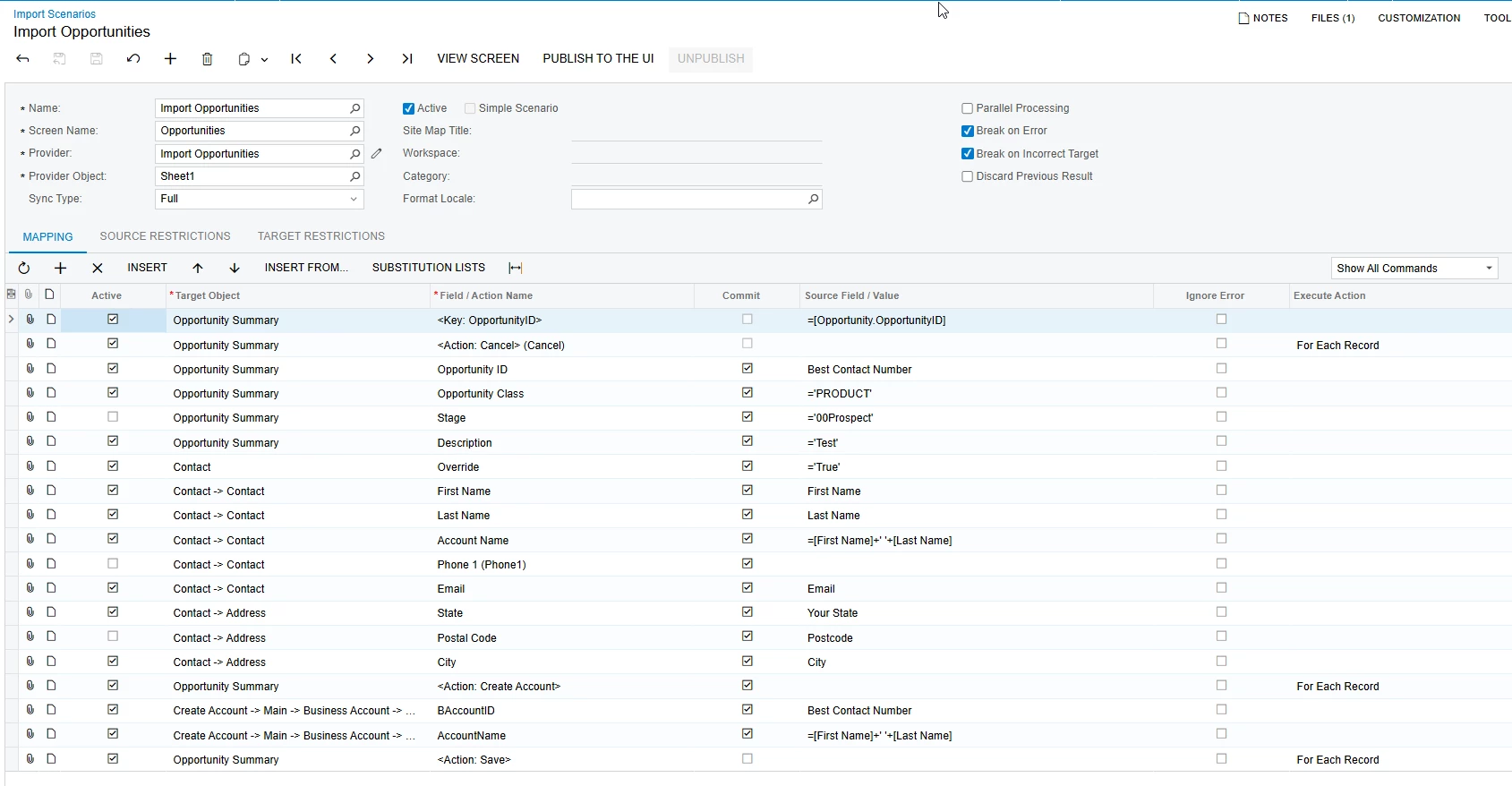
I have attached the Import Scenario for your review.


Regards

NA


Forum|alt.badge.img+3

@NAAcumatica If you want to create a Opportunity business account is a non mandatory field so you can create a opportunity without business account, So you need to have business event created opportunity created. Also, business account is a different screen and opportunity is a different screen you need to create separate import for both.


Forum|alt.badge.img

Hi ​@ranjithduraisamy72,

Thank you for your response.

To clarify, I am using a single Import Scenario to create the Opportunity, Contact, and Business Account together. This process is working correctly when I import each record individually.

When a single record is imported, the system successfully creates the Opportunity and Business Account and automatically populates the Business Account Name based on the relevant contact information. Therefore, I do not believe the Business Account Name needs to be mapped separately.

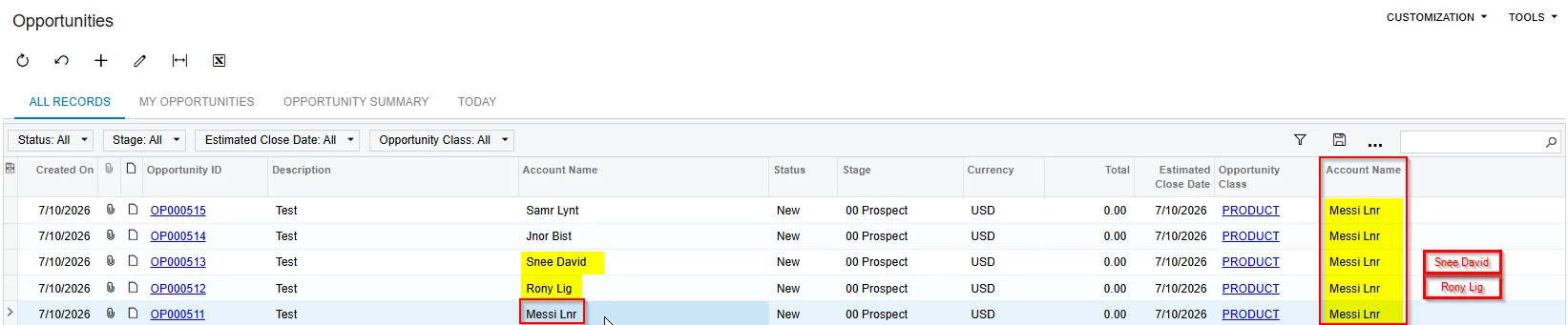
However, the issue occurs when I import multiple records at the same time. The system uses the Business Account Name from the first row for all subsequent records, instead of using the relevant name from each individual row.

Apart from the Business Account Name, all other fields and records are being created correctly.

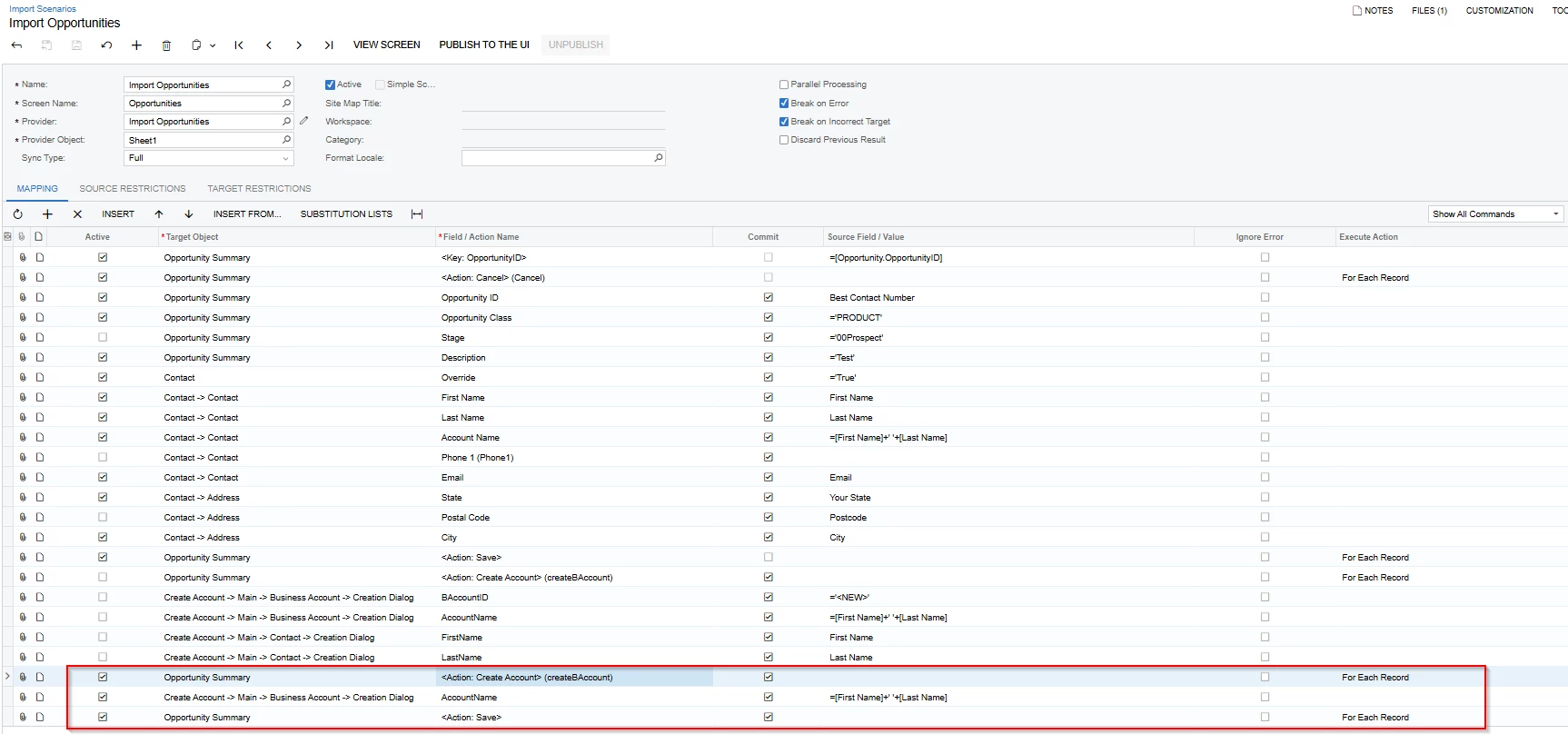
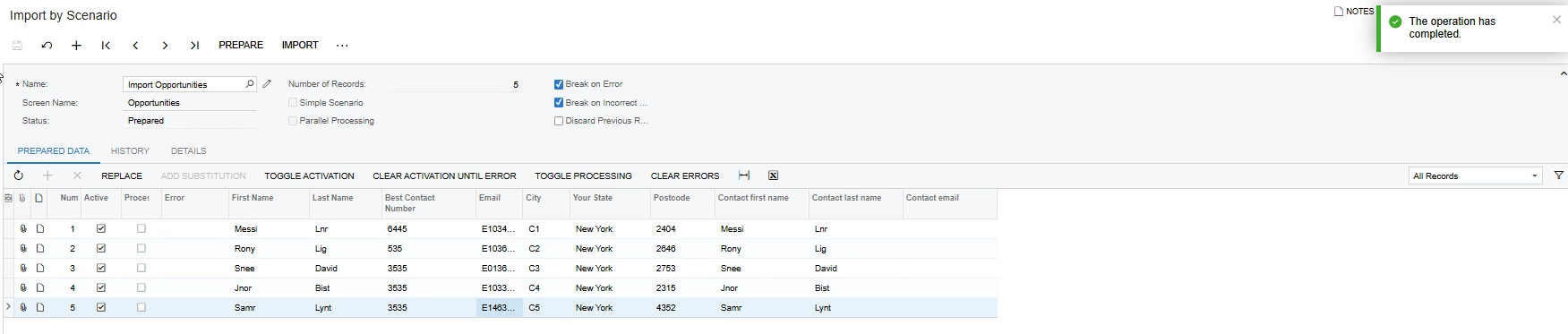
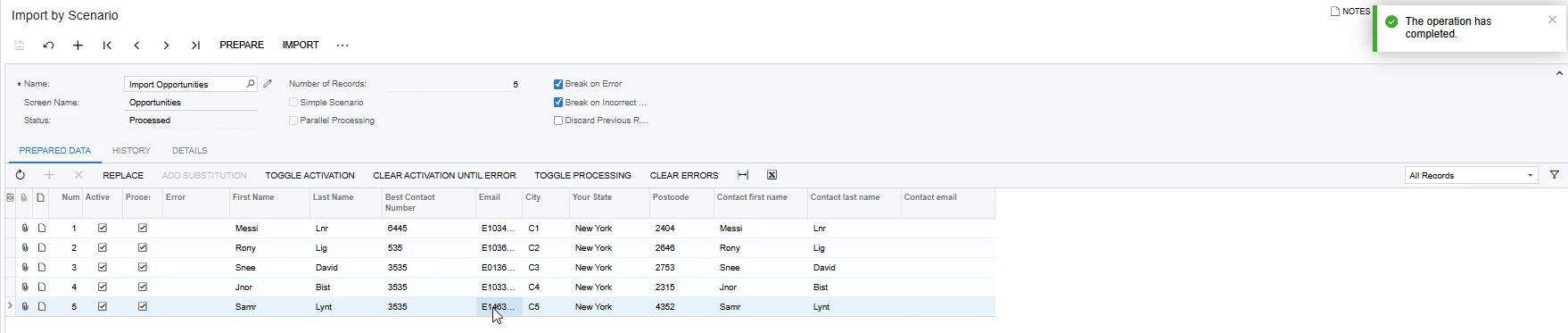
I made some modifications to the Import Scenario this morning and have attached the updated Import Scenario, source spreadsheet, and supporting screenshots for your review. The screenshots demonstrate that the first row’s Business Account Name is being assigned to the other imported records.

Could you please review the attached information and advise why the system is retaining the first row’s Business Account Name when multiple records are imported?


Import by Scenario.


Imported 

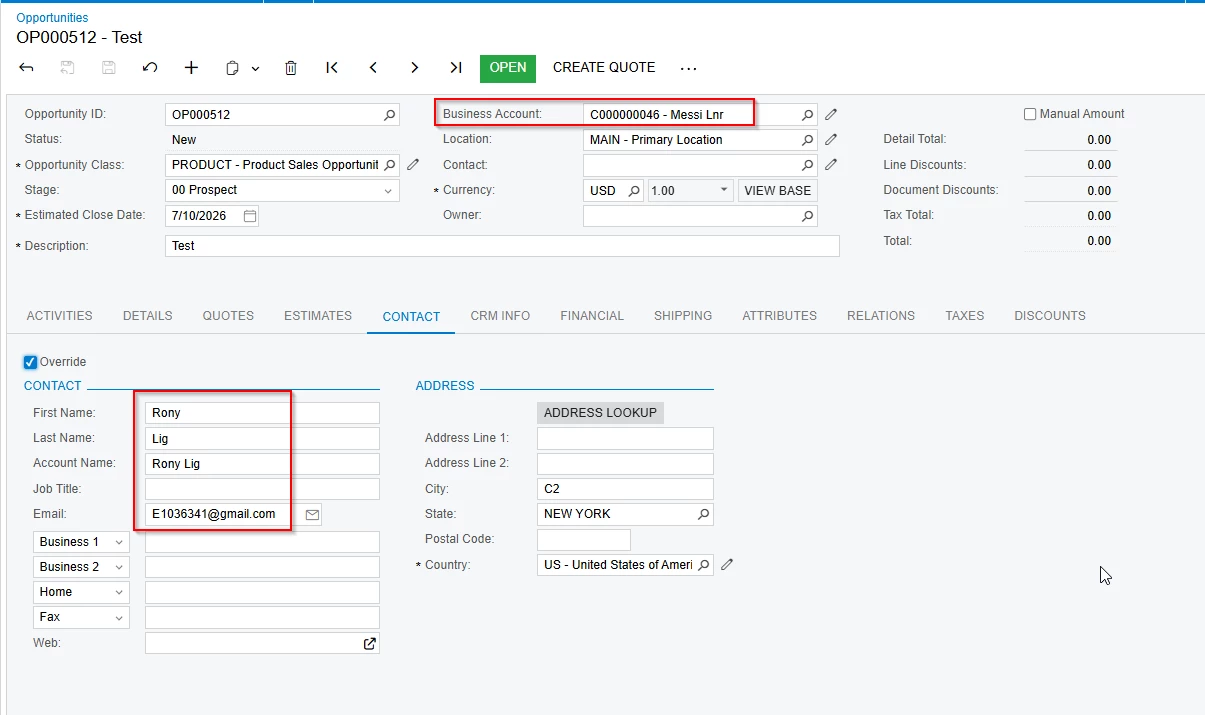
Opportunity Screen 


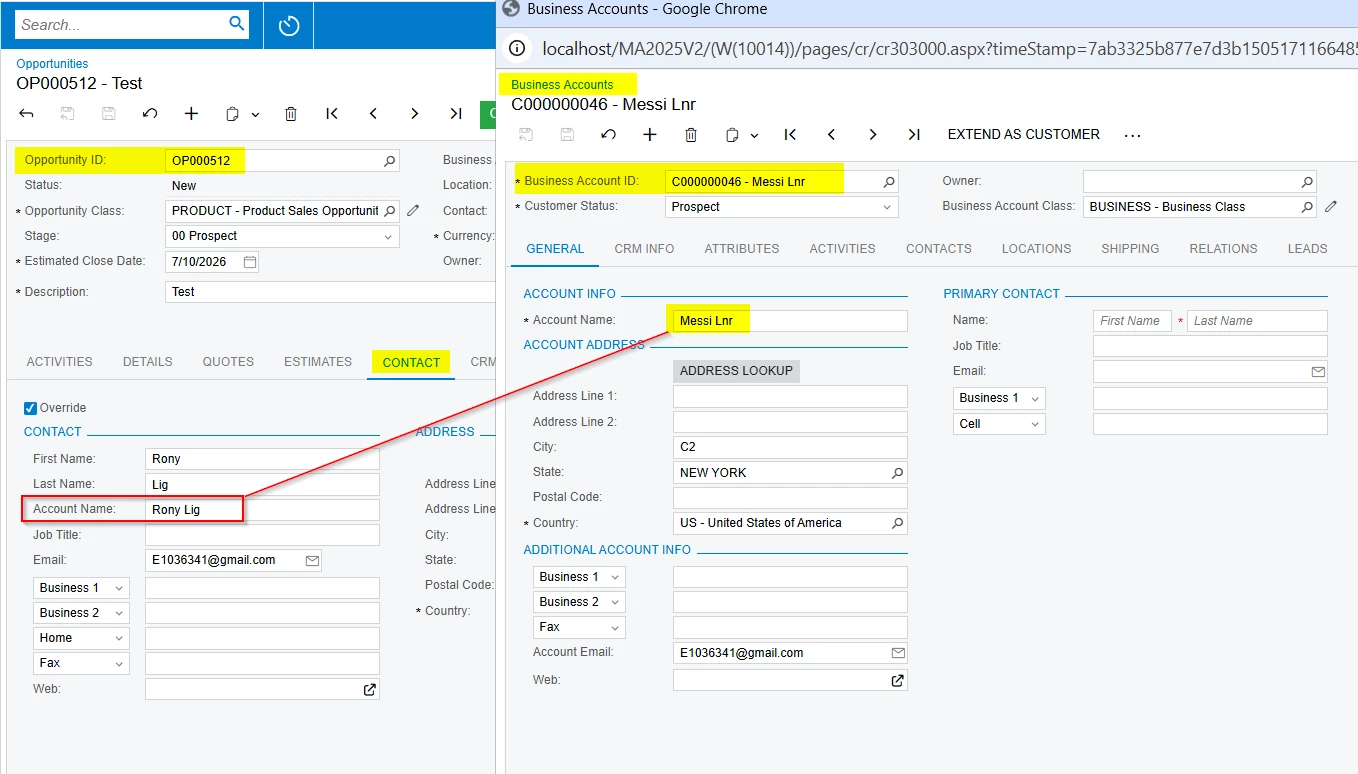
When I open any of the imported records, all values are populated correctly except for the Business Account Name.


I am not sure why the system retains the Business Account Name from the first row in the Create Account dialog box when creating subsequent Opportunities.


Regards

NA


Forum|alt.badge.img
  • Author
  • July 12, 2026

Hi ​@hsethia25 and ​@ranjithduraisamy72 , 

I hope both of you are doing well.

Have you had a chance to review my query?

Regards,
NA