Answer

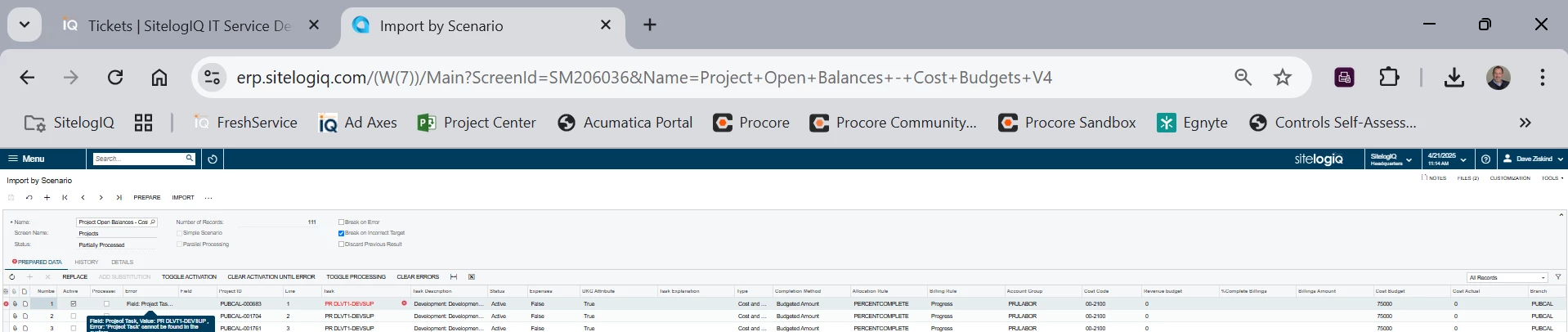
Cost Budget Import Error " Prepared Data History Details All Records Field: Project Task, Value: PR DLVT1-DEVSUP , Error: 'Project Task' cannot be found in the system."

  • April 21, 2025
  • 8 replies
  • 111 views

dmzasdf
Varsity I
Forum|alt.badge.img

Hi!

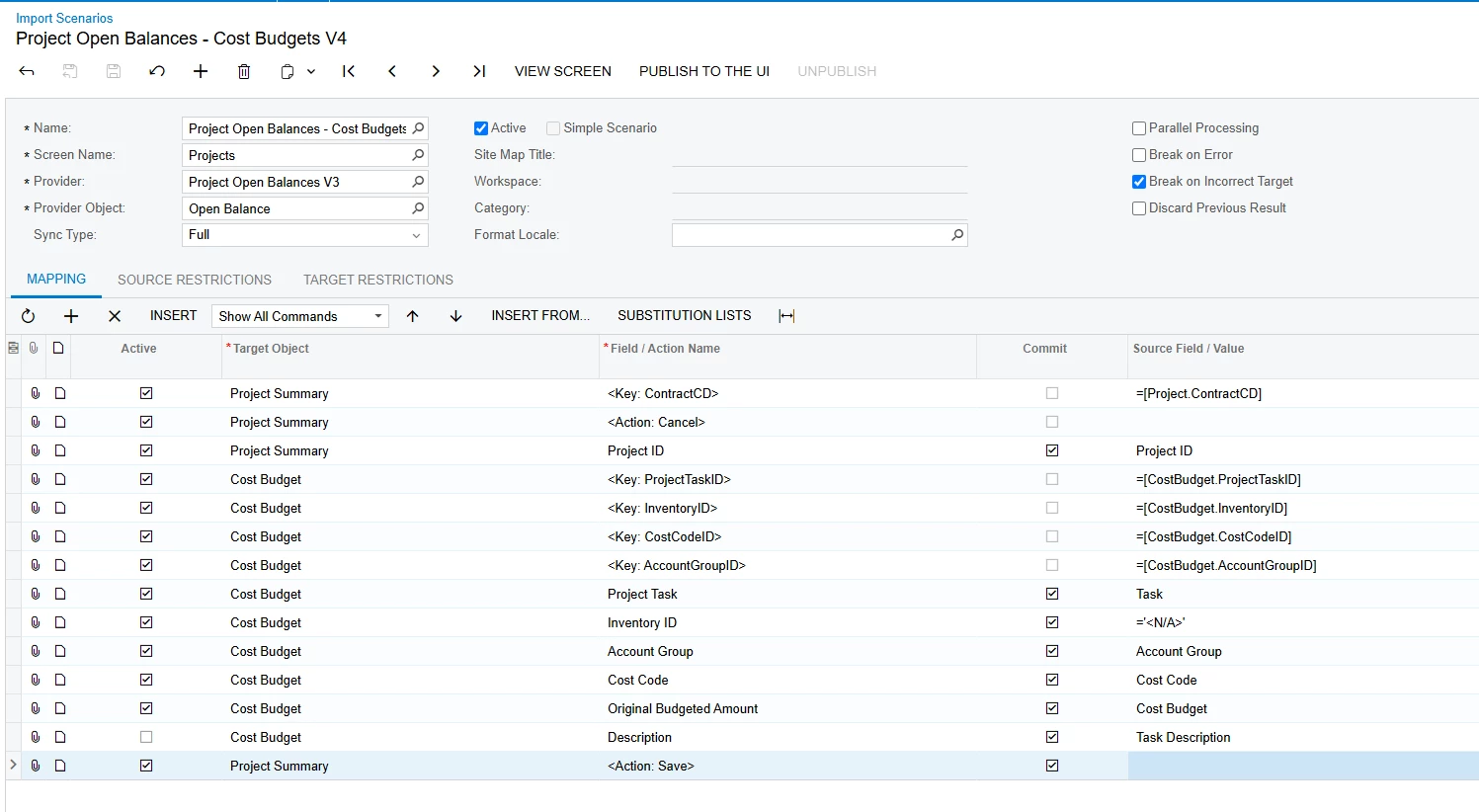
After years of working, our attached project cost budget import scenario is failing since we upgraded to 24R1 in August 2024 with the following error. We have tried everything we can find in posts, so hoping there was a base change we are missing.

Thank you,

Dave Z


Best answer by valentynbeznosiuk

@dmzasdf That makes perfect sense now, thank you for this additional information, I should have thought about it earlier.

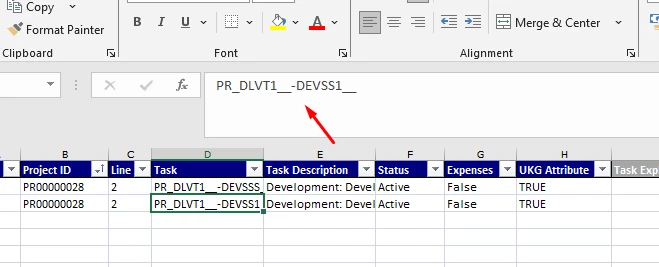
 Have you tried to enter a Project Task into Excel with underscores? I just made a similar setup to yours (the difference that the 1st segment in my case has length = 10), then copied Task ID values from the Task tab to the import file 

And as a result it was succesfully imported

I’m also attaching my version of the Import. Please let me know if this helps.


8 replies

valentynbeznosiuk
Jr Varsity I
Forum|alt.badge.img+3

Hi ​@dmzasdf 

I’ve made a very few changes to it and was able to successfully run the import. Please try it on your side. Also, make sure that the Project has needed tasks created on the Tasks tab.


dmzasdf
Varsity I
Forum|alt.badge.img
  • Author
  • Varsity I
  • April 22, 2025

Thank you!

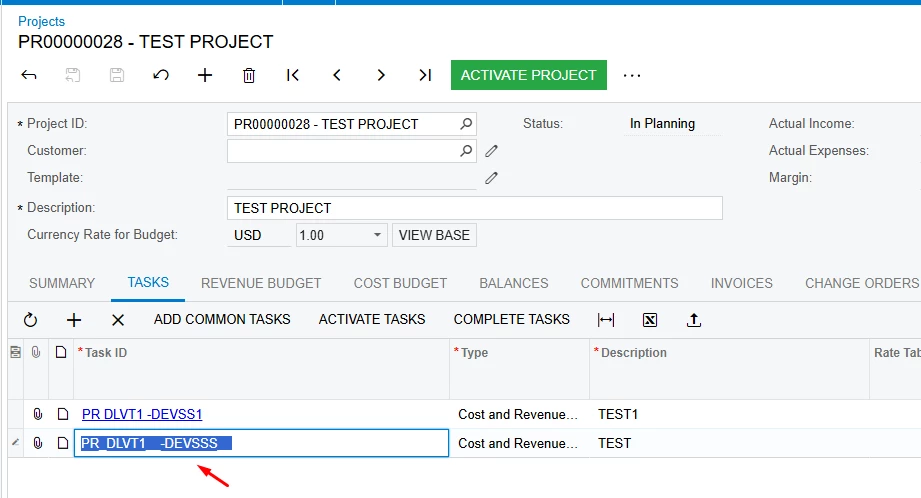
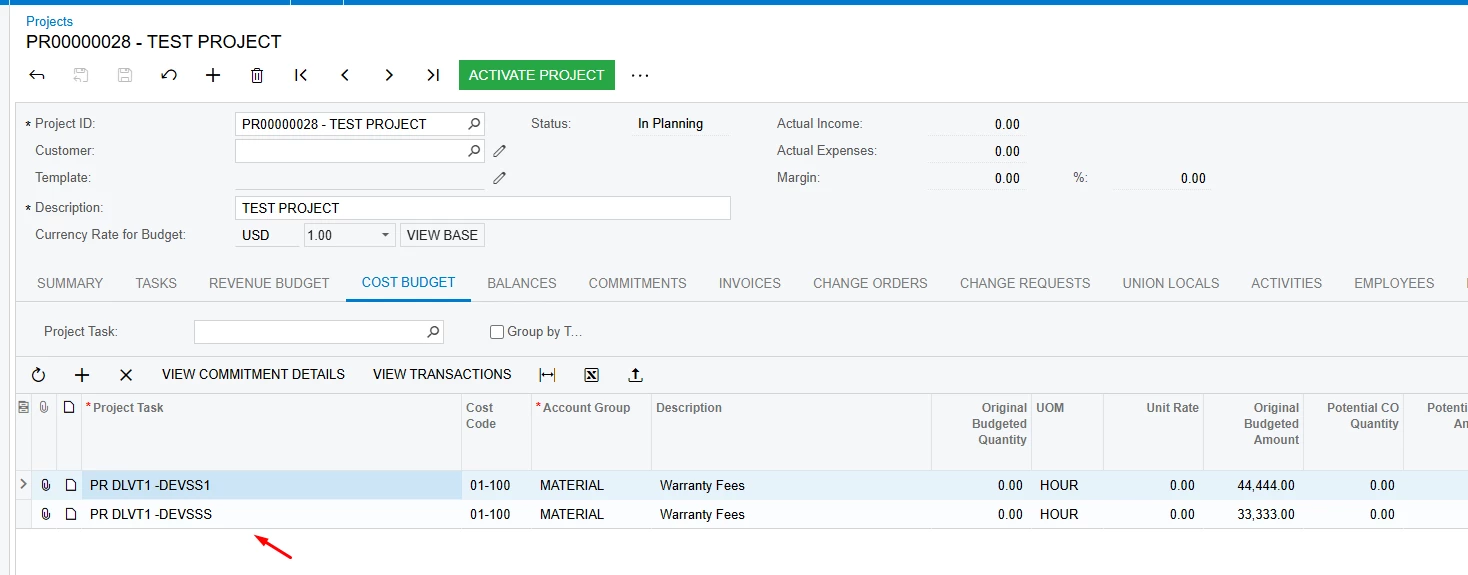
Still receiving same import error, but found when clicking into field that task ID contains underscores “PR_DLVT1-DEVSUP__” on Tasks screen but does not “PR DLVT1DEVSUP” on on Cost Budget screen while the screen view both appear as “PR DLVT1-DEVSUP” “PR DLVT1-DEVSUP”.

Any ideas on how to work around the underscore considering there are actuals on the Cost Budget?

Thanks again,

Dave Z


valentynbeznosiuk
Jr Varsity I
Forum|alt.badge.img+3

@dmzasdf Now I see where the issue is. Acumatica does not allow the use of dashes in the ProjectTaskCD by default, causing an issue. Do you have a customization that allows you to create Tasks with dashes and more than 10 characters? I think the solution would be to customize the Project Task field mask on both Tasks and Cost Budget (and ideally on all other tabs that use Project Tasks) to allow dash, so that it won’t error out when you enter Project Task either manually or through Import Scenario


dmzasdf
Varsity I
Forum|alt.badge.img
  • Author
  • Varsity I
  • April 23, 2025

@valentynbeznosiuk underscore tasks were created with a derivative of this import scenario. Therefore, Acumatica allowed the import of an invalid value.

We have no customizations and are not going to start for an Acumatica bug. I’ll open a case with Acumatica (probably) again on the underscore.

in the meantime, any other ideas aside from manually updating 75 cost budgets lines across 75 projects?

Thank you,

Dave Z


valentynbeznosiuk
Jr Varsity I
Forum|alt.badge.img+3

@dmzasdf  The problem here is not in the underscore. Underscore is used in Acumatica to display spaces in the mask, so in this case, underscore = space, and in the Excel file, instead of underscore, you should have spaces.

The issue there is caused by the dashes in the Project Task ID. 


dmzasdf
Varsity I
Forum|alt.badge.img
  • Author
  • Varsity I
  • April 24, 2025

@valentynbeznosiuk

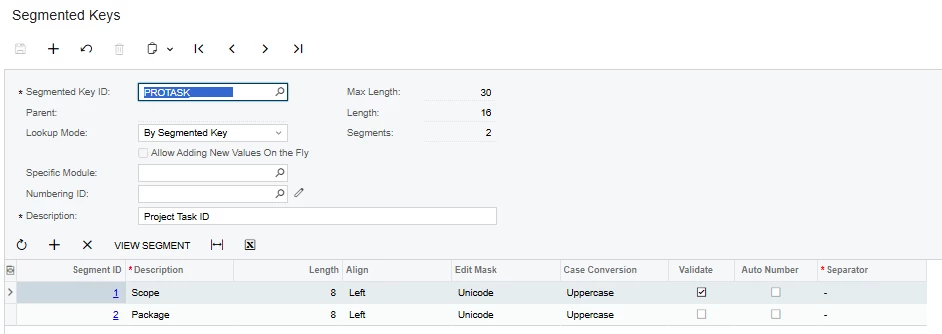
I’ll get back to the underscore story later, but I think you are saying that our import file should no longer have dashes in the Task CD? Our Task CD uses the following segmented key.

I have another instance of this (our longest living and most used import scenario) not working where it seems the issue may be due to the import scenario not allowing 6 character task segment 2’s even though they can/have been manually entered. Might that be why these cost budgets cannot be updated?

Thanks again,

Dave Z


valentynbeznosiuk
Jr Varsity I
Forum|alt.badge.img+3

@dmzasdf That makes perfect sense now, thank you for this additional information, I should have thought about it earlier.

 Have you tried to enter a Project Task into Excel with underscores? I just made a similar setup to yours (the difference that the 1st segment in my case has length = 10), then copied Task ID values from the Task tab to the import file 

And as a result it was succesfully imported

I’m also attaching my version of the Import. Please let me know if this helps.


dmzasdf
Varsity I
Forum|alt.badge.img
  • Author
  • Varsity I
  • May 5, 2025

@valentynbeznosiuk

I was out last week, thus the delay in responding.

The proposed solution to copy "Task ID values from the Task tab to the import file" makes sense for higher touch situations.

However, we have these questionable tasks all over the place and have now found a potential solution to "concatenate the parsed task ID segments". The solution is roughly =Concat( Left( [Task ID], 8 ), Right( [Task ID], 6)). We’ll need to evalute whethter Len can be used to confirm the Right characters. If functional, then we’d update all related import scenarios.

Thanks again,

Dave Z