Answer

Combining Duplicate Line Items on SO Import

  • May 13, 2022
  • 5 replies
  • 159 views

Forum|alt.badge.img

Hello Everyone,

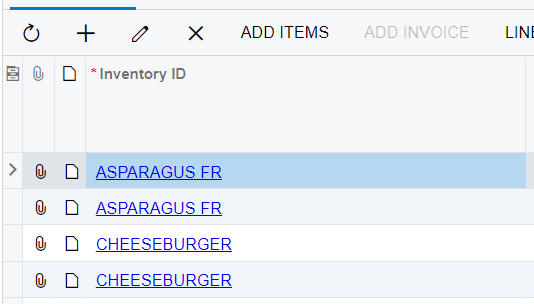
I am working on a SO Import and ideally I would like to have the least amount of lines possible on the sales order. For instance, let’s say my data provider has 8 lines for a cheeseburger, is it possible to combine those 8 lines into one?

For instance combine the asparagus and cheeseburger lines into one:
 

Best answer by vkumar

Hi @podonnell11 

I don't see an option to achieve this on import scenario. You may find a way to get the data merged at database provider / source file level. 

The option @Naveen Boga suggested does help overwrite a line if the item code is same. But it wont add the quantity to the existing line, instead overwrites with new line with same item code. So post import, it will keep the last line with that item code. 

Hope this clarifies,

Regards,


5 replies

Naveen Boga
Captain II
Forum|alt.badge.img+19
  • Captain II
  • May 13, 2022

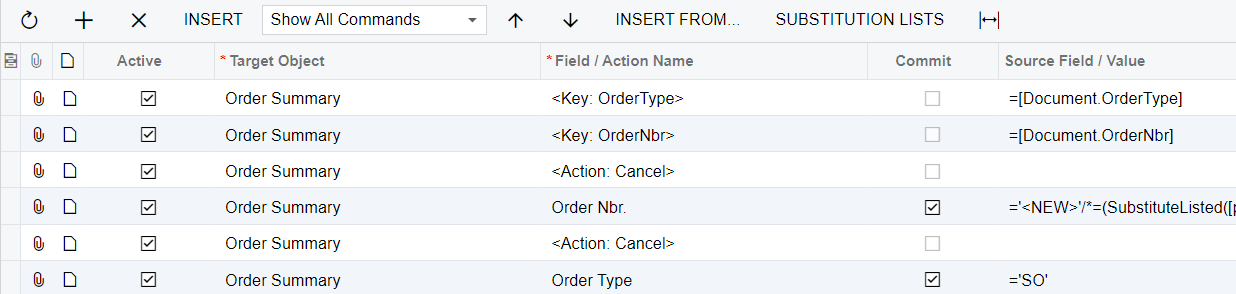
Hi, @podonnell11  You can add the @@InventoryID before the <Line Number> in your import scenario as shown below.

which will check for the InventoryID, and if it already exists it will go and update the same line and pass the proper qty for the line.


Forum|alt.badge.img

What type is your data provider?  If it perchance is SQL, then you could create a view in SQL to combine items before your import scenario runs.  Just a thought.


Forum|alt.badge.img
  • Author
  • Semi-Pro II
  • May 16, 2022

Hi, @podonnell11  You can add the @@InventoryID before the <Line Number> in your import scenario as shown below.

which will check for the InventoryID, and if it already exists it will go and update the same line and pass the proper qty for the line.


This does not seem to add the 2 lines together, it just takes the second line.


What type is your data provider?  If it perchance is SQL, then you could create a view in SQL to combine items before your import scenario runs.  Just a thought.

CSV File.


Forum|alt.badge.img+12
  • Acumatica Support Team
  • Answer
  • May 16, 2022

Hi @podonnell11 

I don't see an option to achieve this on import scenario. You may find a way to get the data merged at database provider / source file level. 

The option @Naveen Boga suggested does help overwrite a line if the item code is same. But it wont add the quantity to the existing line, instead overwrites with new line with same item code. So post import, it will keep the last line with that item code. 

Hope this clarifies,

Regards,


Forum|alt.badge.img
  • Author
  • Semi-Pro II
  • May 16, 2022

Hi @podonnell11 

I don't see an option to achieve this on import scenario. You may find a way to get the data merged at database provider / source file level. 

The option @Naveen Boga suggested does help overwrite a line if the item code is same. But it wont add the quantity to the existing line, instead overwrites with new line with same item code. So post import, it will keep the last line with that item code. 

Hope this clarifies,

Regards,


Thank you for the confirmation!