Answer

Can you mass change Warehouse Location IDs in import scenario?

  • November 23, 2023
  • 5 replies
  • 237 views

Forum|alt.badge.img

Trying to create a mass import scenario to change existing location IDs to new location IDs. I want to retain the history of the location so I don’t want to create new locations.


In the import scenario, there isn’t an option to Change ID like there is for stock items, warehouses, etc.


Once I map to the key field, is there a way to change the ID?
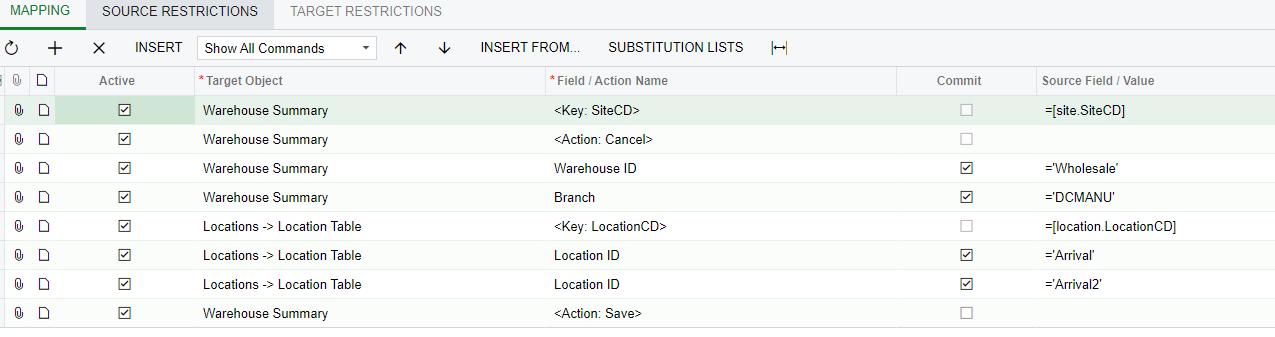
 

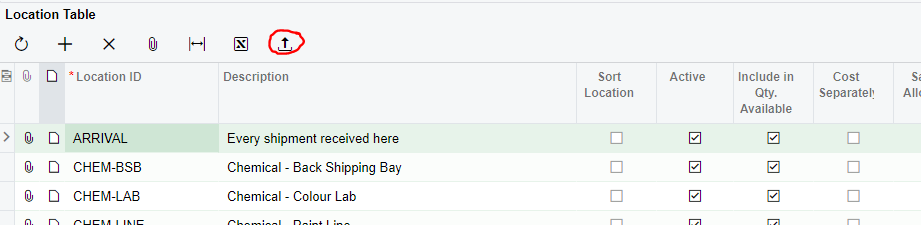
Or is there a way to do this directly from the locations table upload feature?
 

Best answer by bryanb39

The key is to make sure the description field is unique.  You may need your current import scenario to edit descriptions first, then use the @@Descr as the key to update the IDs. Also don’t put any segment separators in the import file, it will break it!

5 replies

Manikanta Dhulipudi
Captain II
Forum|alt.badge.img+15

Hi @jwarren 

I came across related articlet https://www.augforums.com/forums/everything-else/change-warehouse-location-id-via-an-import/

Could you please check?


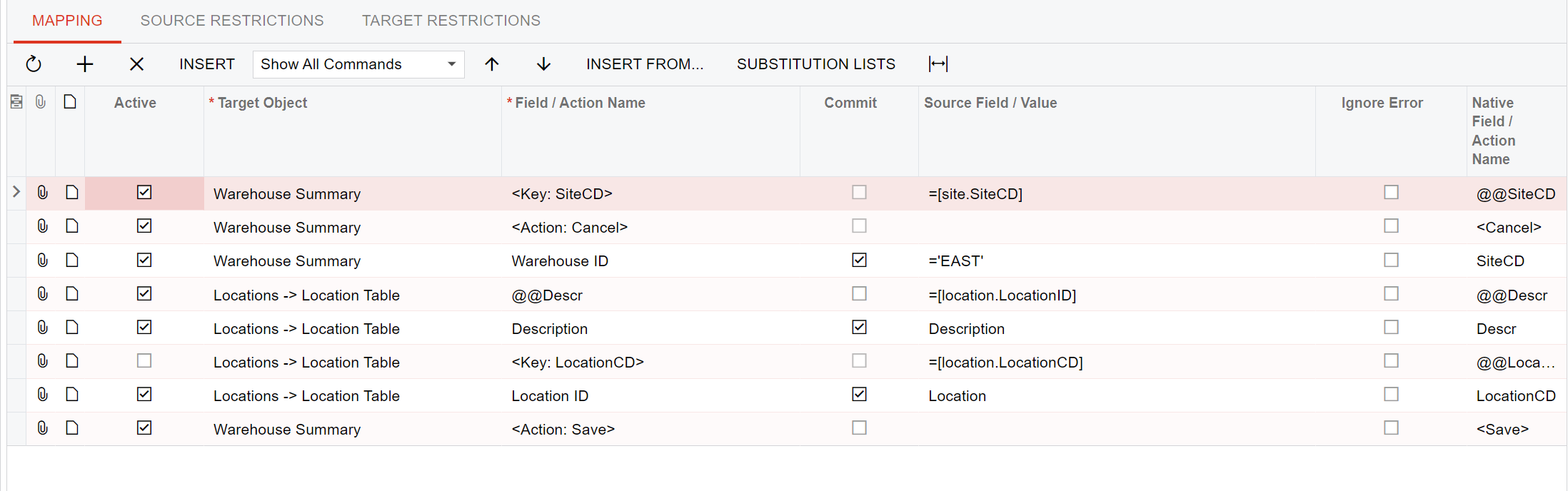
Also attaching the import scenario 


bryanb39
Pro II
Forum|alt.badge.img+6
  • Pro II
  • Answer
  • November 23, 2023

The key is to make sure the description field is unique.  You may need your current import scenario to edit descriptions first, then use the @@Descr as the key to update the IDs. Also don’t put any segment separators in the import file, it will break it!


Forum|alt.badge.img
  • Author
  • Semi-Pro I
  • November 23, 2023

The key is to make sure the description field is unique.  You may need your current import scenario to edit descriptions first, then use the @@Descr as the key to update the IDs. Also don’t put any segment separators in the import file, it will break it!

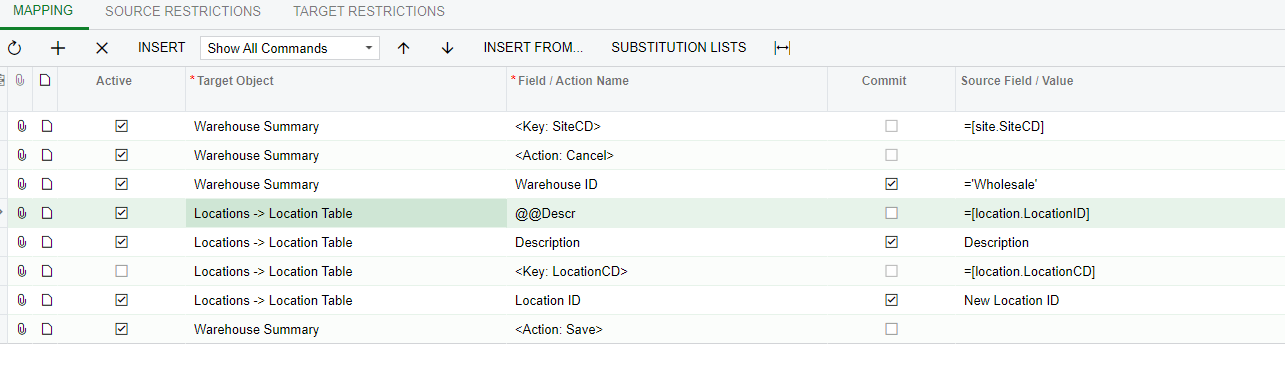
Thanks Bryan - I’ve tried this scenario but seems to still just create a new location rather than updating the existing one. See anything off with my scenario below?


Forum|alt.badge.img
  • Author
  • Semi-Pro I
  • November 23, 2023

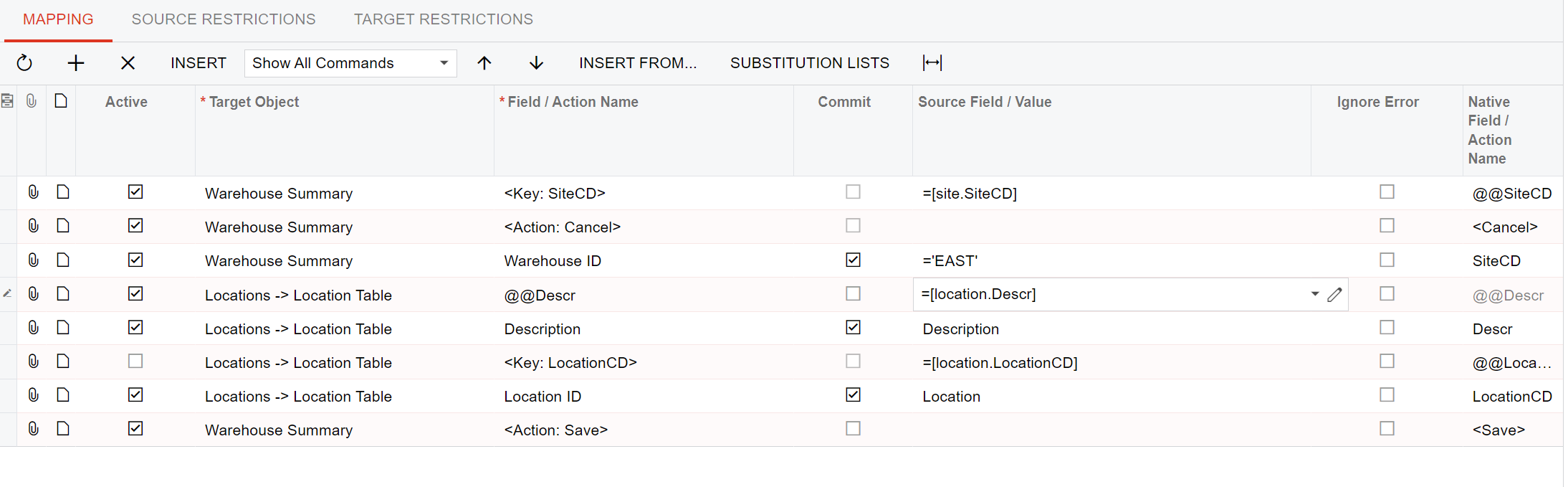
OK - looks like the 4th row down needs to be:


Locations → Location Table       @@Descr       =[location.Descr]


It is working now - thanks both.


bryanb39
Pro II
Forum|alt.badge.img+6
  • Pro II
  • November 23, 2023

The key is to make sure the description field is unique.  You may need your current import scenario to edit descriptions first, then use the @@Descr as the key to update the IDs. Also don’t put any segment separators in the import file, it will break it!

Thanks Bryan - I’ve tried this scenario but seems to still just create a new location rather than updating the existing one. See anything off with my scenario below?


Sorry about that, I forgot I was messing with the Import the other day.  The Field should be =[location.Descr].