Our vendor is requiring us send files which are exported from Acumatica to them by SFTP in daily basis. Yes, this can be done manually, I can export the file to my local computer and then I use a SFTP client to send the file. However, I am wondering can this be done in an automation way? Thanks in advance.
Best answer by vkumar
Hi @ray20
Here are the steps,
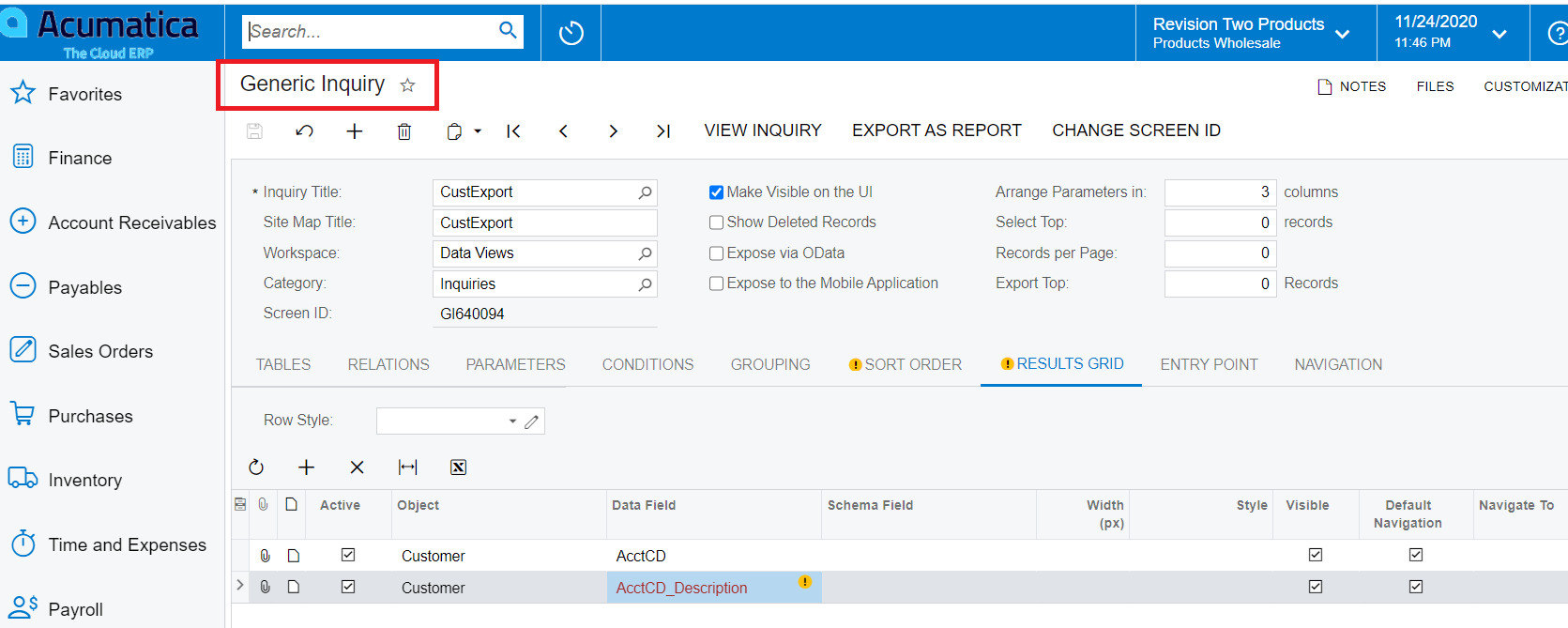
You can create a GI to pull required results
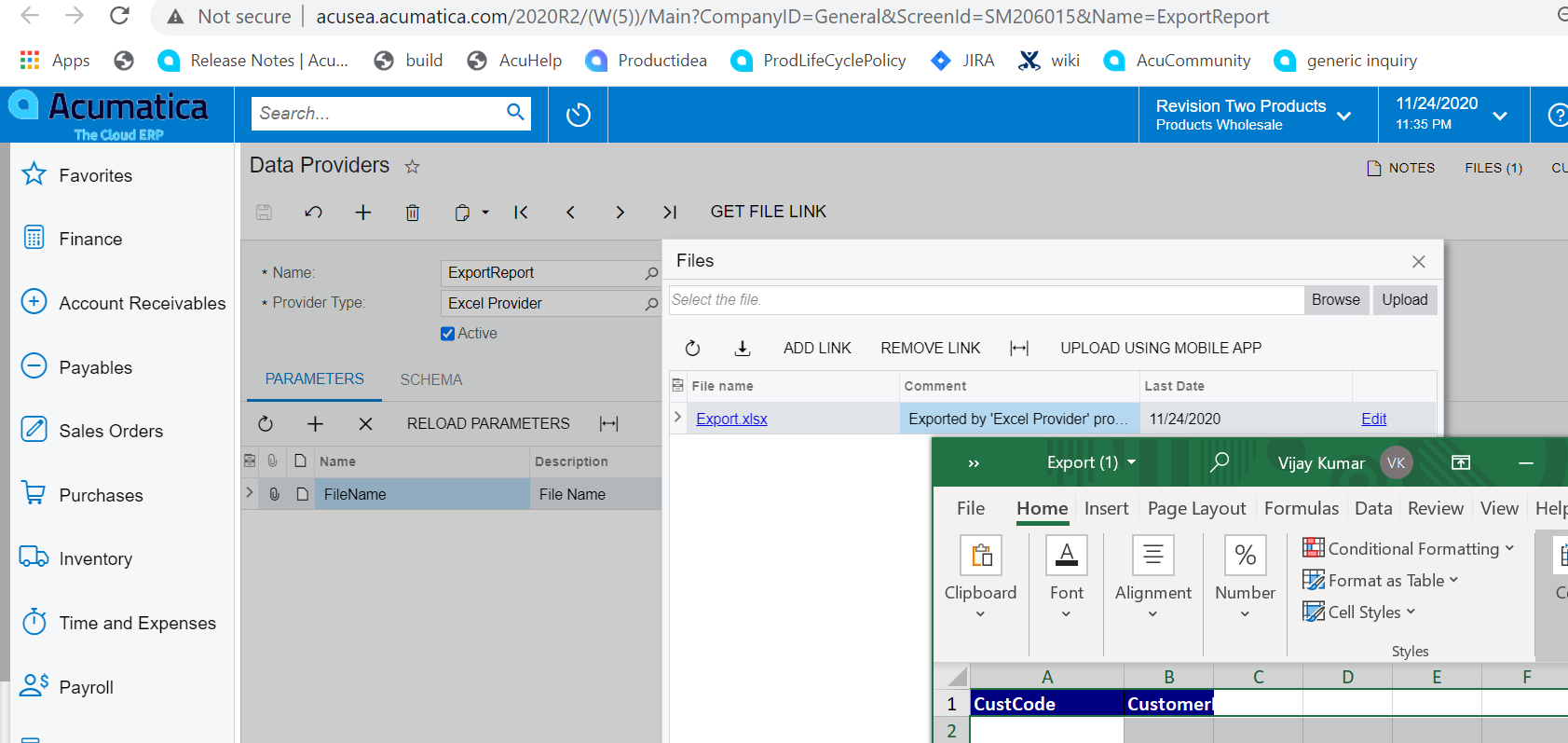
Create a data provider for an export scenario to be built using GI. You can use an excel file with required columns
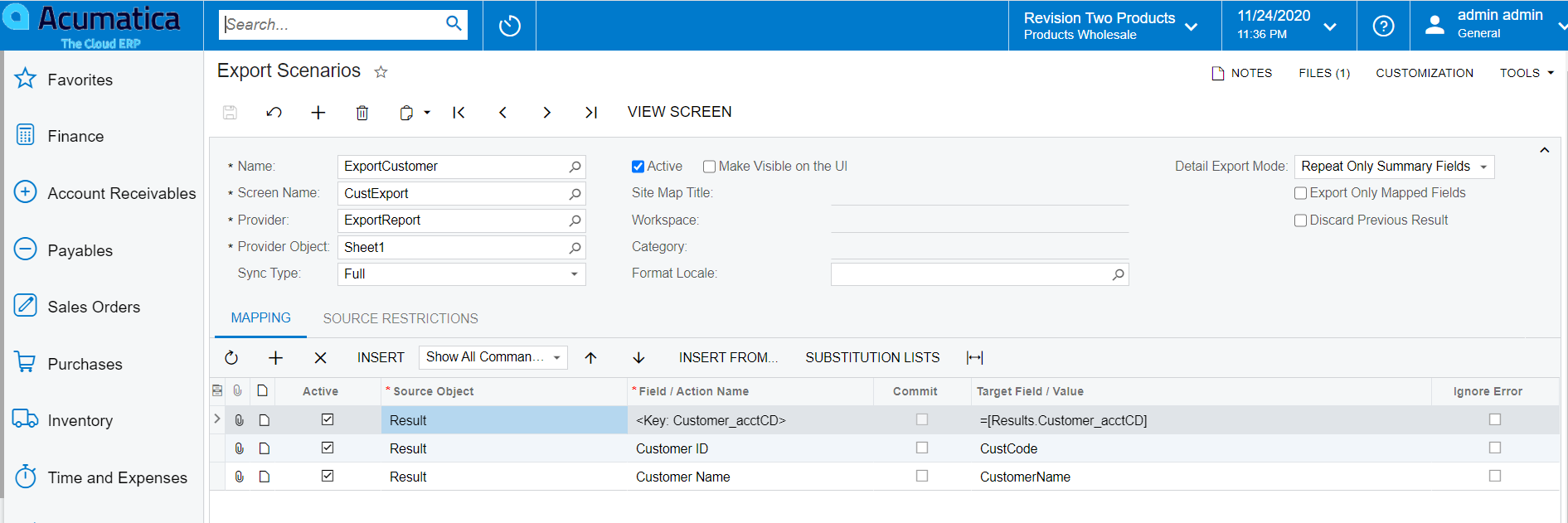
Create an export scenario to export the result of the Gi
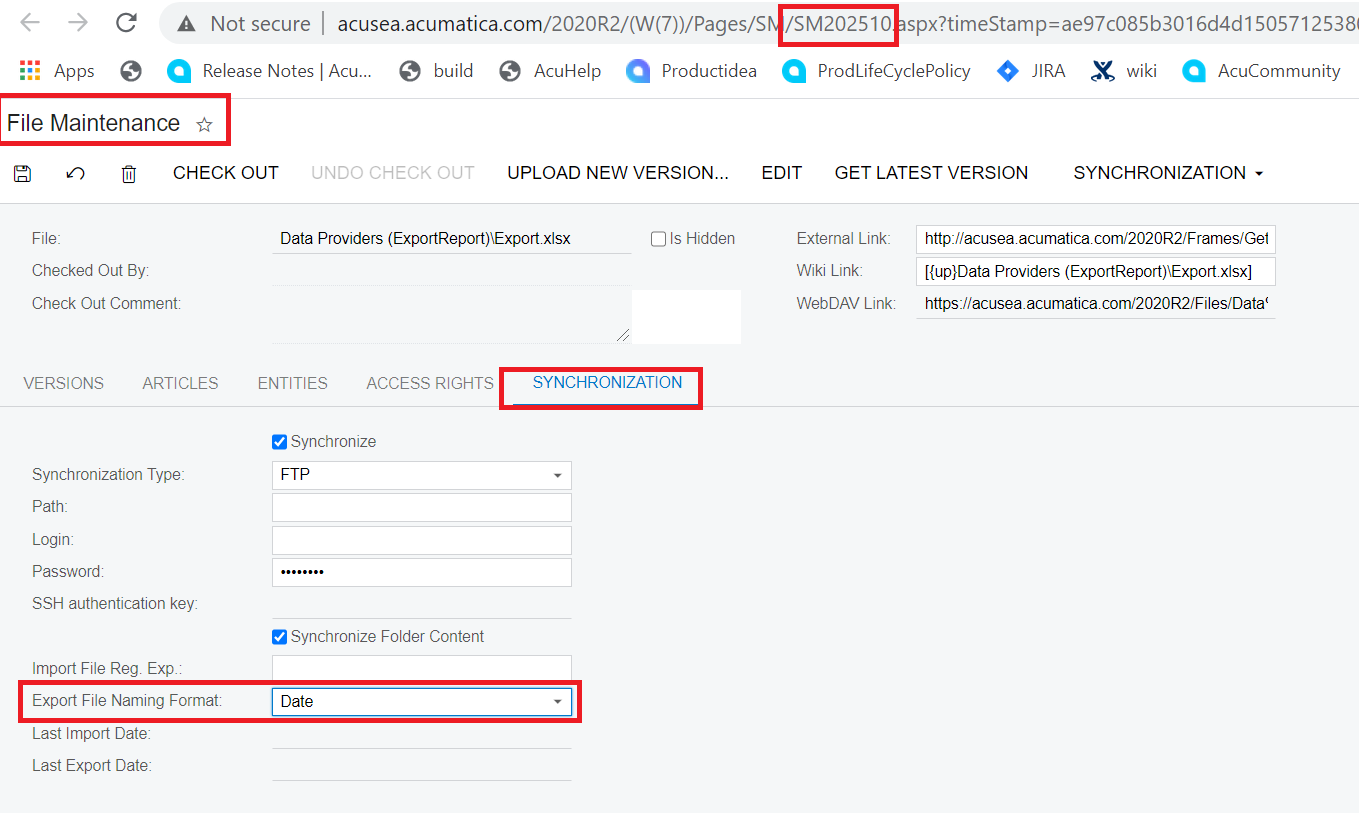
On data provider, enable Synchronization to move exported file required destination folder based on date or file version
Set an automation schedule to run the export scenario on the required interval
Here are the screenshots:
Created a GI to pull Customer Code and Customer description
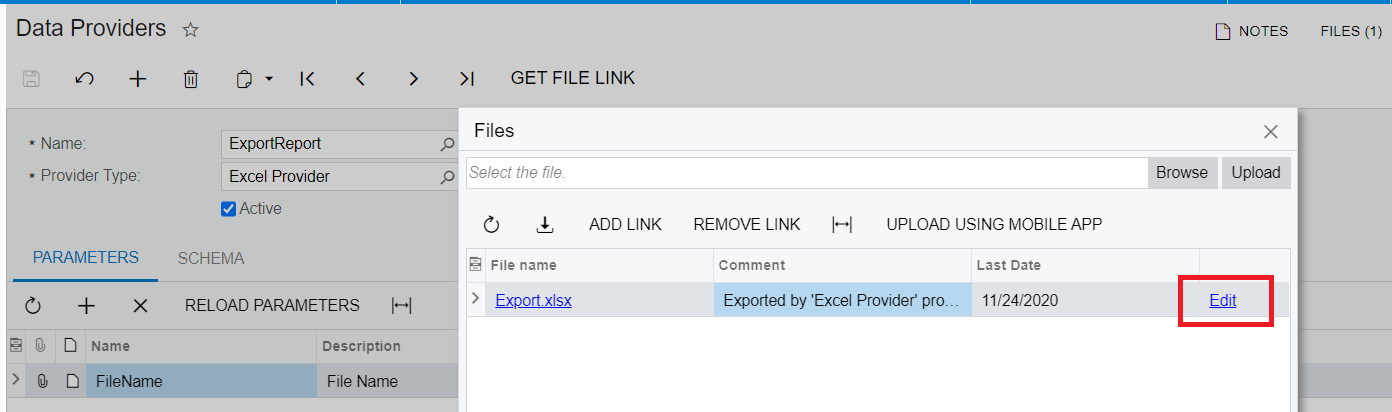
Created data provider to export details to an excel
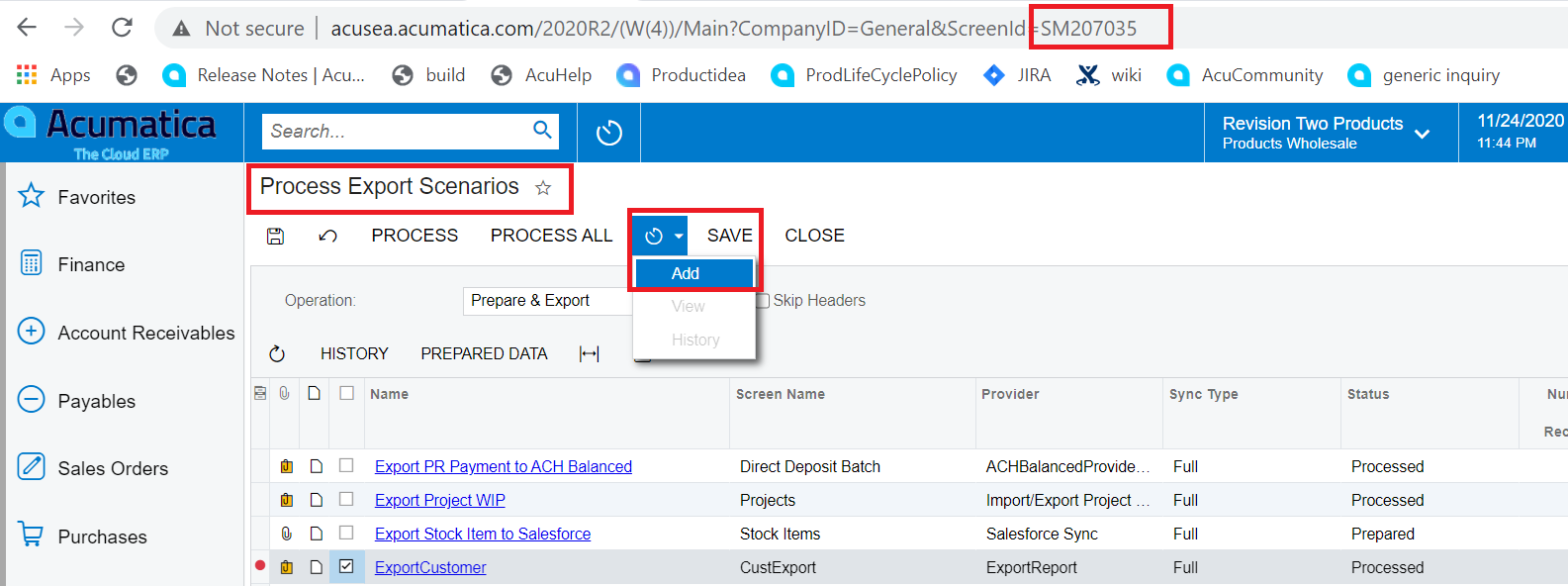
Created an export scenario to export the data from GI result
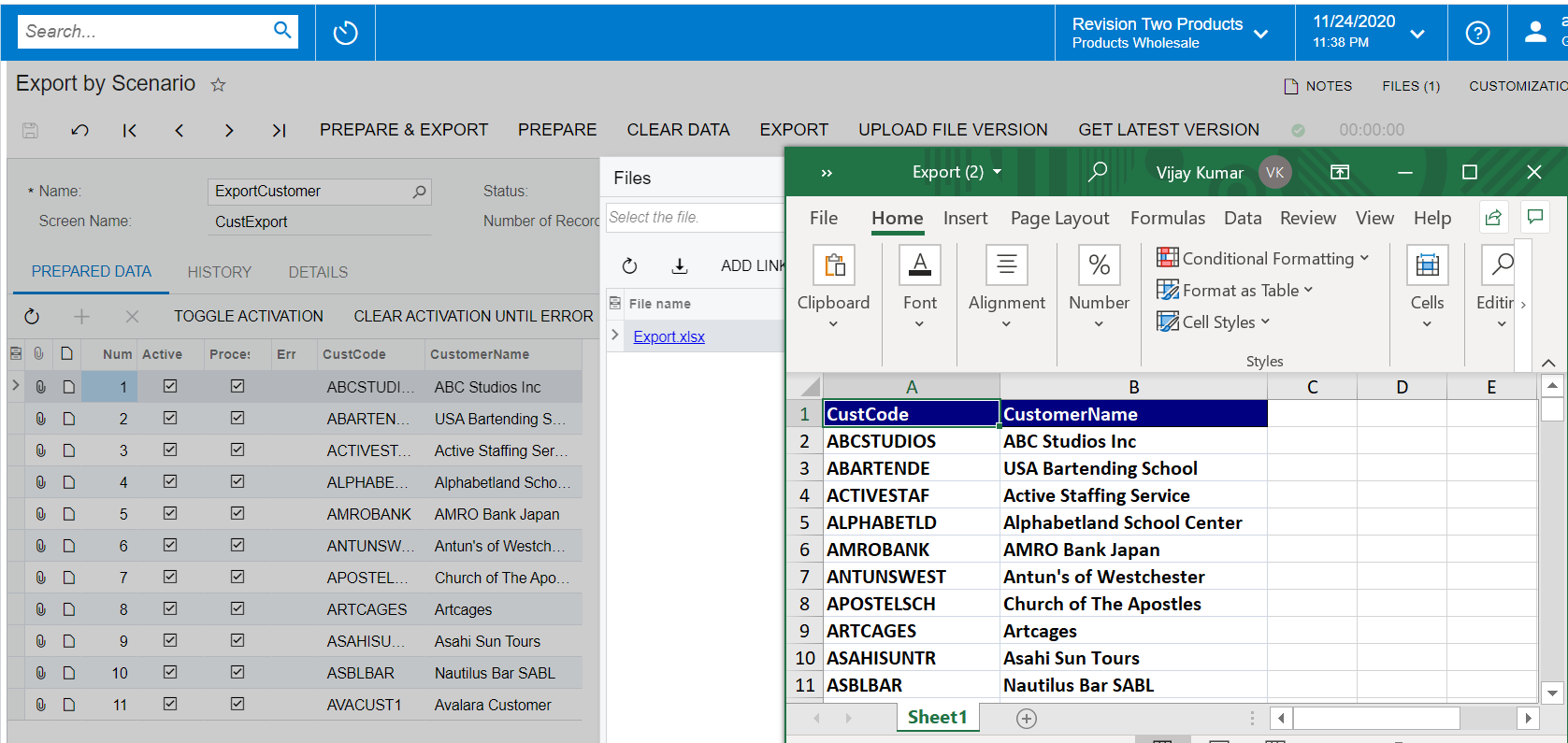
Export by scenario exports GI result content to the file specified on provider
Click here to open file maintenance on data provider and enable synchronization
Screate a schedule to automate running the export scenario on required time interval
We had another client who needed the same functionality to upload the batch to the Wells Fargo SFTP site. We created a customization to upload from the batch payments screen.
I’m not quite sure what you mean by approach, we created a customization.
We stored the SFTP credentials in the AP preferences screen.
Then we created a new Upload action on the batch payments screen that would allow them to upload the file after it is exported and attached to the batch payment.
Note: SFTP connections typically require a certificate to be passed during the connection. This requires uploading file to the encryption certificates screen (SM200530). That is explained a bit more on this post.