Hello,
So our pricing model is a direct markup of last cost. I’ve seen other topics talking about how to use a business event to automatically update pricing based on a change of last cost. First though I need to get the last cost field correct. We use a FIFO costing method for reference. Essentially, I want to be able to update the last cost to the true last cost after release of an AP Bill that has either a Purchase Price Variance or a Landed Cost tied to it, or both.
So far I’ve gotten things to work by creating a Generic Inquiry and a Business Event that looks for any AP Bills that have been released that have either a PPV or a LC document on them and calculates the total unit cost for that item that I want to update with the last cost. It triggers an Import Scenario that creates an Inventory Receipt with a Qty of 1 and Unit Cost equal to that Total Cost I calculated in the GI.
The next Business Event uses a GI that looks for receipts with the reason code LASTCOSTRECEIPT. It triggers an Import Scenario that creates an Inventory Adjustment with a Qty of -1 and a Receipt Nbr equal to the Receipt Nbr that I created above (thanks to the reason code).
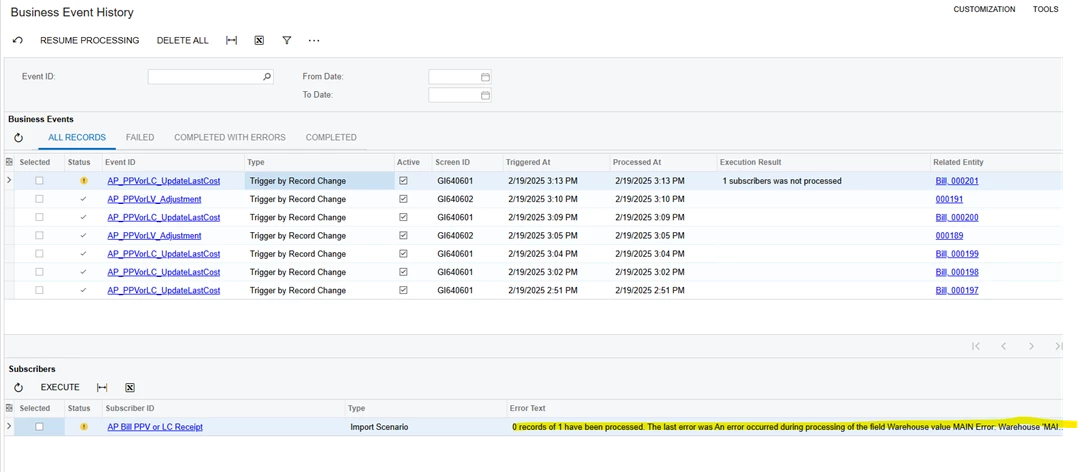
What this does is essentially adds an extra unit to inventory at that correct total last cost, then immediately adjusts it back off. So far the business events actually work well and accomplish what I’m trying to do but they run into some intermittent errors. The Receipt one always throws an error saying the warehouse is wrong, even though we only have one warehouse defined. The adjustment always throws an error on the financial period and branch. The weird thing is that I can manually click execute on the subscriber in the business event when it errors out and then it works perfectly, every time it works, just requires me to manually execute after it errors, without me doing anything to fix the issue it says it has. All of those fields I mentioned are ones that automatically fill in if you try and manually create a Receipt or Adjustment too.
It makes me think the import scenario is moving too fast before the automatic fields are inputted or something. I’ve tried mapping some of them as static values but that also gives me an error code. Any ideas?