



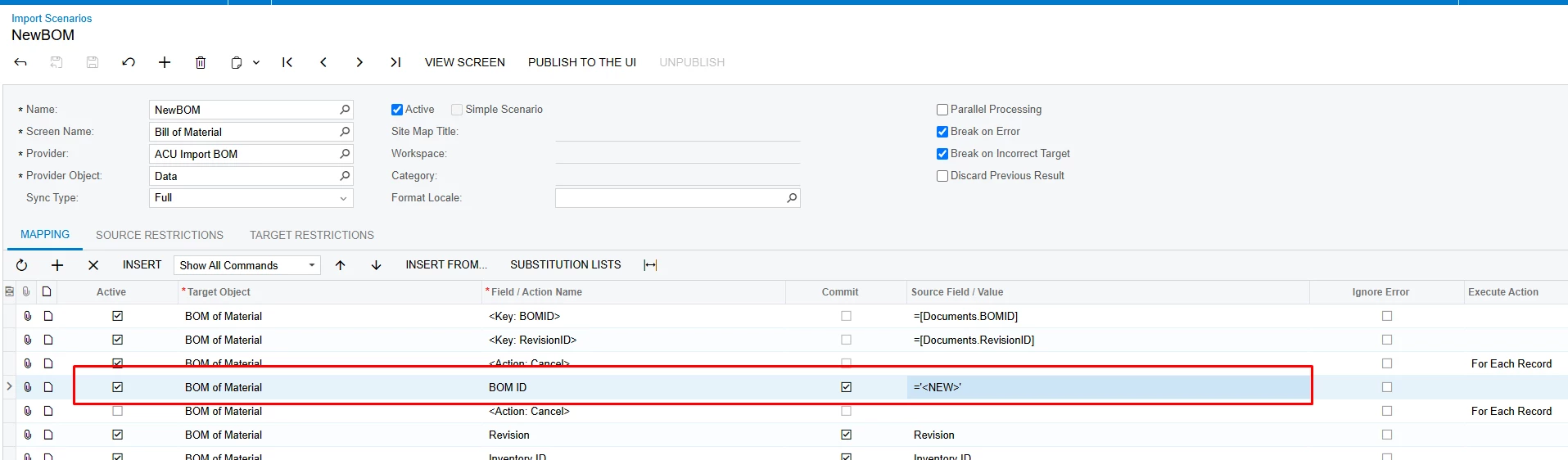
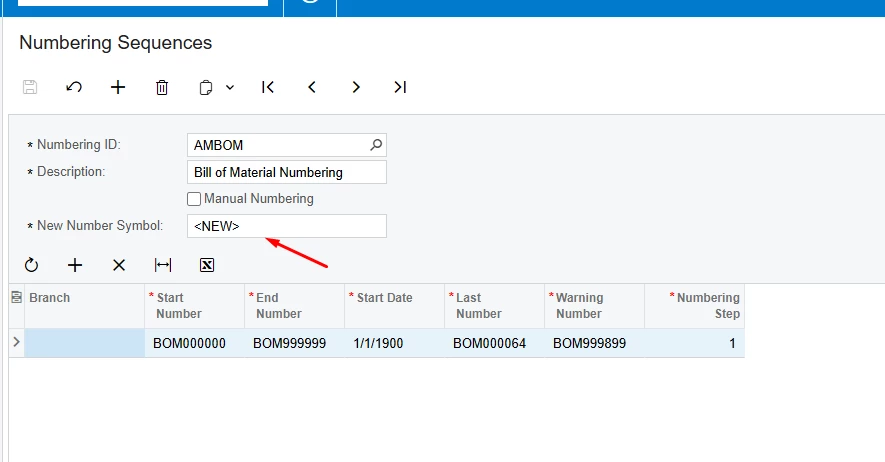
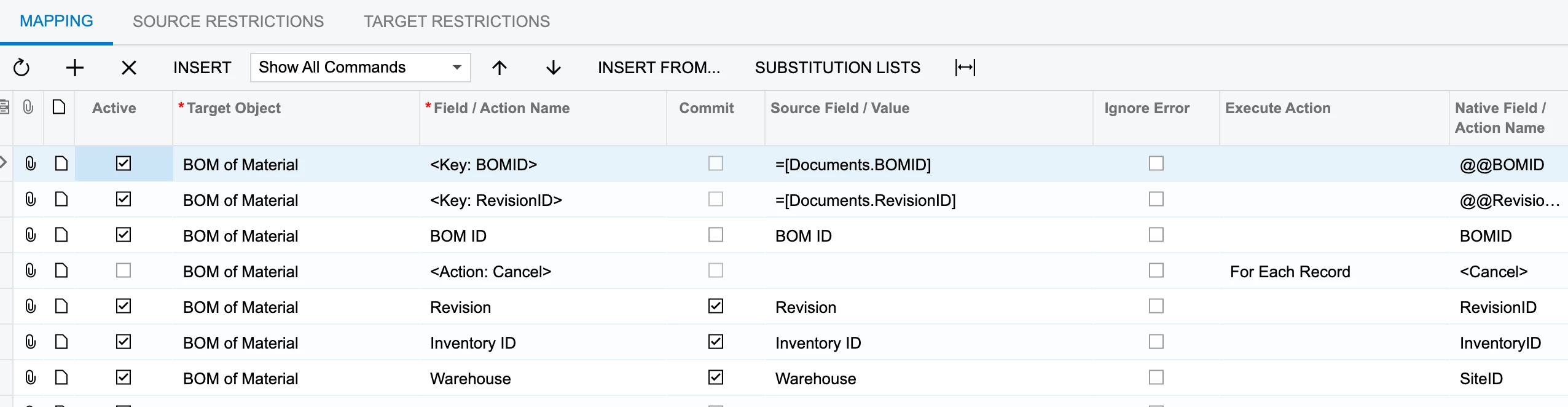
H, working on importing some BOM’s into the Bill of Material screen. I believe I have the hard part working, it’s creating the BOM as expected with multiple operations and/or materials listed under the operations. My issue is with the BOM ID field. I want the system to auto-generate the BOM ID field. The AMBOM numbering sequence is NOT set to manual. If I hand enter a BOM and hit Save, it creates the BOM ID using the numbering sequence BUT my import scenario when run, creates the BOM using the BOM ID from my spreadsheet. From previous experience in other screens, I’ve seen the value in the spreadsheet, is kind of ignored by Acumatica and it will just generate the next number from the sequence for example when importing AP Bills and I want to use the auto seq for the reference number.
My initial import scenario, was mapping the inventory ID as the BOM ID. Thinking again, that the BOM ID value itself in the spreadsheet is immaterial and just used for grouping when auto numbering is active and it actually worked in that I have say 8 rows pertaining to the BOM and it put all the rows into the same BOM correctly. It’s just that the BOM ID didn’t get auto numbered. Maybe it’s just the way this screen acts? It’s going to be a pain if I have to prep the BOM IDs in the spreadsheet before hand! Any suggestions or answers would be appreciated. Thanks!
BOM ID not acting as expected in import scenario
Best answer by rskieresz88
This isn’t the last load of BOMs I’ll be doing as part of this implementation, so I may revisit this or play around with it a bit more to try to get it to work as wanted but I’m good for now. Thanks everyone again.







Enter your E-mail address. We'll send you an e-mail with instructions to reset your password.