Answer

AR Invoice Import Multiple Lines

  • July 18, 2023
  • 6 replies
  • 505 views

Forum|alt.badge.img

Hi, please help me fix my import scenario in AR Import Invoice, I need it to work to be able to upload with multiple lines or inventory id.

Here is my import scenarios XML.

Best answer by Manikanta Dhulipudi

Hi @manikantad18 


I think you’re referring to the Invoices under Sales Orders. I am referring to Receivables (Invoices and Memos).


Thanks.

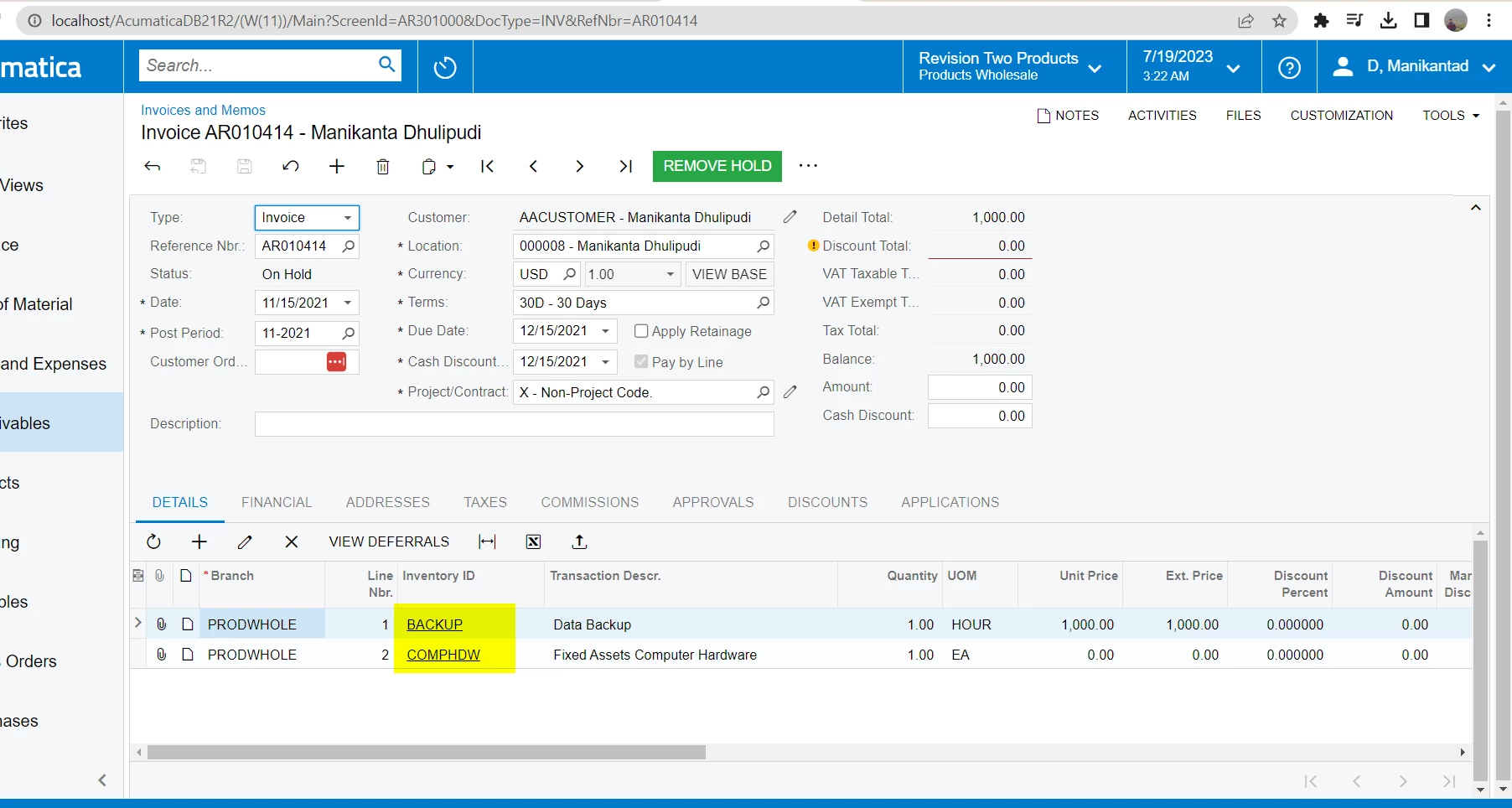
I have used same import scenario with out warehouse mapping and ableto import multiple lines.


Please refer sample attached FILE and import scenario
 

6 replies

Manikanta Dhulipudi
Captain II
Forum|alt.badge.img+15

Hi @retros 

I dont see any warehouse mapping in your import scenario.


Attached the sample Invoice for your reference to import Invoices


Forum|alt.badge.img
  • Author
  • Freshman I
  • July 19, 2023

Hi @manikantad18 


I think you’re referring to the Invoices under Sales Orders. I am referring to Receivables (Invoices and Memos).


Thanks.


Jeff96
Captain II
Forum|alt.badge.img+4
  • Captain II
  • July 19, 2023

It worked for me. The only thing I changed was activating the first <line number> row. See attached.


Forum|alt.badge.img
  • Author
  • Freshman I
  • July 19, 2023

Hi @Jeff96 


Yes, it worked also for me. But when it has two or more rows of inventory id, it saved in different invoices that supposedly 1 invoice only.


Manikanta Dhulipudi
Captain II
Forum|alt.badge.img+15

Hi @manikantad18 


I think you’re referring to the Invoices under Sales Orders. I am referring to Receivables (Invoices and Memos).


Thanks.

I have used same import scenario with out warehouse mapping and ableto import multiple lines.


Please refer sample attached FILE and import scenario


Forum|alt.badge.img
  • Author
  • Freshman I
  • July 19, 2023

Hi @manikantad18 


THANKS VERY MUCH! IT WORKED!