Answer

Amend default payment method via import

  • November 8, 2025
  • 4 replies
  • 29 views

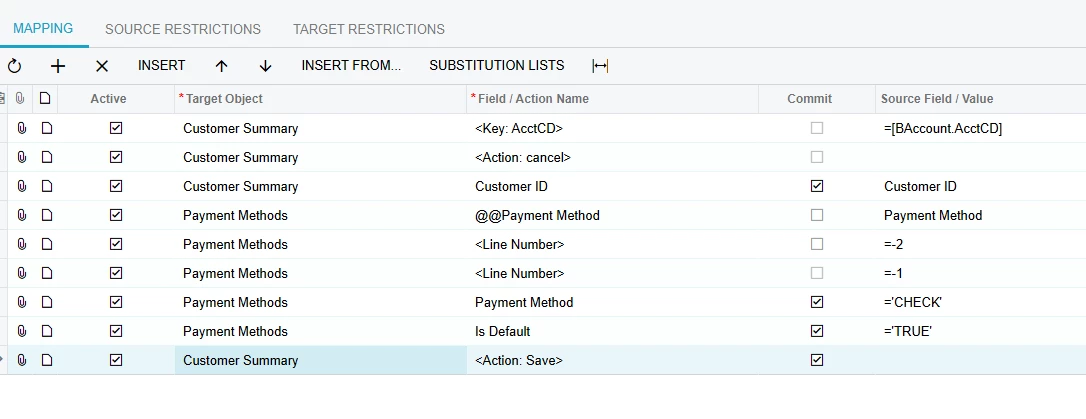
I’m trying to create an import scenario to amend customer default payment method. I’ve tried using the billing tab and amending there as well as on the payment methods tab but neither working. Can anyone assist please?

The payment method does already exist. 
Best answer by nickcerri32

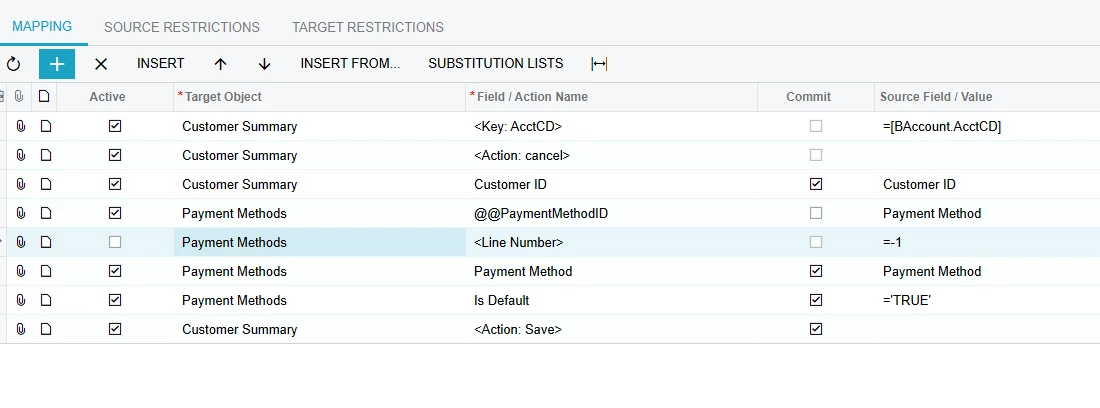
@RacheleDickie - see the following.  Assuming the Payment Method in question exists in the Payment Method tab of the Customers screen, you *simply* need to set up the Import Scenario to select the Is Default checkbox.  However, you need to @@ the payment method id.


4 replies

nickcerri32
Jr Varsity III
Forum|alt.badge.img+1
  • Jr Varsity III
  • Answer
  • November 10, 2025

@RacheleDickie - see the following.  Assuming the Payment Method in question exists in the Payment Method tab of the Customers screen, you *simply* need to set up the Import Scenario to select the Is Default checkbox.  However, you need to @@ the payment method id.


Manikanta Dhulipudi
Captain II
Forum|alt.badge.img+15

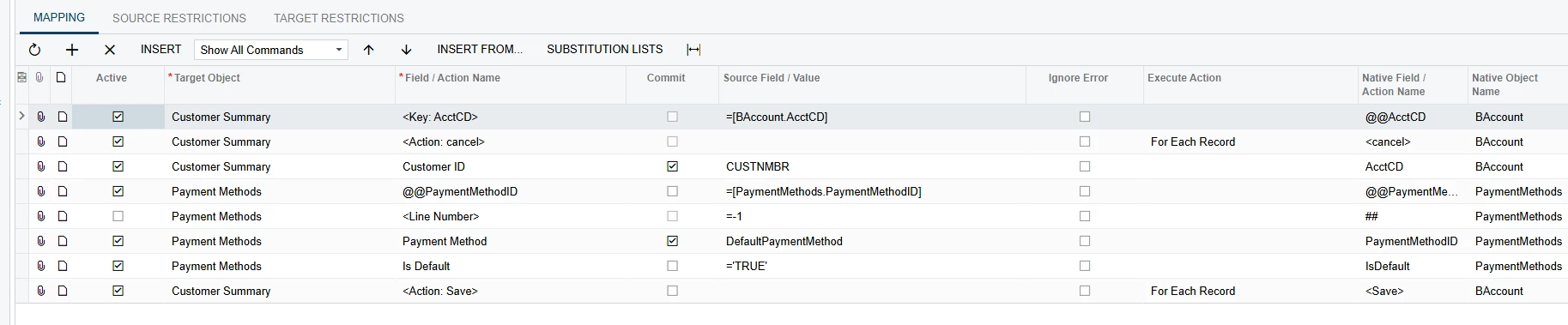
Please use below mapping.


  • Author
  • Freshman II
  • November 10, 2025

@Manikanta Dhulipudi Thank you - I’ve tried this but I’m getting an error:

1 items have not been processed successfully. View name: BAccount.


  • Author
  • Freshman II
  • November 10, 2025

@nickcerri32 - this worked thank you so much. There was no PaymentMethodID field to select so that was throwing me for a while as I was trying to use Payment Method instead and needed to map to payment method in my spreadsheet.

Maybe why I couldn’t get ​@Manikanta Dhulipudi option to work too as I wasn’t using the ID field. 

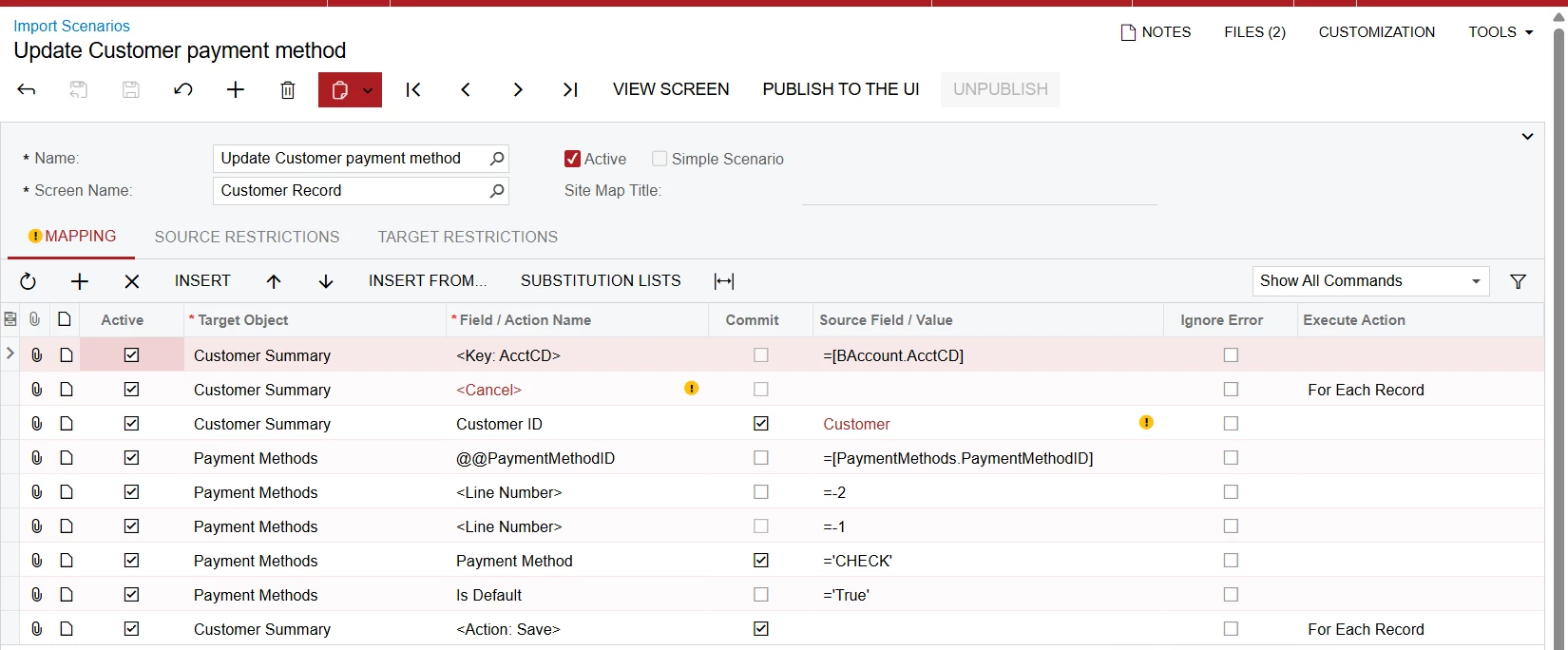
Thanks both for your help - this was my final import scenario that worked: