Question

Acumatica Import Scenario

  • May 21, 2025
  • 3 replies
  • 66 views

Hi All
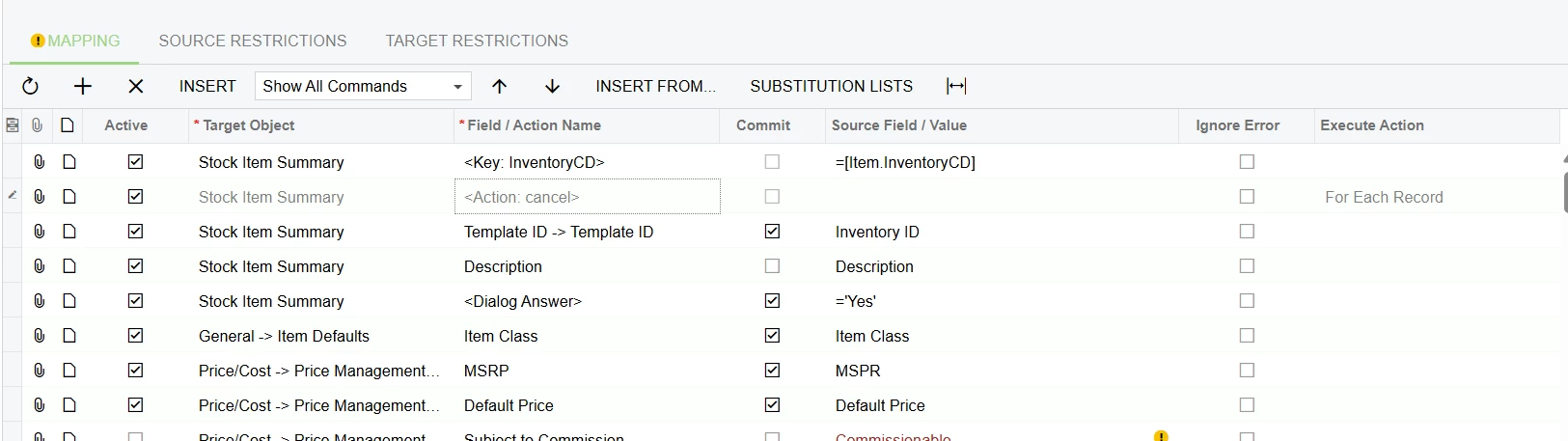
I am using Acumatica version Build 2024.114. I have written an Import scenario to import Template Items. I want to apply a validation on Template ID field i.e. if the value being imported already exist as a Template ID, the row is not imported. Is it possible? Any help appreciated.
Below is the screenshot of my import scenario.


3 replies

nhatnghetinh
Captain II
Forum|alt.badge.img+11
  • Captain II
  • May 21, 2025

Hi ​@zaidiasim 

I tried testing without using Template Items and still got the results you expected. Meaning " if the value being imported already exists as a Template ID, the row is not imported"


Best Regards,

NNT


  • Author
  • Freshman I
  • May 21, 2025

Hi ​@zaidiasim 

I tried testing without using Template Items and still got the results you expected. Meaning " if the value being imported already exists as a Template ID, the row is not imported"


Best Regards,

NNT

Thanks NNT

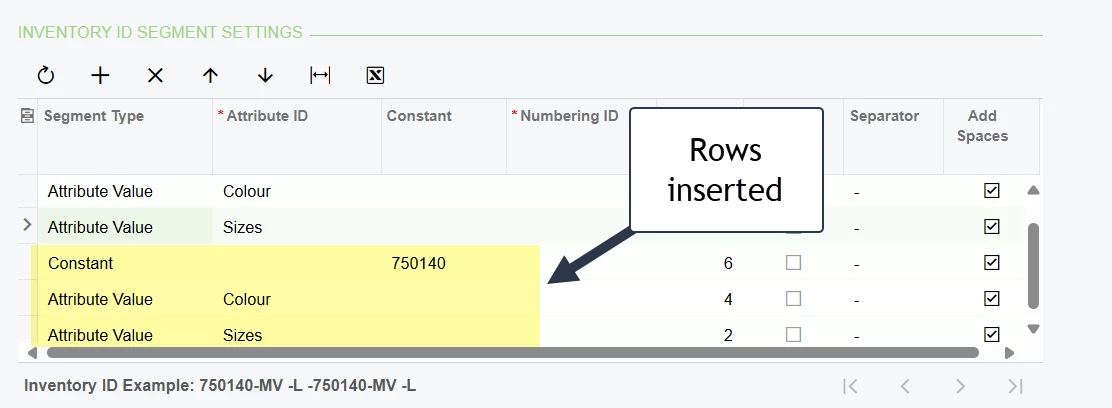
The template id and information thereof is being “updated” e.g. in my data file (Excel) I have Inventory ID Segment Setting values. Import scenario is adding duplicate line. Please see screenshot, I imported same file twice instead of skipping the item row Template ID is updated:


I have tried adding following formula in Import Scenario on Source Field Value:

=IIF([LOOKUP("InventoryItem","Template ID",[Inventory ID]) == "", [Inventory ID], NULL)'

But it is not working.


Chris Hackett
Community Manager
Forum|alt.badge.img
  • Acumatica Community Manager
  • July 3, 2025

Hi ​@zaidiasim were you able to find a solution? Thank you!