Answer

"Activate Project" Option not working in Import Scenario

  • May 16, 2022
  • 8 replies
  • 446 views

meganfriesen37
Captain II
Forum|alt.badge.img+12

We had an import scenario that worked in an older version of Acumatica that was used to import large volumes of projects into the system and automatically create and activate the projects.  In the older import scenario we used to force a “False” into the Hold field to trigger the activation.

With the upgrade to 2021R1 and the addition of the Workflow Automation, the old import no longer works as the Hold button is gone.

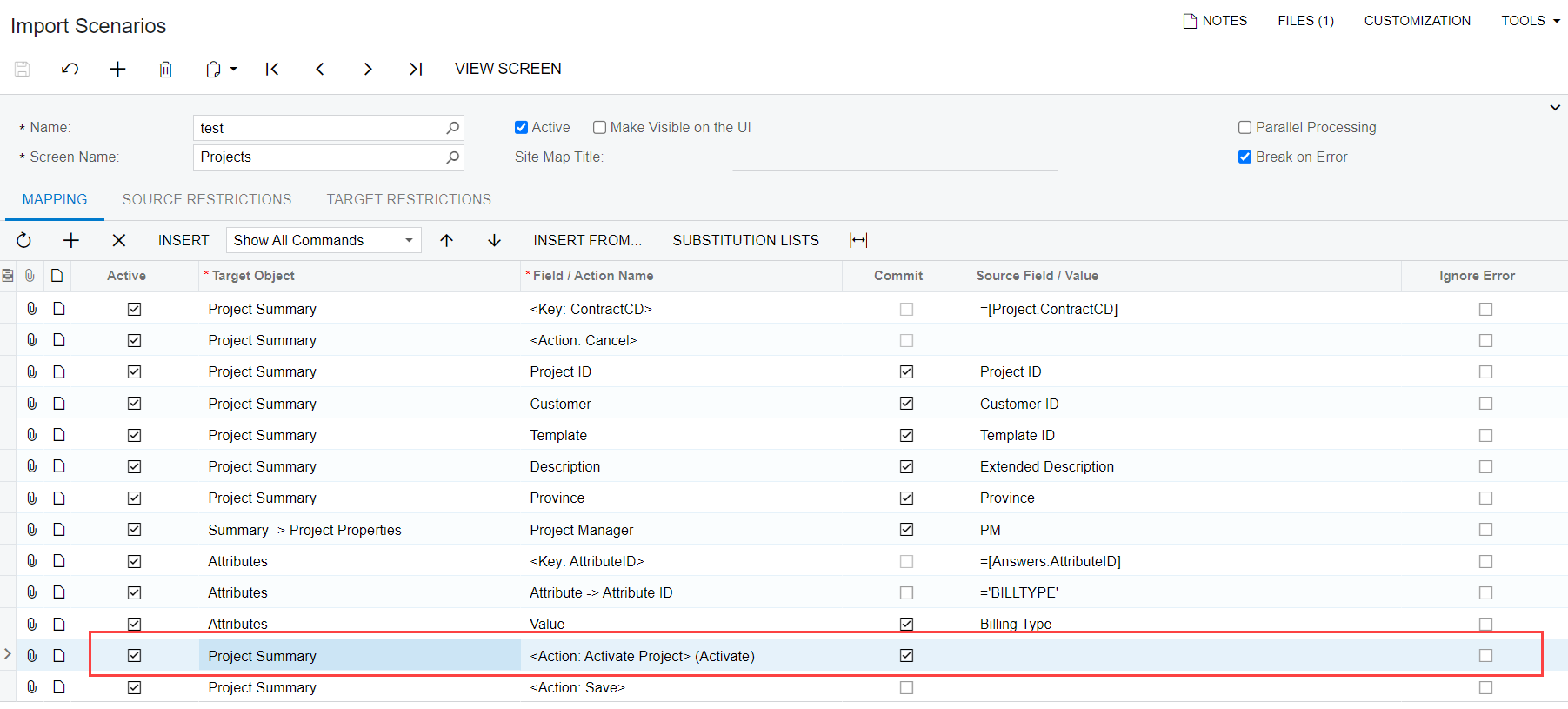
I have tried using both of the options below, but I get the same error on both of them.

Target Object Field/Action Name
Project Summary <Action: Activate Project> (Activate)
Project Summary <Action: Activate Project> (Activate@Action)


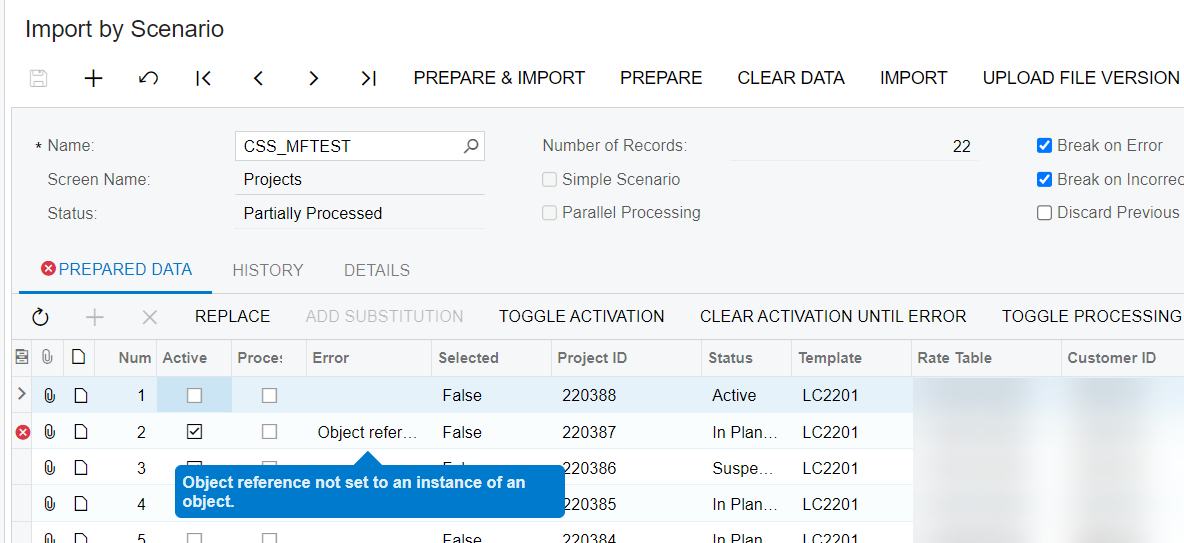
Error: Object reference no set to an instance of an object.

If I deactivate the line in my import scenario, the projects are created just fine, but they are “in planning.”  The error only comes when I try to activate them.  I’ve also tried updating the status field directly in the import scenario but that does nothing.

What do I need to add to my import scenario to get the projects to activate?

Thanks!
Best answer by Naveen Boga

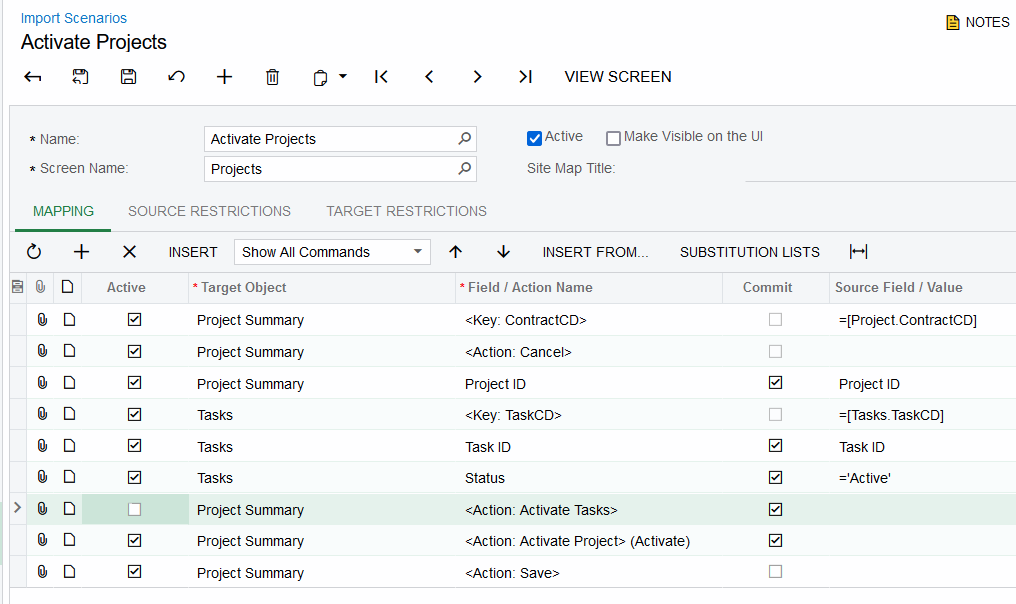
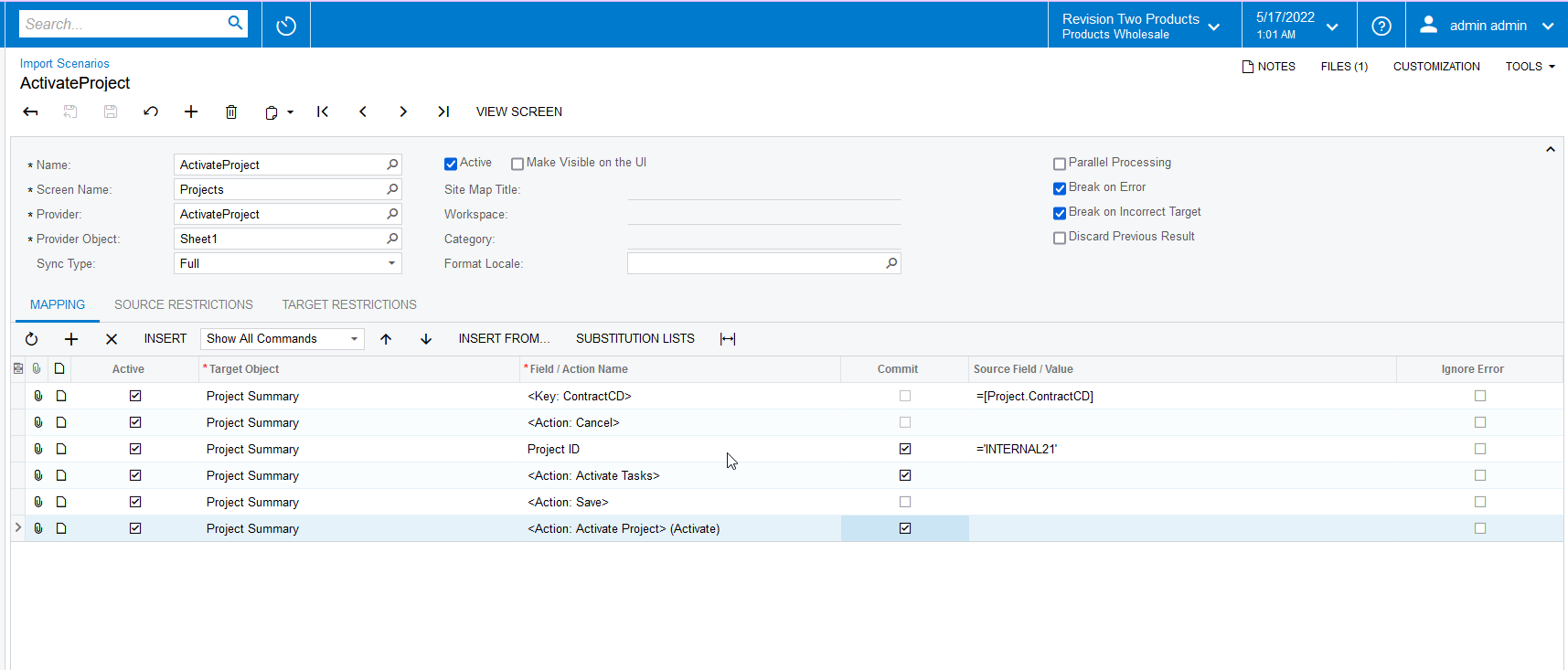
Hi @meganfriesen37  I just created a sample import scenario, where we can provide the Project ID to Active the TASKS and PROJECT. 

I have verified it and working as expected!! 


Here is the import scenario.


8 replies

Laura03
Captain II
Forum|alt.badge.img+19
  • Captain II
  • May 16, 2022

Hi,

Here is an import scenario that I created & used successfully last week to activate tasks and projects  in version 2022 R1.


meganfriesen37
Captain II
Forum|alt.badge.img+12

This is what I am using and getting an error on:
 

I am creating projects from scratch (new projects).  The site is on version 21.119.0030

Megan


Laura03
Captain II
Forum|alt.badge.img+19
  • Captain II
  • May 16, 2022

I usually import projects in multiple steps: Projects, tasks, then a separate import that only activates the tasks and projects. I hope it works for you too. If not, someone else will come along and post more ideas.


Naveen Boga
Captain II
Forum|alt.badge.img+19
  • Captain II
  • Answer
  • May 17, 2022

Hi @meganfriesen37  I just created a sample import scenario, where we can provide the Project ID to Active the TASKS and PROJECT. 

I have verified it and working as expected!! 


Here is the import scenario.


meganfriesen37
Captain II
Forum|alt.badge.img+12

Hi Naveen,

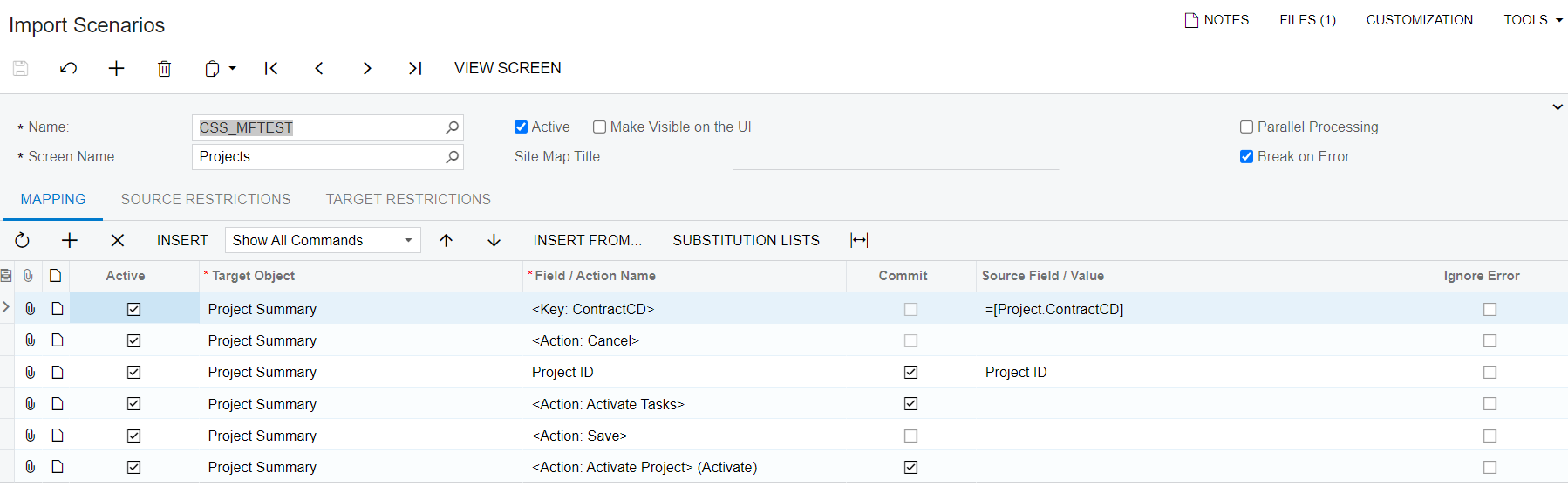
I tried copying your scenario and have it linked to an excel provider with a list of projects...and I’m still getting the same error in Acumatcia 2021 R1 (21.119.0030) (screenshots below from 2021 R1). 

I tried this in 2022 R1 (22.103.0018) and it worked.

So obviously something is broken in the older version and has been fixed in a newer version.  I’ve run into a similar issue with another import scenario with the Action buttons in 2021 R1 not working as expected.


Naveen Boga
Captain II
Forum|alt.badge.img+19
  • Captain II
  • May 17, 2022

Hi @meganfriesen37  Yes, I have created that import scenario in the 22 R1 version, and the build [

22.104.0012] :) 


Let me check in 21 R1 and get back to you.


Naveen Boga
Captain II
Forum|alt.badge.img+19
  • Captain II
  • May 17, 2022

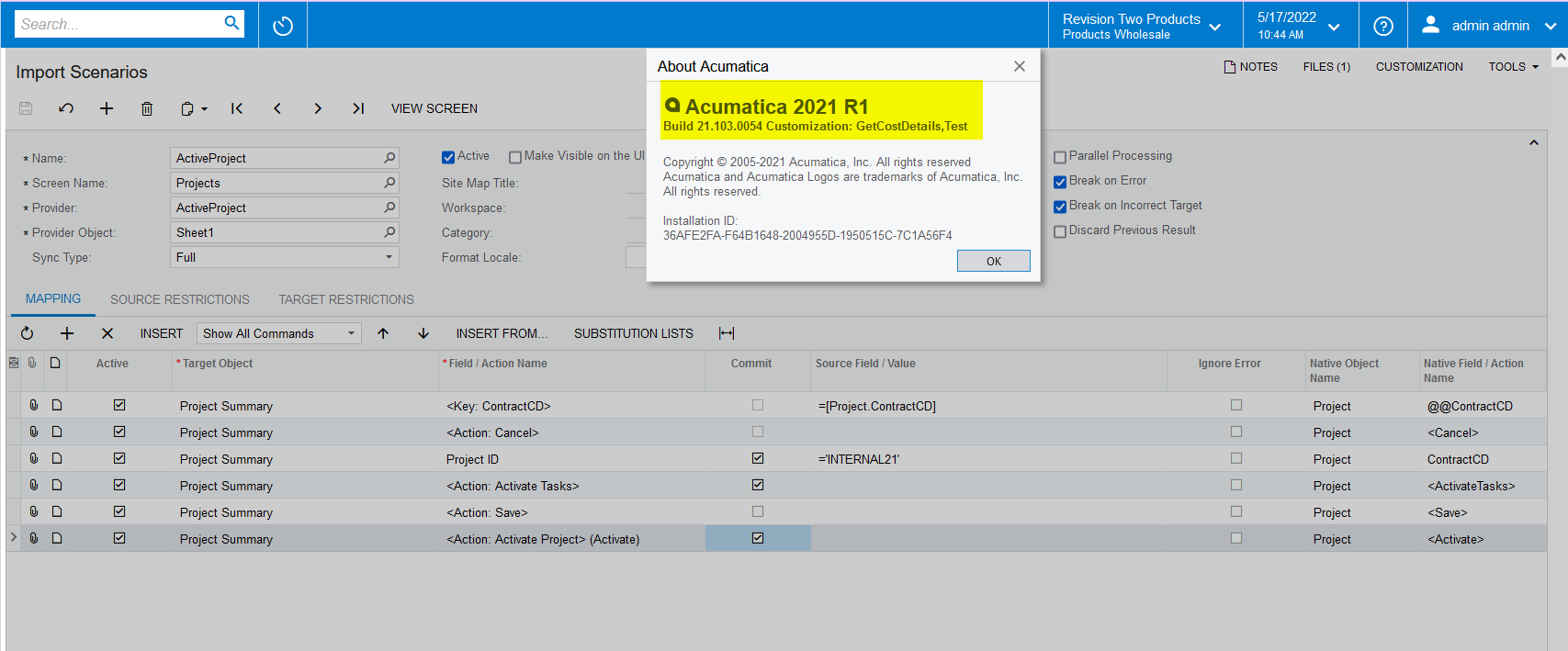
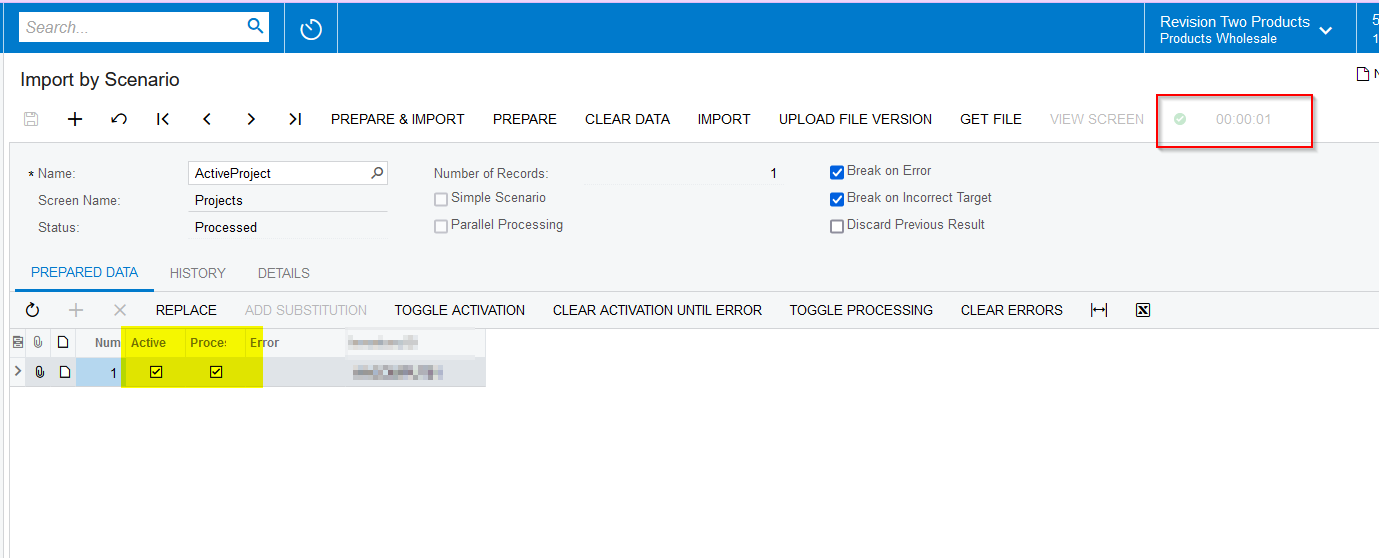
Hi @meganfriesen37  I have verified in the 21 R1 version and the same import scenario is working fine.

Please find the screenshots for reference.


meganfriesen37
Captain II
Forum|alt.badge.img+12

I think there’s something funky going on in their specific environment, because we’re able to do it exactly as shown above in our demo environments.  We’ve done a workaround using a mass update option on a generic inquiry to select and activate selected projects.  It’s an extra step but it’s working for them.