Question

Workaround for Prior Month Default on P&L?

  • January 21, 2026
  • 5 replies
  • 50 views

Has anyone found a workaround that would allow you to default to the prior month for the financial period when you run a P& L statement?  

5 replies

nhatnghetinh
Captain II
Forum|alt.badge.img+13
  • Captain II
  • January 22, 2026

Hi ​@Katrina0826 

Reports like P&L are ARM (Report Definitions) reports. ARM reports are convenient for creating financial reports. However, ARM reports also have the disadvantage that you cannot customize the available parameters to your liking. You can use Report Designer, a powerful tool with much more customization support using formula settings to fulfill your requirements.


Best Regards,

NNT


YasasWithanage76
Acumatica Employee
Forum|alt.badge.img+4

Hello ​@Katrina0826 

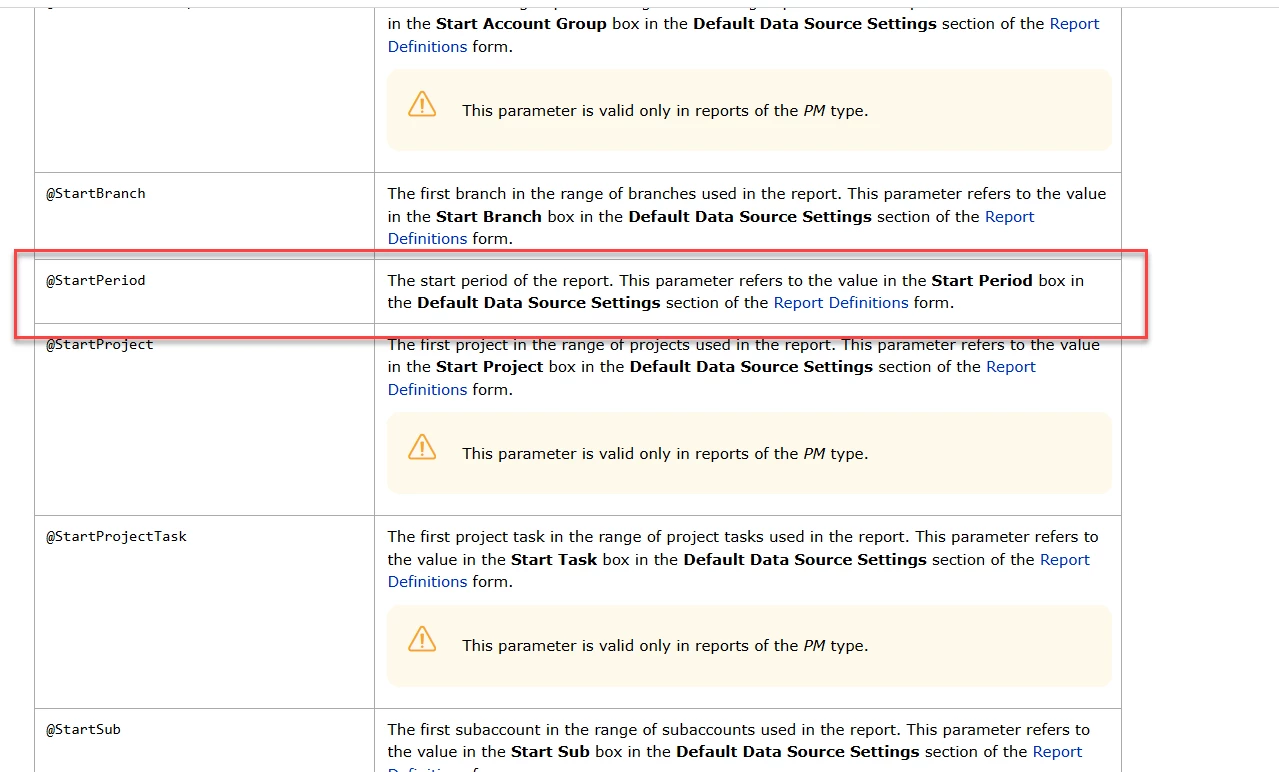
Did you try with (@StartPeriod, -1) Predefined Parameter?

https://help-2024r2.acumatica.com/(W(3))/Help?ScreenId=ShowWiki&pageid=f3d27b0f-5180-454b-b4ab-ffc8f70043d6

Thanks


Laura03
Captain II
Forum|alt.badge.img+20
  • Captain II
  • January 22, 2026

I like ​@YasasWithanage76 ‘s idea, and tried it.

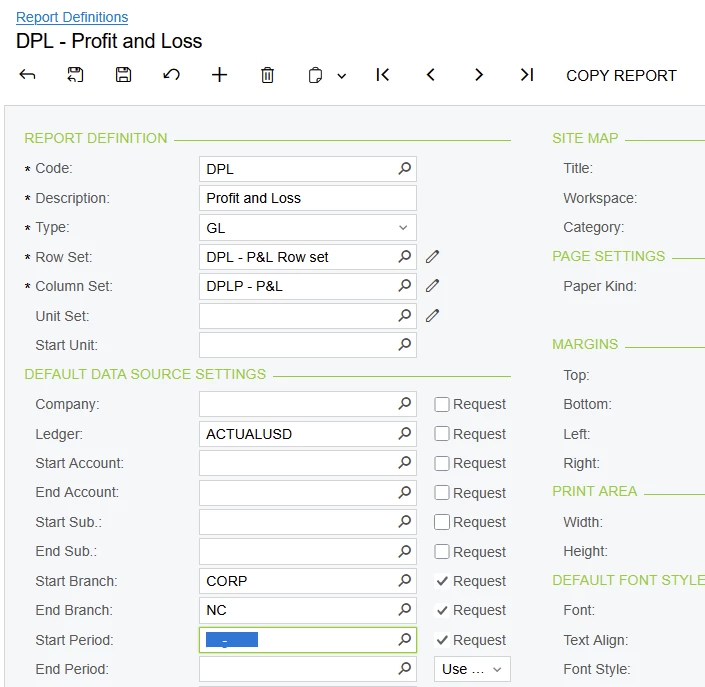
I could not use the suggested text  (@StartPeriod, -1) in Start Period field of Report Definitions.


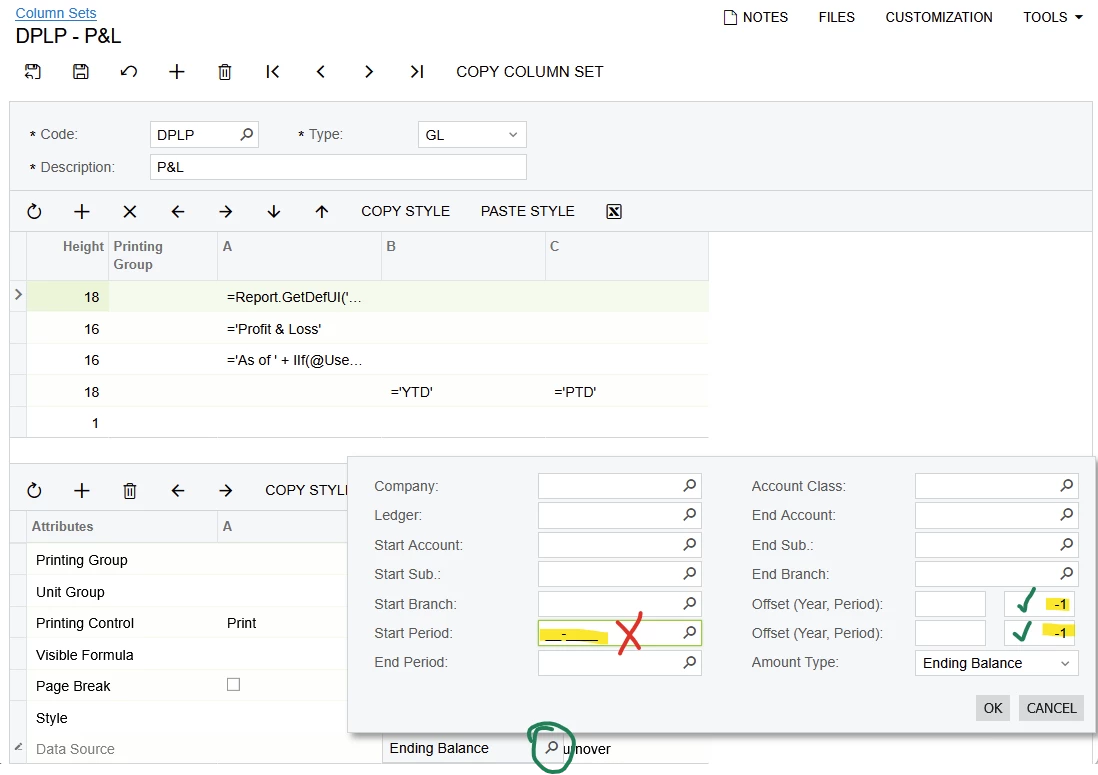
In the Column Set, Start Period does not accept the suggested text, either. 

Your reports will successfully default to the prior month if you update Period Offsets to -1 on every column of every report.  If any of your reports already contains a value in Period Offset field, you will need to subtract 1 from the existing value.

This is a Work-around, as you asked, but a difficult, confusing, and counter-intuitive work-around, in my opinion, because

  1. Potentially, multiple P & L column sets will need to be updated.
  2. Users may be confused when running a P & L for any period will result in a report for the previous period, without warning or explanation.


  • Author
  • Freshman I
  • January 22, 2026

Thank you!


patrickcolgan94
Freshman I
Forum|alt.badge.img

Another option to consider is when you are working with multiple closing entries for a prior period change the System date which will then serve as the default date for any new journal transactions and also serve as the default date for reports that you are reviewing for the prior period.