Question

Why are some receipt lines/ receipts missing when adding them to an AP bill created from a Purchase Receipt?

  • June 24, 2026
  • 2 replies
  • 55 views

Forum|alt.badge.img

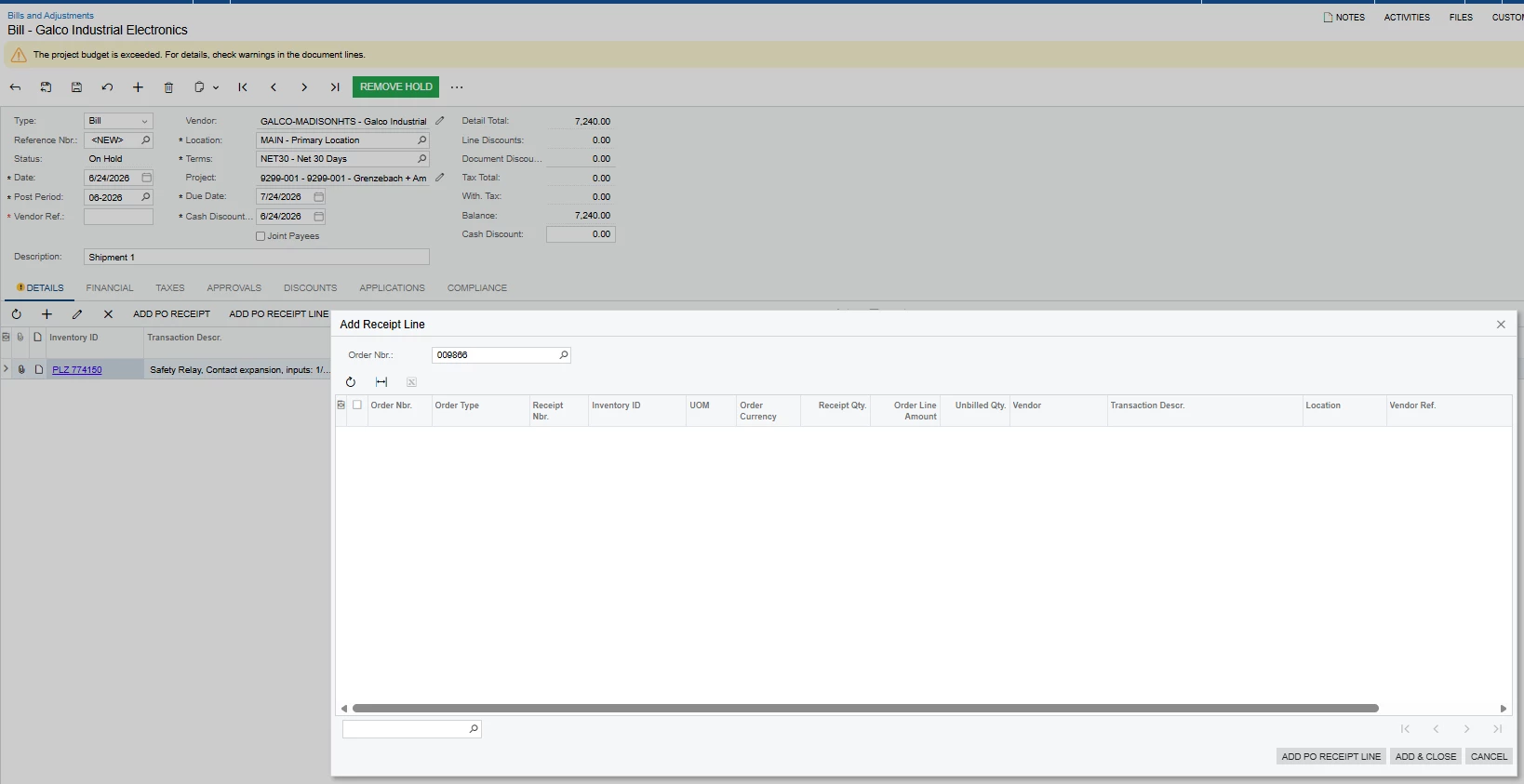
When creating an AP bill directly from the Purchase receipts screen, then click ADD PO Receipt Line to add additional PO receipt lines to the same bill, some eligible receipts are not displayed.
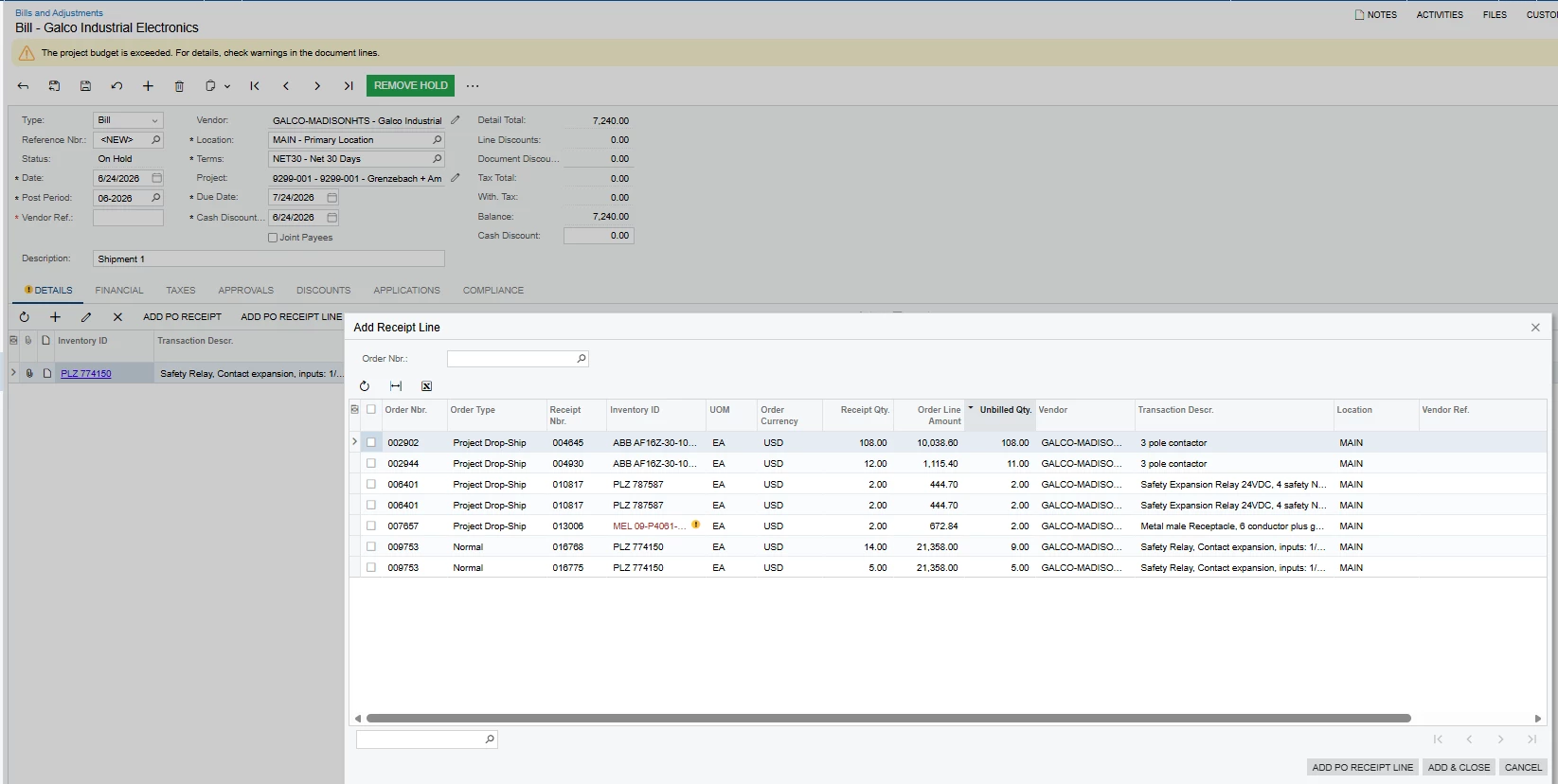
However, when we create the AP bill directly from the Bills and Adjustments screen, select the same vendor, and then ADD PO Receipt Line, all received PO receipt lines are available.
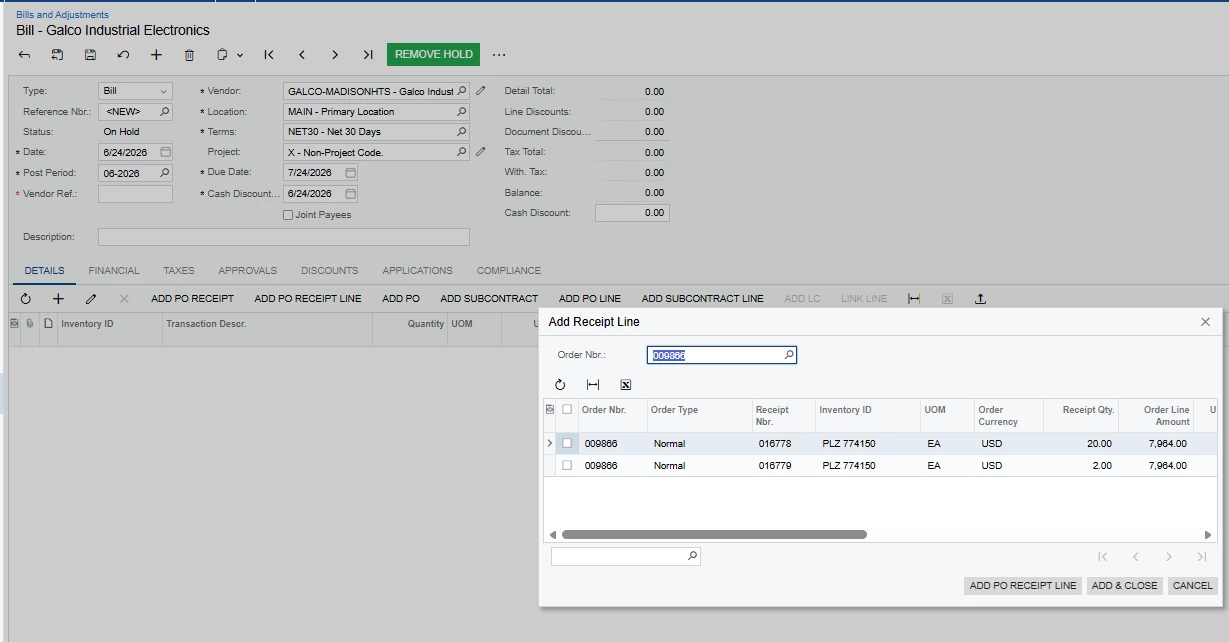
Could someone please clarify why the available receipt lines differ between these two methods and whether there is a setting or process we need to follow to ensure all applicable receipts appear on the AP bill?

2 replies

Laura03
Captain II
Forum|alt.badge.img+20
  • Captain II
  • June 24, 2026

Hello,

Project ID is populated on one screen and not the other, above.  Is it possible that Acumatica is using the Project ID on the PO Receipt in the filter, to show you only Bills with the same Project?


Forum|alt.badge.img
  • Author
  • Freshman I
  • June 25, 2026

Hi ​@Laura03 ,

Thank you for the response, yes, the Project ID is populated on the Purchase Receipt. it is possible that Acumatica uses the Project ID as a filter; However, the issue is that it's not showing all PO receipt lines for the same Project when the AP bill is created from the Purchase Receipt screen.

when the AP bill is created directly from Bills and Adjustments, all receipt lines for the same Project/ Vendor are available.