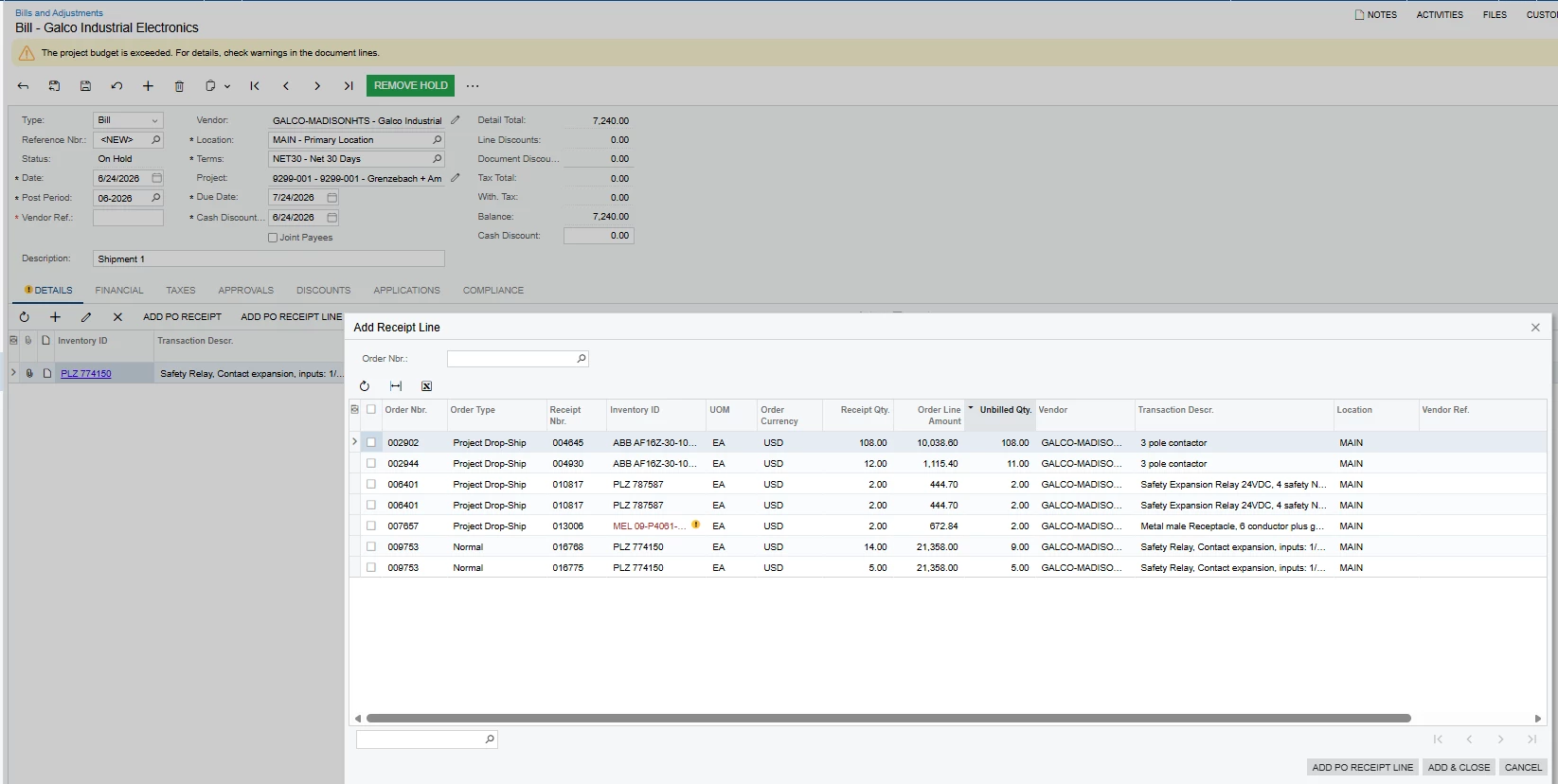
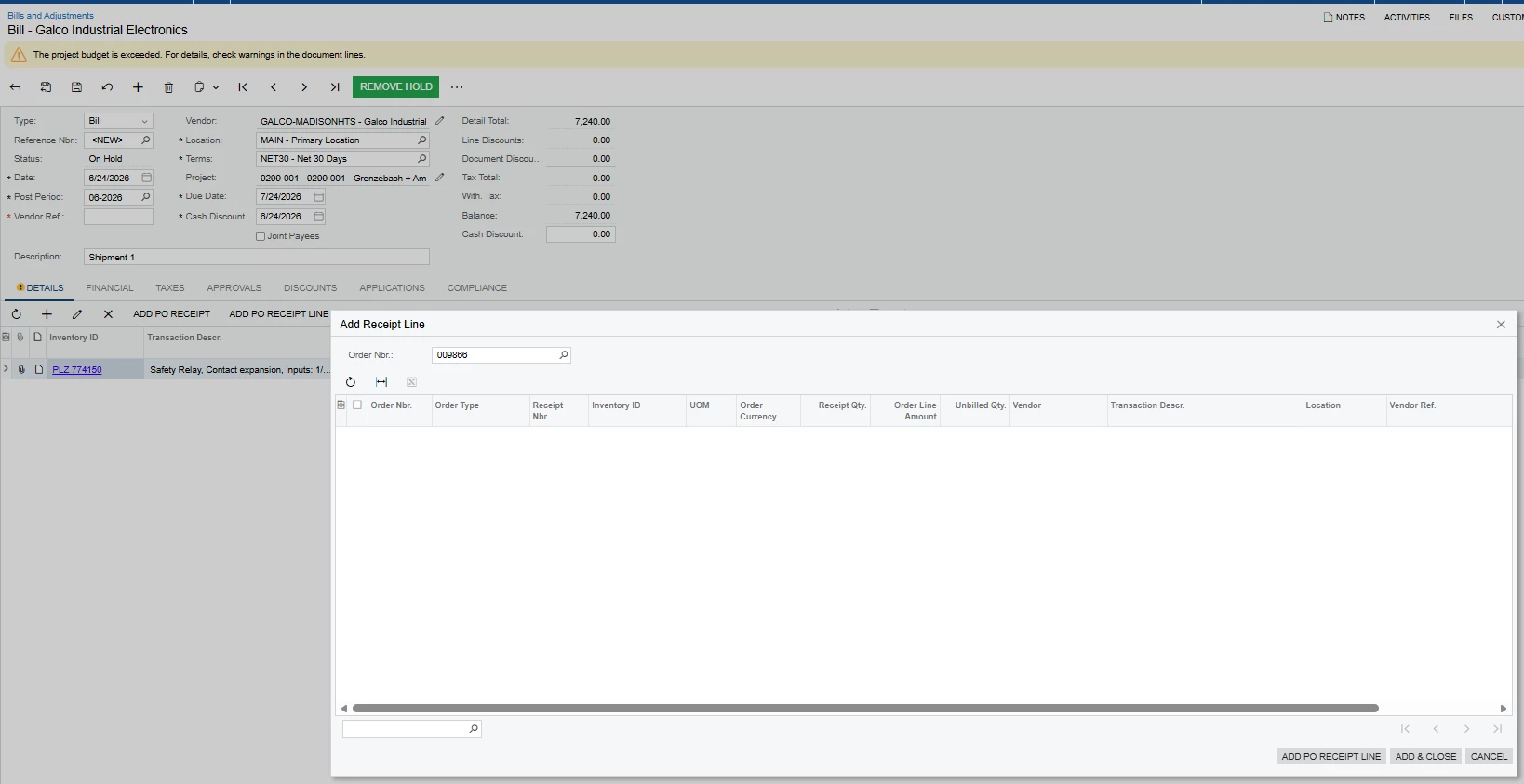
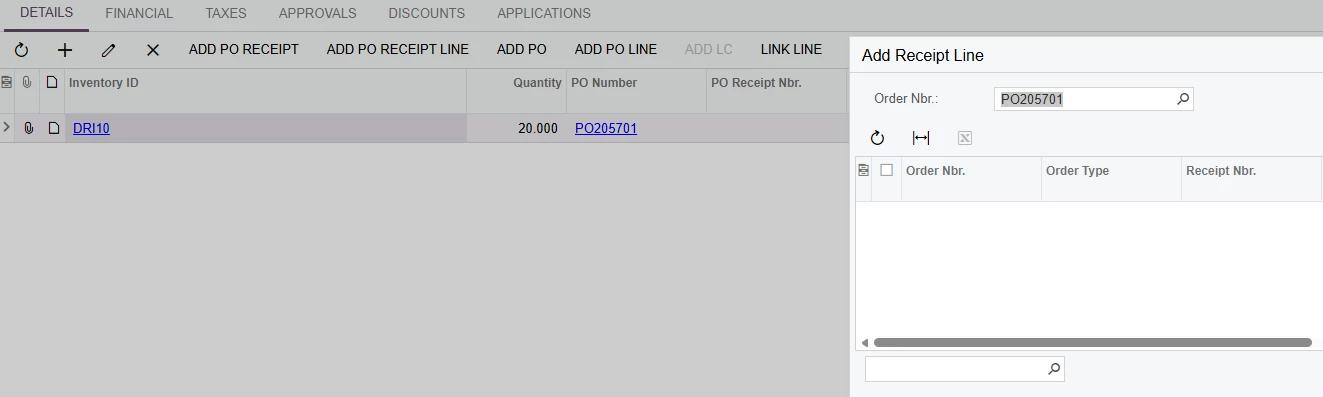
When creating an AP bill directly from the Purchase receipts screen, then click ADD PO Receipt Line to add additional PO receipt lines to the same bill, some eligible receipts are not displayed.
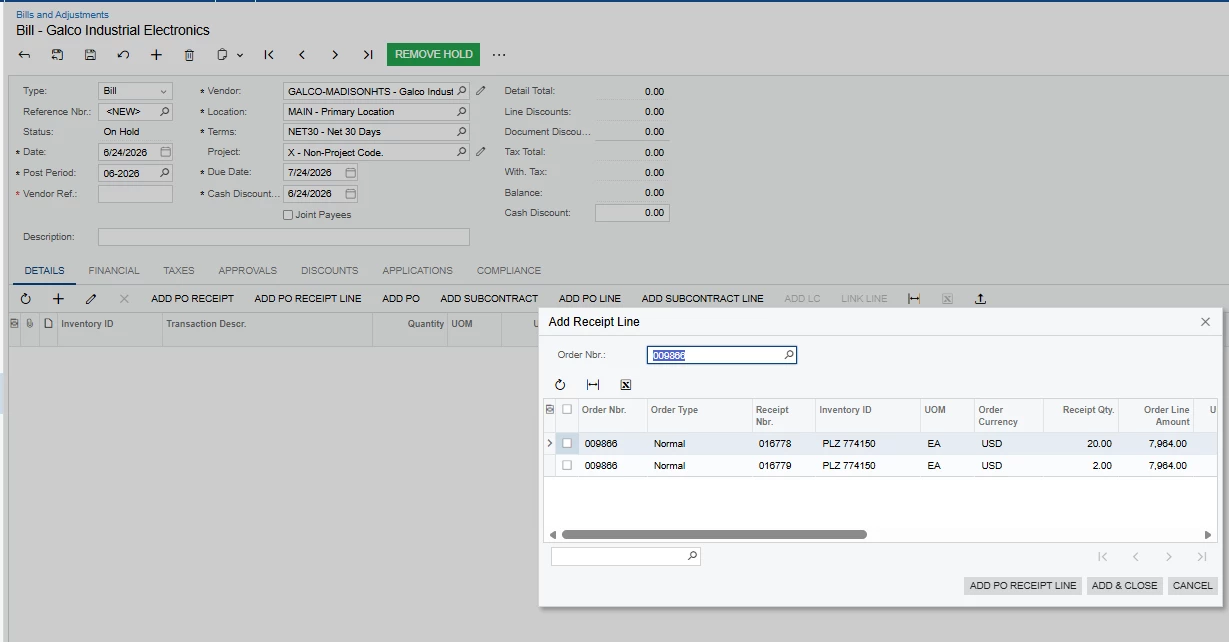
However, when we create the AP bill directly from the Bills and Adjustments screen, select the same vendor, and then ADD PO Receipt Line, all received PO receipt lines are available.
Could someone please clarify why the available receipt lines differ between these two methods and whether there is a setting or process we need to follow to ensure all applicable receipts appear on the AP bill?
Best answer by plambert
In your example, it’s because the PO line is already on the Bill.
You have two receipts for the same order & order line. Creating the Bill directly from one of the receipts has already added the line item from the order to the Bill. It doesn’t need to be added twice, but you may need to adjust the quantity if you want one Bill to cover both Receipts.
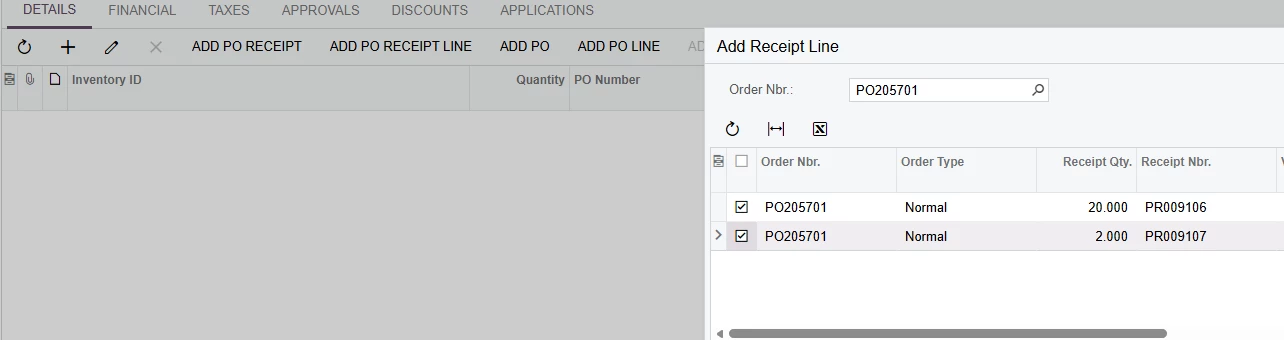
Two Purchase Reciepts availableAfter clicking ‘Add and Close’ Note the combined quantity
Also check that no matter which method you use to create the Bill, the line does not have a value entered for the Purchase Receipt Nbr. because there isn’t just one open receipt.
Created from the Receipt page of PR009106, no value in PO Receipt Nbr. nor additional Receipt lines
Project ID is populated on one screen and not the other, above. Is it possible that Acumatica is using the Project ID on the PO Receipt in the filter, to show you only Bills with the same Project?
Thank you for the response, yes, the Project ID is populated on the Purchase Receipt. it is possible that Acumatica uses the Project ID as a filter; However, the issue is that it's not showing all PO receipt lines for the same Project when the AP bill is created from the Purchase Receipt screen.
when the AP bill is created directly from Bills and Adjustments, all receipt lines for the same Project/ Vendor are available.
In your example, it’s because the PO line is already on the Bill.
You have two receipts for the same order & order line. Creating the Bill directly from one of the receipts has already added the line item from the order to the Bill. It doesn’t need to be added twice, but you may need to adjust the quantity if you want one Bill to cover both Receipts.
Two Purchase Reciepts availableAfter clicking ‘Add and Close’ Note the combined quantity
Also check that no matter which method you use to create the Bill, the line does not have a value entered for the Purchase Receipt Nbr. because there isn’t just one open receipt.
Created from the Receipt page of PR009106, no value in PO Receipt Nbr. nor additional Receipt lines