Answer

Vendor Location

  • June 13, 2025
  • 4 replies
  • 76 views

Forum|alt.badge.img


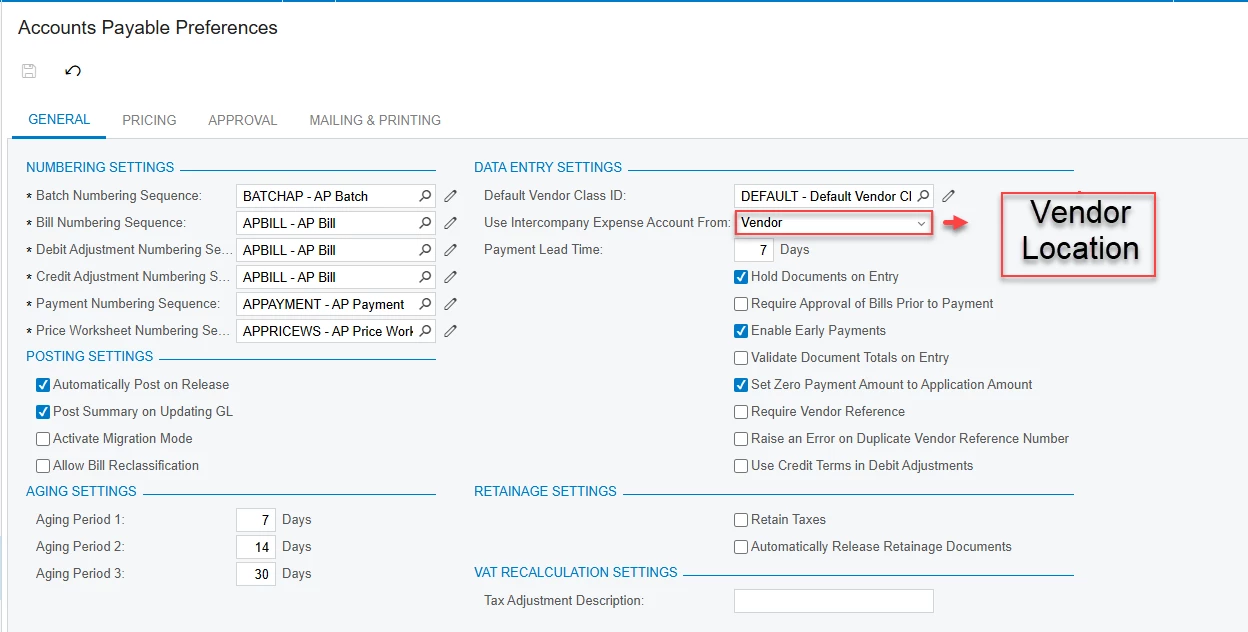
I am currently working through Lesson 3.1: Setting Up Intercompany Sales from the F300 Intercompany Transactions (2025 R1) course. According to the training materials, when configuring Accounts Payable Preferences, I should be able to select "Vendor Location" in the Use Intercompany Expense Account From field.

However, in the system, this option does not appear. Instead, I only see "Vendor" and "Inventory Item" as available selections.

Could you please clarify whether the documentation needs to be updated or if there are additional settings required to enable the "Vendor Location" option?

Thank you for your guidance and support.

 

Best answer by dcomerford

@nthea23 I checked on my 25R1 version and the drop down in Vendor Location and Inventory Item. Do an Inspect Element on the field and see what is in the Dropdown list

4 replies

dcomerford
Captain II
Forum|alt.badge.img+15
  • Captain II
  • June 13, 2025

@nthea23 What version of Acumatica are you on? Are there any customisations published as Vendor Location and Inventory Item are the standard dropdowns


Forum|alt.badge.img
  • Author
  • Freshman I
  • June 13, 2025

"My system testing is based on the 2025 version, as shown in the picture I provided. I am also learning and testing using the 2025 R1 version of the book." Thanks for your help and support 


dcomerford
Captain II
Forum|alt.badge.img+15
  • Captain II
  • Answer
  • June 13, 2025

@nthea23 I checked on my 25R1 version and the drop down in Vendor Location and Inventory Item. Do an Inspect Element on the field and see what is in the Dropdown list


meganfriesen37
Captain II
Forum|alt.badge.img+12

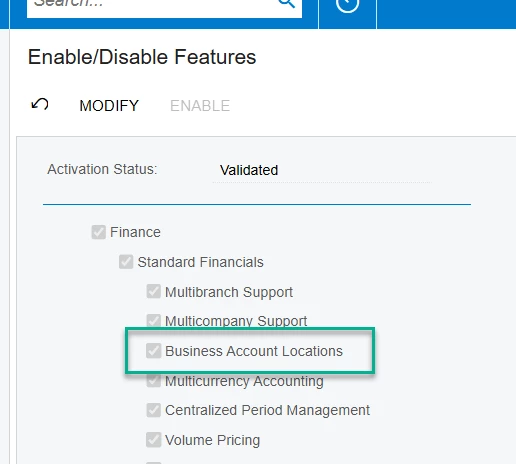
Check the Enable/Disable screen - do you have Business Account Locations enabled?  If you don’t have this enabled, you’ll only be able to select Vendor instead of Vendor Location,