

Answer

VAT Tax

  • January 27, 2025
  • 2 replies
  • 94 views

Forum|alt.badge.img

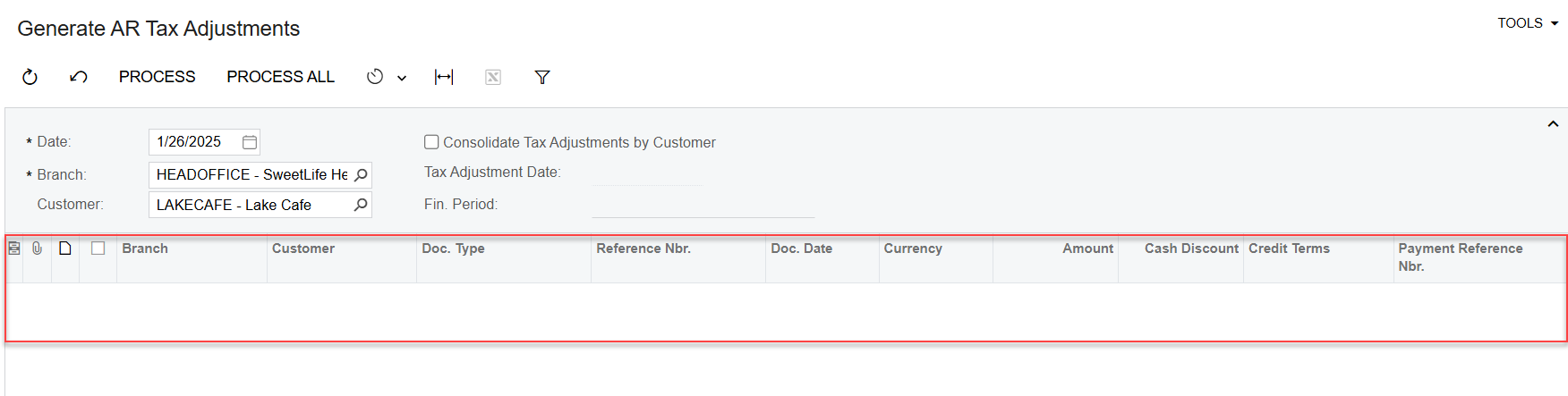
I had complete Invoice transaction AR then I need to release Tax, but I don't know why it didn't have transaction to process. Thank so much for your sharing and helping 

Best answer by nhatnghetinh

Hi ​@nthea23 

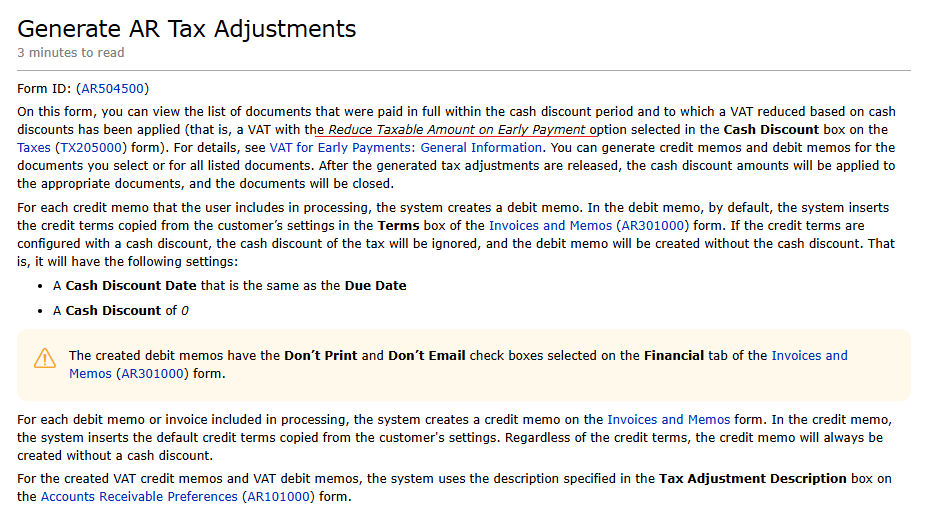
Please see Acumatica's instructions as shown in the screenshot below.
 

Best Regards,

NNT

2 replies

Forum|alt.badge.img
  • Varsity I
  • January 27, 2025

This is AI generated answer please try it once

  • Verify the Invoice Transaction:

    • Ensure that the invoice transaction was completed and released. Only released transactions are included in tax processing.
  • Check the Tax Configuration:

    • Ensure that the invoice transaction has applicable tax codes configured.
    • Verify that the tax codes are active and correctly assigned to the branch, customer, or transaction type.
  • Verify the Financial Period:

    • Confirm that the financial period of the transaction matches the "Fin. Period" field in the "Generate AR Tax Adjustments" screen.
    • Ensure that the financial period is open.
  • Review Customer and Branch Selection:

    • Ensure the correct branch and customer are selected in the filters.
    • If the "Consolidate Tax Adjustments by Customer" checkbox is checked, verify if the configuration aligns with your invoice data.
  • Tax Adjustment Date:

    • If a "Tax Adjustment Date" is specified, ensure it is within the range of the transaction's document date.
  • Run a Tax Report:

    • Use the "Tax Summary" or "Tax Details" report in the "Taxes" module to confirm if there are taxable transactions pending adjustments.
  • Permissions or Errors:

    • Verify if there are any restrictions on your user role that may affect tax processing.
    • Check for errors or warnings in the transaction screen or in the "Event History" of the document.

nhatnghetinh
Captain II
Forum|alt.badge.img+11
  • Captain II
  • Answer
  • January 27, 2025

Hi ​@nthea23 

Please see Acumatica's instructions as shown in the screenshot below.


Best Regards,

NNT

