Answer

Update Sub. on Order Owner Change

  • September 4, 2023
  • 4 replies
  • 104 views

Forum|alt.badge.img

Hi, I am doing a testing about the Update Sub. on Order Owner Change function at Purchase Order preferences for future used. 

So, how does it work? is that when I change the owner of the purchase order, then the expense sub will change based on the department setting?
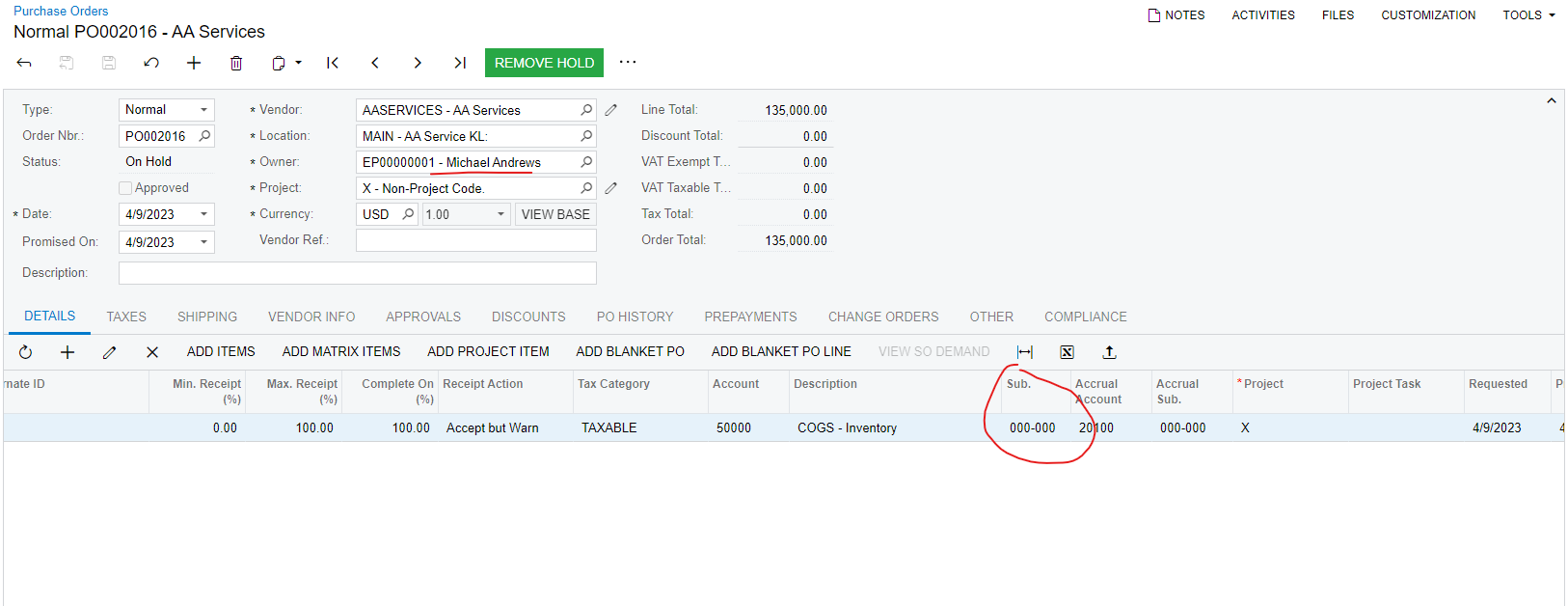


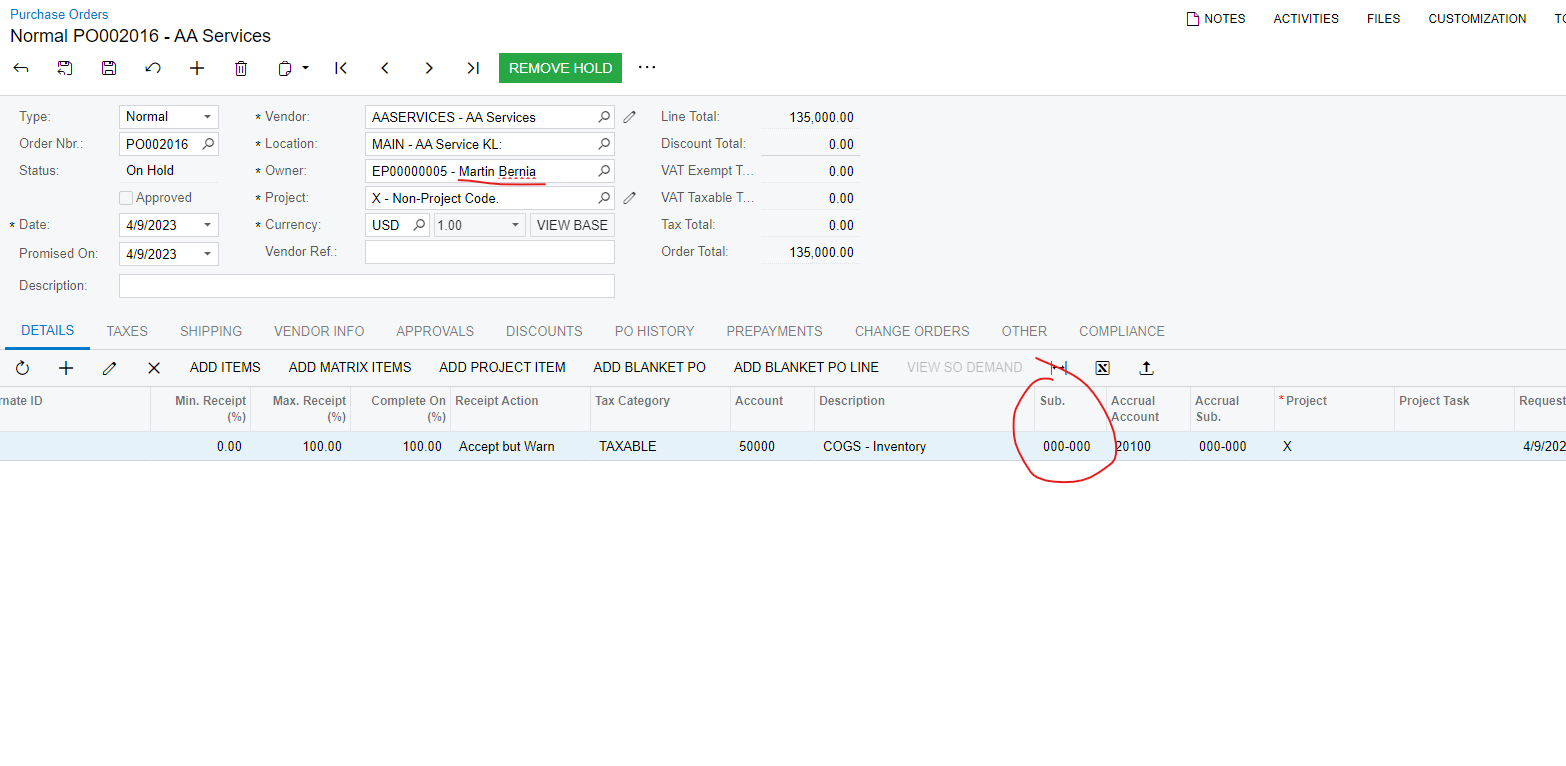
However, when I change the owner to other department, the expenses sub. will not change, can anyone explain to me how this feature works? Thank you.
 

Best answer by SankaPeiris07

I was able to investigate this configuration and tested the steps below in sales demo.
Step 1 - On the purchase order preferences, Enabled the feature Update Sub. on Order Owner Change

Step 2 - On the accounts payable preferences screen, under data entry setting,  set the combine expense sub to EEE-EEE

Step 3 - On the employee screen , review the expense sub account

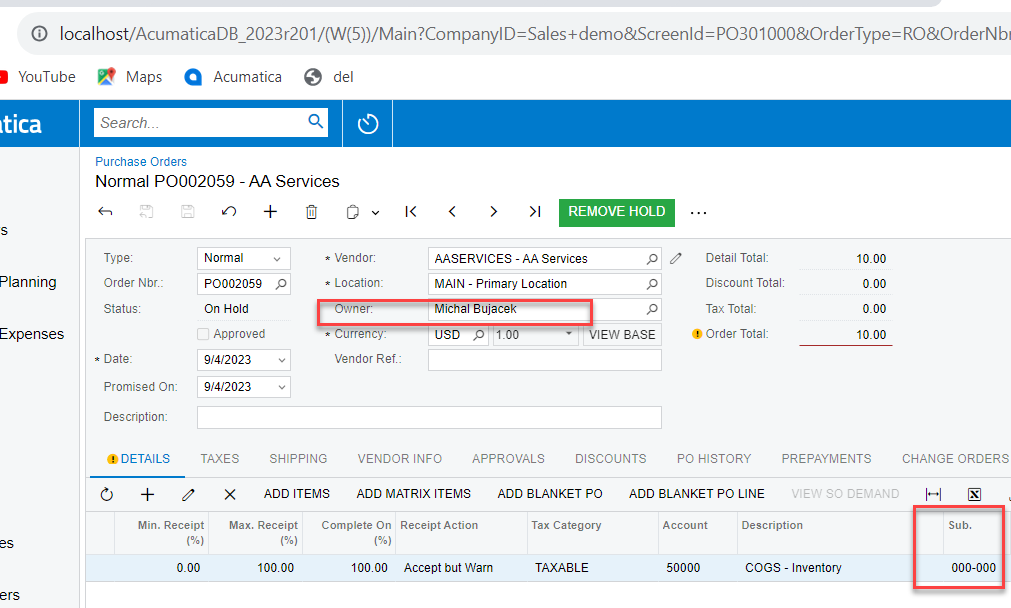
Step 4 -  Create the purchase order with owner. Example,  Michal Bujacek who has expense sub 000-000

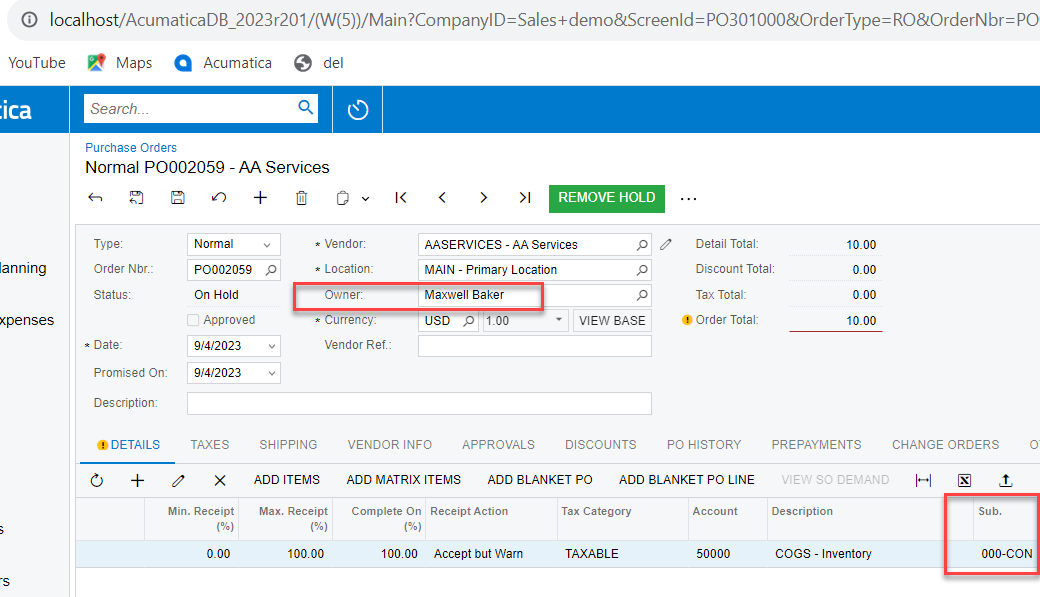
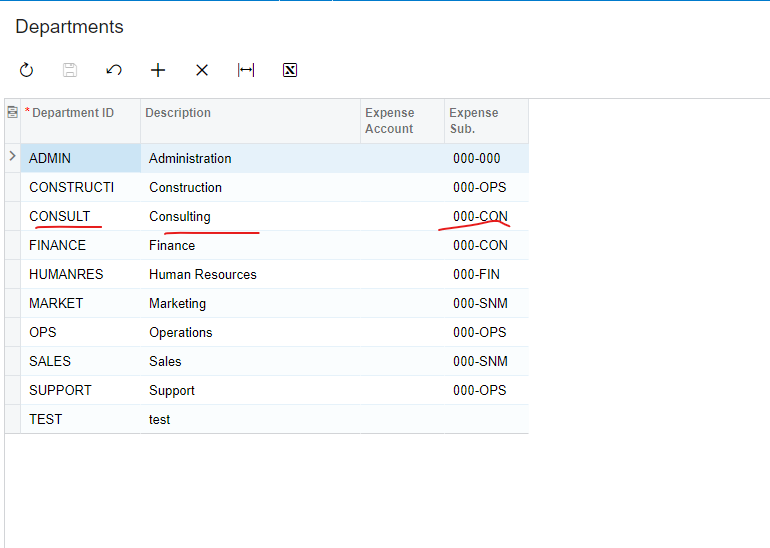
Step 5 - Now you should be able to change the owner from Michal to Maxwell baker, for example, where the sub account should automatically change from  000-000 to 000-CON which is the expense sub of the new owner.

4 replies

dcomerford
Captain II
Forum|alt.badge.img+15
  • Captain II
  • September 4, 2023

Not used this feature but have you checked the posting class on the Expense item is set to get its sub account from the Owner


Forum|alt.badge.img
  • Author
  • Freshman I
  • September 5, 2023

Not used this feature but have you checked the posting class on the Expense item is set to get its sub account from the Owner


Where can I set the items to get the sub from the owner? I cannot find any of this kind of feature in items or posting class.


Forum|alt.badge.img
  • Acumatica Employee
  • Answer
  • September 7, 2023

I was able to investigate this configuration and tested the steps below in sales demo.
Step 1 - On the purchase order preferences, Enabled the feature Update Sub. on Order Owner Change

Step 2 - On the accounts payable preferences screen, under data entry setting,  set the combine expense sub to EEE-EEE

Step 3 - On the employee screen , review the expense sub account

Step 4 -  Create the purchase order with owner. Example,  Michal Bujacek who has expense sub 000-000

Step 5 - Now you should be able to change the owner from Michal to Maxwell baker, for example, where the sub account should automatically change from  000-000 to 000-CON which is the expense sub of the new owner.


Forum|alt.badge.img
  • Acumatica Employee
  • September 7, 2023