Answer

Trying to calculate a % of either a range of accounts (total) or individual accounts across the same column.

  • September 1, 2025
  • 2 replies
  • 56 views

I can create a percentage of individual wages accounts to be shown as a % of Total Sales. However, my client wants the calculations to be different based on different areas and Im not sure if this can be done.

For Example, we have 5 wages accounts and 3 Sales Accounts.

Wages Regular  to be shown as a % of the  Sales Regular account

Wages Casual  to be shown as a % of the Sales Casual Account

Wages Supervisor, Wages Manager, Wages Clerical to be shown as a percentage of total sales.


The accounts change throughout the report.  Is there a mechanism to do this within the ARM reports.

I have tried using rowcode and baserowcode calculations but only get to a certain point.

Any indications of how this should be setup would be most appreciated.

Thanking you
 

Best answer by SallyAG

Thank you for your response. I did manage to get it working as per the attached.

ARM reports calculating % on a mix of line items or totals.

For example Wages Regular must be shown as a % of Sales Regular

Wages Casual must be shown as a % of Sales Casual

All other wages must be shown as a % of Sales Total.

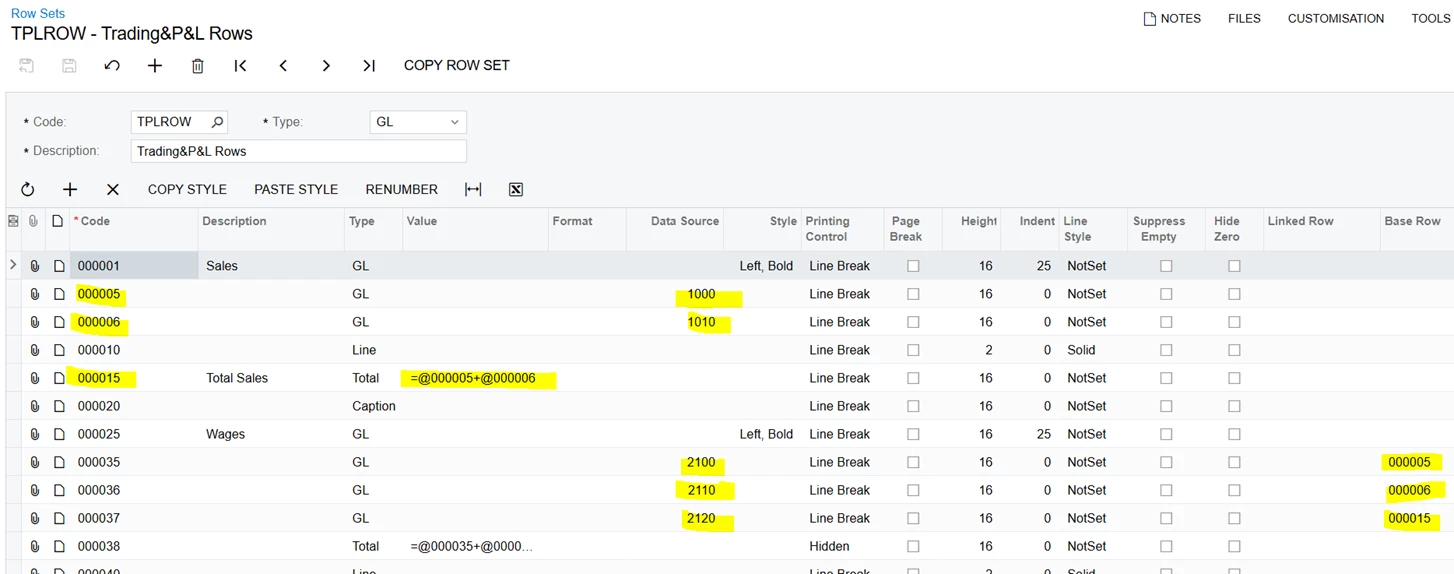
In the Row Sets, for the line items that need to be shown as a % of another line, enter the Base Row

In the above example the Sales lines Casual and Regular had to be defined as two separate lines in the row. These are lines 5 and 6.

Then on the wages side, each line that needed to print as a % of those sales lines also needed to be separated so that the Base Row could be entered indicating which sales line to use as the calculation for the percentage.


Next the Columns must be setup and the calculation to be used must be entered.

Columns D F, H,J and L all have percentages calculated utilising the column and the base row) the calculation looks as follows:-

=C/Value(@BaseRowCode,'C') * -1

Where C is the column to be used (In this example it’s the MTD value) divided by the Base Row Code (as stated on the rows above), and C being column C) The * -1 is to show the percentage as a positive value as it came up negative.

The same calculation is required for the budget % this is shown as follows:-

=E/Value(@BaseRowCode,'E') * -1.

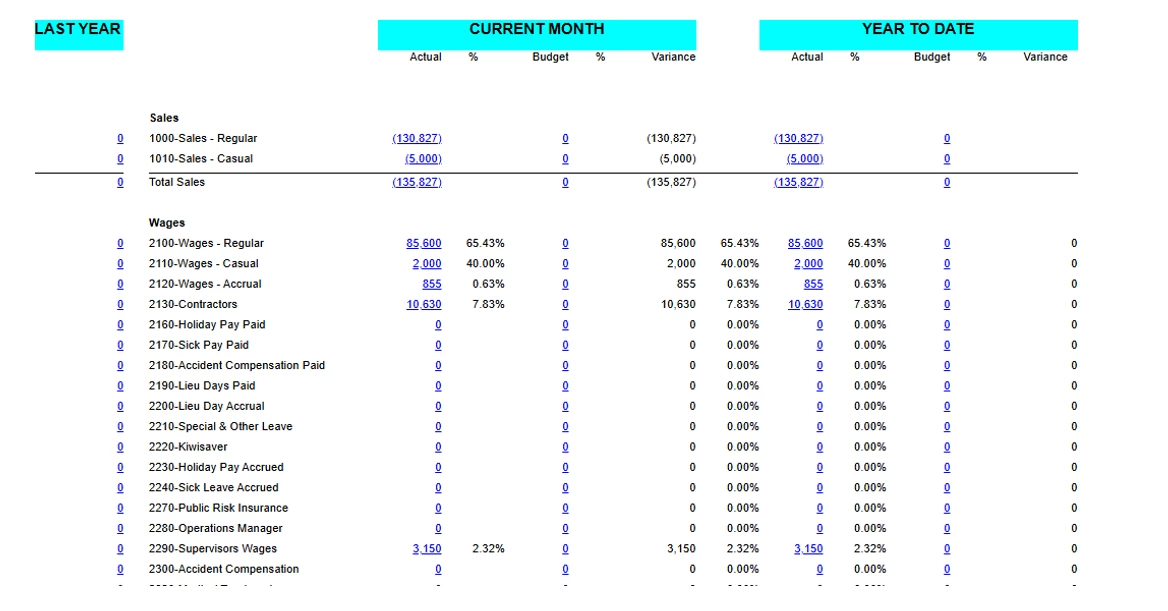
The report looks as follows:-


2 replies

nhatnghetinh
Captain II
Forum|alt.badge.img+11
  • Captain II
  • September 3, 2025

Hi ​@SallyAG 

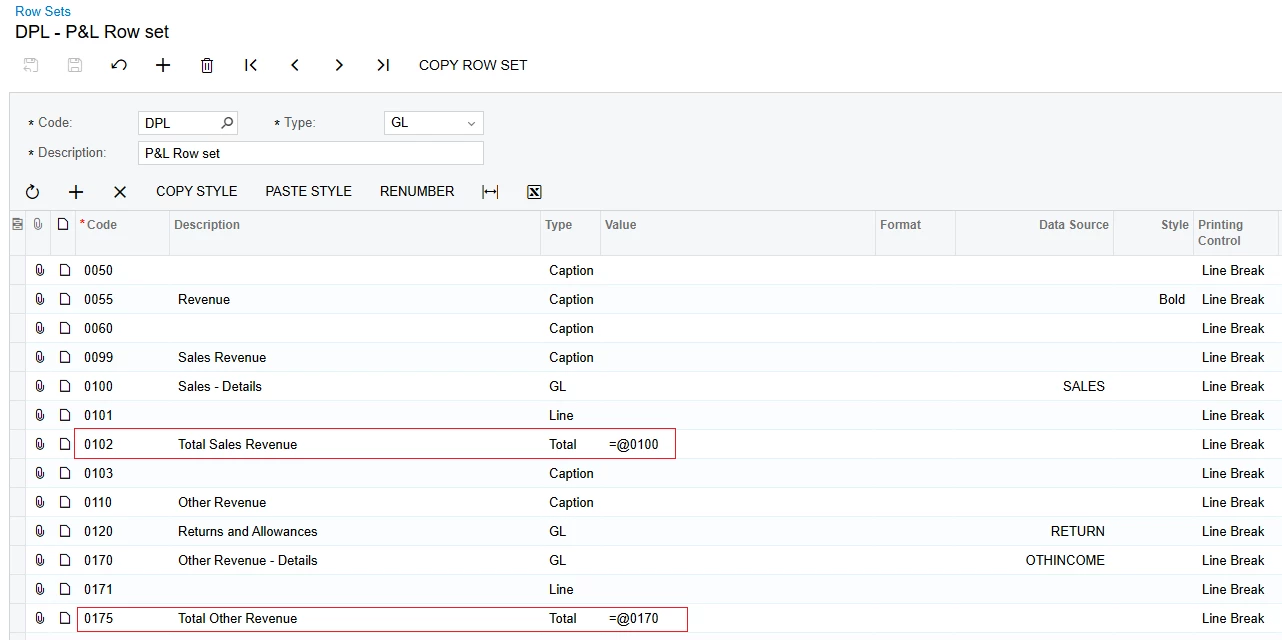
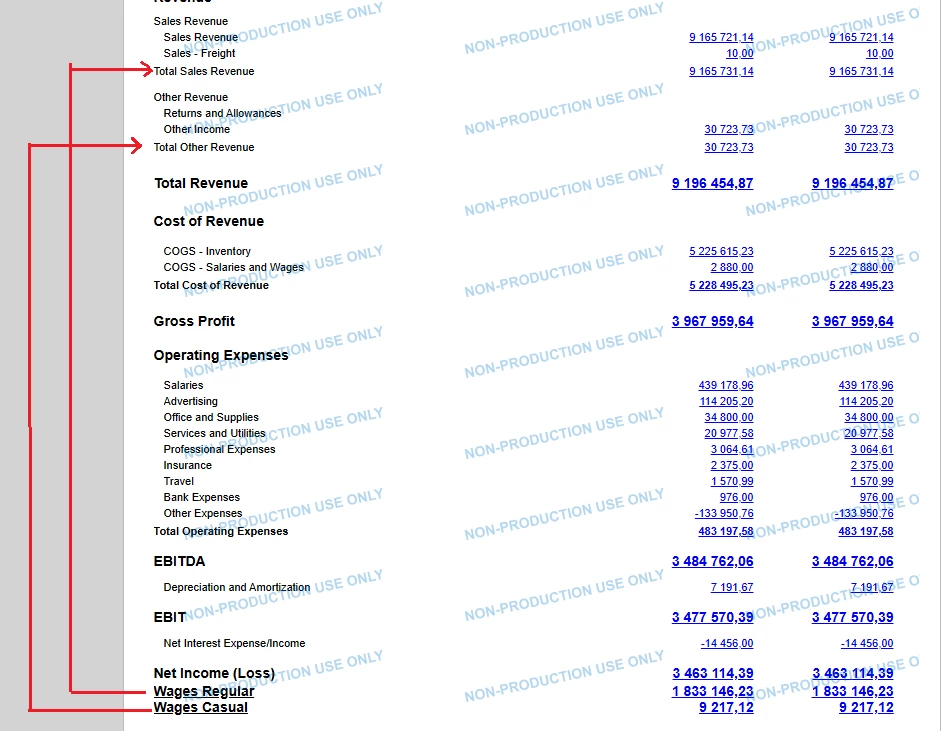
I think it's possible. Please see my test example as screenshots below.

  • Row Sets:


  • The results are as follows:


Best Regards,

NNT


  • Author
  • Freshman III
  • Answer
  • September 7, 2025

Thank you for your response. I did manage to get it working as per the attached.

ARM reports calculating % on a mix of line items or totals.

For example Wages Regular must be shown as a % of Sales Regular

Wages Casual must be shown as a % of Sales Casual

All other wages must be shown as a % of Sales Total.

In the Row Sets, for the line items that need to be shown as a % of another line, enter the Base Row

In the above example the Sales lines Casual and Regular had to be defined as two separate lines in the row. These are lines 5 and 6.

Then on the wages side, each line that needed to print as a % of those sales lines also needed to be separated so that the Base Row could be entered indicating which sales line to use as the calculation for the percentage.


Next the Columns must be setup and the calculation to be used must be entered.

Columns D F, H,J and L all have percentages calculated utilising the column and the base row) the calculation looks as follows:-

=C/Value(@BaseRowCode,'C') * -1

Where C is the column to be used (In this example it’s the MTD value) divided by the Base Row Code (as stated on the rows above), and C being column C) The * -1 is to show the percentage as a positive value as it came up negative.

The same calculation is required for the budget % this is shown as follows:-

=E/Value(@BaseRowCode,'E') * -1.

The report looks as follows:-