Answer

Transactions Post-Dated October are being picked up in September BAS - why?

  • October 24, 2023
  • 8 replies
  • 129 views

Issue is that a handful of AP Bill transactions are appearing incorrectly in the September BAS when they should be appearing in the October BAS. 

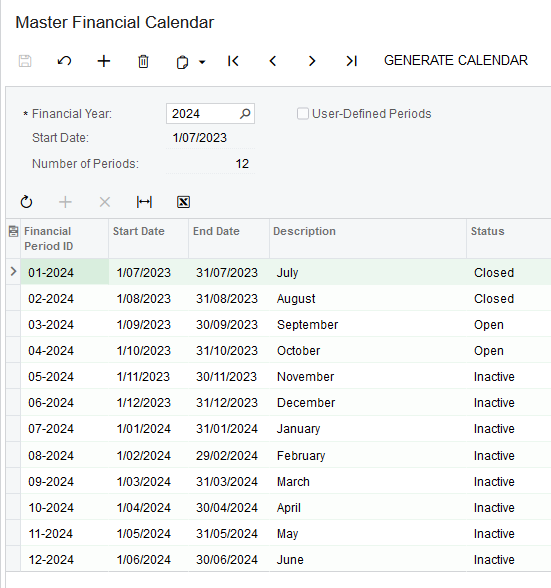
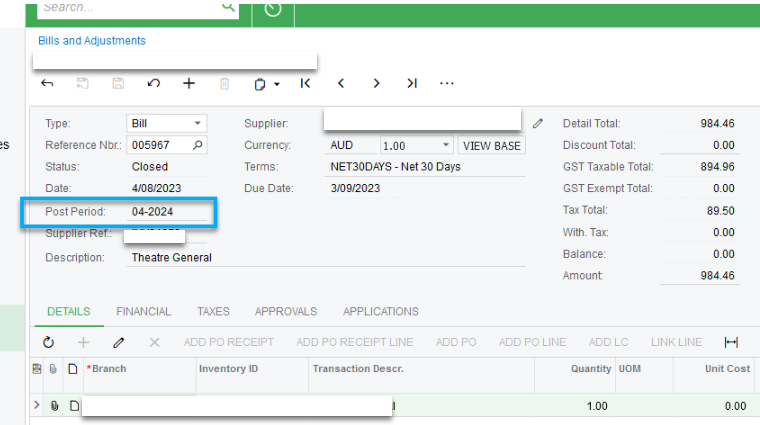
Example: Transaction itself was created in the system in September 2023, dated 04/08/23 but post dated 04-2024. 
 

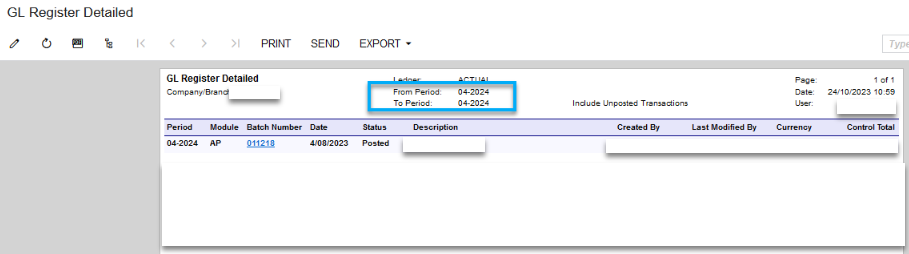
 GL Register Detail for this transaction confirms the From-To period as 04-2024.
 

However, when running the report “Tax Details by GL Account by Period” this transaction is appearing and the Tax Period shows as 03-2024.
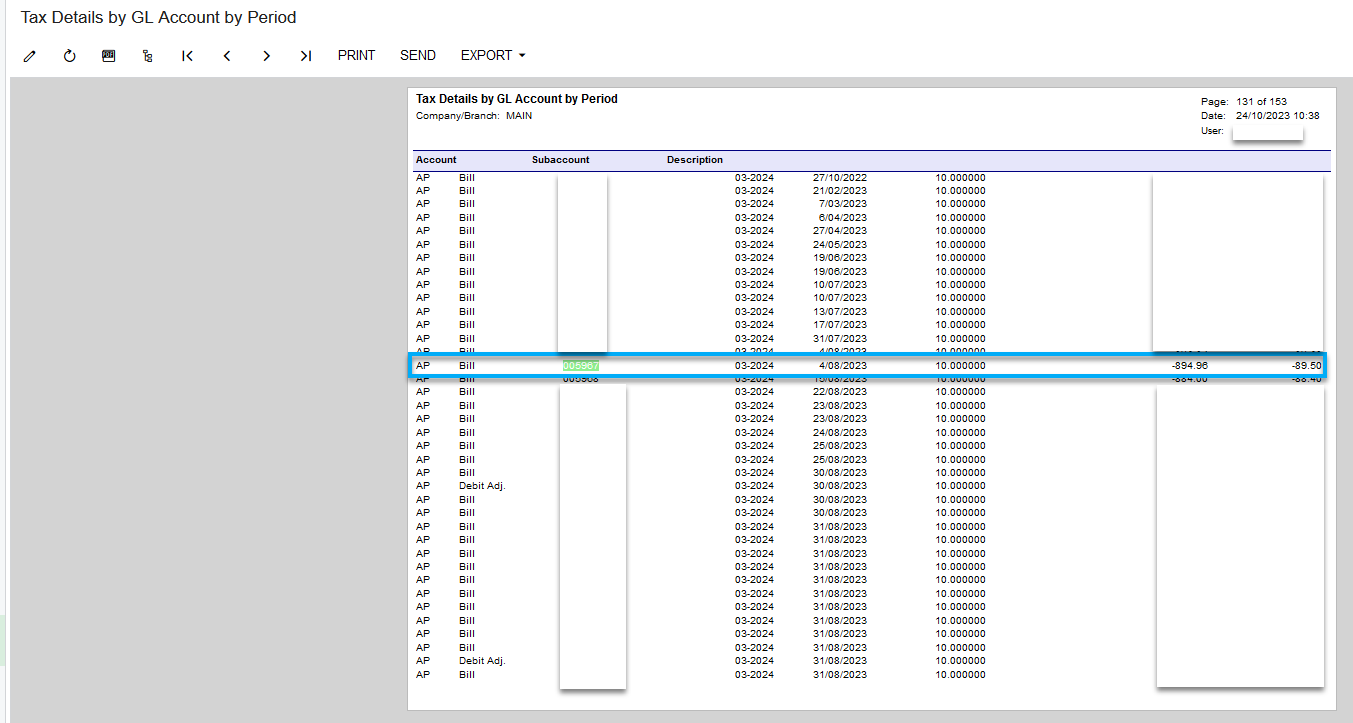
My question is why is this transaction appearing on this report as post period 03-2024? Where is it picking up the post period date from? I have checked the Financials Tab and batch details but all showing as 04-2024 for October.

Best answer by MindaS

Hi Mari,


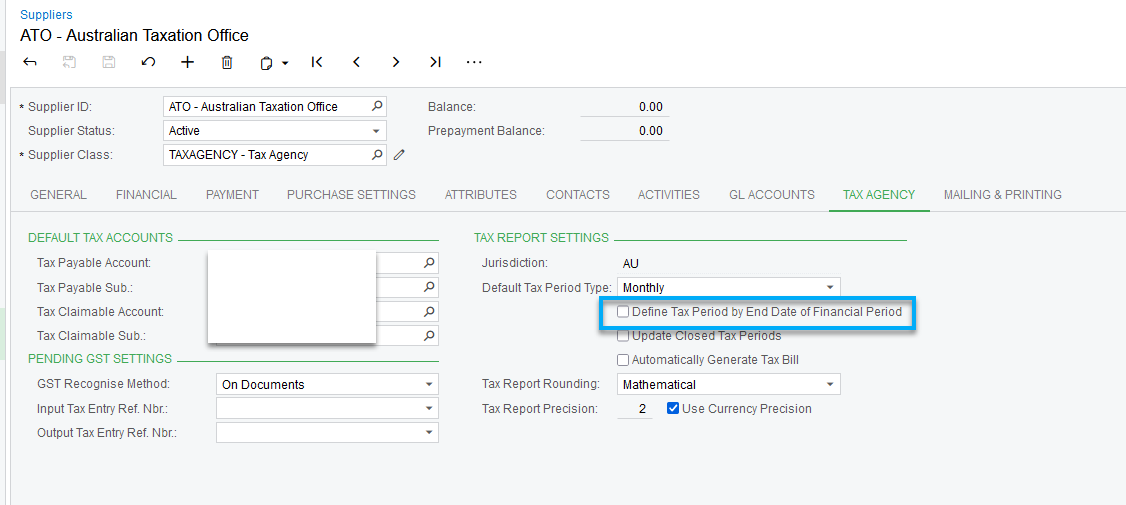
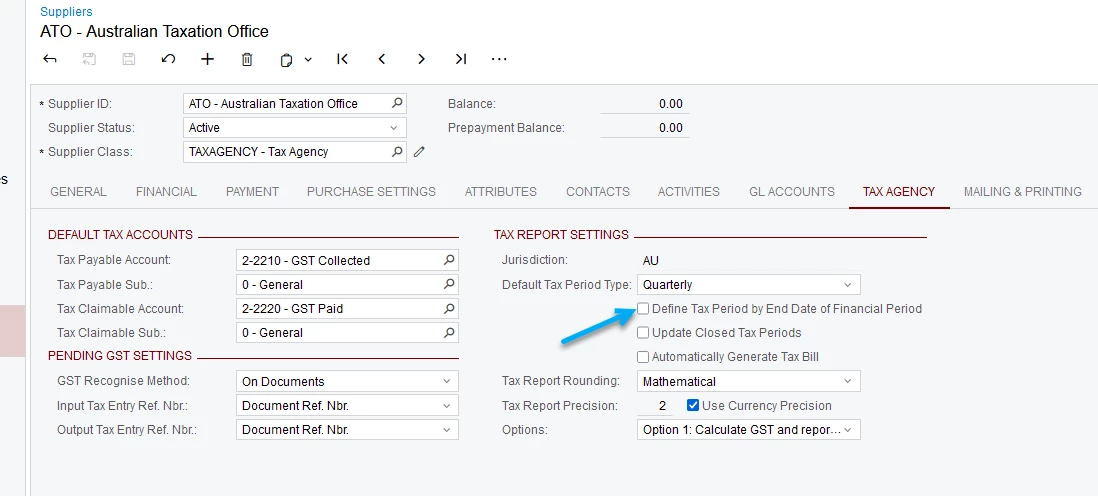
Yes, the issue was due to the ‘Define Tax Period by End Date of Financial Period’ checkbox under the Tax Agency tab of the ATO Supplier card being unticked which was causing the issue. 
 

The Acumatica Wiki Help definition states the below (which is a little unclear), however I did some testing and can confirm that with the checkbox ticked it then picked up the document and included the figures within the correct financial period when creating the BAS report.


8 replies

Laura03
Captain II
Forum|alt.badge.img+19
  • Captain II
  • October 24, 2023

Hello,

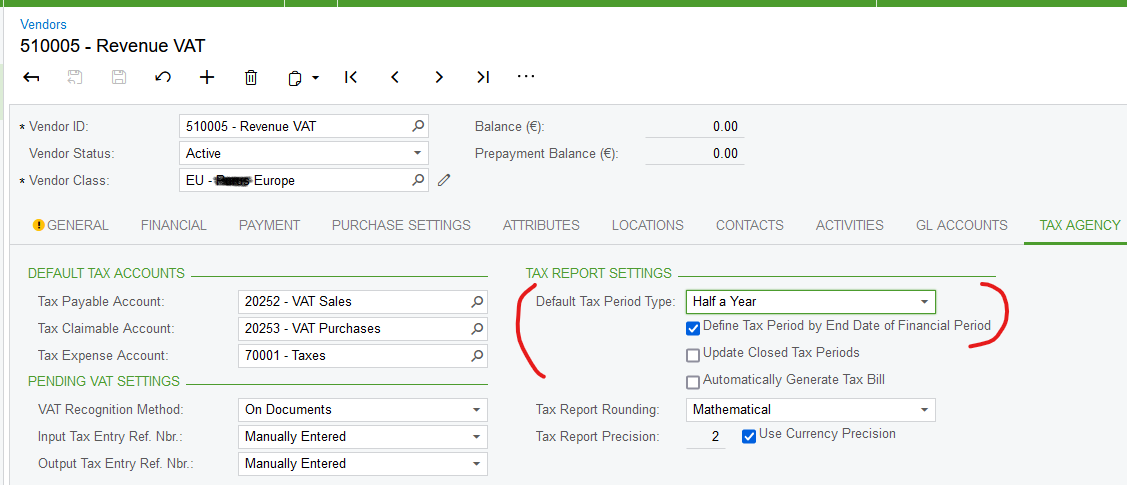
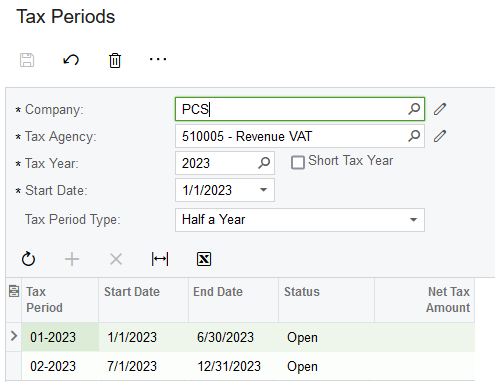
Is it possible that the Tax Periods are different from the fiscal periods in your tenant? Please look at Tax Agency settings of Tax Agency Vendor. In this case, the client reports to the Tax Agency twice per year, so there are only two tax periods in a year:


  • Author
  • Freshman II
  • October 24, 2023

Hi Laura,

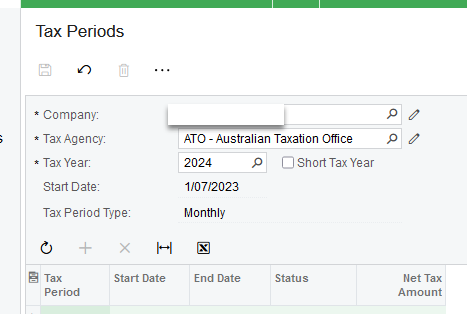
Thank you for your response. It appears that the Tax Agency Settings and Tax Periods do both match as Tax Period Type Monthly.

However, I did notice from your screenshot that ‘Define Tax Period by End Date of Financial Period’ is checked and this clients is not - could this be why?


Laura03
Captain II
Forum|alt.badge.img+19
  • Captain II
  • October 24, 2023

Hi,

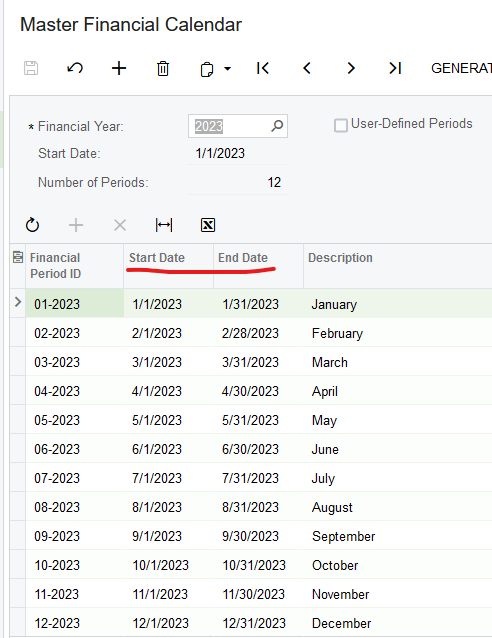
I notice the first date of your tax year is 1/7/2023. What is the first date of your fiscal year? Could they be off by a few days, causing some documents to fall into different tax months versus GL posting months?

Laura


  • Author
  • Freshman II
  • October 24, 2023

Hi Laura,

 It looks like the dates also match up here as 1/07/2023.


Chris Hackett
Community Manager
Forum|alt.badge.img
  • Acumatica Community Manager
  • November 30, 2023

Hi @MindaS were you able to find a solution? Thank you!


Hi Minda!

Did you find a solution for your issue? I have similar issue where journal is clearly in period 04 in GL, but in Tax Transaction Fin Period (not Tax period) is showing is 01.
Thanks,

Mari


  • Author
  • Freshman II
  • Answer
  • November 11, 2024

Hi Mari,


Yes, the issue was due to the ‘Define Tax Period by End Date of Financial Period’ checkbox under the Tax Agency tab of the ATO Supplier card being unticked which was causing the issue. 
 

The Acumatica Wiki Help definition states the below (which is a little unclear), however I did some testing and can confirm that with the checkbox ticked it then picked up the document and included the figures within the correct financial period when creating the BAS report.


Thanks for replying. In my case the tickbox was ticked and still the Fin Period in taxes module is not correct. I havent even run Prepare Tax yet, so no Tax periods.
I think its something to do with the fact its a credit of an earlier period invoice and imported record, somehow has got corrupted. Thanks again for coming back to me.