Answer

Tariff Surcharge

  • April 30, 2025
  • 3 replies
  • 212 views

Forum|alt.badge.img

Hello,


Is their an easy way to automatically calculate a 20% surcharge on the sales order / invoices in Acumatica.  We do not want to update our all prices if Trump reduces the Tariffs soon.

Currently we created a item called SURCHARGE and manually calculate the 20% tariff surcharge.


Thanks!

Best answer by nhatnghetinh

Hi ​@Nelson Yip 

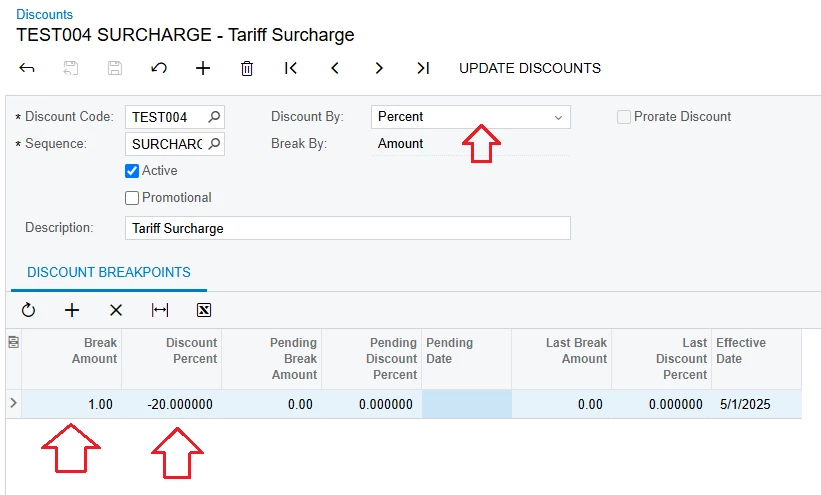
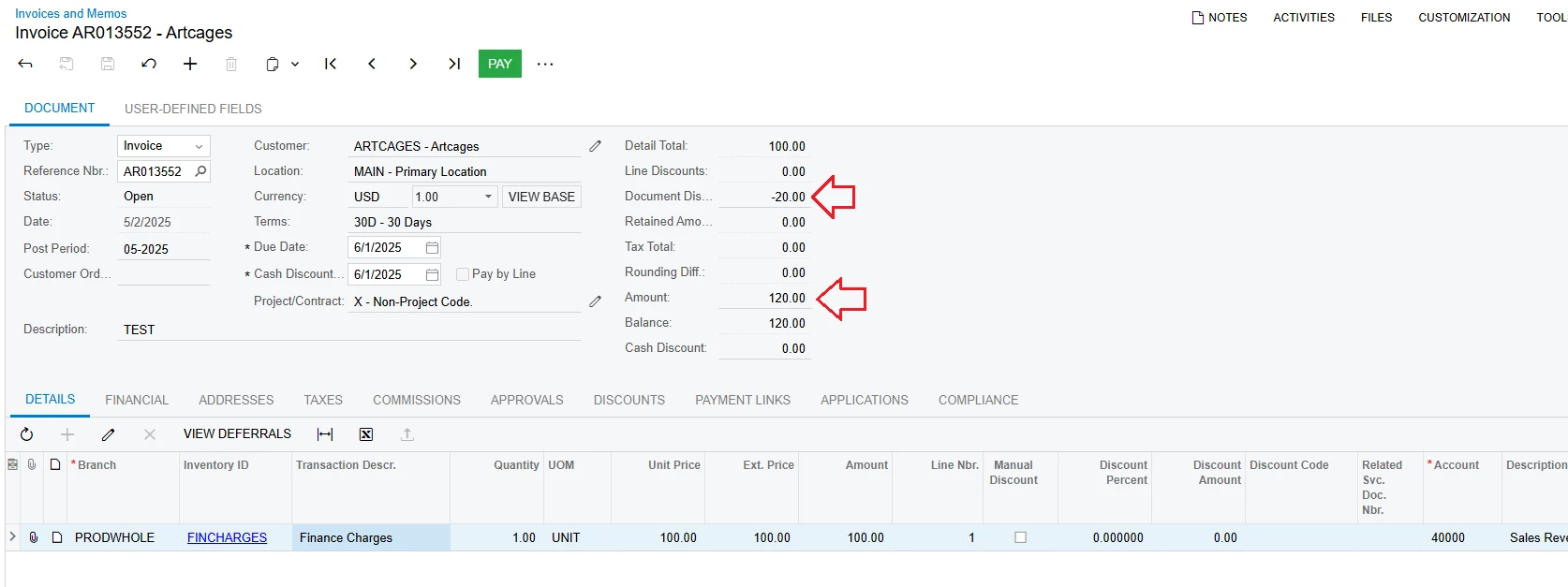
Please use Discounts with negative Discounts Percent.
+ Step 1: Create Discount Codes:
- Discount Type: Select "Document"
- Applicable To: Select "Unconditional" if applicable to all customers. If applicable to only some customers, select "Customer"


+ Step 2: Create Discounts

- Discount Code: Select the Discount Code created in the previous step

- Break Amount: enter 1
- Discount Percent: enter a negative number


+ Step 3: Test 


Best Regards,

NNT

3 replies

Forum|alt.badge.img

You could add a Discount Code of -20% and call it Tariff.


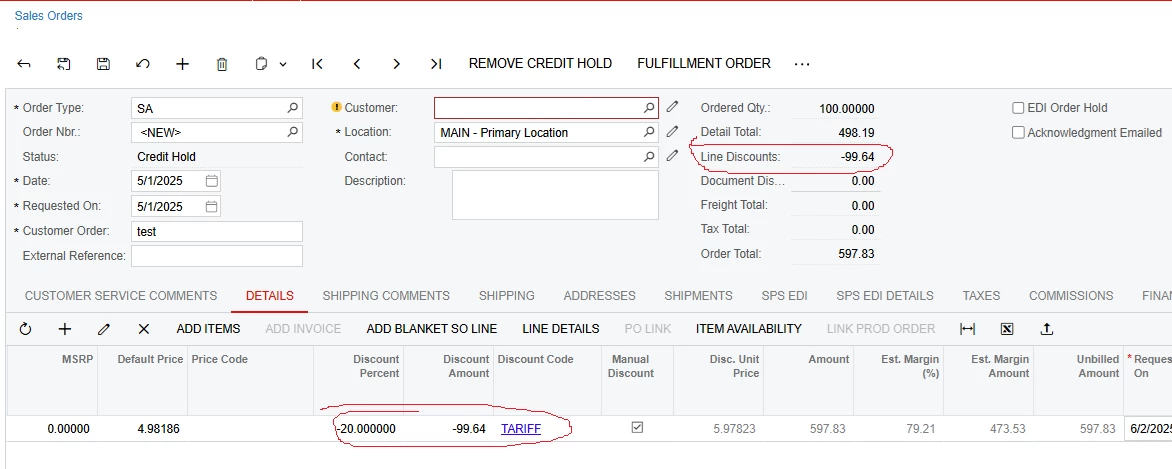
I tried to set up one by Document/Customer but it wasn’t generating on the sales order.  I would expect it to show up in the Document Discount section.


These would be easy to turn back off/update once this mess clears up.


nhatnghetinh
Captain II
Forum|alt.badge.img+11
  • Captain II
  • Answer
  • May 2, 2025

Hi ​@Nelson Yip 

Please use Discounts with negative Discounts Percent.
+ Step 1: Create Discount Codes:
- Discount Type: Select "Document"
- Applicable To: Select "Unconditional" if applicable to all customers. If applicable to only some customers, select "Customer"


+ Step 2: Create Discounts

- Discount Code: Select the Discount Code created in the previous step

- Break Amount: enter 1
- Discount Percent: enter a negative number


+ Step 3: Test 


Best Regards,

NNT


Forum|alt.badge.img
  • Author
  • Jr Varsity III
  • May 2, 2025

I got it, thanks!