Answer

Sort AP in Alphabetical Order

  • June 29, 2023
  • 4 replies
  • 340 views

Forum|alt.badge.img

Hey everyone -


My AP report does not run in alphabetical order but rather by Vendor ID chronological order and it drives me nuts!! Tried to fix it myself on the report designer but I can’t find where the sorting feature is for the data in that column. Can someone offer some assistance? 


I only run AP in summary form. 
Best answer by Laura03

Hello @katiedavison ,

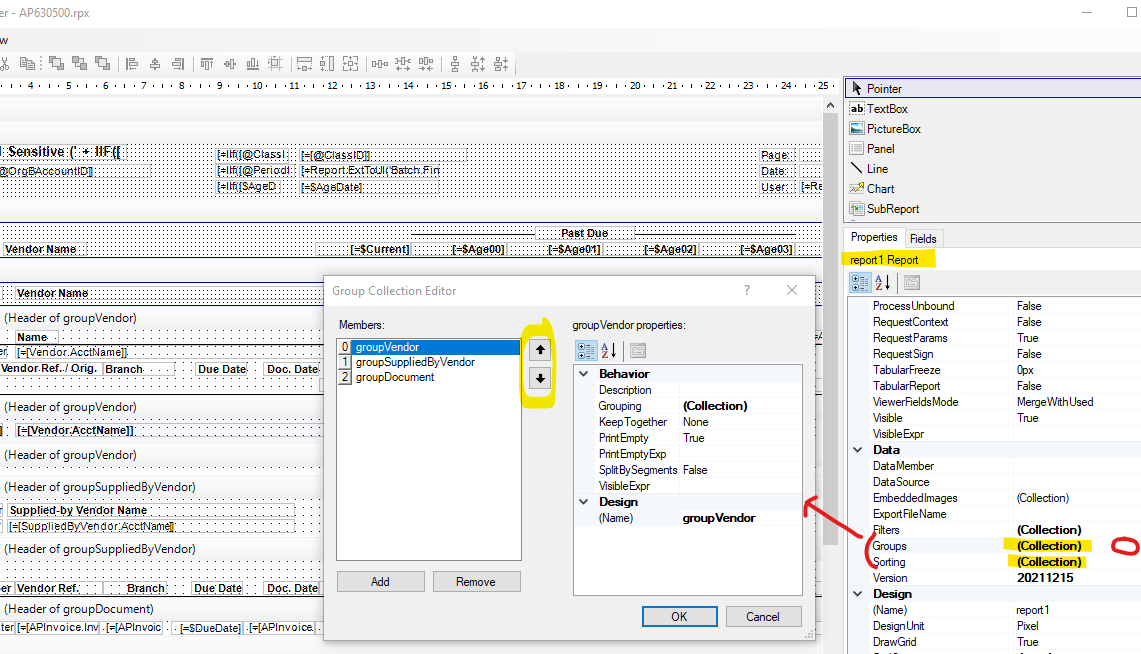
This example uses the AR Aged Period Sensitive:

In the Report properties, expand the Group and Sort “collection” areas to see and edit grouping and sorting.


4 replies

Laura03
Captain II
Forum|alt.badge.img+19
  • Captain II
  • Answer
  • June 29, 2023

Hello @katiedavison ,

This example uses the AR Aged Period Sensitive:

In the Report properties, expand the Group and Sort “collection” areas to see and edit grouping and sorting.


Forum|alt.badge.img+9
  • Semi-Pro III
  • June 30, 2023

Hi @katiedavison,

I am working with the AP aging report as an example.

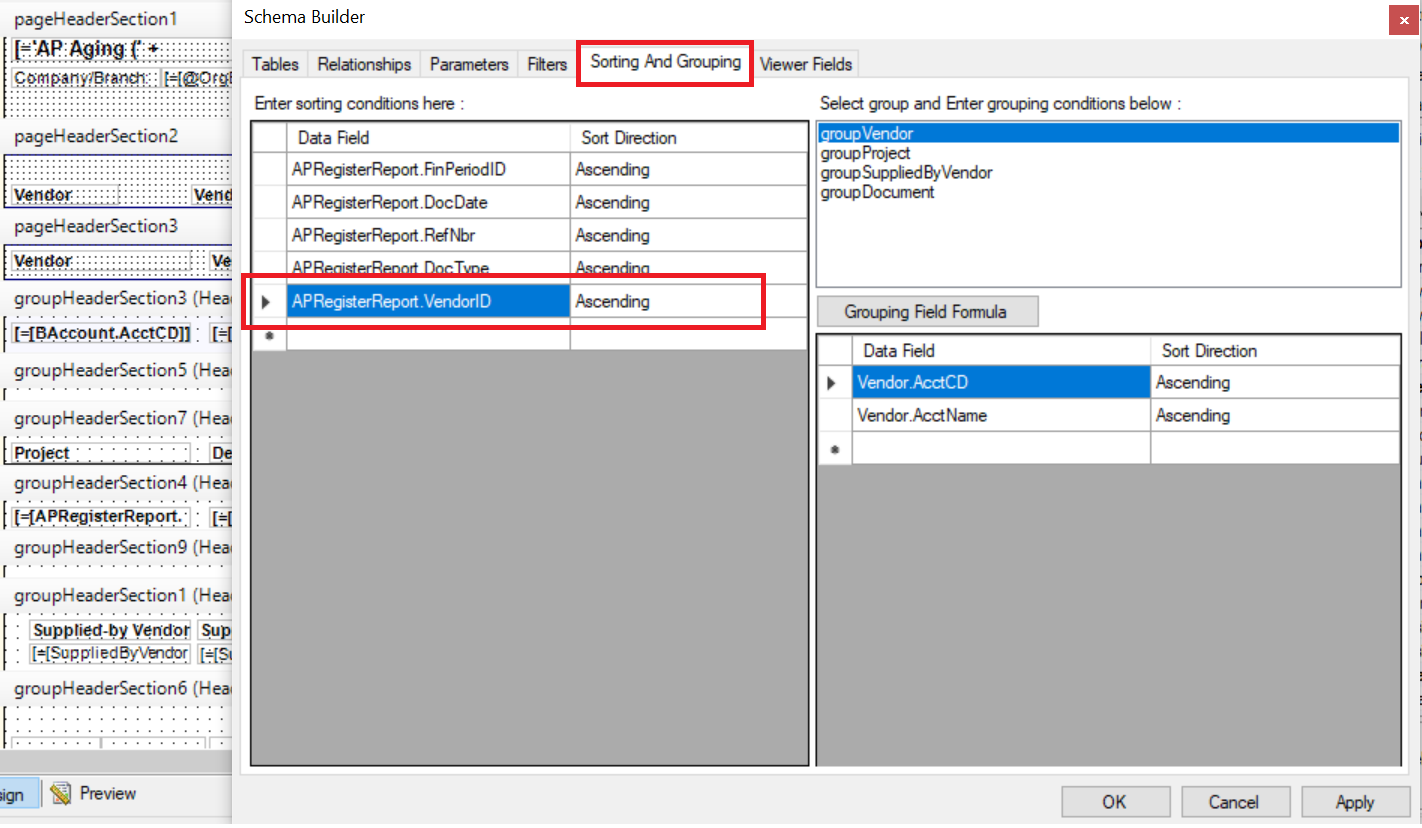
In the report designer, go to the File→ Build Schema→ Sorting and Grouping tab, add the "Vendor ID" column and choose the "Ascending" option to sort the data in alphabetical order based on the vendor's ID.


Regards,

Sweta


  • Freshman I
  • March 10, 2025

this does not work


  • May 19, 2025

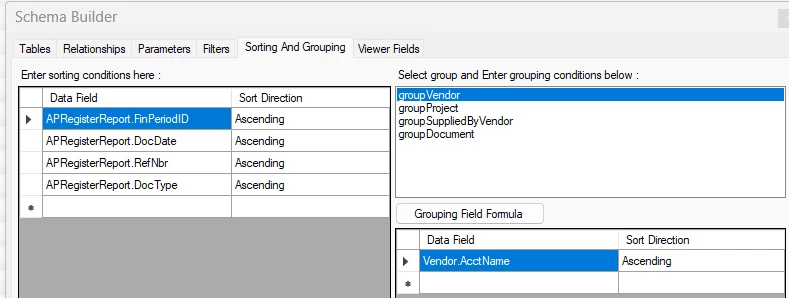
Remove the Vendor.AcctCD and just use Vendor.AcctName