Answer

Setting up emails for different locations

  • March 13, 2025
  • 5 replies
  • 130 views

Good morning community,

We are fairly new to the system and our data was transferred from Quickbooks. I have locations on accounts with different emails to send invoices to various departments. How do I assign emails to different locations instead of the main email address on the bill to.

Best answer by bwhite49

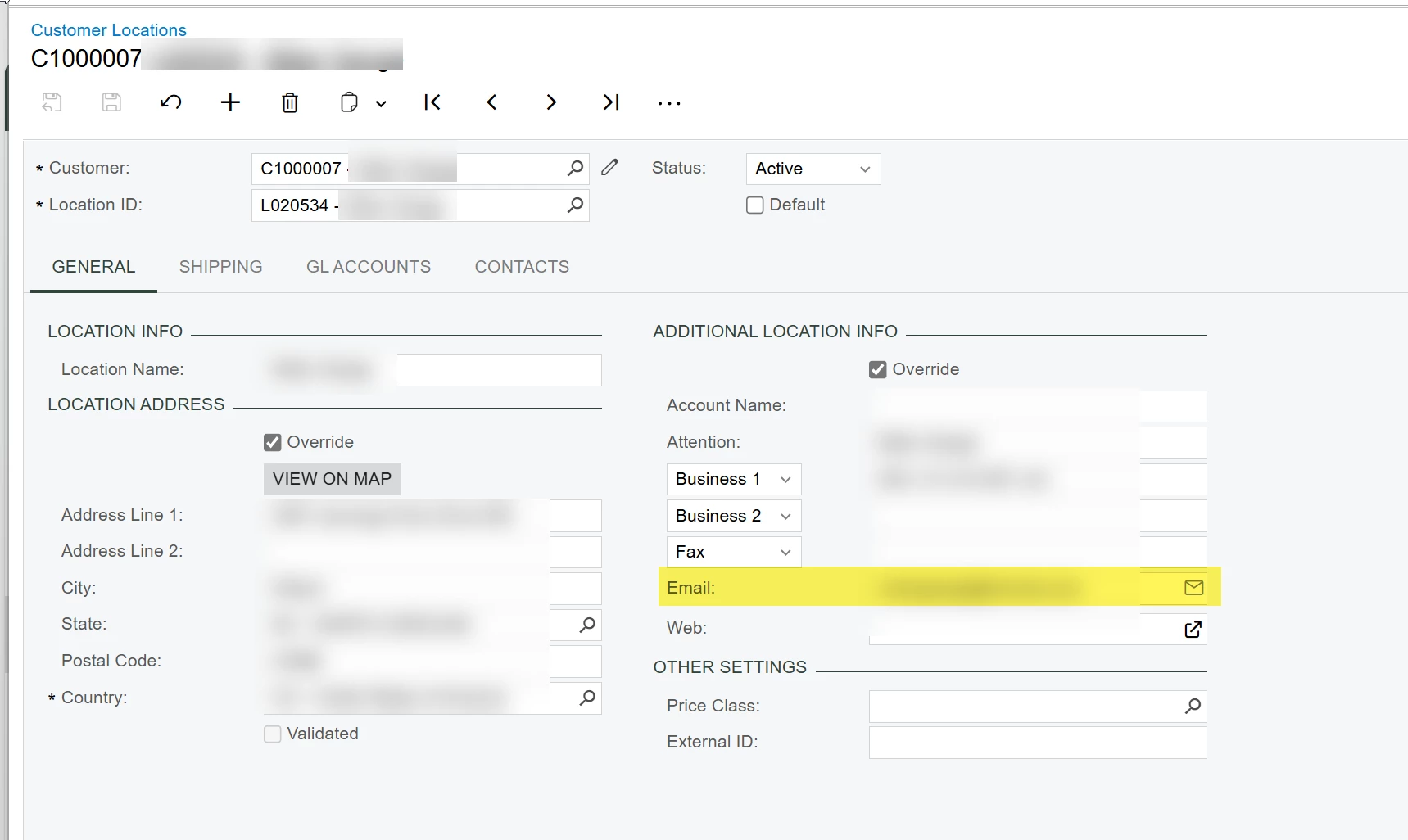
Are you trying to send the invoice email to the email address defined on the customer location? This would be the shipping contact email on the invoice. You can add multiple email addresses this field by formatting this field as you would in outlook with a ; between email addresses (ex. abc@fakecompany.com; 123@fakecompany.com)


5 replies

bwhite49
Captain II
Forum|alt.badge.img+11
  • Captain II
  • Answer
  • March 13, 2025

Are you trying to send the invoice email to the email address defined on the customer location? This would be the shipping contact email on the invoice. You can add multiple email addresses this field by formatting this field as you would in outlook with a ; between email addresses (ex. abc@fakecompany.com; 123@fakecompany.com)


Melissalutrick21
Freshman II
Forum|alt.badge.img

Can I get clarification if I should store emails in records as with a (; ) and a space or just the (;)  or is this semantics and out there with the number of spaces after a period discussion?


cool@aol.com;notcool@aol.com

or

awesome@netscape.com; super@netscape.net


bwhite49
Captain II
Forum|alt.badge.img+11
  • Captain II
  • August 1, 2025

Can I get clarification if I should store emails in records as with a (; ) and a space or just the (;)  or is this semantics and out there with the number of spaces after a period discussion?


cool@aol.com;notcool@aol.com

or

awesome@netscape.com; super@netscape.net


I think the space matters. It’s been a while since I’ve tested that, but I remember having issues when there was no space. Not 100% sure on that though.


  • Freshman II
  • September 8, 2025

Are you trying to send the invoice email to the email address defined on the customer location? This would be the shipping contact email on the invoice. You can add multiple email addresses this field by formatting this field as you would in outlook with a ; between email addresses (ex. abc@fakecompany.com; 123@fakecompany.com)


Hi ​@bwhite49 - I think he was pertaining to the email address from the Bill To section of the invoice as that is how it works currently. He was asking if they can send the invoice to automatically pick up the email address based on customer location of the invoice. Do you know if there is a way to do it?


  • Freshman II
  • September 8, 2025

I have worked this out by creating a new email template and set the recipient to ((Shipping_Contact.Email)); as per ​@bwhite49. Then configure it on report designer to use that new email template as the default