




Hi!
I noticed that the General Subaccount on the Branch Locations preferences screen is not a required field, we are able to save this with no issues:
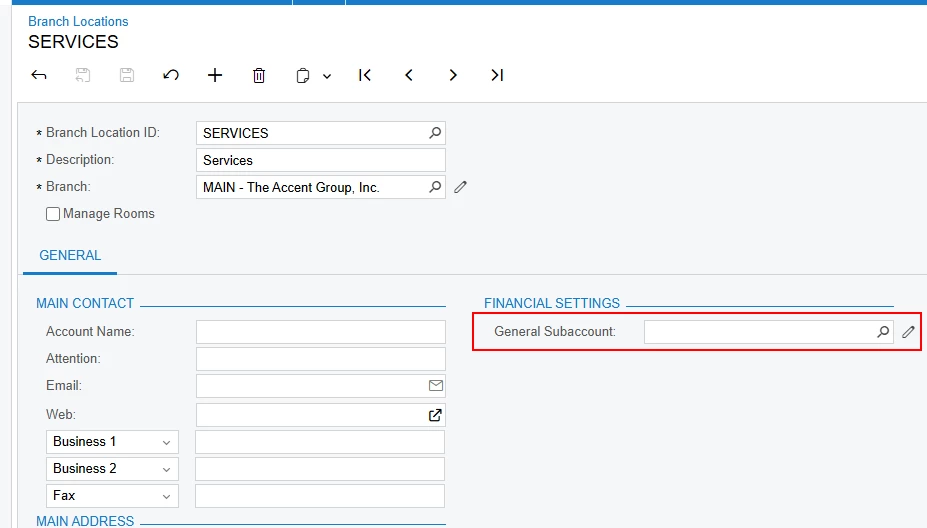
The reason for us leaving it blank is to force users to specify the subaccount (division in the client’s case) on the service order, i.e. roofing, painting, etc. depending on the type of service order is.
Fast forward to the create AP bill functionality on the Service Order details tab.
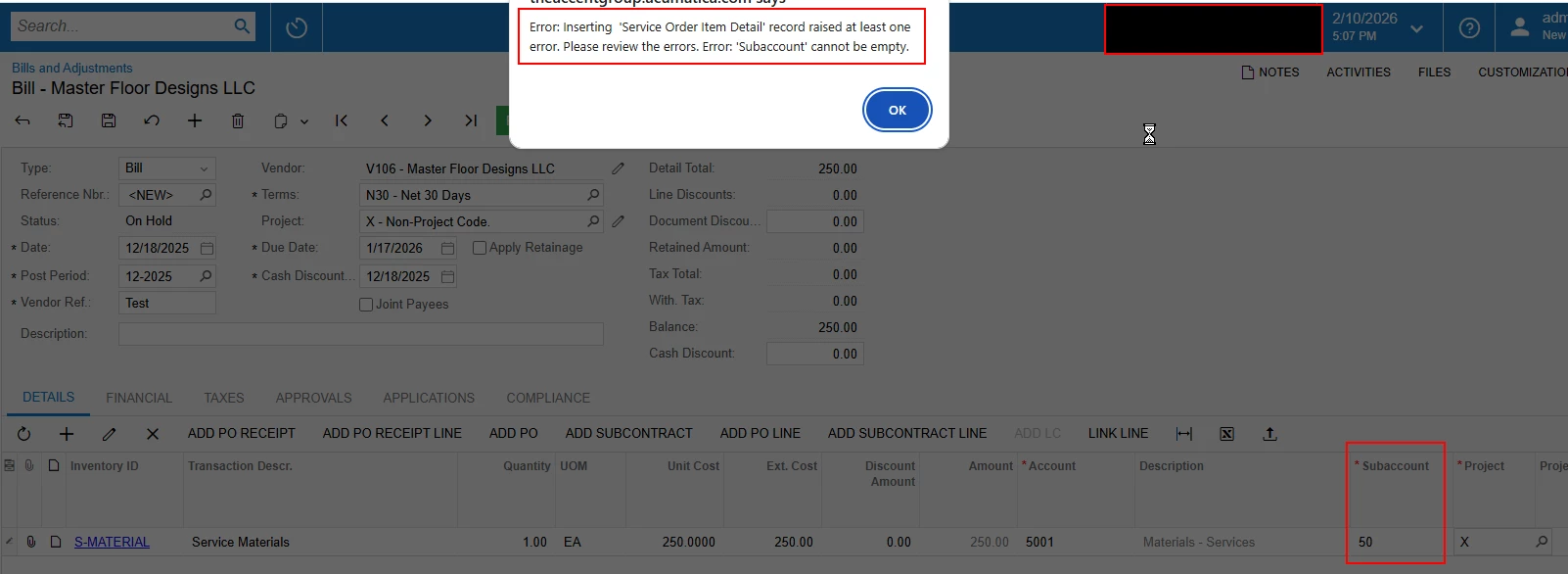
this functionality only brings in the related svc. doc type and related svc. doc. number but it appears to have a connection to the branch location general subaccount field because upon filling in the details, we get this error which on the service doesn’t seem correct because the subaccount is in fact NOT blank:
taking a look at the trace log, this is where we figured out it was connecting on the backend:
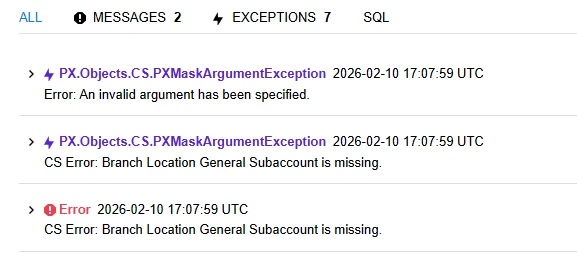
tested this theory out by filling in the subaccount on the branch locations screen and followed the same workflow and was able to save with no errors. the subaccount still needs to be manually filled out on the AP bill so it would be nice to have the subaccount pull from service order if possible but wanted to hear what others were doing? i was thinking of expanding on the branch locations if that was helpful but since the create ap bill doesn’t bring in any details, i don’t think there is much value in that. Upon releasing the transaction, i can confirm the only subaccounts that come into play are the AP subaccount and the line level subaccount - nothing related to the general subaccount from the branch location setting