


Under Customers, after clicked on generate on demand then click on print statement, I tried to click send. But the email template not pop up, pls help:)
Solved
Send statement by email, but the email template not pop up
Best answer by Laura03
Hello,
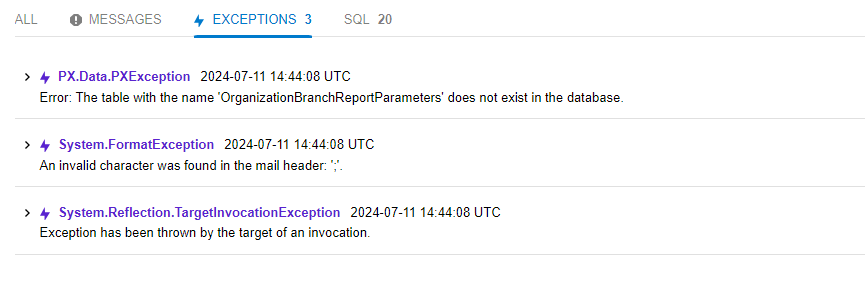
It looks like the System is having trouble processing a semi-colon character that may be entered in your customer’s Email . Are you trying to send to multiple emails, with multiple addresses entered in a single field using “;” to separate the emails?
If yes, try to rule out multiple emails separated by “:” causing your problem: remove the semi-colon and remove extra emails - limint email fields on this customer and contacts of this customer to one email address per Email field. See whether the statement will send now.
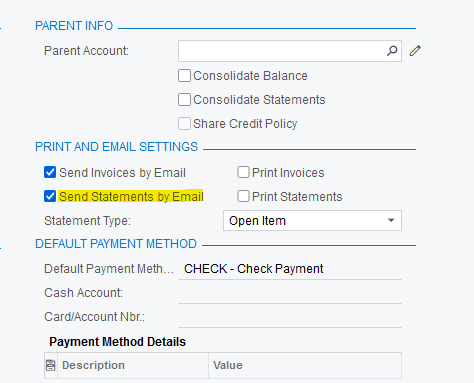
You can send statements to multiple addresses using Mailing & Printing tab of the customer to add people to the outgoing statements, or you can add the extra emails manually on the screen where you are clicking SEND from the on-screen Statement.
Is the statement customized? If yes, temporarily de-activate the custom statement and try to Send the standard statement report.
Laura






Enter your E-mail address. We'll send you an e-mail with instructions to reset your password.