Answer

"Require Receipt" Check Box - Non-Stock Items

  • September 29, 2023
  • 4 replies
  • 282 views

Forum|alt.badge.img

Hello - 

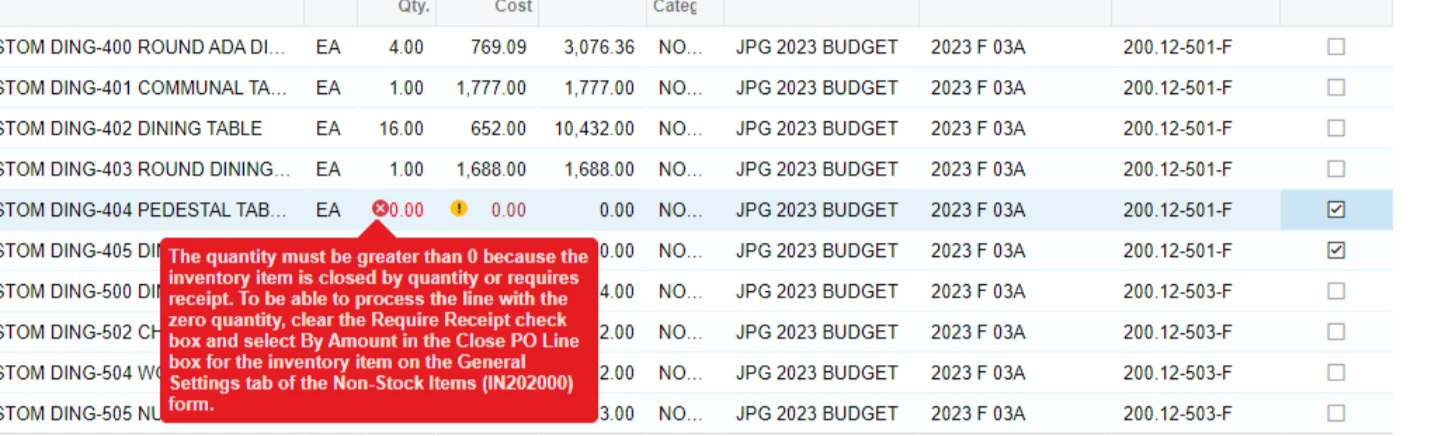
Someone on my team is attempting to cancel two lines in a Purchase Order, but they want to leave the line on there as “0” amount for our records. When they attempt this they get the below error message:

“To be able to process the line with zero quantity, clear the Require Receipt checkbox...”, and I cannot find that anywhere. Can someone please help let me know where this lives?

Thanks!!


Best answer by sweta68

hi @mdyer ,


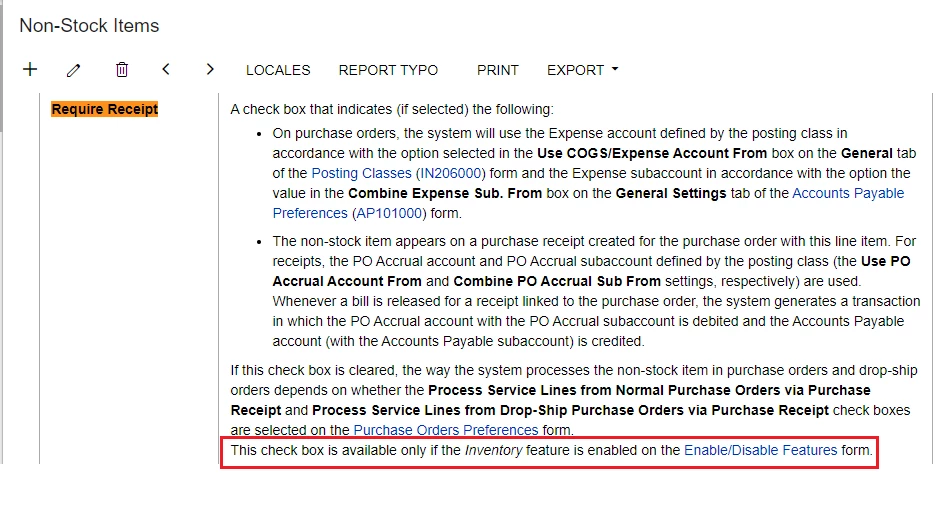
 Require Receipt Checkbox is available only if the Inventory feature is enabled.


4 replies

Forum|alt.badge.img+2
  • Jr Varsity III
  • September 29, 2023

The Require Receipt option can be found in Inventory | Non-Stock Items

Select the non-stock item

On the General tab, you can find Require Receipt and Require Shipment options:


Forum|alt.badge.img
  • Author
  • Jr Varsity II
  • September 29, 2023

Thanks @SheriThomas49 , I should have included more screenshots. I dont have that option on my general tab, would you know why its not there?


Forum|alt.badge.img+9
  • Semi-Pro III
  • Answer
  • September 29, 2023

hi @mdyer ,


 Require Receipt Checkbox is available only if the Inventory feature is enabled.


Manikanta Dhulipudi
Captain II
Forum|alt.badge.img+15
 

 if you check the box in PO Preferences, “Process Service lines from Normal Purchase Orders via Purchase Receipts”, then it works even if the non-stock item is not marked as “Require Receipt”.