Can you run a different schedule for a different item on that is on the same contract?
Without having to create a new deferral code for every new transaction, is it possible to update the deferral schedule if the customer decides to postpone a service for a later date?
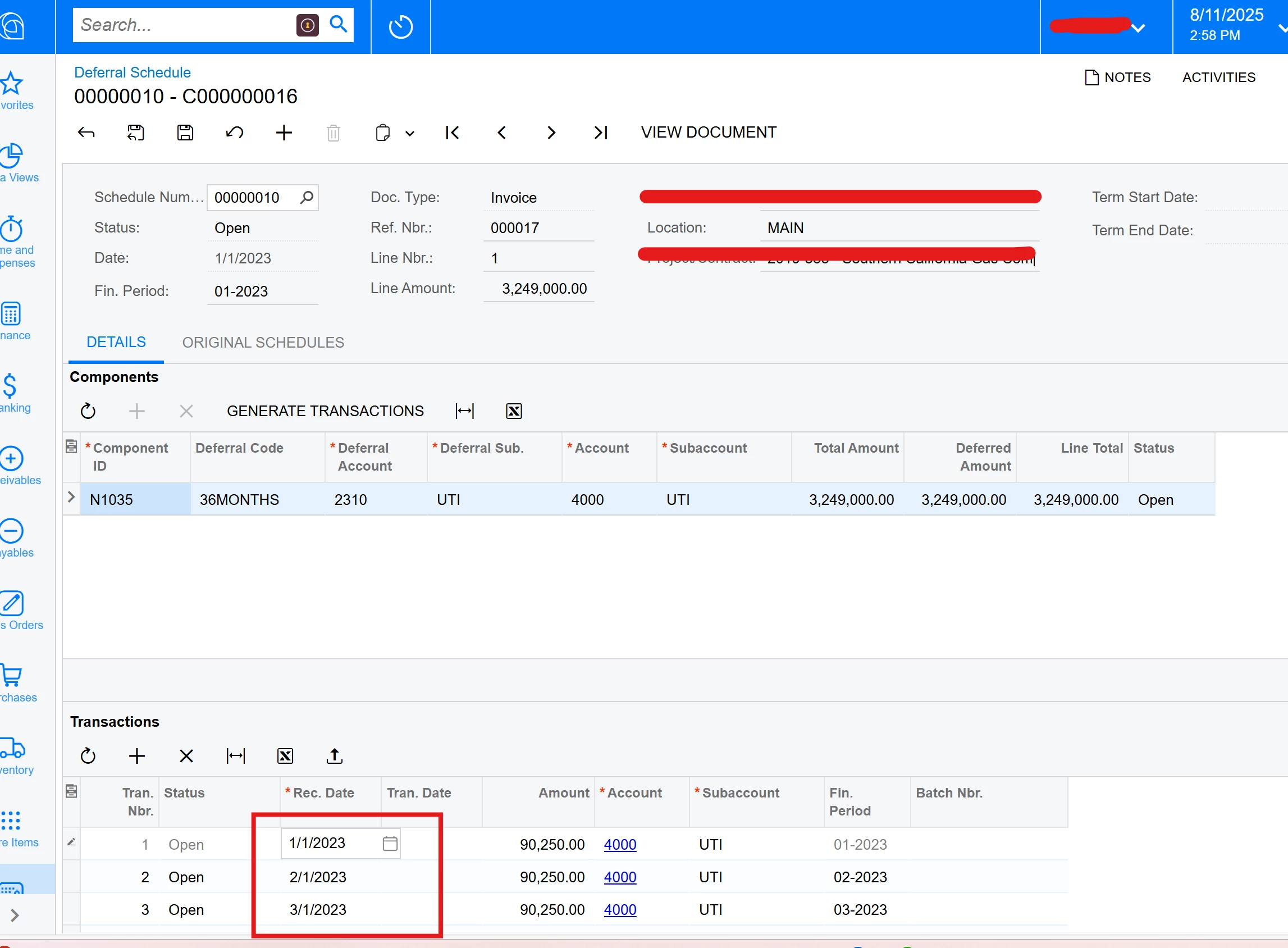
For example, I can change the Rec. Date in the transaction section, but when clicking on GENERATE TRANSACTIONS, the date goes back to what it was.
Based on testing, answers to both questions would be no, but we would like to confirm there is no other ways.
Open to any suggestions, thank you in advance for your help!
For Part 2 - the Generate Transactions button just creates the “draft” transactions. But if you overwrite/edit them (prior to running recognition), the edited version will be what is recognized. To create the actual journal entries, you’ll need to use the “Run Recognition” screen.
For Part 2 - the Generate Transactions button just creates the “draft” transactions. But if you overwrite/edit them (prior to running recognition), the edited version will be what is recognized. To create the actual journal entries, you’ll need to use the “Run Recognition” screen.
Hi @meganfriesen37 For part 1, we can create multiple deferral codes and run multiple deferral schedules but we cannot run multiple billing schedules for contract items within a contract. Do you have any suggestions around that?
For Item 1, if this is related to Contract billing, the contract can only have one billing period/frequency (i.e. annual, monthly, quarterly, etc.) You can have items within the contract that are charged as follows:
Set up items charged once at the beginning of the contract
Items with a recurring price charged either at the beginning or end of each billing period
Items charged at each renewal
So if you have some items that are once a year and some that are monthly, then you could look at having the annual items be renewal items? but if you have some that are monthly and some that are quarterly, they likely need to be 2 different contracts?