

Answer

Purchase Receipts - Hide/Disable Return Option

  • July 15, 2025
  • 4 replies
  • 69 views

Forum|alt.badge.img

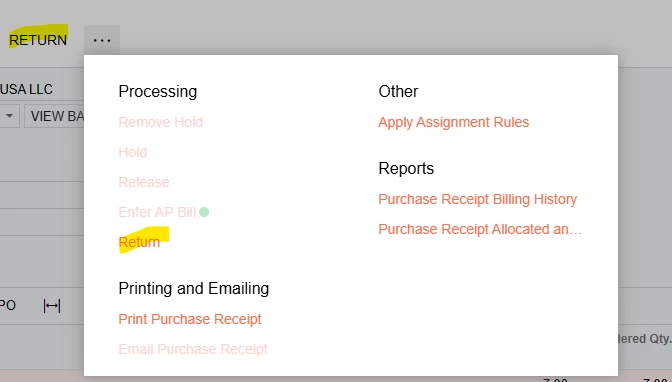
I am trying to hide or disable the Return option in Purchase Receipts for our users since it is often used in error. I was really hoping I could figure this one out myself by using access rights by role in user security but am struggling to find the proper section. On another note, I am excited that they finally added the option to either cancel/correct a receipt in 2025R1!


Best answer by DipakNilkanth

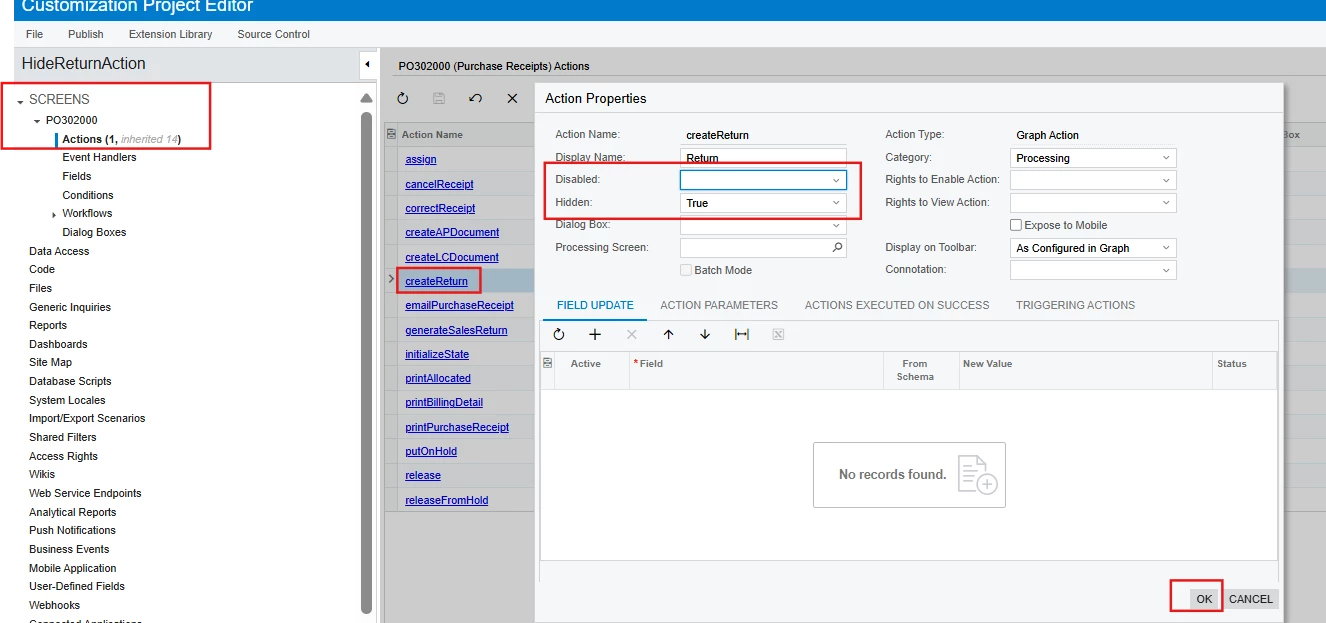
If you want to hide or disable the action for all users, you can achieve this using Acumatica's low-code/no-code customization tools—without writing any code.

Simply follow these steps:

  1. Go to the Customization Editor.

  2. Locate the 'Create Return' action under the Actions section of the relevant screen.

  3. Set the Disabled or Hidden property to True, depending on whether you want to hide or disable it.

  4. Save and publish the customization package.

This approach is quick, straightforward, and does not require custom code.

Hope, it helps!

4 replies

DipakNilkanth
Pro III
Forum|alt.badge.img+13

Hi ​@afranklin, Do you want to hide the 'Return' action for all users or only for specific users? Also, would you prefer to control this using access rights, or are you open to achieving this through customization?


Forum|alt.badge.img
  • Author
  • Jr Varsity II
  • July 15, 2025

Hi ​@afranklin, Do you want to hide the 'Return' action for all users or only for specific users? Also, would you prefer to control this using access rights, or are you open to achieving this through customization?


I would like to hide it either for all users or specific roles. Honestly, whichever would be the easiest option since we only use non-stock inventory and this is not a required option for us. I am not interested in doing this through customization. 


DipakNilkanth
Pro III
Forum|alt.badge.img+13
  • Pro III
  • Answer
  • July 15, 2025

If you want to hide or disable the action for all users, you can achieve this using Acumatica's low-code/no-code customization tools—without writing any code.

Simply follow these steps:

  1. Go to the Customization Editor.

  2. Locate the 'Create Return' action under the Actions section of the relevant screen.

  3. Set the Disabled or Hidden property to True, depending on whether you want to hide or disable it.

  4. Save and publish the customization package.

This approach is quick, straightforward, and does not require custom code.

Hope, it helps!


Forum|alt.badge.img
  • Author
  • Jr Varsity II
  • July 15, 2025

Thank you so much, this is a great solution! I should have known this since I had done something similar to make some fields mandatory on the same screen.

