

Answer

Purchase Order Approval - Sending email notification to approver

  • December 2, 2025
  • 2 replies
  • 33 views

Forum|alt.badge.img

I’ve setup up purchase order appovals with email notifications, but I’m only able to send the notification to the purchase order owner using ((Document.OwnerID.EMail));. I’m trying to use ((Approval.ApprovedByID.EMail)); to send the notification to the approver, but the ((Approval.ApprovedByID.EMail)) value is returning an empty string. 
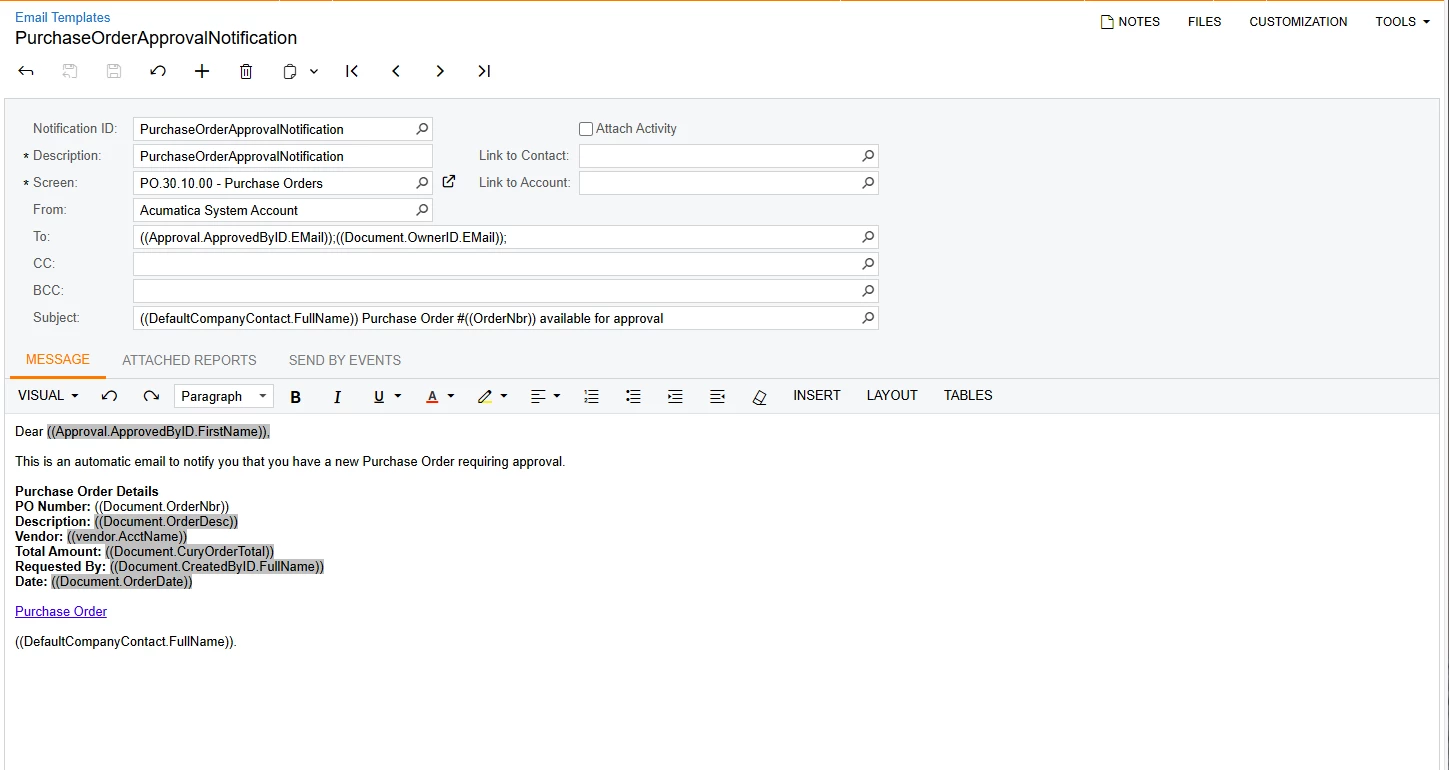
What is the correct value to use to send the notification to the assigned approver for the purchase order. I’m not using approval workgroups, just a single defined approver. This is on version 2024 R2.

Best answer by nickcerri32

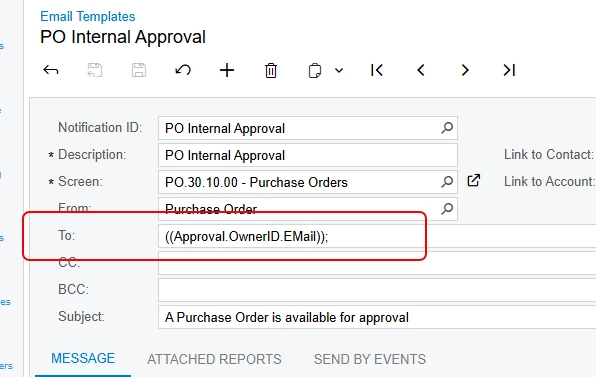
@jsieber - You’re close.  Instead of Document.OwnerID.Email, it’s Approval.OwnerID.Email.  This is for a 25R1 customer, but I’m pretty sure I set it up for them when they were on 24R2.  


2 replies

nickcerri32
Jr Varsity III
Forum|alt.badge.img+1
  • Jr Varsity III
  • Answer
  • December 3, 2025

@jsieber - You’re close.  Instead of Document.OwnerID.Email, it’s Approval.OwnerID.Email.  This is for a 25R1 customer, but I’m pretty sure I set it up for them when they were on 24R2.  


Forum|alt.badge.img
  • Author
  • Jr Varsity III
  • December 4, 2025

@nickcerri32 this worked, thank you so much!
