Hi @rcreasy
Could you please create a UDF filed in Invoice Screen “ DONOT Send Email”
Type - Checkbox
When ever user enable the checkbox then configure a Business event to trigger an email for Disabled invoices only,
Using Business event we can send only invoices to required customers only.
Thanks
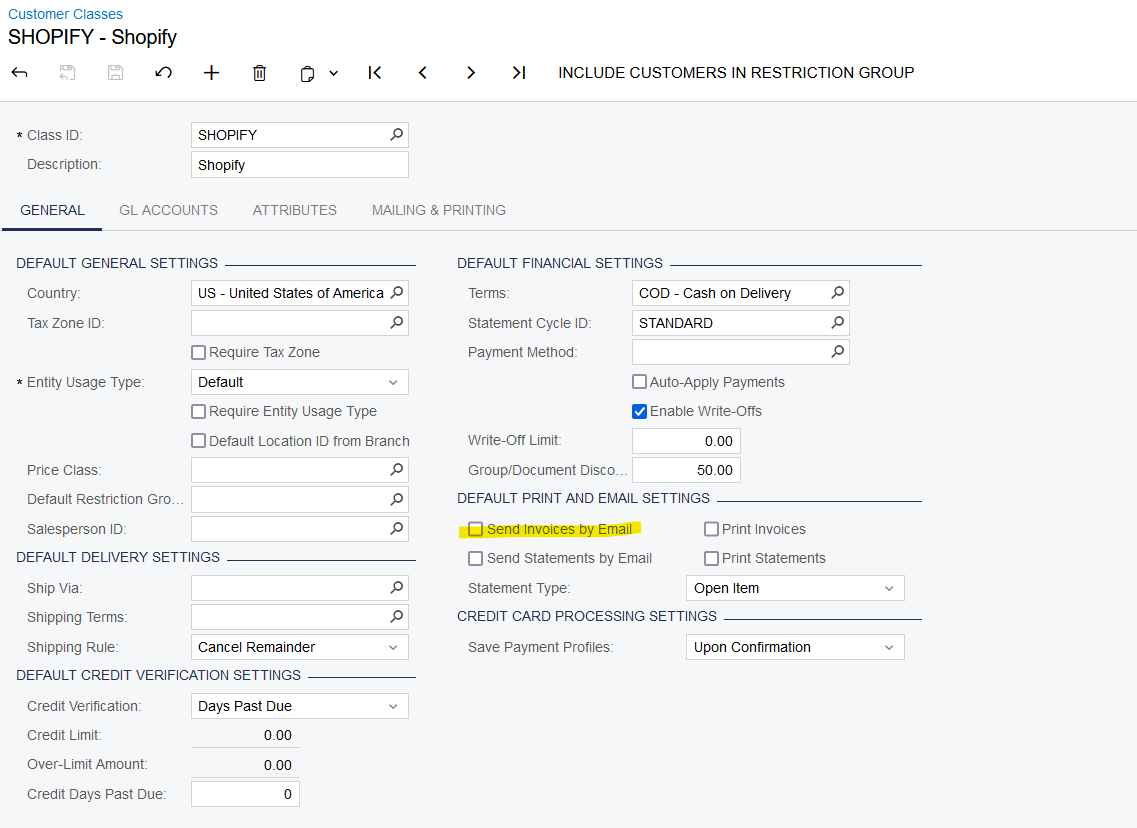
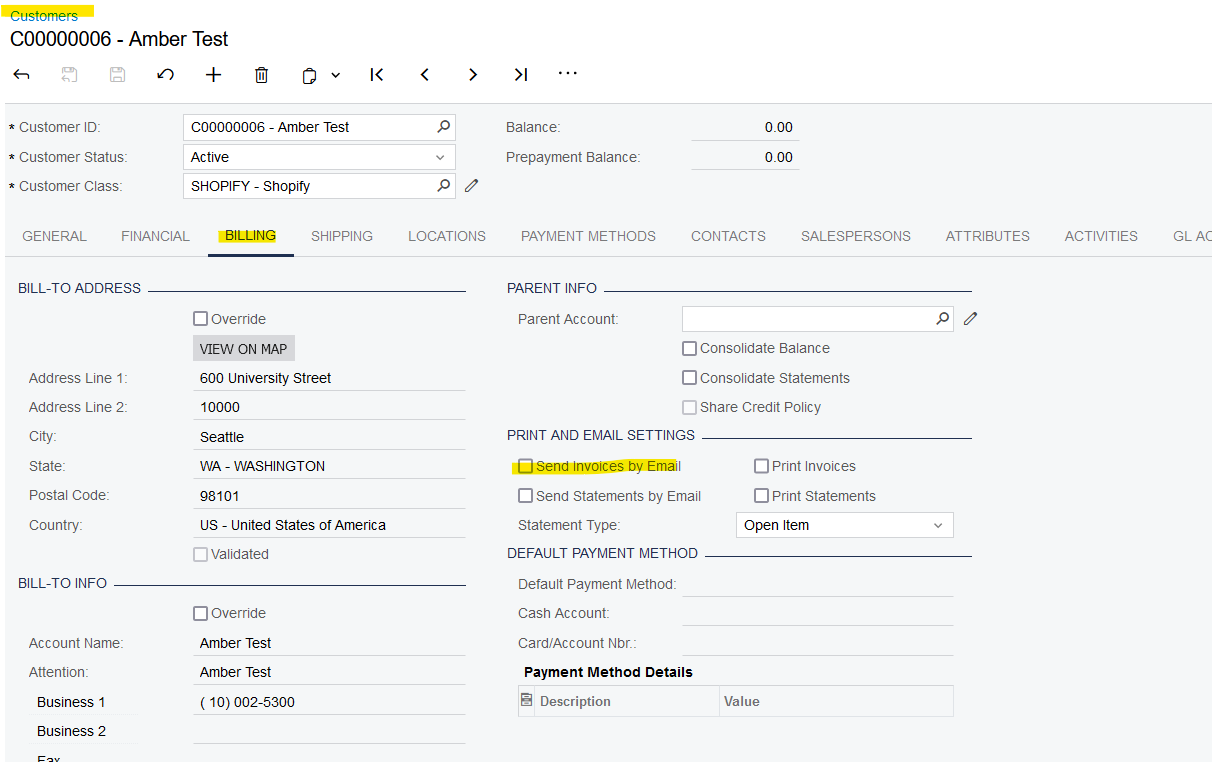
@rcreasy - It can be set at the Customer Class level or the Customer level to not email invoices. See the below.


@StevenRatner Thanks for the answer. But, I need to do this at the invoice level. A customer may sometimes need the email, sometimes not.
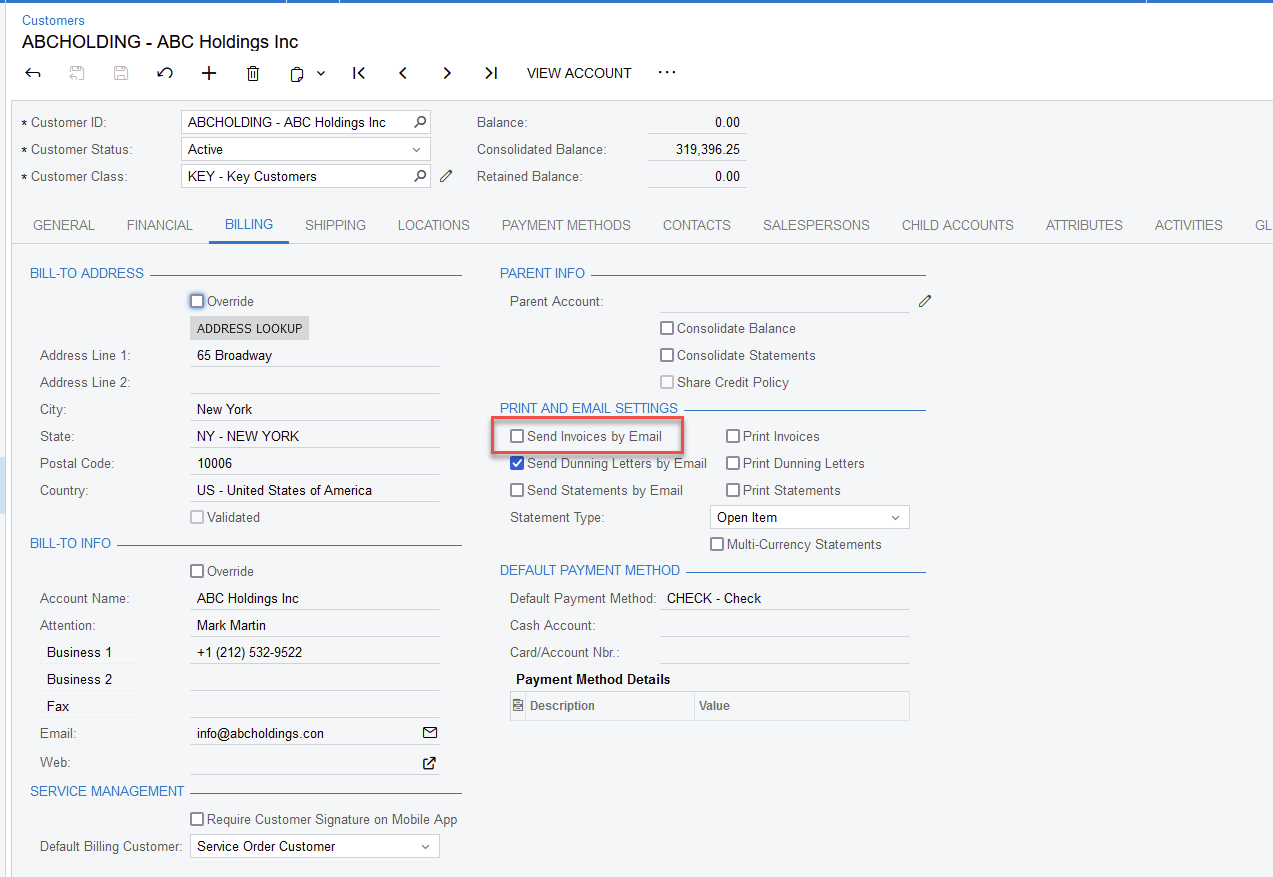
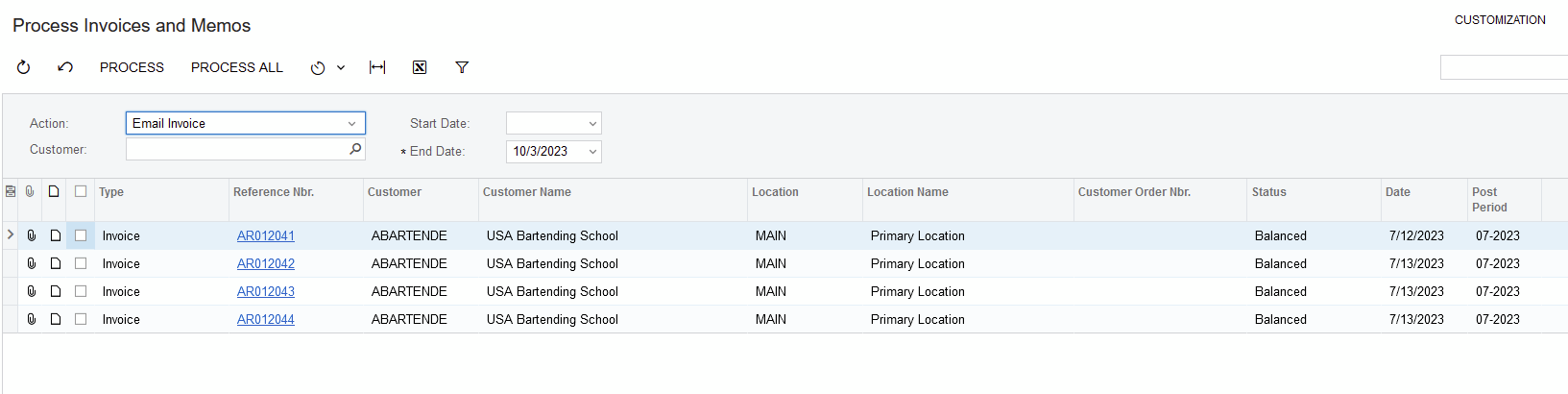
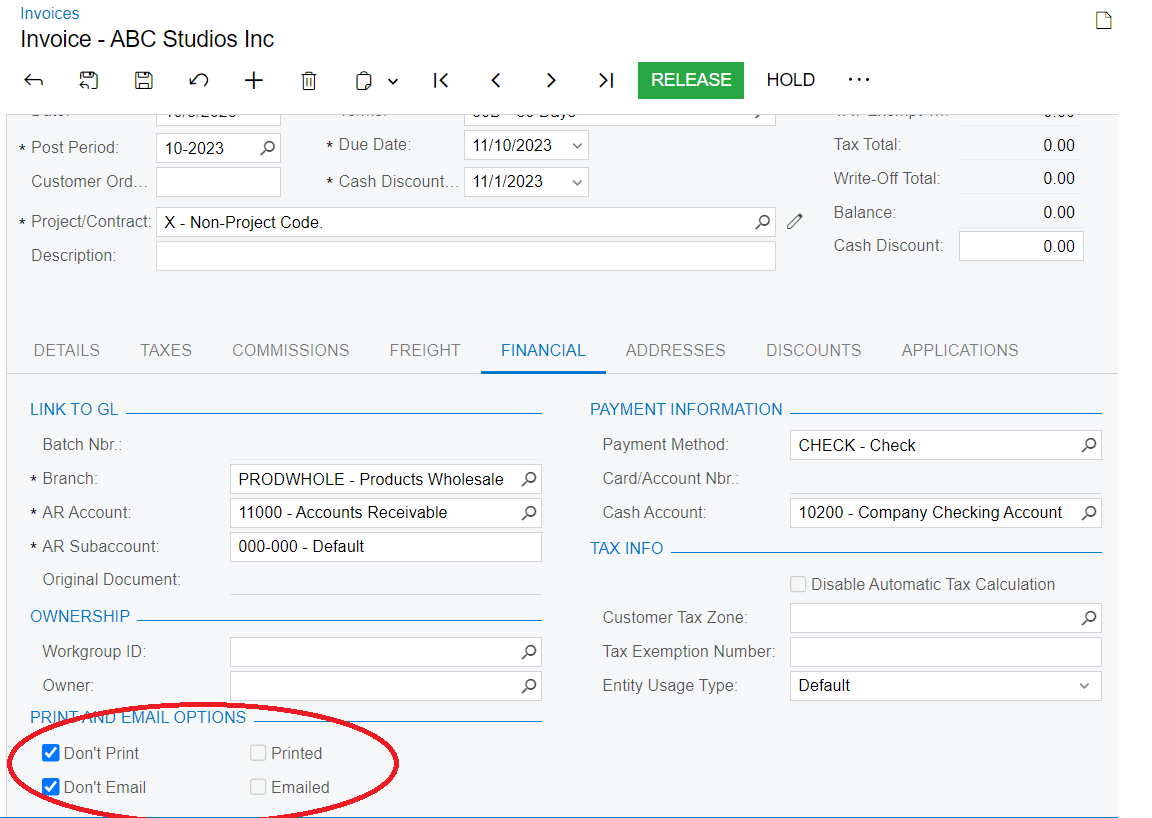
The checkbox for Don’t Email is used with the option in Customers | Billing tab for Send Invoices by Mail when used in Process Invoices and Memo.
Not having the option Send Invoices by Mail selected:

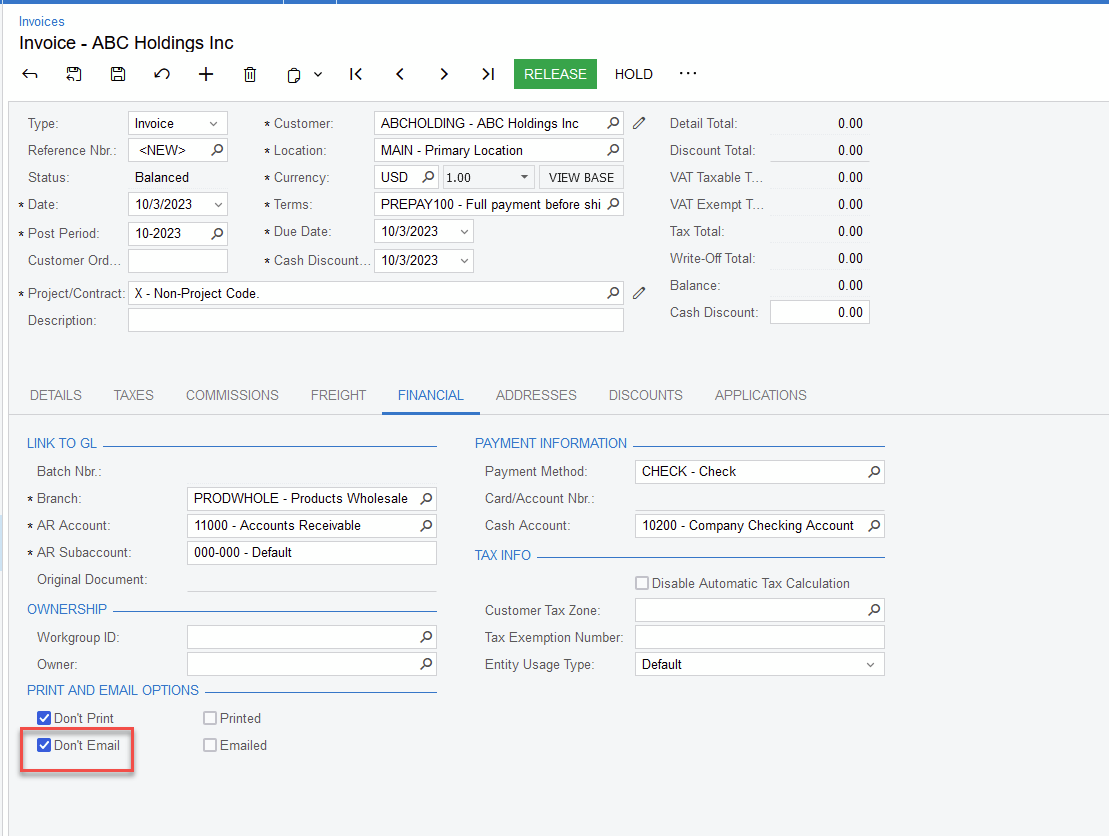
will automatically have the option Don’t Email selected in an invoice:

which results in the invoice NOT showing on the Process Invoices and Memos for the Action Email Invoice:

@manikantad18 I need to prevent users from using the action menu to email invoices.
There is a setting on the Sales Invoice for this, it will default down with the value on the customer but you could change it manually or by a business event if there is a condition to when it should/should not be ticked

@dcomerford that is the checkbox I mentioned. It does not prevent emailing in our system.
How are you truggering the emails to send ? You could use a Business Event/GI to check this field so these invocies are excluded.
@dcomerford manually via the action menu.
The manual option will always send the email regardless of the checkbox. It would need a customisation to prevent this option if the tickbox is not set.
You could add a UDF field/or use the current tickbox (believe it is not editable though when invoicie is released). Create a GI to select invoices with this tickbox set and then use this to drive a business event to email the invoice when a record is inserted.