Question

Prepayment for Sales Order - don't update status of Sales Order till Prepayment is Released

  • February 24, 2026
  • 7 replies
  • 33 views

debbiereed72
Varsity I
Forum|alt.badge.img

It would be nice to create the Prepayment as a “request” to send to the customer. But the Sales Order status remains as Awaiting Prepayment until the Prepayment is Released. While the Prepayment is still Balanced, that would indicate that the payment is not yet received.  A workaround is to create the Prepayment in AR Payments and don’t link to the Sales order until after payment is received. But this requires more effort on the part of AR team and making sure they link to the correct Sales Order.

Is there any way to control this?  To leave the Sale Order Awaiting Prepayment until the Prepayment linked to the Sales Order is Released?

7 replies

rkenna
Captain I
Forum|alt.badge.img+1
  • Captain I
  • February 24, 2026

Hi ​@debbiereed72,

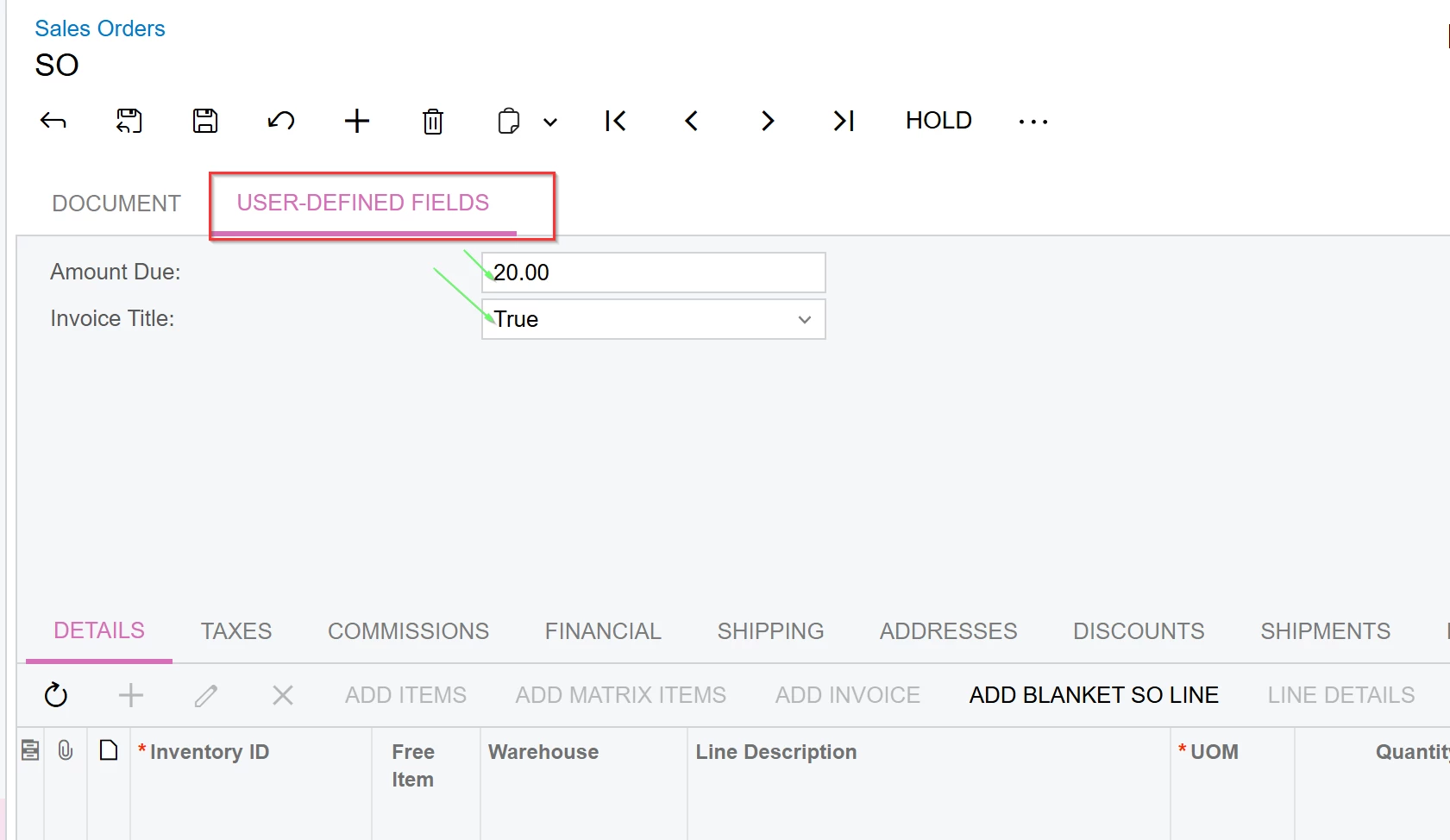
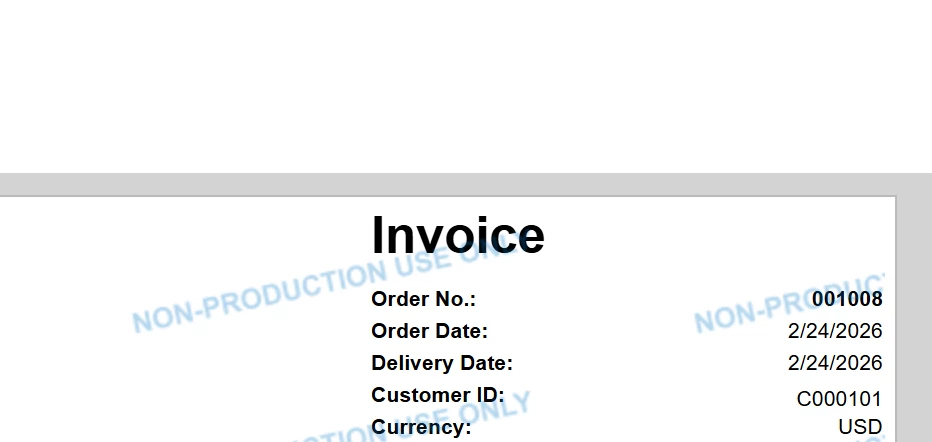
Something we do often is to create an Attribute that says Invoice Title, or something along those lines on the Sales Order. Then modify the rpx file to say Invoice or Proforma Invoice at the top if the box is checked, or the Invoice Title is True. This gives you the ability to Print the Sales Order and send it to your customer requesting payment. This will not change the status of the Sales Order.


Sales Order Document says Invoice to send to Customer to pay.


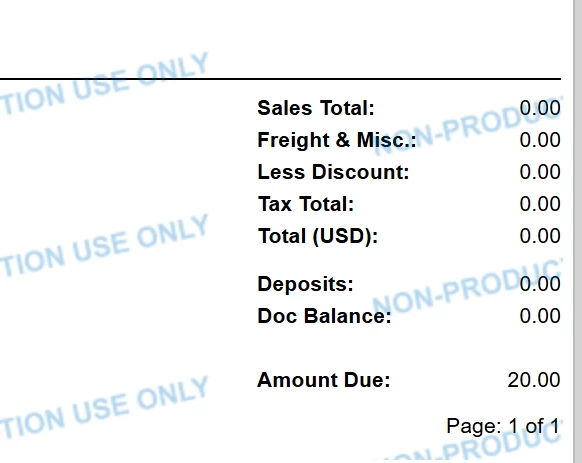
Then at the bottom we have the amount due based on the Amount Due Attribute 


The Deposits and Doc Balance looks at the Totals tab from the Sales Order.


Then they send you the Payment, you enter that in, and clear the attributes > Then you are back to a normal Sales Order with a Prepayment already paid.


Just an idea of something to do if you’re looking for a different way of requesting payments from a Customer without the status changing. 


debbiereed72
Varsity I
Forum|alt.badge.img
  • Author
  • Varsity I
  • February 24, 2026

Hi ​@rkenna - thank you for responding.  Your approach is basically what I’ve been recommending as well.  But it seems that it would be an improvement to leave the status as Awaiting Payment until the Prepayment is Released.  What do you think?


rkenna
Captain I
Forum|alt.badge.img+1
  • Captain I
  • February 24, 2026

I don’t know if I see as much the need as the Prepayment is not some sort of document you are entering in and sending to your customer, unless you have some sort of custom Layout attached that you send. The Prepayment is usually entered when it is received, and Released right after it is entered. Not sure why you would have the Prepayment entered and Balanced. I would think the Proforma is sent > the SO is in the Awaiting Payment status > the Payment is received and Released> then SO is Open.

Those are just my thoughts.


debbiereed72
Varsity I
Forum|alt.badge.img
  • Author
  • Varsity I
  • February 24, 2026

@rkenna ​

 Here’s a couple of scenarios:

  1. They need multiple payments over time - Acumatica only allows for Installment payments on Invoices.  I have many customers that require prepayment before PO, another prepayment before Shipping. I have been able to come up with process where multiple prepayment “Requests” are setup with dates in the future.
  2. It makes the life of the Receivables team easier.. they have a list of outstanding prepayments they are waiting for and it all resides in AR rather than going to look at Sales Orders.


rkenna
Captain I
Forum|alt.badge.img+1
  • Captain I
  • February 25, 2026

@debbiereed72 , ah I understand the need now.

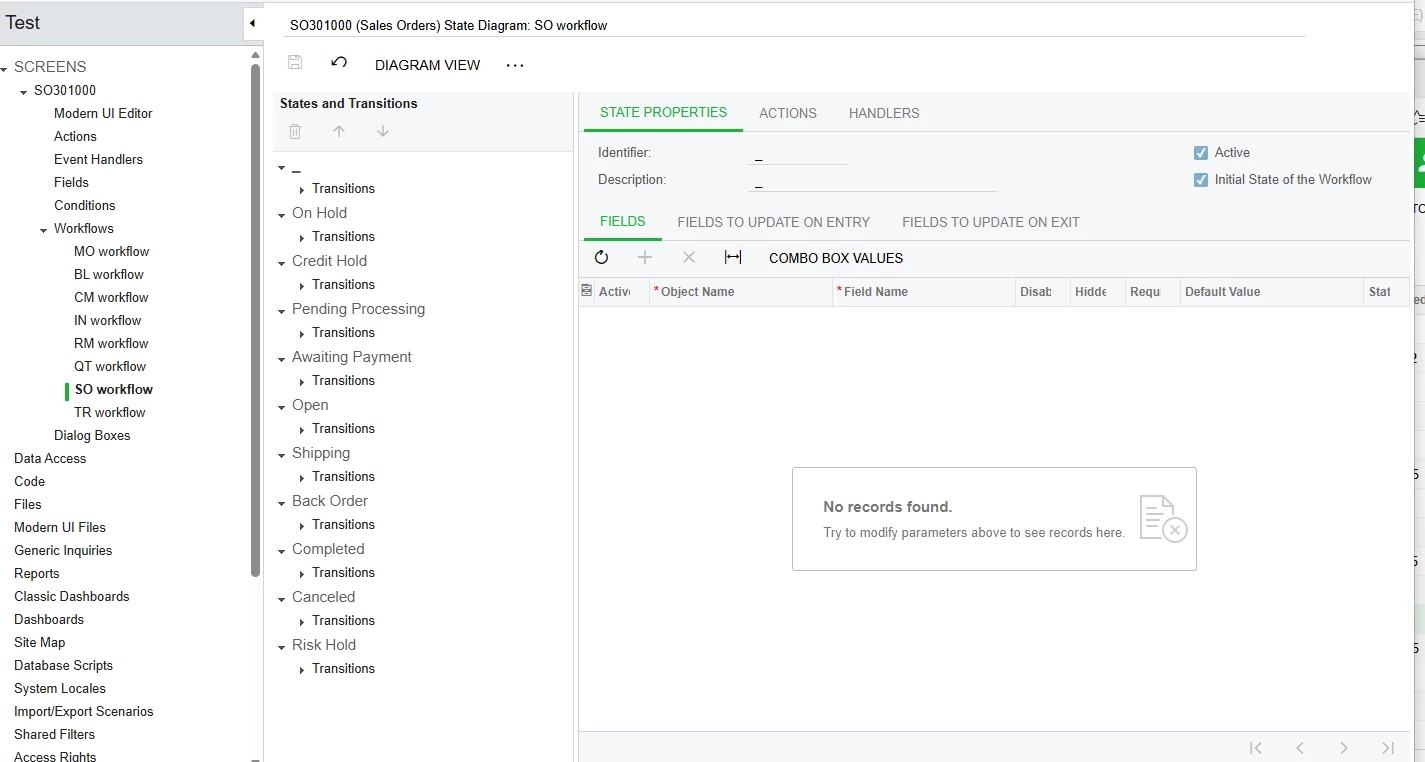
You can control the statuses inside of the Workflow in a Customization project. I would recommend using some AI tools to tell you how to modify those as they can be very detailed (especially for the Sales Order SO301000 screen with a lot going on). If you do this, you can always easily revert back to the Original workflow nicely. If you are not currently, if you need these different prepayments only on some orders, you could create a new Order Type (if you have not already), and edit only that Order Type workflow.

It would not get you quite what you need, but you could get creative setting up a GI with all the prepayments for all the Sales Orders. Then based on the number of Prepayments, or the prepayment % / $ amount (using the totals tab on the Sales Order), display that out to the GI and even use some shared filters as well as some dashboard tiles (based on the metrics you set). Also different Order Types could be helpful here too.


Those would be the best ways to work around the status not being able to be changed.


debbiereed72
Varsity I
Forum|alt.badge.img
  • Author
  • Varsity I
  • February 25, 2026

@rkenna Thank you. I am familiar with and have modified workflow via customization for Opportunities.  These are good suggestion. I appreciate the creativity.


However, I still think that having this in Acumatica as a standard (no customization needed) makes sense as a system enhancement.


rkenna
Captain I
Forum|alt.badge.img+1
  • Captain I
  • February 25, 2026

No problem ​@debbiereed72! Feel free to create an Idea if you would like in the community too in hopes of it gaining traction.