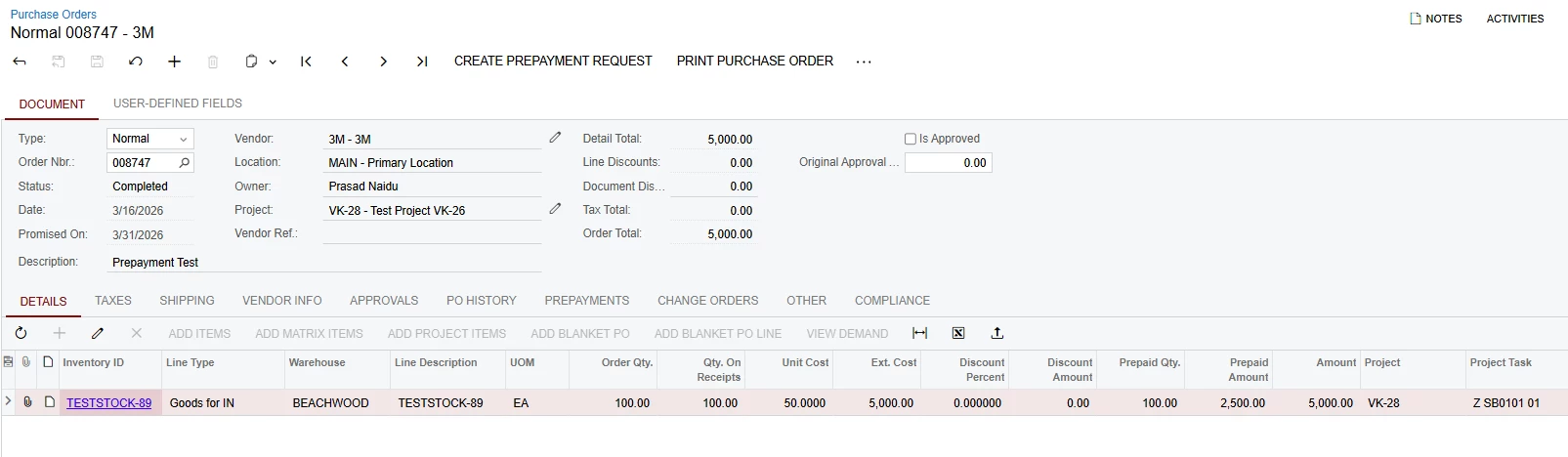
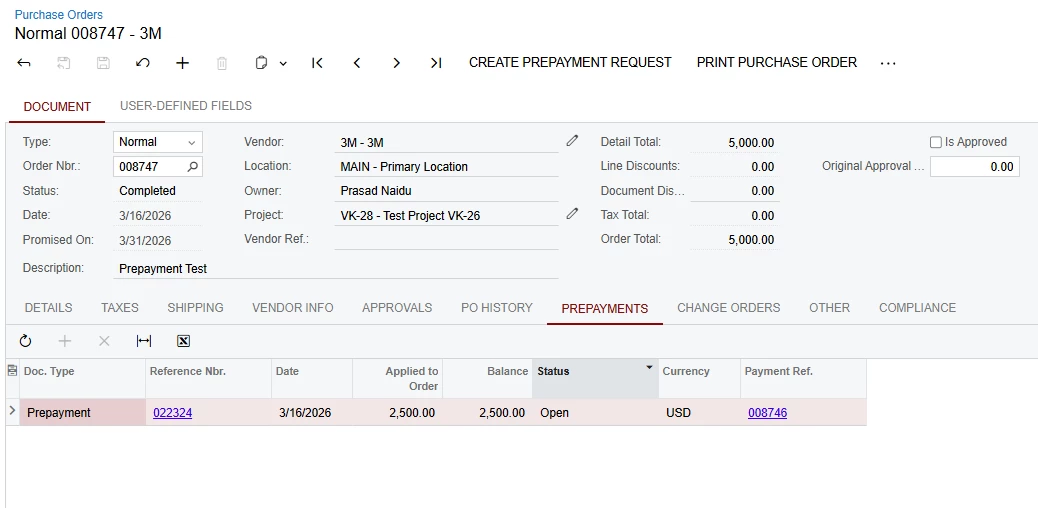
We created a Purchase Order and tagged it to a Project. A prepayment was then created against the Purchase order and processed completely through check printing. however, the prepayment amount paid to the vendor is not reflecting in the Project Balances or in the Cost Budget.
At the moment, the Full PO value is showing as the committed amount in the Cost Budget, which is expected. however, the Prepayment amount itself is not appearing anywhere in the Project balances.
I think the Prepayment amount is reflecting to the Project “X”.
Could you please confirm, whether any configuration is required, or am I missing any process step to make the prepayment amount reflect correctly in the Project balance or cost budget?
Best answer by Janella
Hi @PrasadNaidu06
What you are seeing is expected behavior in Acumatica.
A Vendor Prepayment is recorded as a balance sheet transaction, not as a project cost. Because of this, it will not appear in the Project Balances or Cost Budget when the prepayment is issued.
At this stage:
The Purchase Order amount appears as a commitment in the Cost Budget.
The prepayment is recorded as a prepaid asset (balance sheet) until it is applied.
The project cost will only be recognized when an AP Bill is created for the PO and the prepayment is applied to that bill. At that point, the expense is posted and will appear in the project balances and job cost reports.
So no additional configuration is required — the behavior is tied to how Acumatica recognizes costs vs. prepayments.
Once the bill is entered and the prepayment is applied, the actual project cost will be reflected correctly.
Where are you expecting the Prepayment to reflect on the Cost Budget? The Purchase Order amount will show on the Committed Amount fields and then the Committed Invoice Amount when the AP Bill is created. I don’t believe the Prepayment will show anywhere on the Project.
For the example you provided (a Normal PO with a Stock Item), the Actual Costs for the Item will not post until the Item is Issued out of Inventory. This behavior is different for Non-Stock Items, Project Dropships, and the Project Default settings.
What you are seeing is expected behavior in Acumatica.
A Vendor Prepayment is recorded as a balance sheet transaction, not as a project cost. Because of this, it will not appear in the Project Balances or Cost Budget when the prepayment is issued.
At this stage:
The Purchase Order amount appears as a commitment in the Cost Budget.
The prepayment is recorded as a prepaid asset (balance sheet) until it is applied.
The project cost will only be recognized when an AP Bill is created for the PO and the prepayment is applied to that bill. At that point, the expense is posted and will appear in the project balances and job cost reports.
So no additional configuration is required — the behavior is tied to how Acumatica recognizes costs vs. prepayments.
Once the bill is entered and the prepayment is applied, the actual project cost will be reflected correctly.
@jhalling52 @Janella Thank you both for your inputs and clarification.
I initially thought the prepayment amount was in a kind of gray area, so I was wondering whether there was any possibility for it to reflect somewhere in the Project Balances/Cost Budget as an actual cost since it had already been paid. However, based on the explanation @Janella and yourself provided, I now have a much clearer understanding of how prepayments are handled in Acumatica.