Question

PO linked

  • December 1, 2025
  • 11 replies
  • 75 views

Hi everyone,

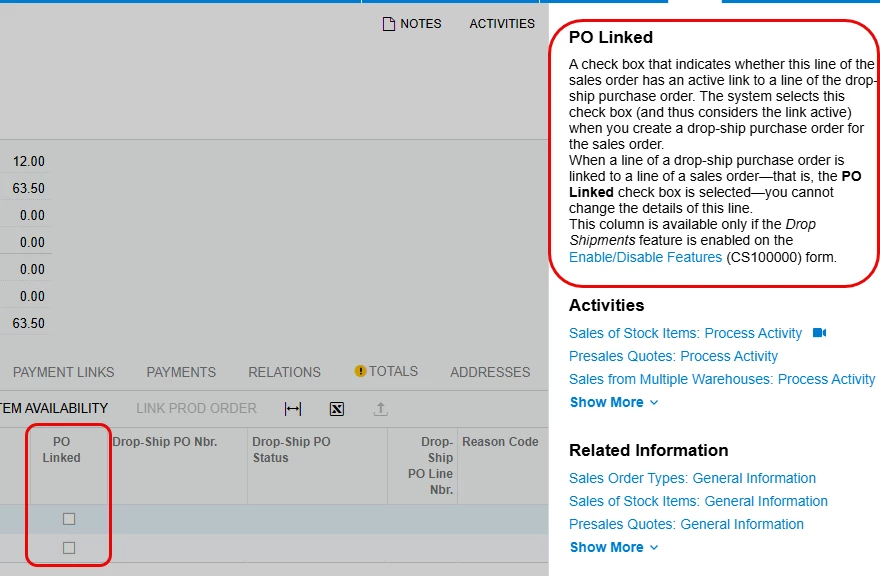
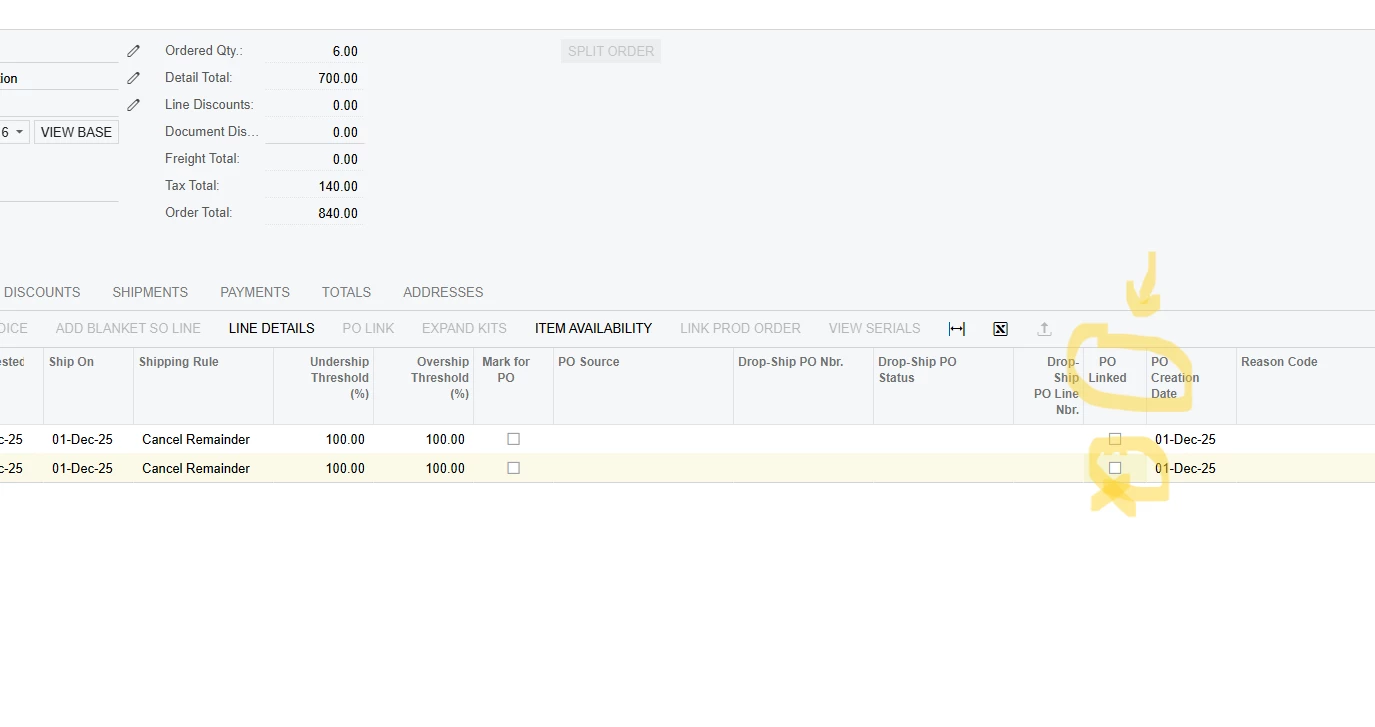
I would like to have a visual on the margin of my transports. Why can't I click on PO linked? I do click on Mark for PO, I add my PO, and it's impossible. Any solutions?
Thank you.

11 replies

nickcerri32
Jr Varsity III
Forum|alt.badge.img+1
  • Jr Varsity III
  • December 1, 2025

@arodrigues - The PO Linked field is specific to drop-ship POs created from an SO.  You won’t see anything here unless that’s the type of PO you’ve generated from the SO.


  • Author
  • Freshman I
  • December 2, 2025

Thanks for your answer

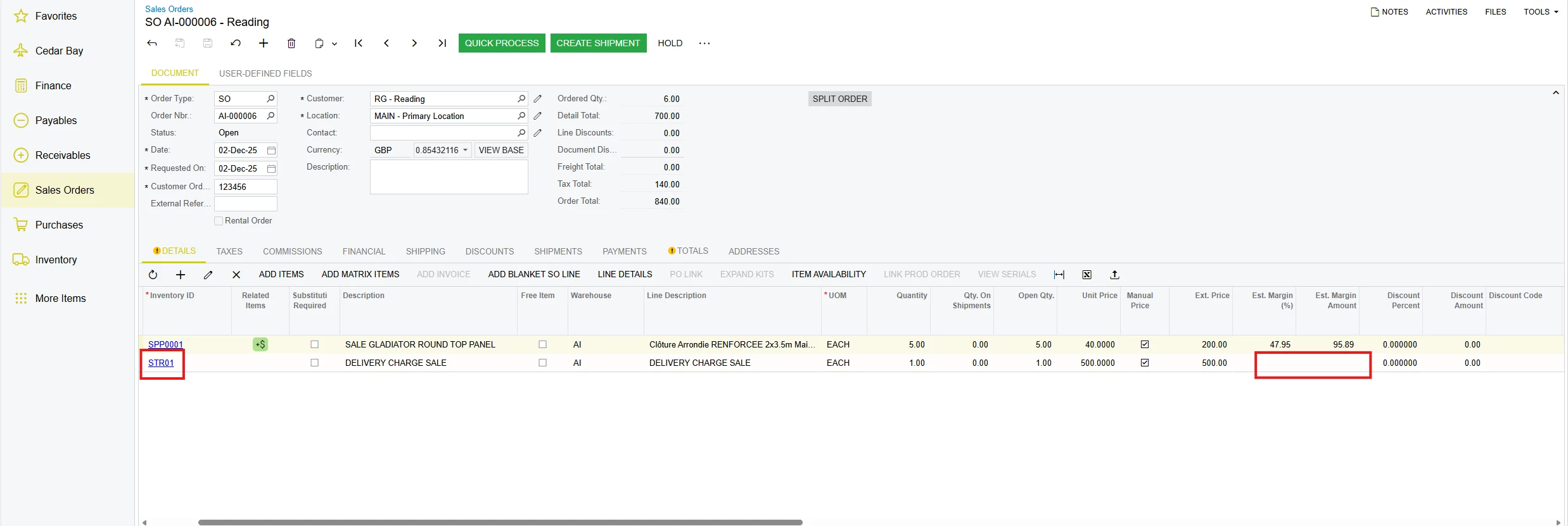
Is there a way to view the margin of a shipping code ID on a sales order?Thank you

nickcerri32
Jr Varsity III
Forum|alt.badge.img+1
  • Jr Varsity III
  • December 2, 2025

@arodrigues - I want to be clear on what you’re asking.  I think I get the gist of your question from the first post, but some of your terms are used to refer to fields on different screens in Acumatica.

When you say Margin of a shipping code ID: Are you referring to a specific field or combination of fields on a related Purchase Order?  If you could provide some more information or screenshots, it would be super helpful.  


  • Author
  • Freshman I
  • December 2, 2025
 
We use the STR01 no-stock ID code on our SOs (Sales Orders), which corresponds to a delivery charge billed to the customerWe also use the STR01 no-stock code on our POs (Purchases Orders), which corresponds to the charge we pay the freight forwarders to complete the deliveryHow can we calculate the margin amount on our SOs with a no-stock item code? Do we absolutely have to link the PO to the SO?Thank you

  • Author
  • Freshman I
  • December 4, 2025

@nickcerri32 Up plz :)


nickcerri32
Jr Varsity III
Forum|alt.badge.img+1
  • Jr Varsity III
  • December 4, 2025

@arodrigues - So, the issue here is that I don’t believe that creating a corresponding Purchase Order for a Non-Stock Item from a Sales Order will update the Unit Cost field of the Sales Order.  The Est. Margin % and Est. Margin Amt. fields are based on the Unit Cost field, which will remain 0 in these cases.  Short of a customization, I don’t believe there’s a way to get those fields to populate for Non-Stock Item lines on Sales Orders

However, you can build a generic inquiry to pull in the margin for those items.  I’ve attached a GI that you can play around with.


  • Author
  • Freshman I
  • December 4, 2025

Thanks ​@nickcerri32 

How can i build a generic inquiry to pull in the margin for those items ?


Thank you !


nickcerri32
Jr Varsity III
Forum|alt.badge.img+1
  • Jr Varsity III
  • December 4, 2025

@arodrigues - I attached a GI in the previous post.  It probably won’t have everything you need, just enough to get you started.  It’s for 25R1, FYI.


  • Author
  • Freshman I
  • December 4, 2025

@nickcerri32 Thanks

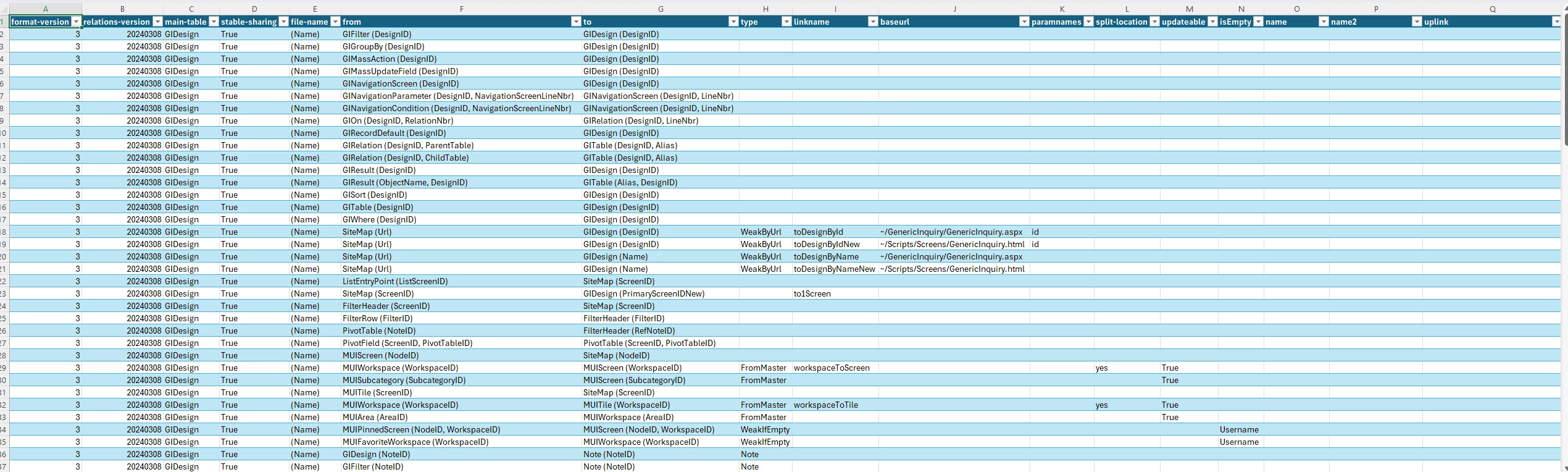
You open the Gl with Excel ? I attached a screen


  • Author
  • Freshman I
  • December 4, 2025

@nickcerri32 I think, the Gl is corrupted


nickcerri32
Jr Varsity III
Forum|alt.badge.img+1
  • Jr Varsity III
  • December 4, 2025

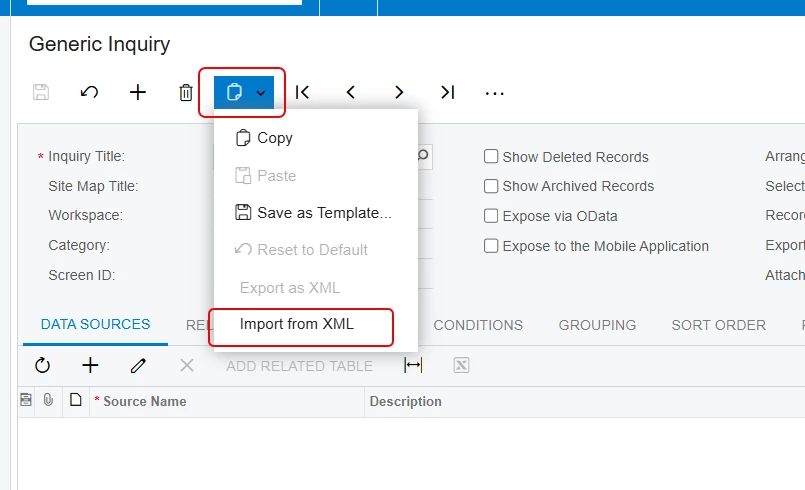
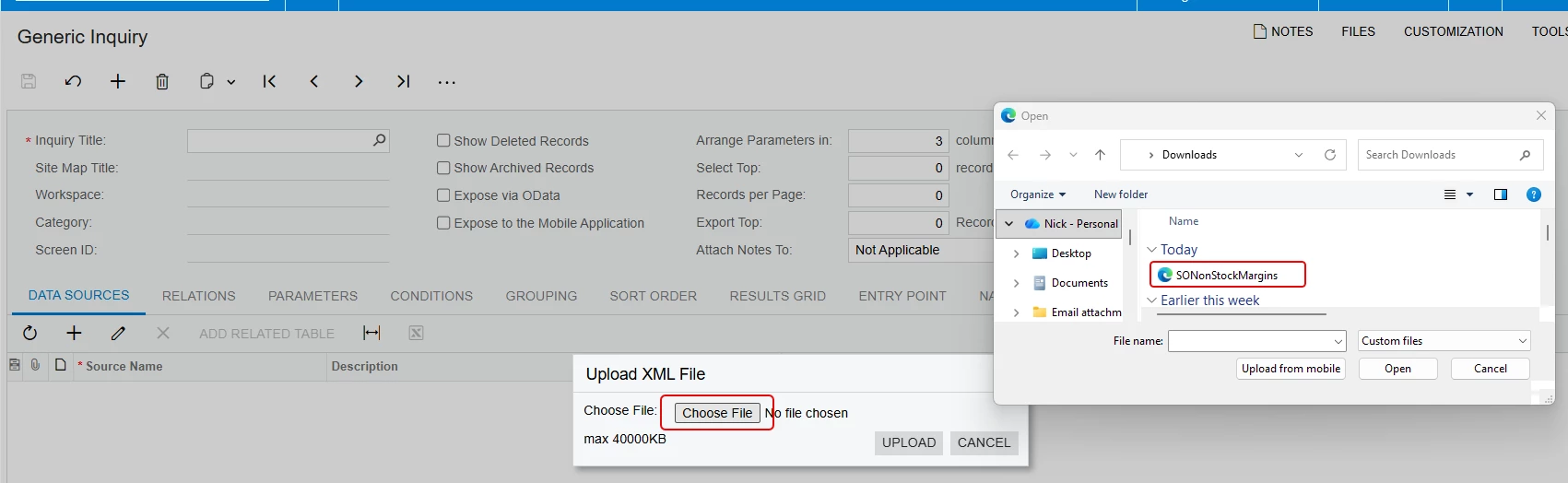
@arodrigues - No, it’s an XML file, which isn’t particularly useful if viewed in Excel.  Download it to your machine first.  Then you’ll go to the Generic Inquiry (SM208000) and select the Import from XML option under the clipboard icon.


From there, you can select the file with the Choose File button on the Upload XML File dialog box.