Answer

Payment Stuck Pending Processing - Cannot Void or Validate

  • October 22, 2025
  • 11 replies
  • 131 views

variuxDavidE
Varsity I
Forum|alt.badge.img

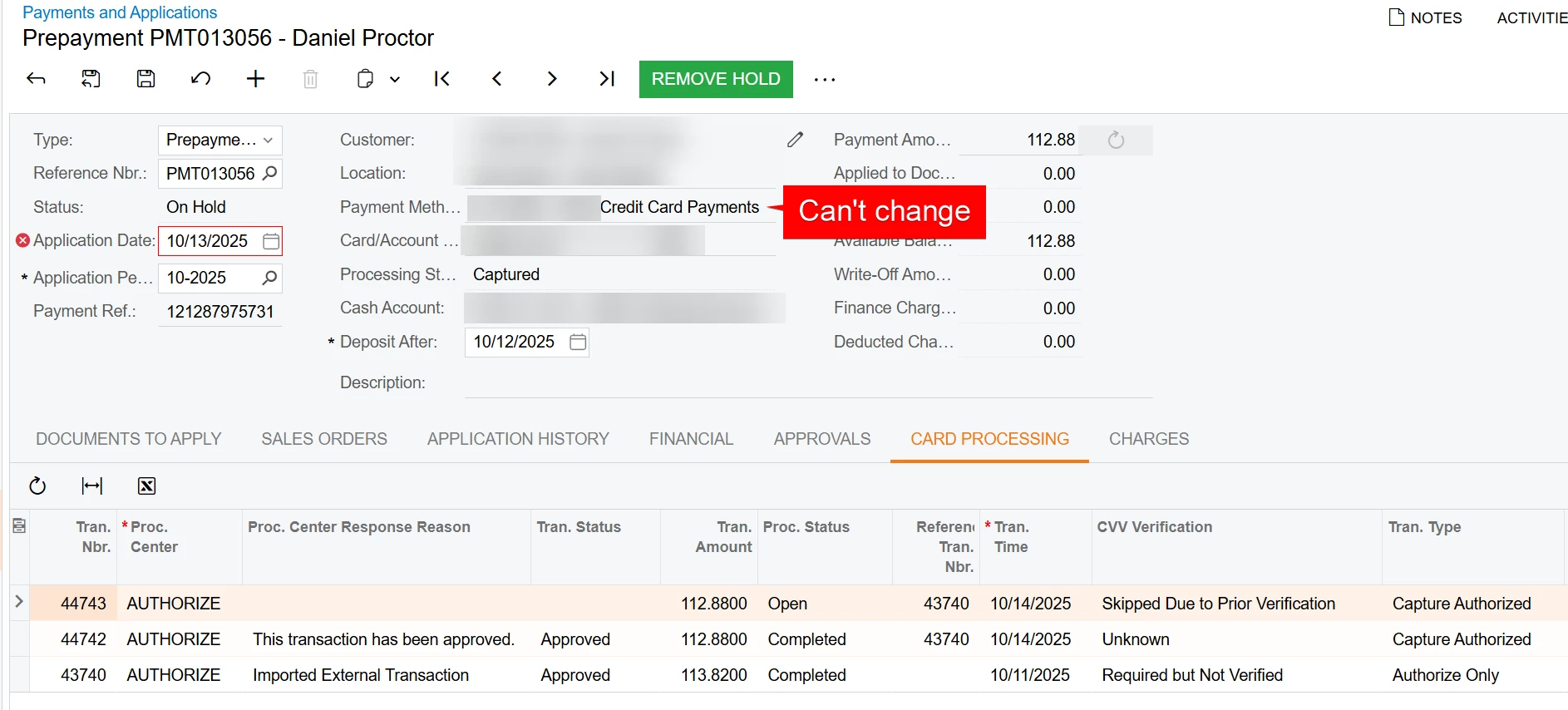
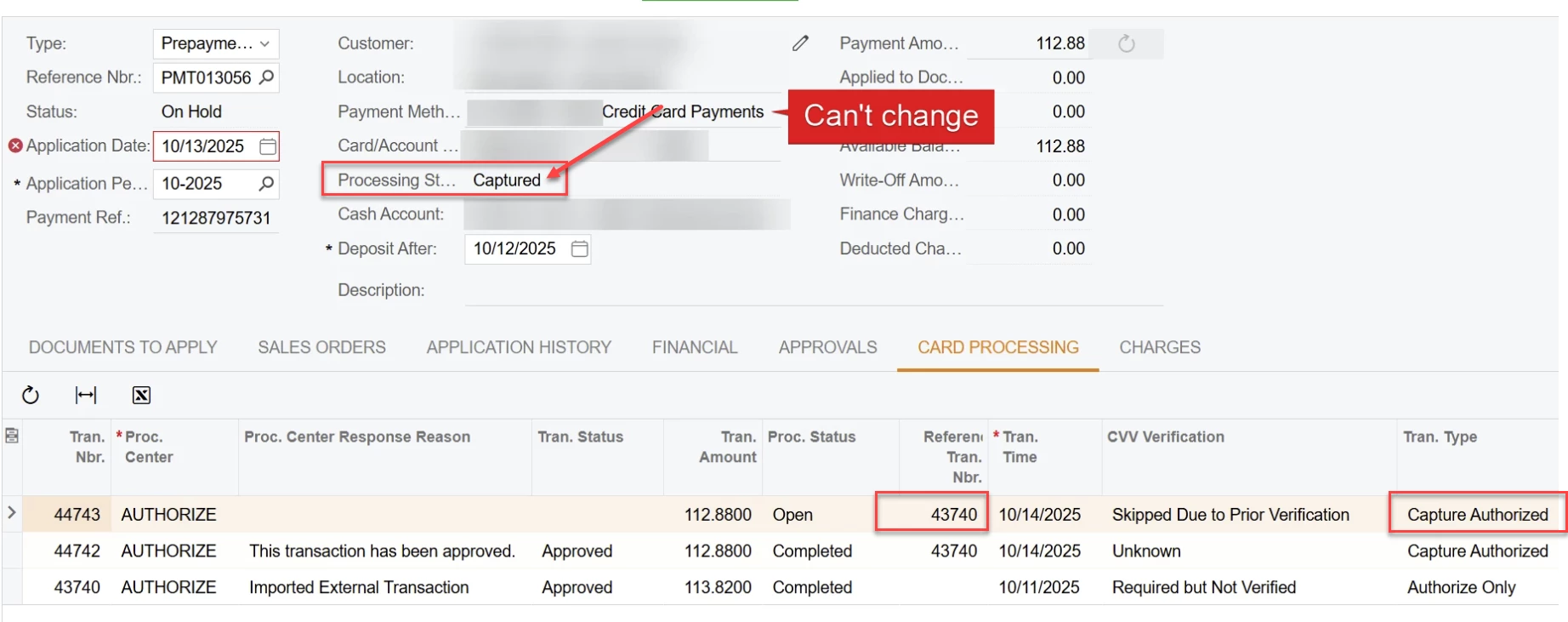
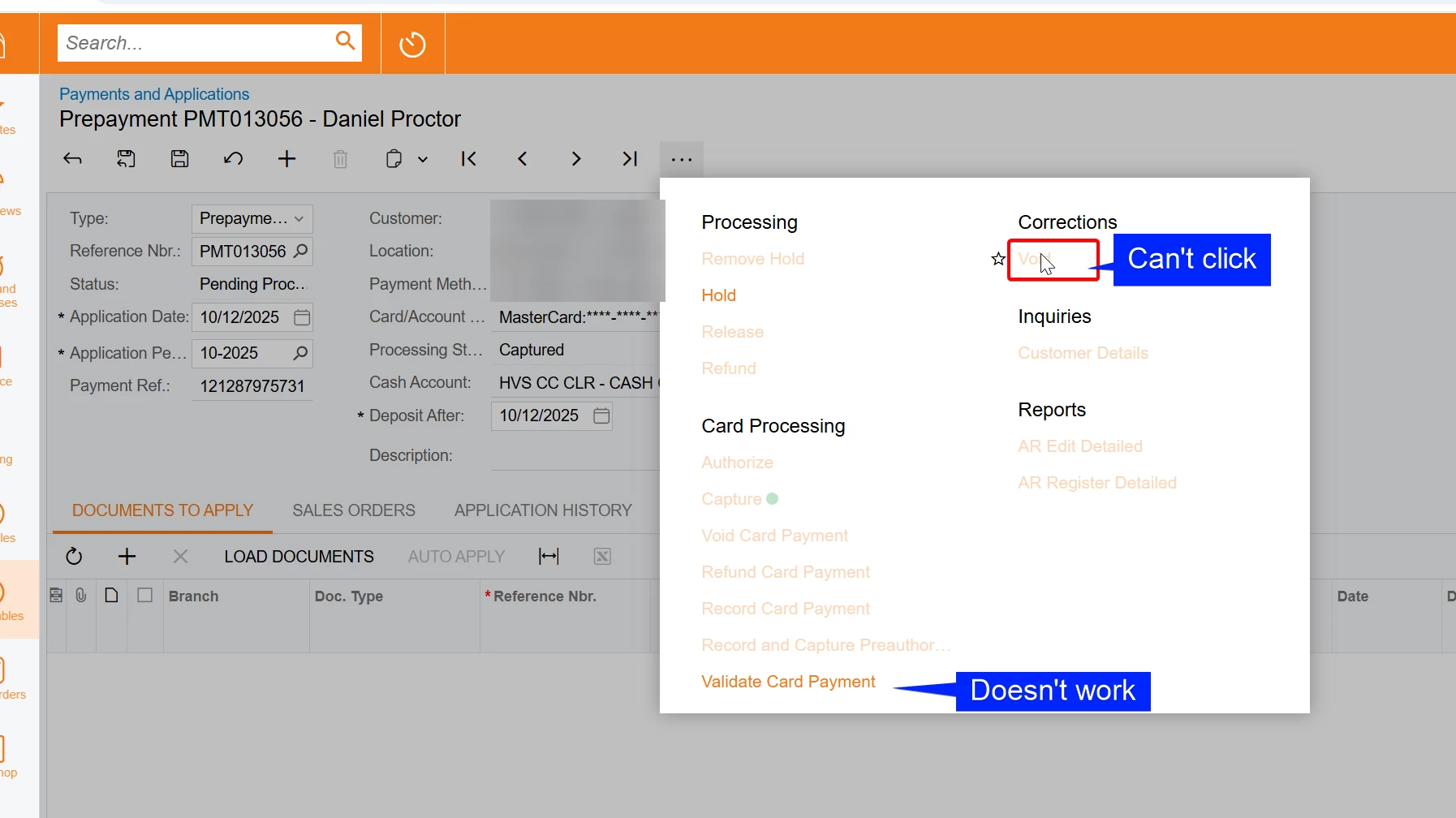
We have a few prepayments stuck in “Pending Processing.” They can’t be voided or validated.

I’ve already tried disabling the “Enable Integrated CC Processing” box and then attempting to void, but no luck.

We’re on Acumatica 24R1, so official support won’t assist. Furthermore, the transactions originated in Authorize.net, and the Acumatica team says they no longer support auth.net. 

Has anyone found a way to void or clear these transactions?

Hopefully once we upgrade in a couple of months, Acumatica support will be more flexible — but I need to get these cleaned up in the meantime.

Thanks in advance!


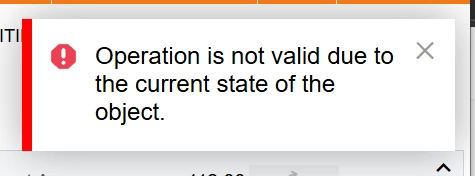
Error when trying to validate: 
 

Best answer by variuxDavidE

@annais thanks for your additional suggestions. At the moment, we are going to wait until we can get support from Acumatica again when we upgrade. If that still fails, we will get a developer involved :-)

11 replies

darylbowman
Captain II
Forum|alt.badge.img+15

If it’s a customization, have you tried unpublishing it?

If not, have you tried (in a sandbox, of course) modifying the Status in the database to be something ‘allowable’?


Kelly02
Jr Varsity I
Forum|alt.badge.img
  • Jr Varsity I
  • October 23, 2025

Hello! This happens periodically. Steps we go through to solve...

Did this transaction result from the Shopify connector? If so, try resyncing the transaction. 

What is the status of the transaction in the merchant gateway? The screen shot shows captured. Did it complete the processing in the gateway? 

Are you able to place it on Hold and change the Payment Method to a manual type? 

If none of these solve the problem, we file a case with Acumatica. 

Just a note that the Void action should only be used when the transaction is still awaiting batch out by the Processor. After the transaction has been batched out, use Void Card Payment. 


annais
Freshman I
  • Freshman I
  • October 23, 2025

@variuxDavidE We’ve experienced the same issue from time to time with our Repay credit card payments. There are no batches created, but Acumatica won’t allow deleting those payments because a record exists on the Card Processing tab.

Here’s the workaround that has worked for us:

  1. Switch Acumatica to Maintenance Mode.

  2. Go to the Accounts Receivable Preferences screen (AR101000) and uncheck the “Enable Integrated CC Processing” checkbox.

  3. Then open the Payments and Applications screen (AR302000) and locate the payments that Finance needs to delete. Make sure these payments are in Pending Processing status.

  4. Open each payment and do the following:

    • Put it on hold, then save.

    • Change the Payment Method from CC to CHECK and the Cash Account to Clearing.

    • Update the Application Period (for example, to 11-2025).

    • Enter a Ref. Nbr., then save again.

    • Delete the record.

Depending on how many payments you have, you can do this manually one by one, or use an Import Scenario to automate it. I can share the import scenario with you if needed.


variuxDavidE
Varsity I
Forum|alt.badge.img
  • Author
  • Varsity I
  • October 23, 2025

@annais by Maintenance Mode do you mean “Schedule Lockout” under the Apply Updates screen?


@Kelly02 and ​@darylbowman thanks for your replies. Let me see what I can figure out after hours tonight or this weekend. I’ll report back once I get this figured out. 


annais
Freshman I
  • Freshman I
  • October 23, 2025

@variuxDavidE yes, we perform the clean-up during our promotions when put the system in Maintenance Mode (Apply Updates/Schedule Lockout)


variuxDavidE
Varsity I
Forum|alt.badge.img
  • Author
  • Varsity I
  • October 25, 2025

@annais I tried you suggestion. Even with the system in Maintenance mode I’m unable to change anything about the payment and I get the same error when trying to validate. 


I have not tried to make any changes in the DB. I’ll likely have to wait a few months until we upgrade to 25R2 and Acumatica will support us again. 


annais
Freshman I
  • Freshman I
  • October 27, 2025

@variuxDavidE the key is to have “Enable Integrated CC Processing” checkbox unchecked. That means no credit card provider is connected. DM me your email — I’ll ask my developer to help if needed. He’s done this several times already (we’re on Repay).


annais
Freshman I
  • Freshman I
  • October 27, 2025

@variuxDavidE also, have you tried it with any other payments? Looking at the screenshot, this might not be a working scenario since the processing status is Captured.

In our case it says Pre-Authorization Expired, Pre-Authorization Failed, or Capture Failed.


Chris Hackett
Community Manager
Forum|alt.badge.img
  • Acumatica Community Manager
  • November 6, 2025

Hi ​@variuxDavidE were you able to find a solution? Thank you!


variuxDavidE
Varsity I
Forum|alt.badge.img
  • Author
  • Varsity I
  • November 7, 2025

@Chris Hackett no, unfortunately. We are going to try and get Acumatica support when we upgrade to 25R2. 


variuxDavidE
Varsity I
Forum|alt.badge.img
  • Author
  • Varsity I
  • Answer
  • November 7, 2025

@annais thanks for your additional suggestions. At the moment, we are going to wait until we can get support from Acumatica again when we upgrade. If that still fails, we will get a developer involved :-)