Question

Only able to receive single line in purchase receipt

  • November 24, 2025
  • 6 replies
  • 35 views

Forum|alt.badge.img

Good Morning!

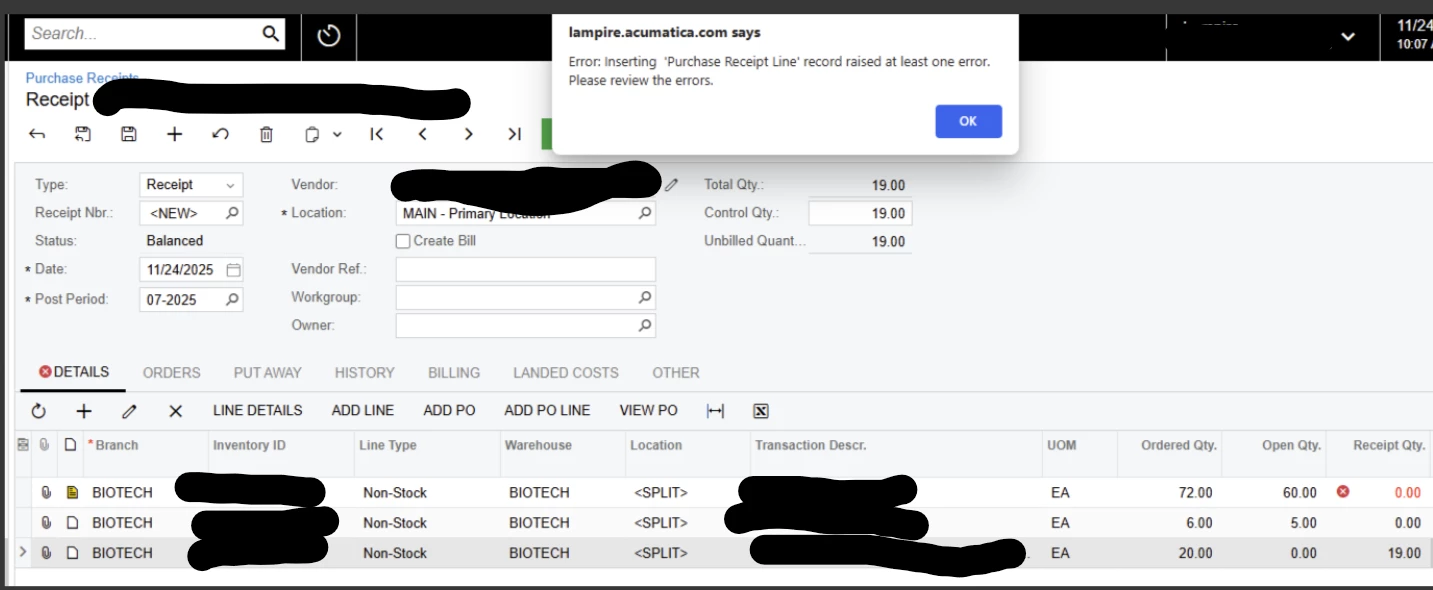
We just went live with Acumatica today and we are having an issue with purchase receipts. If the receipt has multiple lines, it expects each line to be greater than 0. So if we have three lines, and we only receive for one of those lines, it won’t let us release. It throws an error. I’m an IT guy so accounting is lost on me. That’s the best description I can provide. 


6 replies

nickcerri32
Jr Varsity III
Forum|alt.badge.img+1
  • Jr Varsity III
  • November 24, 2025

@bbondura - What’s the error if you hover over the red x, either on the Details Tab or the Receipt Qty. field?  If you truly aren’t receiving anything for those Inventory Items, you can just delete the lines from the Purchase Receipt and only receive the last line.  The first two will retain an open quantity and you can create a separate Purchase Receipt for those.


Manikanta Dhulipudi
Captain II
Forum|alt.badge.img+15

@bbondura Please share the trace and are you getting this issue with out customizations?


Forum|alt.badge.img
  • Author
  • Jr Varsity II
  • November 24, 2025

It is coming up “ Quantity must be greater than 0”


Laura03
Captain II
Forum|alt.badge.img+19
  • Captain II
  • November 24, 2025

Hello,

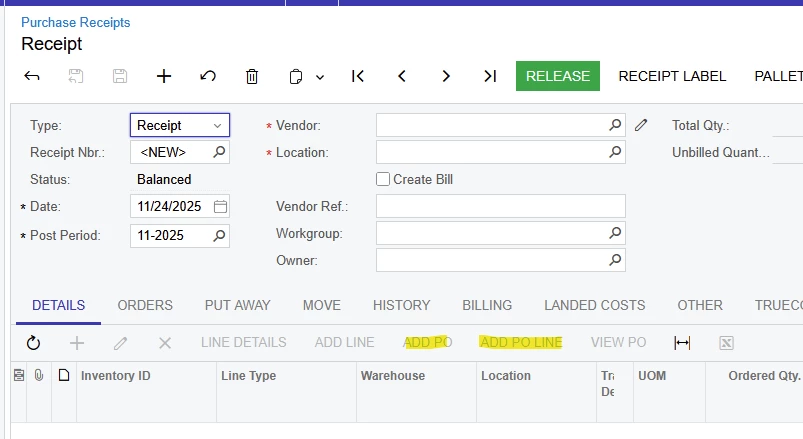
I recommend to start entering the partial Receipts directly in PO Receipts screen (versus using the Create Receipt button in Purchase Orders screen to start the Receipt).

In a case where few lines were received: after selecting the Vendor, use Add PO Line to select & add only the line(s) you need.

In a case where most lines were received, use Add PO button, then remove the line or lines that were not received, as mentioned by ​@nickcerri32 .

Add lines versus add whole PO

Laura


Manikanta Dhulipudi
Captain II
Forum|alt.badge.img+15

nickcerri32
Jr Varsity III
Forum|alt.badge.img+1
  • Jr Varsity III
  • November 24, 2025

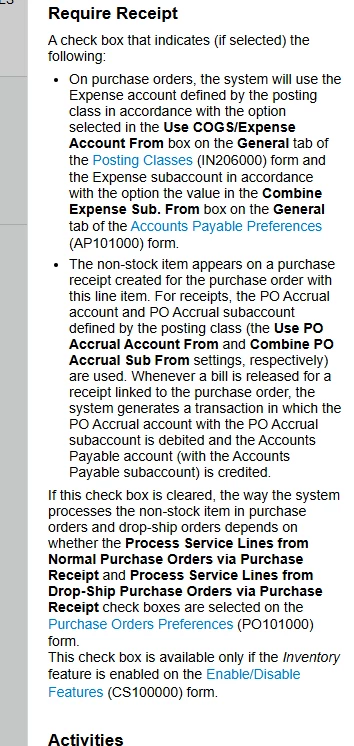
@nickcerri32 I edited my original post, but you can just delete the lines.  If you’re not actually receiving anything, there’s no need to include 0 quantity lines.  It may be useful to review the specif Item’s Require Receipt checkbox, too, and make sure it’s correctly configured.  But to be clear, you’ll solve this by just deleting the 0 quantity lines and receiving them on a different PO Receipt.