Answer

Linking Payment to a location

  • September 8, 2025
  • 2 replies
  • 50 views

Hello,


Working with my Acumatica test account I ran into some issues with linking payment methods, for this specific example with credit cards, to locations rather than business accounts. For the companies that I am working with they have multiple locations where different buyers purchase for us, and a lot of times they have different shipping addresses and credit cards. This has made it a lot harder to send invoices automatically because I have different emails to send them to, but the business account only holds 1 email. I am curious if anyone had experience with assigning a credit card and email with a specific locations that would allow invoice to only be sent to the information on that location. Or if someone has a better solution I am open to trying them. I know a lot of people have suggested for me to make different business accounts or do parent and child accounts, but that does not really work for retaining CRM the way I would like. I look forward to different suggestions and appreciate everyone who took the time to read this post.

Bests,

J Krug
Best answer by JohnMichels

@JKrug The payment method is connected to the customer record, and in the absence of a customization, there is no relationship between the payment method and customer location record that I know of.


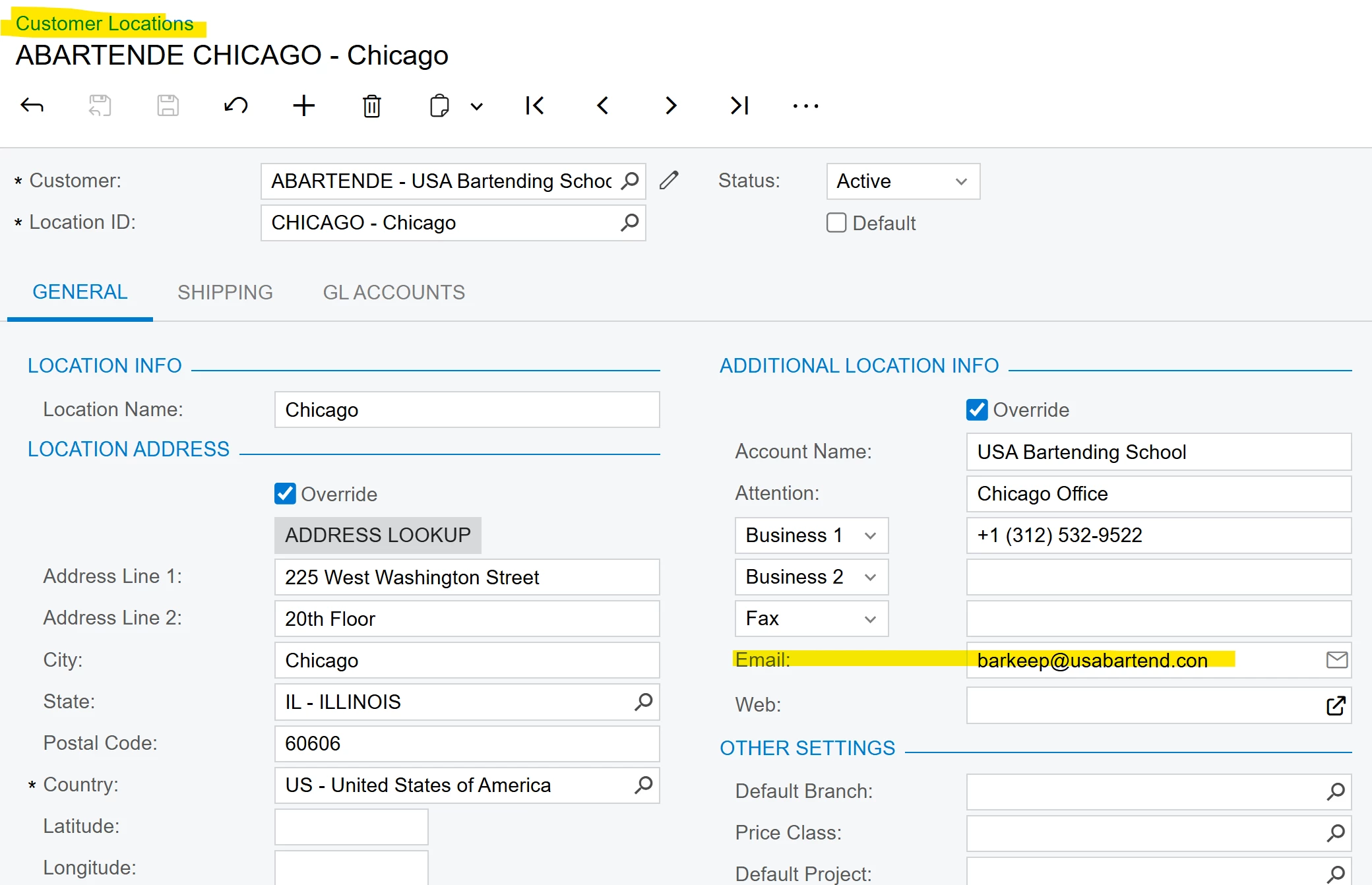
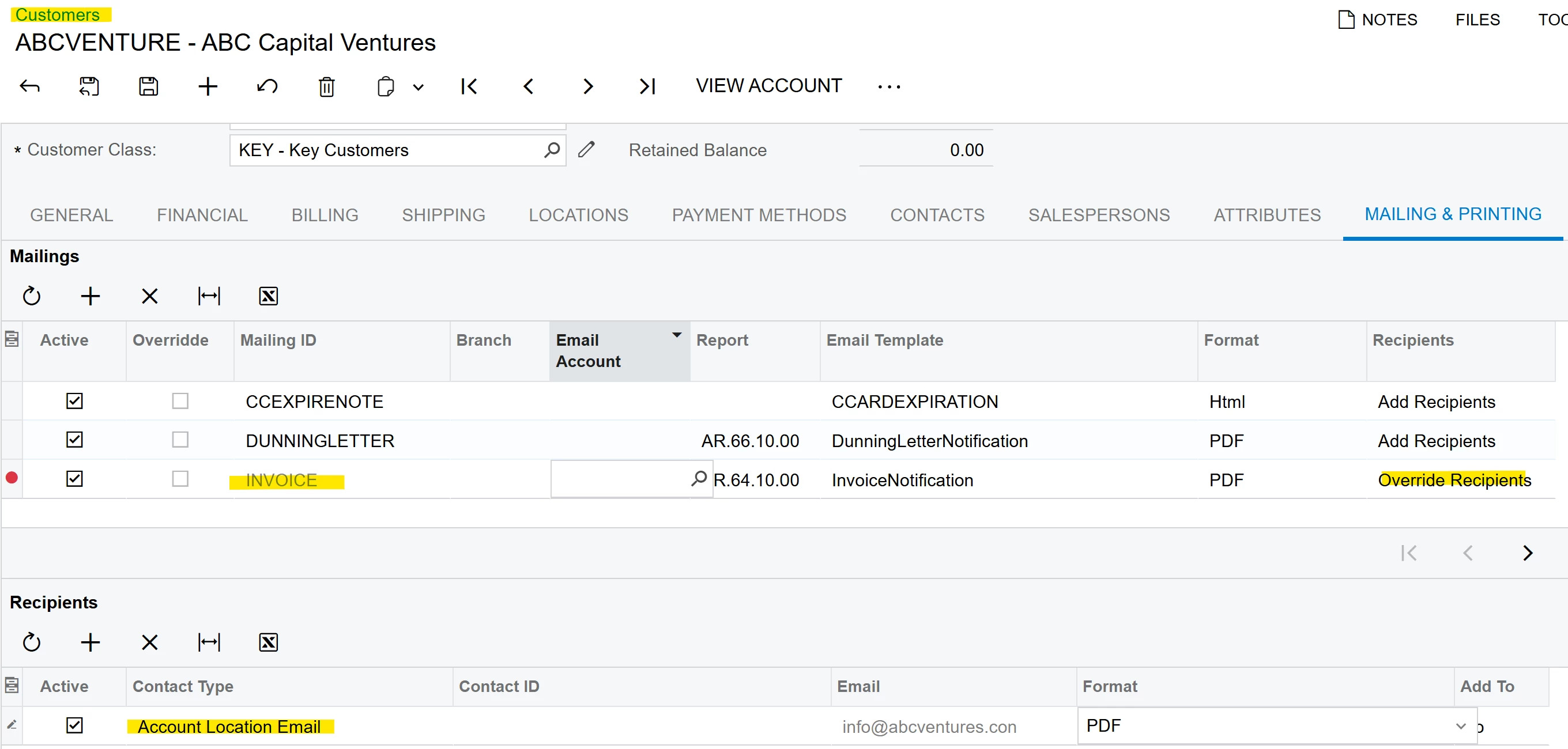
You can, however, connect the invoice email to the customer location record. Customers/ Mailing & Printing has the option to send to account location email.  Look at the setups below:


Depending on where/how the invoice is generated, the email setting is also located on the report itself.  This will require a change to the email settings on the invoice report with the report designer.

Hope this helps.


Setup on Customer Record/Mailing &  Printing


Customer Location Email


2 replies

Forum|alt.badge.img+1
  • Jr Varsity I
  • Answer
  • September 9, 2025

@JKrug The payment method is connected to the customer record, and in the absence of a customization, there is no relationship between the payment method and customer location record that I know of.


You can, however, connect the invoice email to the customer location record. Customers/ Mailing & Printing has the option to send to account location email.  Look at the setups below:


Depending on where/how the invoice is generated, the email setting is also located on the report itself.  This will require a change to the email settings on the invoice report with the report designer.

Hope this helps.


Setup on Customer Record/Mailing &  Printing


Customer Location Email


  • Author
  • Freshman I
  • September 10, 2025

Thank you ​@JohnMichels for helping me out with this, I will let my team know and test to see if it works for us. I noticed in the beginning you said “absence of customization”, so is their something similar that we could have customized and put in?