Question

Issue with Processing Bank Transaction (2022R2)

  • June 1, 2023
  • 4 replies
  • 308 views

aborisova37
Semi-Pro I
Forum|alt.badge.img+1

We are currently experiencing an issue with matching and processing bank transactions. It began occurring right after the recent upgrade to 2022R2 (22.206.0035).

Here's the error message we are receiving:
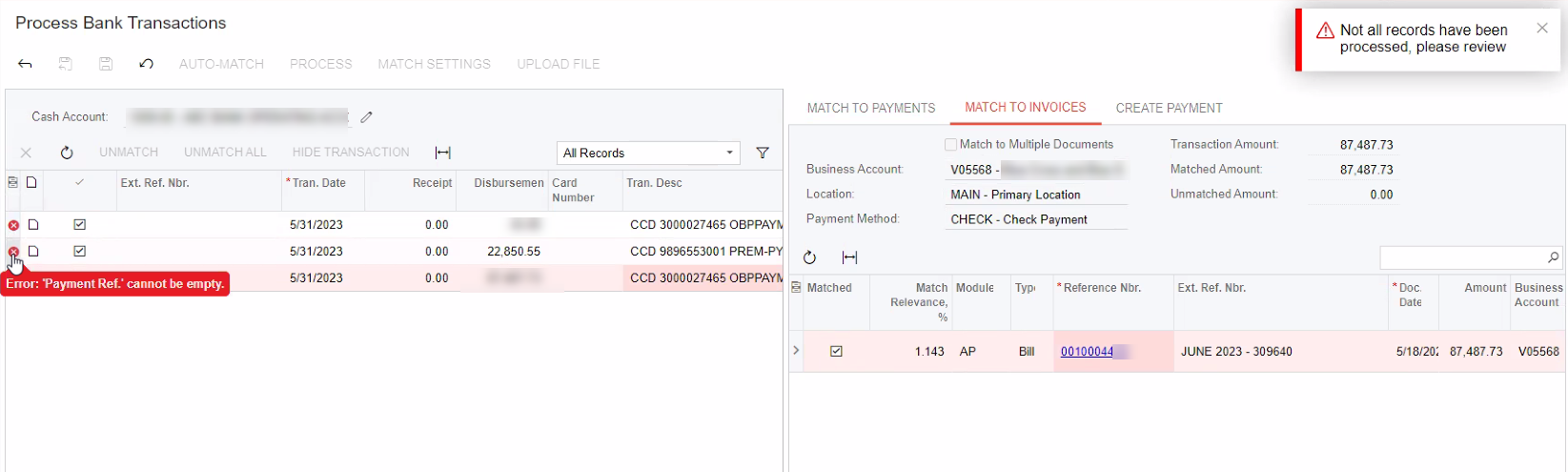
We upload OFX files from our bank. Please advise.

4 replies

Forum|alt.badge.img+2
  • Acumatica Employee
  • June 1, 2023

Hello @aborisova37,

Can you try to un-match the transactions and change Ext. Ref. Nbr. field on “Import Bank Transactions” (CA306500) form.

Then try processing the transaction on Process Bank Transactions screen


aborisova37
Semi-Pro I
Forum|alt.badge.img+1
  • Author
  • Semi-Pro I
  • June 1, 2023

Thanks, @AmaanFazeer11. Will do in the morning and let you know if it helped.


aborisova37
Semi-Pro I
Forum|alt.badge.img+1
  • Author
  • Semi-Pro I
  • June 5, 2023

Hi @AmaanFazeer11 , it worked. 

Could you please let us know how to make the Ext. Ref. Nbr populated automatically so that our users don’t have to do this manually with all our 9 branches)

Thank you!


aborisova37
Semi-Pro I
Forum|alt.badge.img+1
  • Author
  • Semi-Pro I
  • June 5, 2023

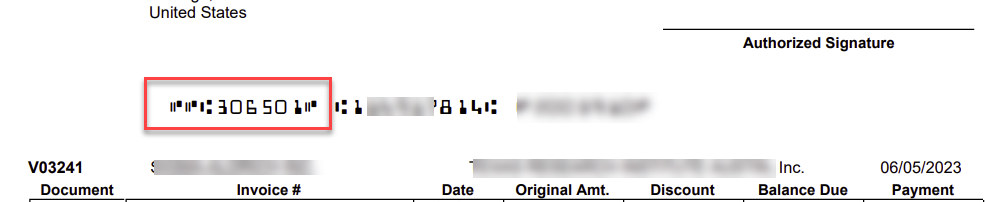
@AmaanFazeer11 here is an update: the RefNbr we entered in the Import Bank Transactions Screen got printed on the checks as the last check stub nbr: