Solved

Incorrect Receipt Matching when Releasing AP Bill from POR

  • July 23, 2026
  • 3 replies
  • 55 views

Forum|alt.badge.img

Issue: A Purchase Order (PO) has many items. One item can have multiple Purchase Receipts.

For example: Item A is received in 3 receipts: POR1, POR2, and POR3. I created an AP Bill from the POR3 screen. However, when I released the bill, the system matched it with POR1 (the first receipt) instead of POR3.

Questions:

  1. Is this normal system behavior, or did we make a mistake?

  2. How can we make the bill match only with POR3 when we enter an AP Bill from the POR3 screen?
Best answer by nhatnghetinh

Hi ​@nomii 

I think you may have made a mistake.

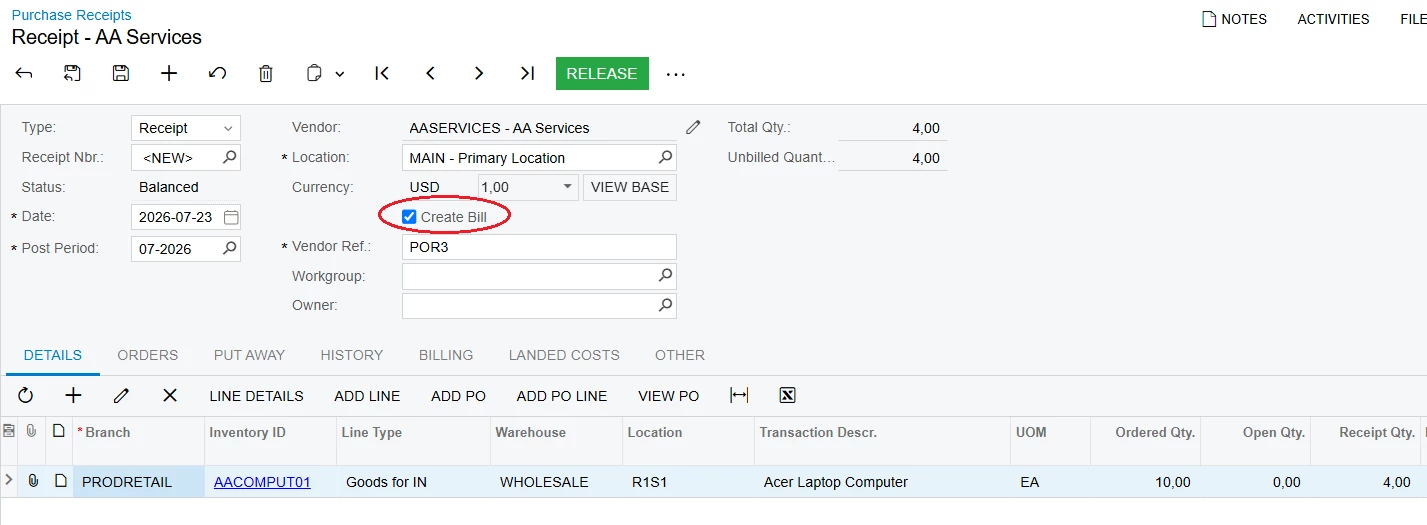
+ When creating Purchase Receipt, if you check "Create Bill," the system will automatically create the Bill and match the Purchase Receipts with that Bill.


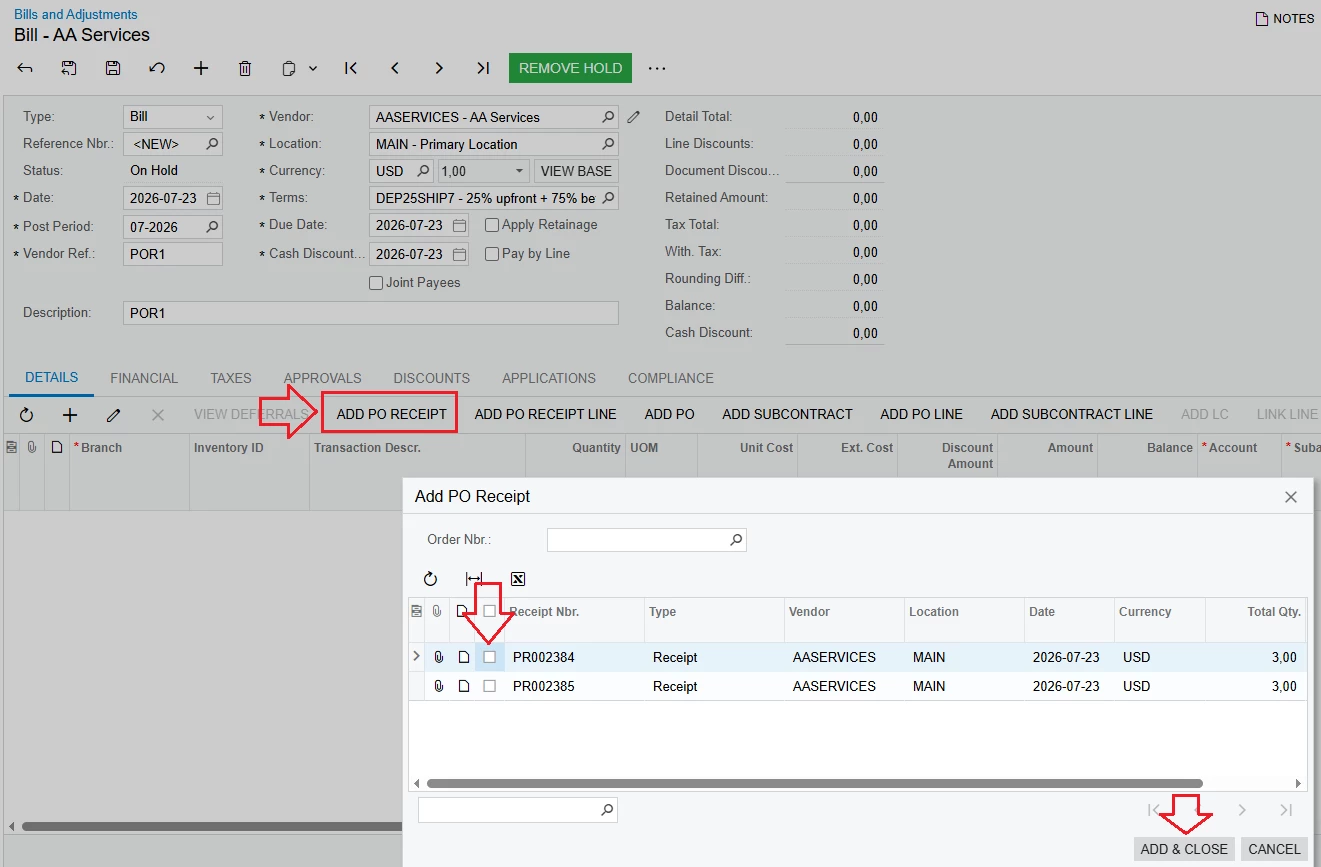
+ If you don't check "Create Bill" when creating Purchase Receipts. Then create the Bill manually > click "ADD PO RECEIPT," select the correct Purchase Receipt, and the system will match the Purchase Receipt with that Bill.


Best Regards,

NNT

3 replies

nhatnghetinh
Captain II
Forum|alt.badge.img+13
  • Captain II
  • Answer
  • July 23, 2026

Hi ​@nomii 

I think you may have made a mistake.

+ When creating Purchase Receipt, if you check "Create Bill," the system will automatically create the Bill and match the Purchase Receipts with that Bill.


+ If you don't check "Create Bill" when creating Purchase Receipts. Then create the Bill manually > click "ADD PO RECEIPT," select the correct Purchase Receipt, and the system will match the Purchase Receipt with that Bill.


Best Regards,

NNT


Hi ​@nomii 

Greetings!!

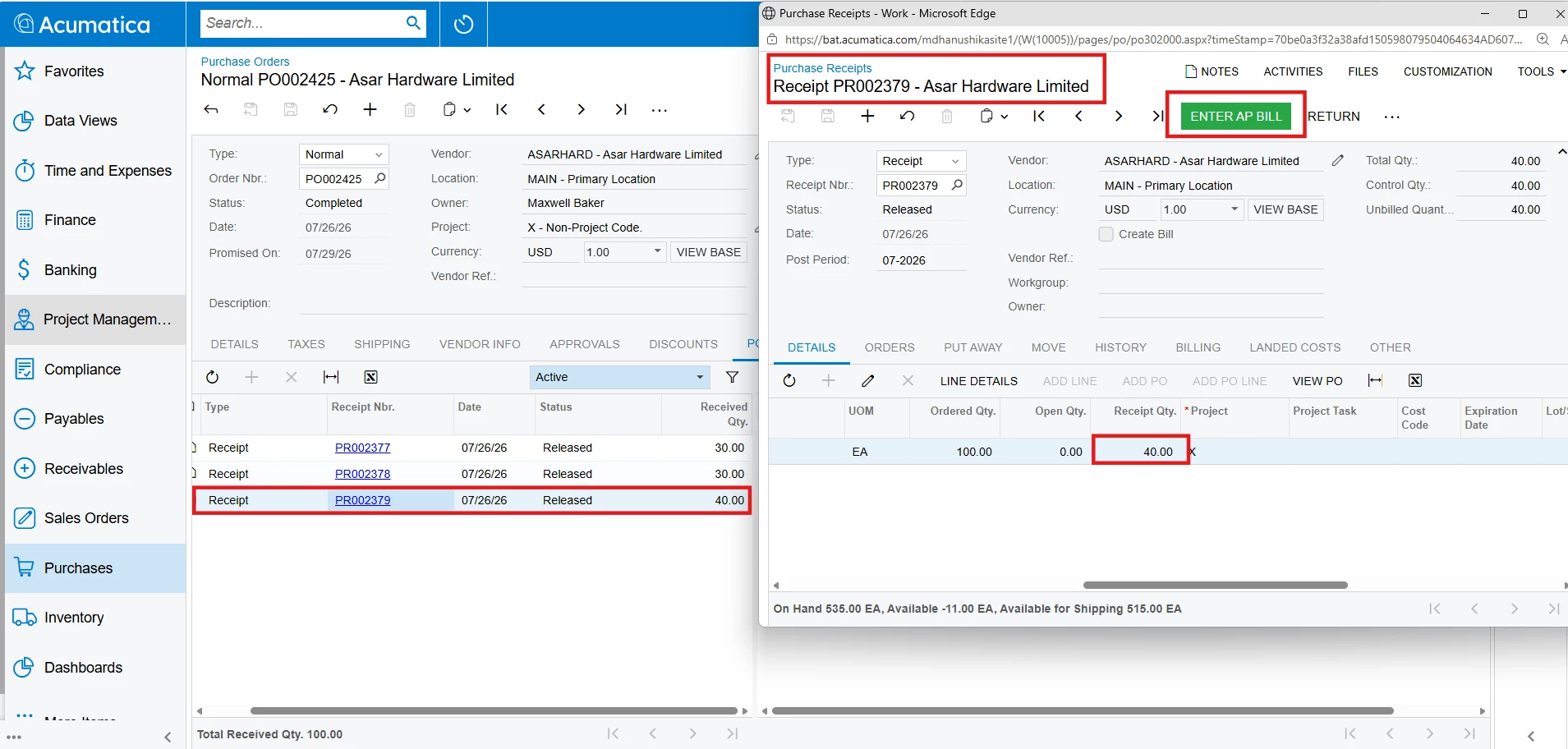
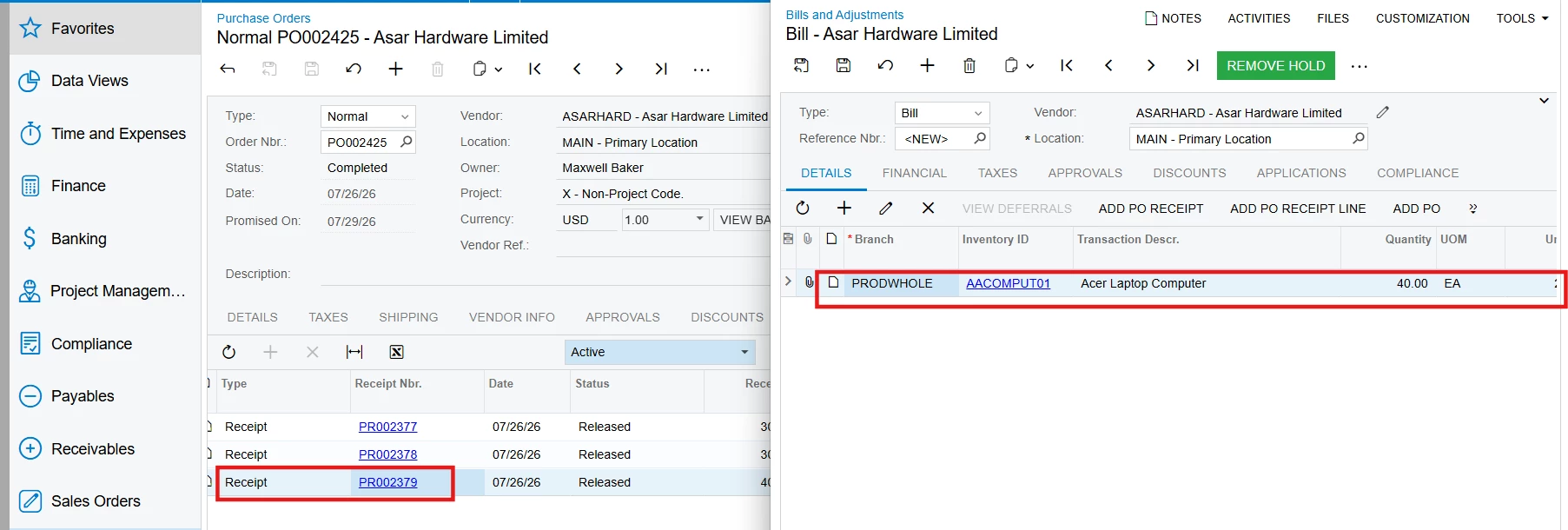
When you create a multiple receipts for an item and selecting Enter AP Bill from any Purchase Receipt will create a new AP Bill and automatically populate the bill line with the receipt from which the action was initiated.

What remains unclear is how you created the AP Bill. 

Screenshots are from our Test demo - 26R1, I created 3 receipts for an Item and created a bill for the receipt that is highlighted by selecting Enter AP Bill, and the Bill line defaults to the Receipt the action was initiated from.


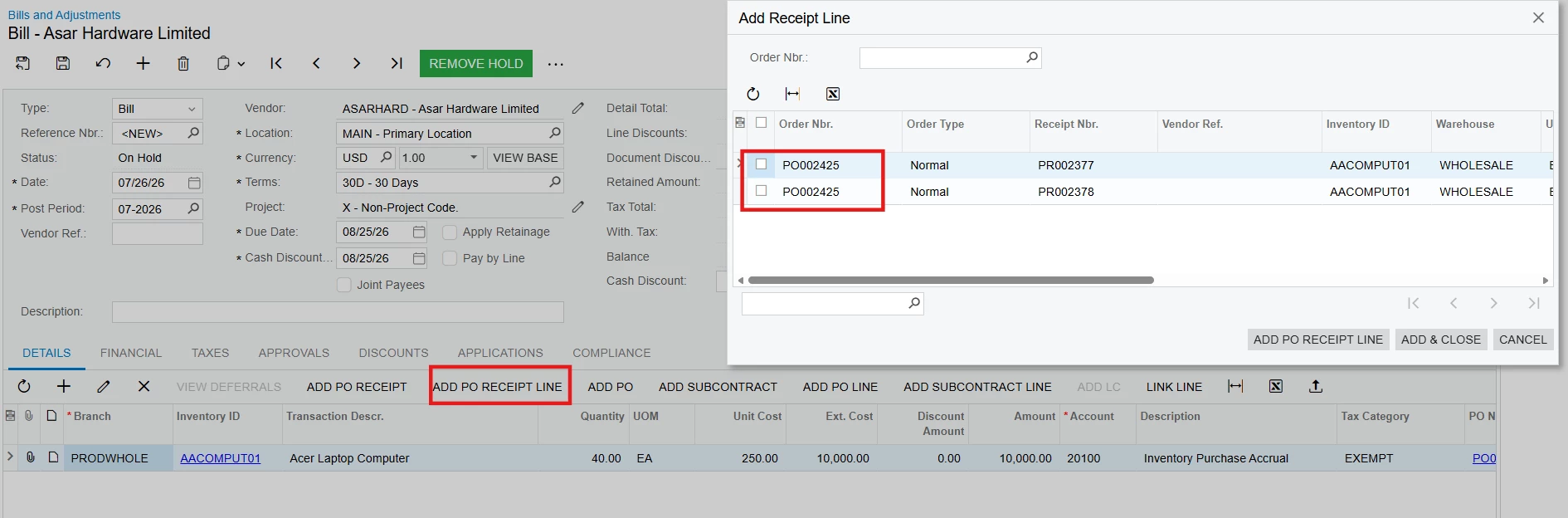
-it's important to note that the AP Bill is not restricted to that specific Purchase Receipt. When creating a bill whether from the Purchase Receipts screen or the Bills & Adjustments screen, you can select one or more different Purchase Receipts using the Add PO Receipt Line pop-up window.

Hope this helps!!

Thank you!


Forum|alt.badge.img

@nomii Hi,

Yes, it is normal Acumatica standard behavior.

If your business requires a strict 1:1 relationship between each vendor invoice and a specific Purchase Receipt, your options are:

  • Ensure earlier receipts are billed before later receipts(check "Create Bill").
  • Structure receipts and invoices so each PO line/receipt is billed in sequence(use "ADD PO RECEIPT" button) to add it manually.