Question

Import User and Role by Import Scenario

  • January 28, 2026
  • 3 replies
  • 38 views

Forum|alt.badge.img

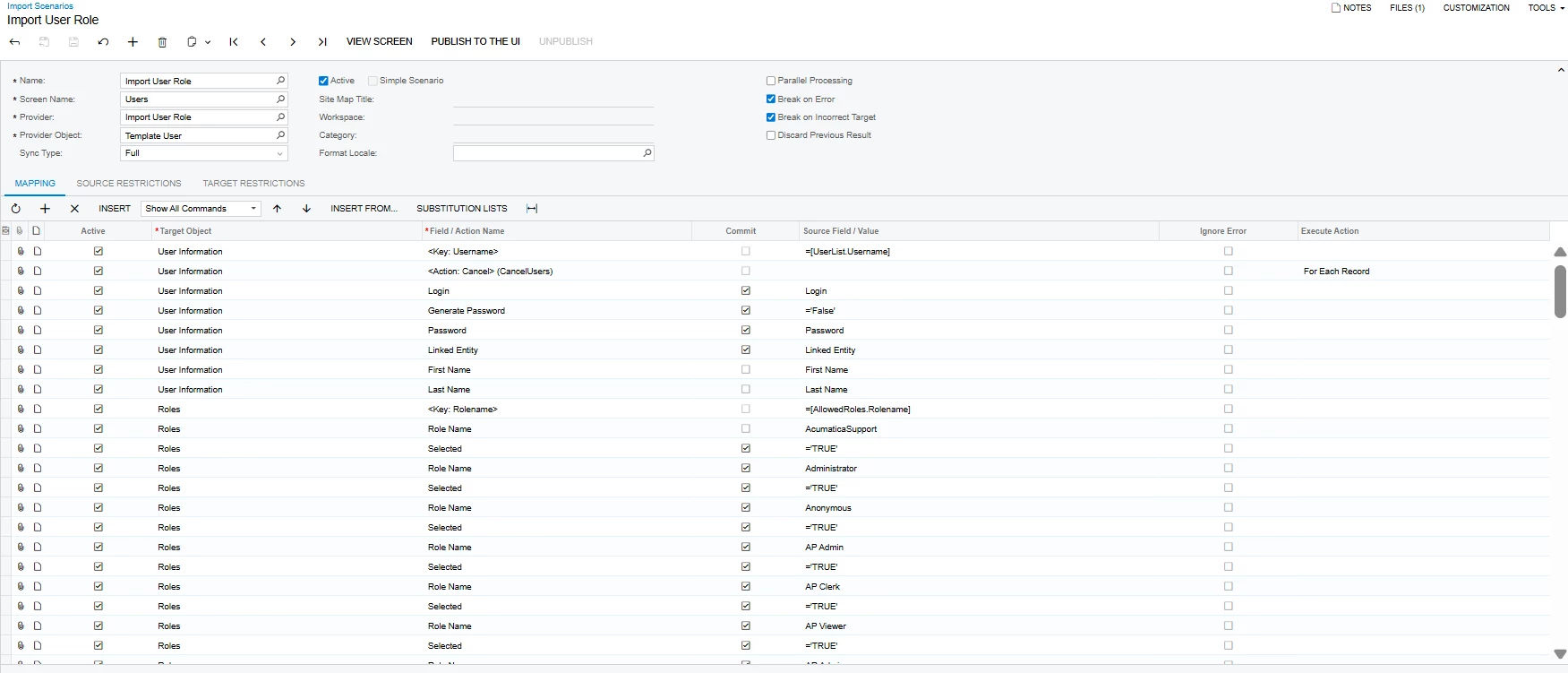
Hi everyone, so i want to create user and role by Import Scenario, i successfully import the username for the user but when i try lo login with the username and password, i can not login and also the role that i already set up/mapping it not read it by system, there is a wrong mapping for my import scenario? 
I put my mapping bellow, please help me to look it out, i really appreciate your helps.

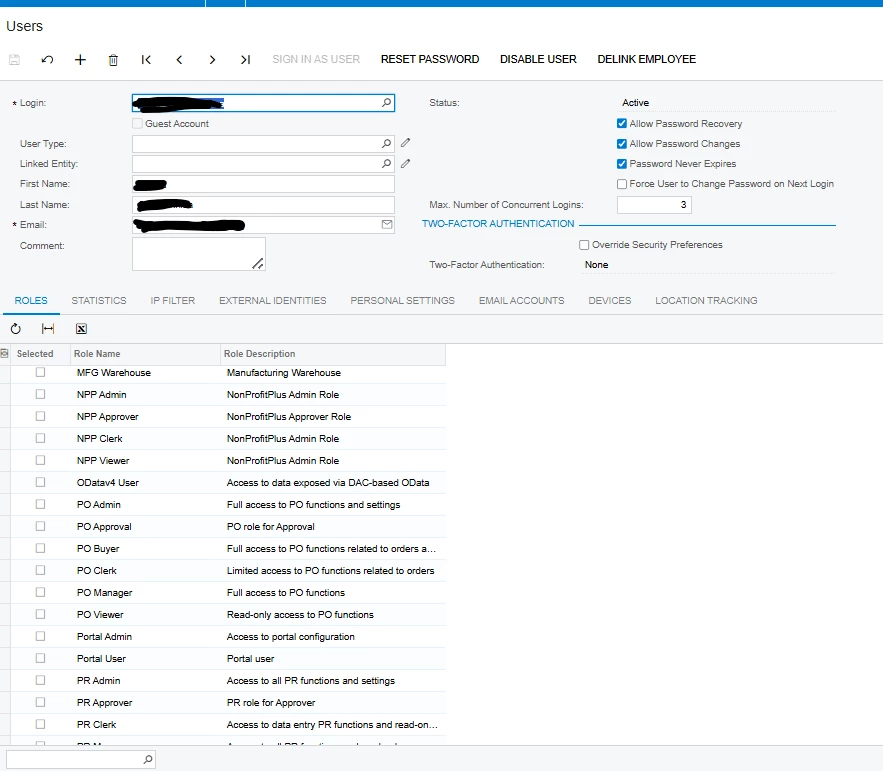
Here is the user that successfully imported but not for the role
 

3 replies

Manikanta Dhulipudi
Captain II
Forum|alt.badge.img+16

@dinda56 


Did you check this?


shushanna34
Freshman II
Forum|alt.badge.img
  • Freshman II
  • January 28, 2026

Hi ​@dinda56  your user is created, but the roles are not being saved and the password isn’t applied correctly. The issue is in the import mapping.


1. Commit the Roles 
For each role row you must commit after setting Selected = TRUE.

Correct pattern:

Roles → <Key: RoleName> (set role name) 
Roles → Selected = TRUE (Commit = ✔)

If you don’t commit, the role never gets saved.


2. Add “For Each Record” on Roles
On the first Roles row, set:

Execute Action = For Each Record 

This loops all role lines.


3. Make Sure Password is Valid
If Generate Password = False, then you must import a password value.
If password is empty → login won’t work.

Hope this helps.


bwhite49
Captain II
Forum|alt.badge.img+12
  • Captain II
  • January 28, 2026

Put the role names is quotes. That’s the only obvious issue I see...


Also, be careful of over applying roles. An administrator user does not need “AP Viewer” for example. Some roles subtract rights. The fewer roles, the better.