Question

Import scenario is blank after the Prepare stage

  • January 19, 2026
  • 11 replies
  • 80 views

Forum|alt.badge.img

Hi Community

I have just created a simple Import Scenario (just batch numbers to be reversed) but when I Prepare the scenario, the results are blank.

I have done it several times and I have also created a new scenario - no difference.

Has anyone seen this before?

I have attached the .xml file. Any help would be appreciated.
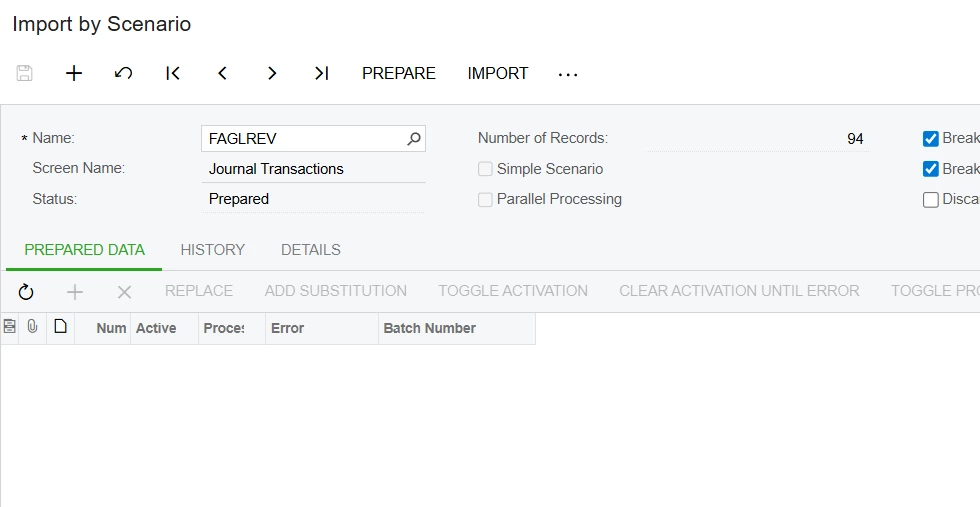
Regards

Barbara

 

11 replies

Manikanta Dhulipudi
Captain II
Forum|alt.badge.img+16

@BarbaraPietersen23 can you refresh the data provider linked to Import scenario,


Manikanta Dhulipudi
Captain II
Forum|alt.badge.img+16

Forum|alt.badge.img

Thanks but I have done many many scenarios, so I do n=know how to set them up. I just can’t figure out why the Prepare results are blank.


mohammadnawaz51
Jr Varsity I
Forum|alt.badge.img+6

@BarbaraPietersen23 Sometime this happens, you need to refresh the data providers.


Forum|alt.badge.img

No luck - I have made a completely new Data Provider and Import scenario. Still blank.

I really don’t want to have to resort to reversing +/- 100 entries manually so if you can help, I would appreciate it.


mohammadnawaz51
Jr Varsity I
Forum|alt.badge.img+6

@BarbaraPietersen23 Can you prepare new data provider and Update the Import sceanrio again.


can you share a screenshot of data providers,


Laura03
Captain II
Forum|alt.badge.img+20
  • Captain II
  • January 19, 2026

Hello ​@BarbaraPietersen23 ,

I wonder if there could be something wrong with the Excel file. I downloaded the XML from your post above and imported it to a Sales Demo tenant for testing. (Twice:  first I downloaded it to my work computer to a version 2025 R1 Sales Demo. Then I downloaded it from my home computer and tested on a 2024 R2 Sales Demo.)

The XML imports successfully.  I can see your Data Provider, Excel File, and Import Scenario mapping. 

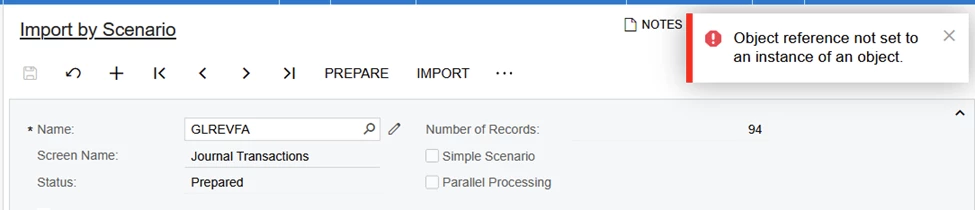
When I try to Prepare records,  Import By Scenario throws an error:


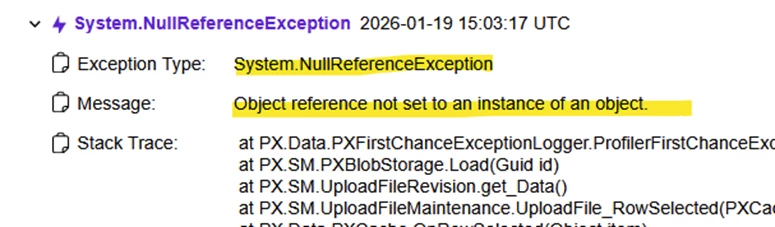
I see these details in Tools → Trace:

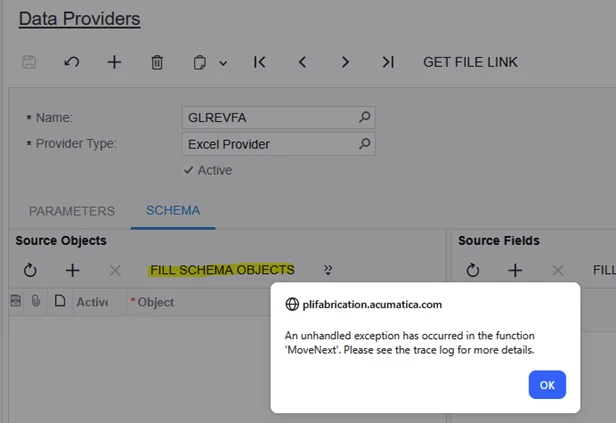
Following suggestions from Mani & Mohammad above, I refreshed Source Objects on Schema tab of the Data Provider. I deleted all Source Objects and saved.  Nothing happened - I expect the spreadsheet tabs to add themselves to Source Objects.  When I clicked Fill Schema Objects, this error appeared:

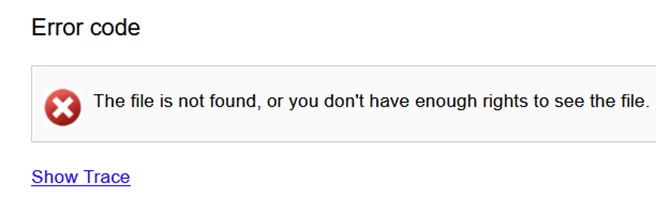
Last, I tried to open the Excel file.  From both laptops, both Acumatica versions, I see the following error:

My suggestion is to make a new Excel file by copying only the data that you need from the most recent GL REV tab.  Connect the new Excel to your new Data Provider and let us know how it works out.  Thank you!


Laura03
Captain II
Forum|alt.badge.img+20
  • Captain II
  • January 20, 2026

One more idea:  is the Excel file password protected?


Forum|alt.badge.img

No it is not. It is just a list of batch numbers


Laura03
Captain II
Forum|alt.badge.img+20
  • Captain II
  • January 21, 2026

@BarbaraPietersen23 ,

Hello Barbara, did making a new Excel file improve the situation?


Forum|alt.badge.img

Hi Laura

Thanks for asking but it did not. I have discovered that it is not excel but a system problem. 

Just waiting for the IT team to fix it. I’ll keep you posted.

Regards