Answer

How to Pay One AP Bill to Multiple Vendor Locations Without Splitting?

  • July 11, 2025
  • 1 reply
  • 47 views

Hi all,

We're on Acumatica 2024 R2 (Build 24.206.0014) and have a scenario we’re unsure how to handle:

Use Case

We need to pay a single AP Bill to multiple vendor payment locations (e.g., 70% via ACH to LOC A, 30% via Check to LOC B).

Splitting the bill is not an option – we need to preserve the original bill detail for 1099 reporting and analytics.

Questions

  1. Is there a native way to pay a single AP Bill to multiple locations?

  2. Has anyone implemented or used a custom payment allocator for this?

  3. If customization is needed, what’s the best approach ?
Best answer by valentynbeznosiuk

Hi ​@NChowdhury 

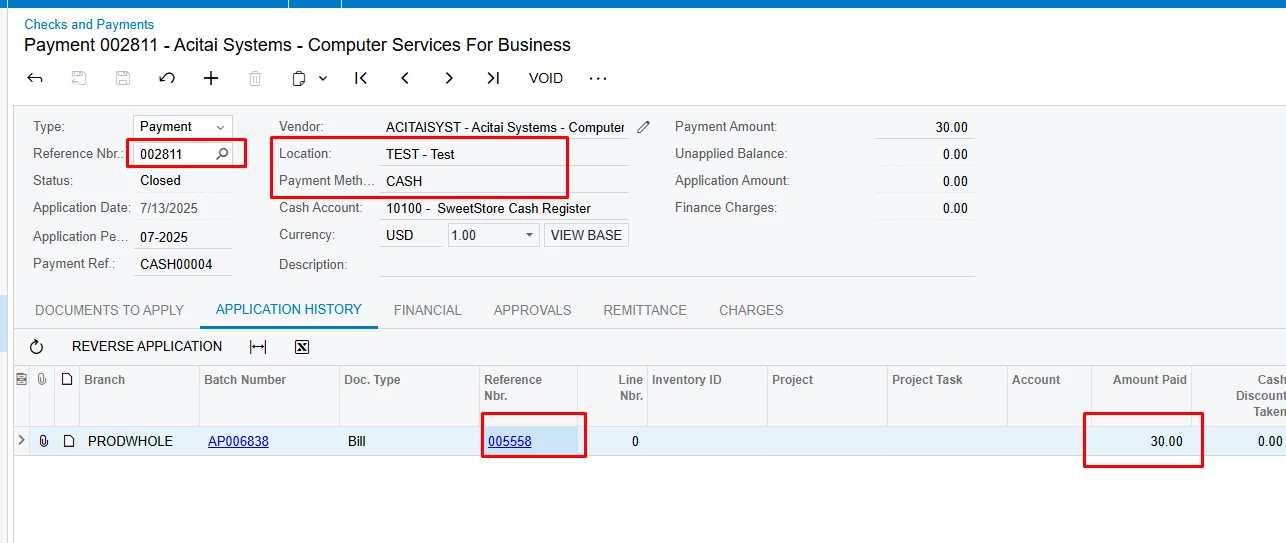
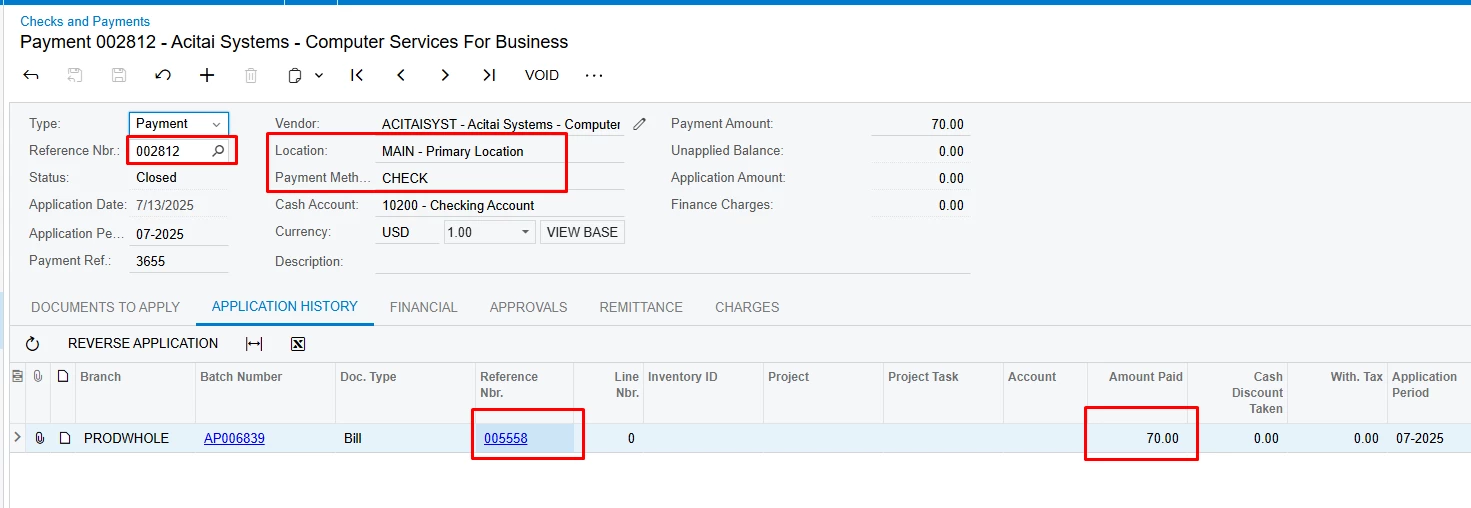
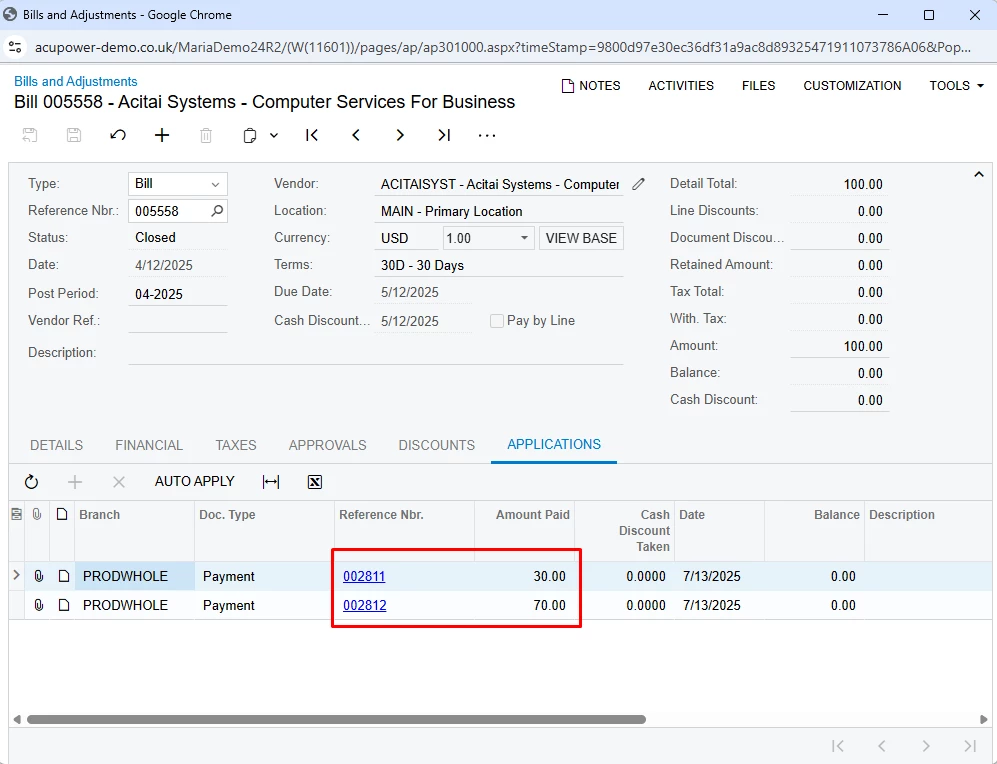
Acumatica allows you to create multiple payments with different vendor locations and payment methods manually. For this you only need to create payment using Pay button on Bills and Adjustments screen (or create it directly on the Checks and Payments screen and then apply to the Bill), select needed Location, Payment Method and Amount Paid in the Documents to Apply tab, process payment and repeat this exercise with other payments for this Bill.

This process can also be automated through customization, but it can be designed in different ways depending on your requirements and preferences. The first one that appeared in my head is to add custom Pay button on the Bills and Adjustments screen that will open pop up window to select desired Vendor Locations, select Payment Methods and Payment % from the Bill amount, and logic that based on this input will create needed Payments (or even process them).

1 reply

valentynbeznosiuk
Jr Varsity I
Forum|alt.badge.img+3

Hi ​@NChowdhury 

Acumatica allows you to create multiple payments with different vendor locations and payment methods manually. For this you only need to create payment using Pay button on Bills and Adjustments screen (or create it directly on the Checks and Payments screen and then apply to the Bill), select needed Location, Payment Method and Amount Paid in the Documents to Apply tab, process payment and repeat this exercise with other payments for this Bill.

This process can also be automated through customization, but it can be designed in different ways depending on your requirements and preferences. The first one that appeared in my head is to add custom Pay button on the Bills and Adjustments screen that will open pop up window to select desired Vendor Locations, select Payment Methods and Payment % from the Bill amount, and logic that based on this input will create needed Payments (or even process them).