Question

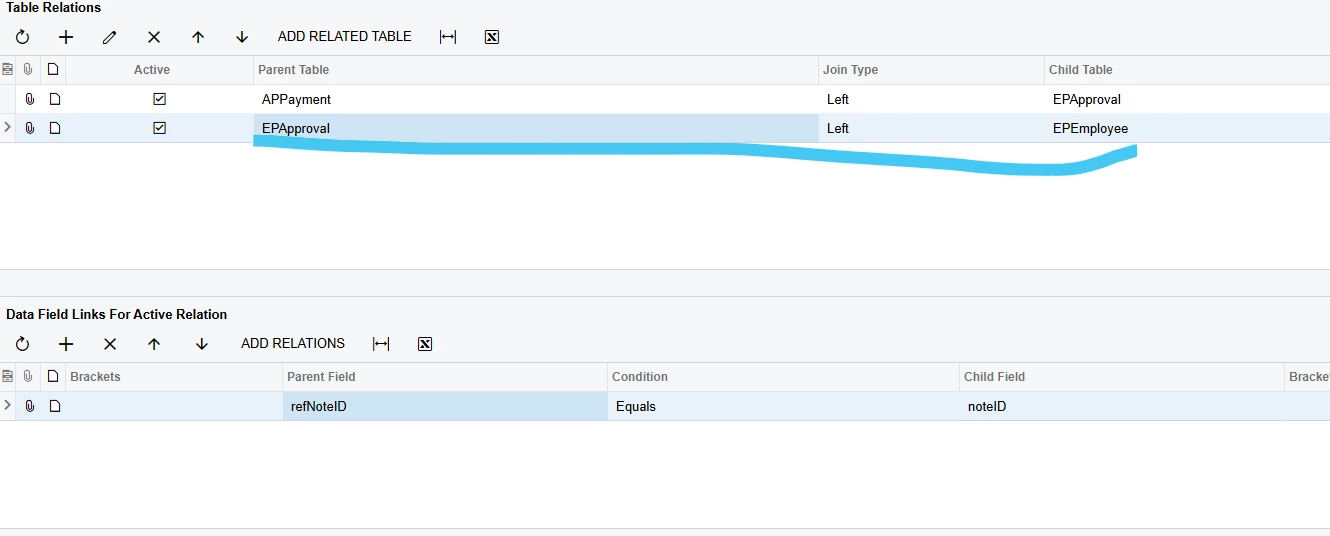
How to link employee to approval

  • April 6, 2026
  • 4 replies
  • 33 views

Forum|alt.badge.img

I want to some fields in EPEmployee and try to link approval and employee. But I cannot make it work. Please guide me

4 replies

Manikanta Dhulipudi
Captain II
Forum|alt.badge.img+16

@vannakheng Can you try this?


Laura03
Captain II
Forum|alt.badge.img+20
  • Captain II
  • April 6, 2026

Hello ​@vannakheng ,

Are you trying to show who the Approver is on Checks and Payments that are being routed for approval by an Approval Map?

If yes, you may try joining to EPRule.  Below example is showing AP Bills with Approvers.  Where the following example shows Parent table APInvoice, you will use APPayment:
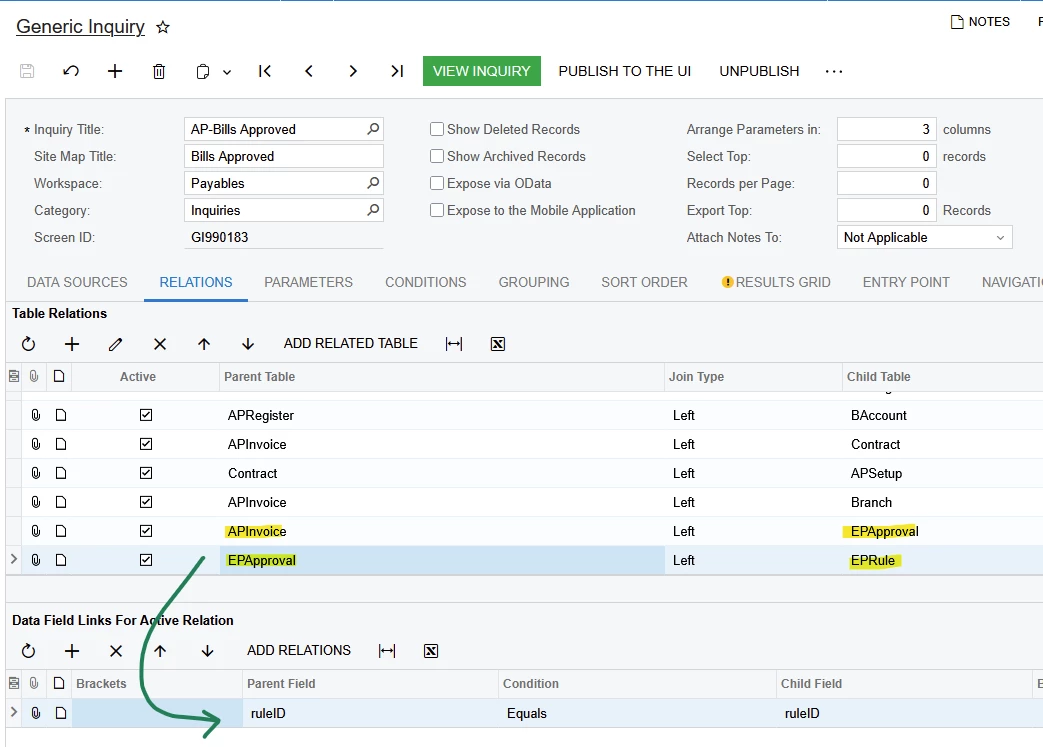
Join EPRule table

 On the Results Grid tab, add Owner ID (Employee who approved or will approve):
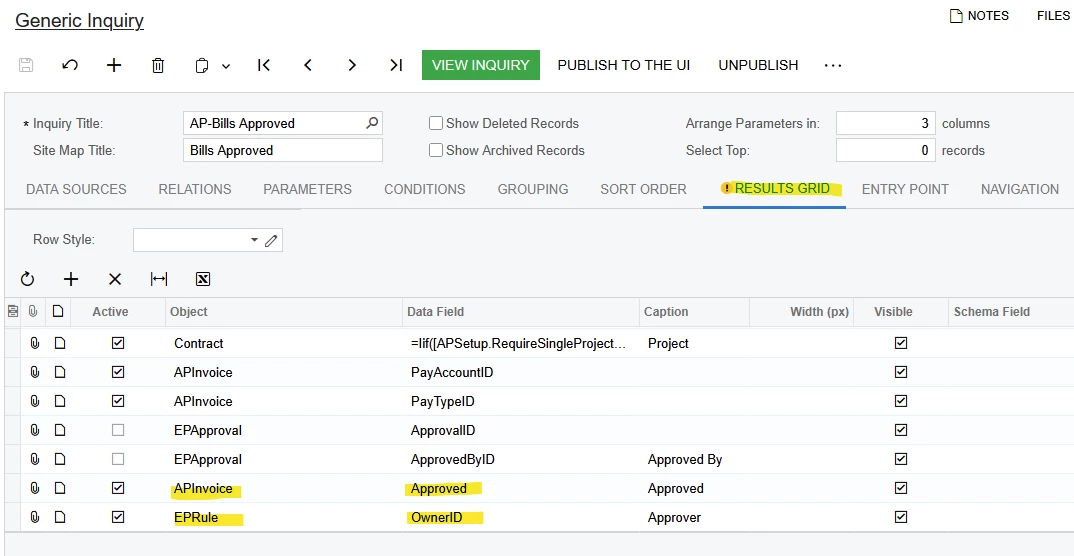
EPRule.Owner ID is the Approver

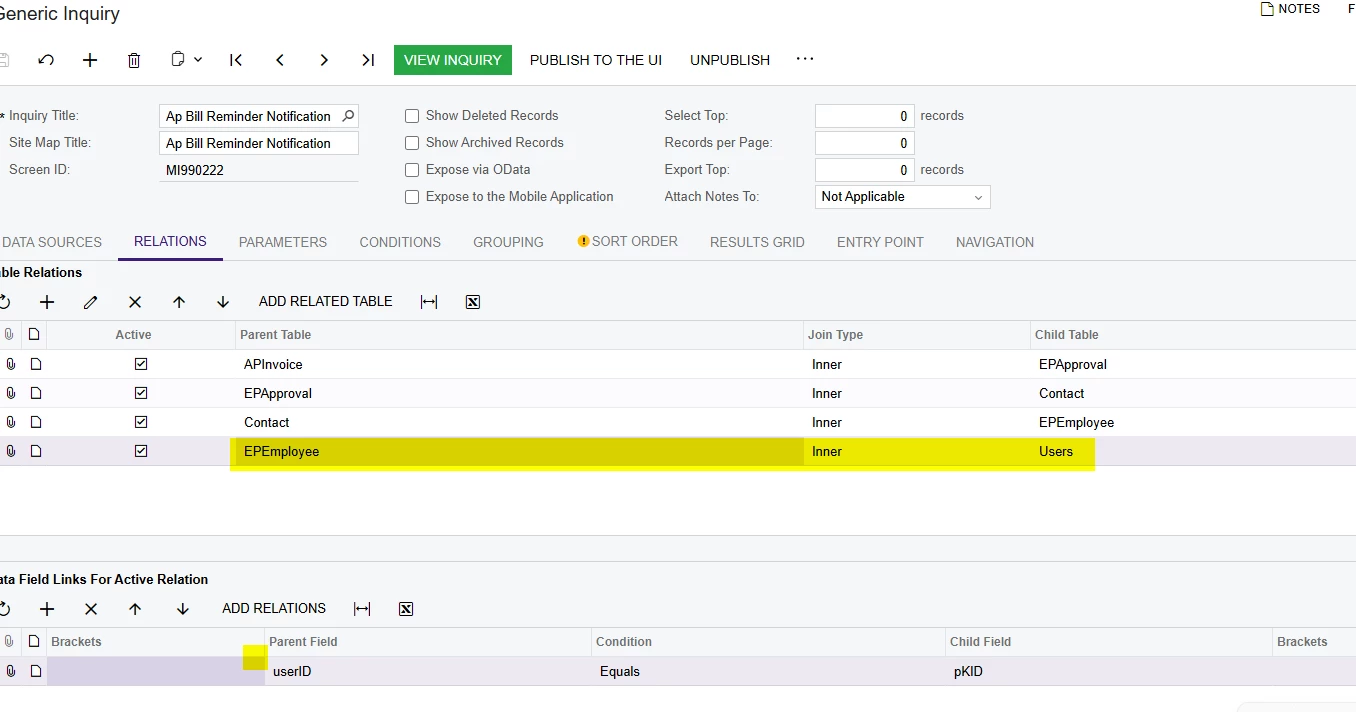
If you need more fields from Employee screen, try joining APRule.OwnerID to Users or to EPEmployee tables.

I hope this example helps you.


MissyMain41
Jr Varsity I
Forum|alt.badge.img
  • Jr Varsity I
  • April 6, 2026

Hello,

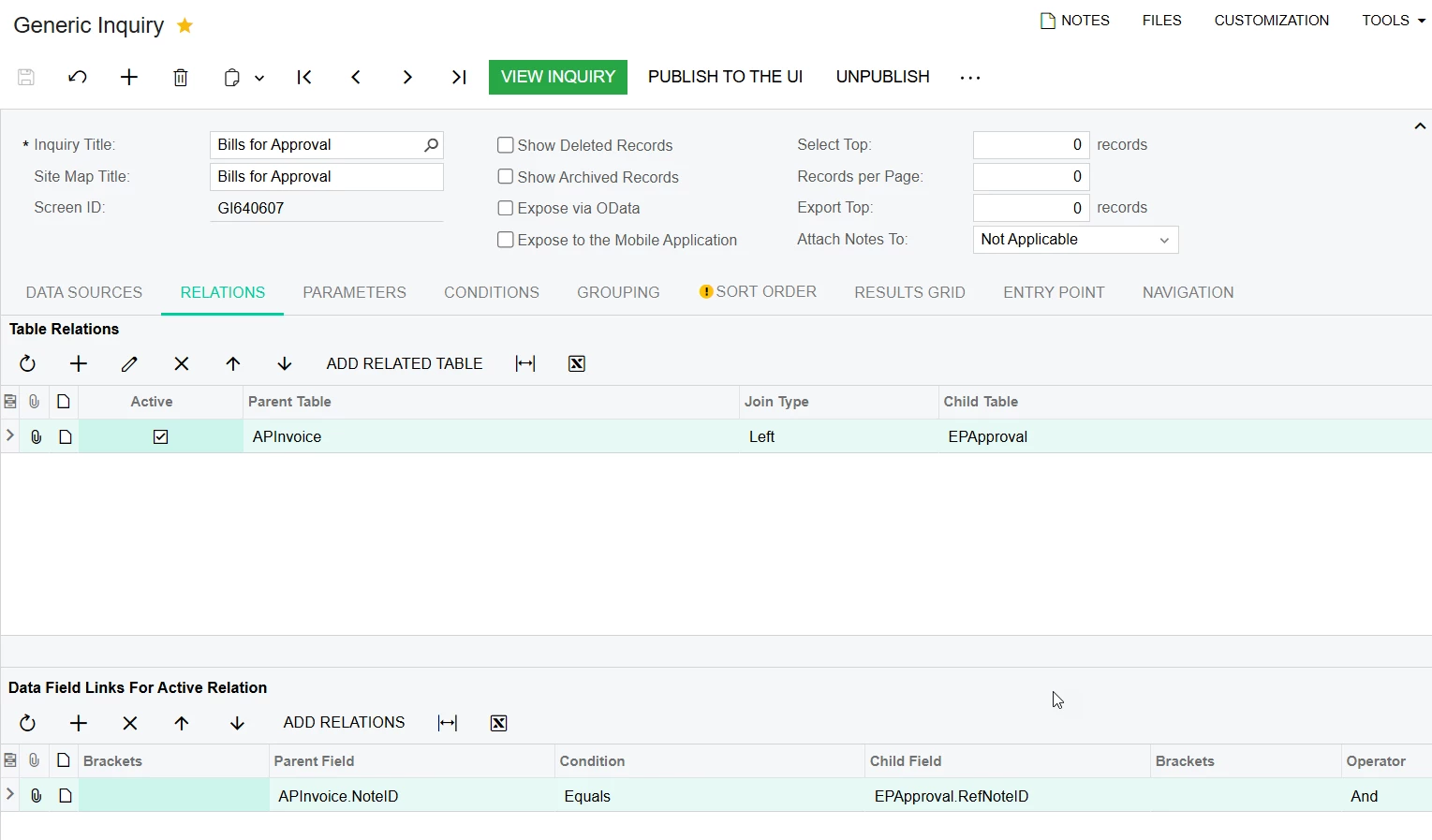
Unsure if this would work for you as I do not know the use case for your scenario, however I made a solution similar to this for bill approvals, this was requested to replace the “approvals” screen that comes out of the box, as a GI is more flexible.

This GI is conditioned to only show bills pending approvals, and who the current approver of the document is assigned to
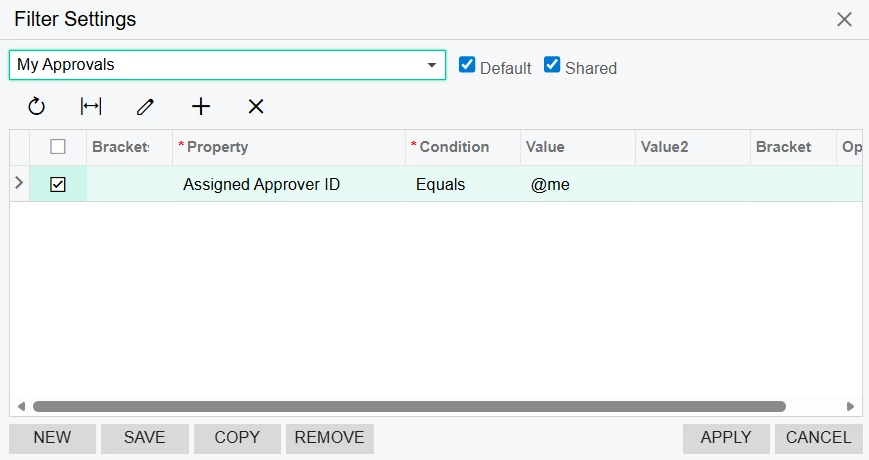
I also made a “Default” filter on the GI results directly that only shows the current logged in user’s pending approvals 

Image 1 - Relation:


Image 2 - Filter on results for current logged in user 


ricoybanez
Jr Varsity III
Forum|alt.badge.img+5
  • Jr Varsity III
  • April 7, 2026

@vannakheng 

Clarifications: 

1. Are you trying to add the Name of the approver? or

2. Add name of the employee who make the Payment Entry?