Answer

How to determine rights

  • December 16, 2021
  • 4 replies
  • 279 views


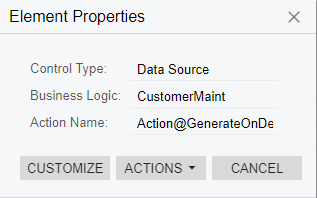
Action Name: Action@GenerateOnDemandStatement

Hello,


I am trying to give a role access to generate a statement on demand. This is using the Actions dropdown on a customer record.

I’ve given the user’s role permissions to generate statements, etc, and they can get to the main generate statement menu, but they do not see the “Generate Statement on Demand” selection in Actions.

I was able to find what I think is the exact permissions, but the user already has (inherited) delete rights to Receivables: Customers: Customer: Generate Statement on Demand

How do I determine which rights are needed for dropdown actions?


Thanks for reading!
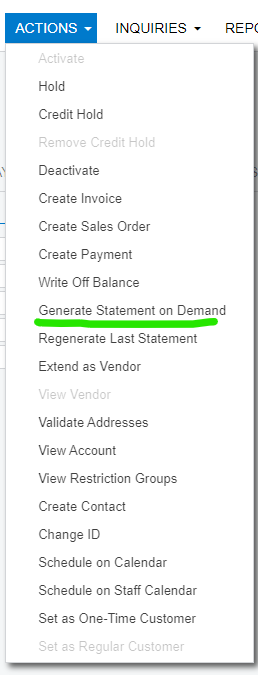
 

My admin user can see it
User doesn’t see it


Best answer by vkumar

Hi @joshbrown71 

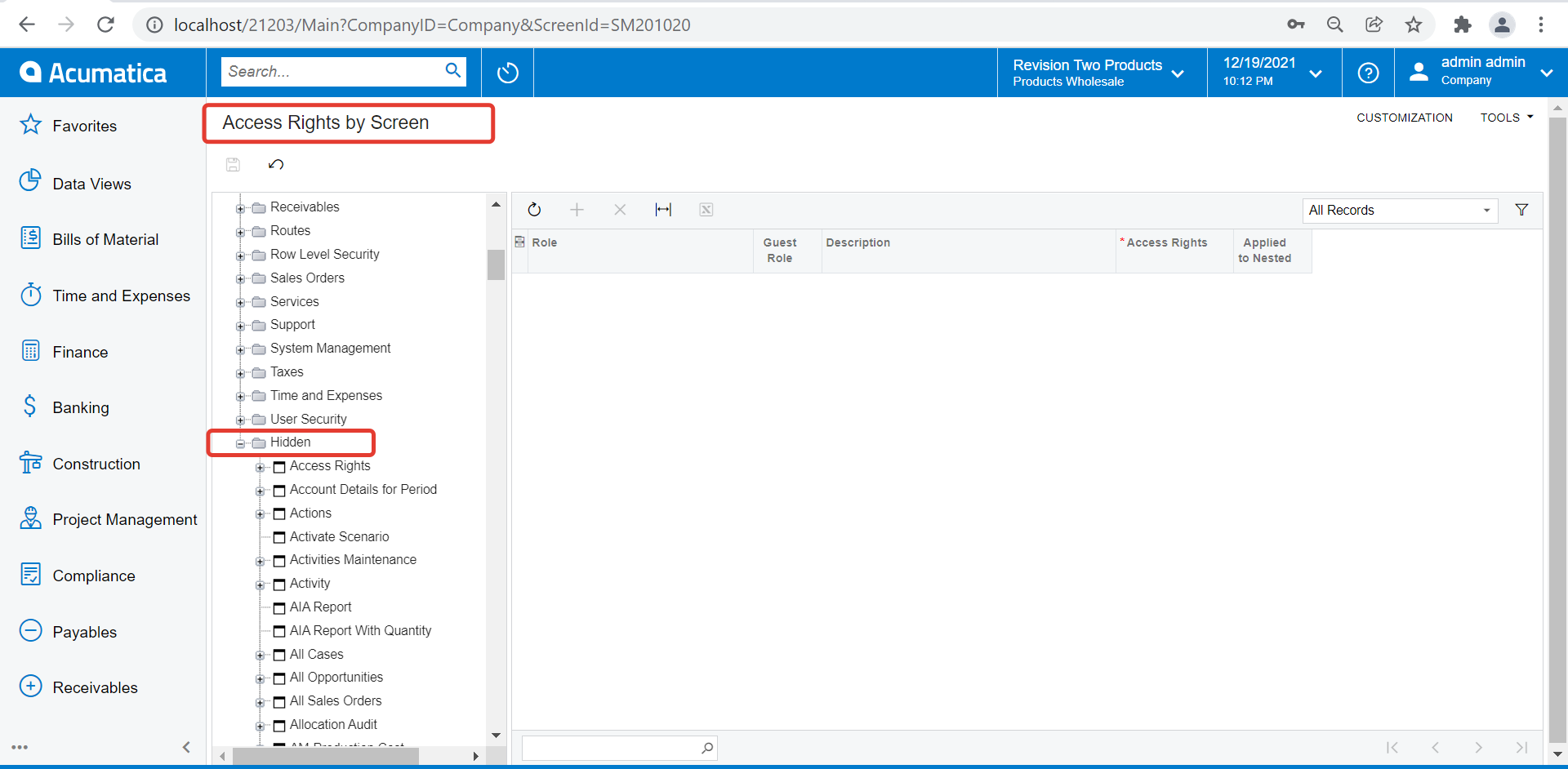
Please check the ‘Hidden’ category on ‘Access rights by screen’. Check if it has any option to generate Customer statement. Do assign permission to user linked to role and check. 

Regards,

4 replies

Vinay Koppula
Semi-Pro II
Forum|alt.badge.img+1
  • Semi-Pro II
  • December 16, 2021

@joshbrown71 It would be helpful if you can share the screenshot of the roles that you have applied 


Vinay Koppula
Semi-Pro II
Forum|alt.badge.img+1
  • Semi-Pro II
  • December 16, 2021

@joshbrown71  I have tested by applying power-users role and able to see the “Generate Statement on Demand”. Not sure what user role you are talking about. 


Forum|alt.badge.img+12
  • Acumatica Support Team
  • Answer
  • December 20, 2021

Hi @joshbrown71 

Please check the ‘Hidden’ category on ‘Access rights by screen’. Check if it has any option to generate Customer statement. Do assign permission to user linked to role and check. 

Regards,


  • Freshman I
  • June 6, 2025

I found a path that gave a user rights to Generate On Demand.  In Access Rights by Screen, give Edit rights to all related the roles you want to have it on Receivables>Customers.  Anything less than Edit on that particular level will not let the user have see it.   I didn’t necessarily want the users to be able to Edit customers, but I don’t see where I have a choice.  Giving right to just the Generate On Demand object doesn’t get the job done.

I tried all of the suggestions in this post and another post and the only thing I got to work was giving edit rights at this higher level.  Generate On Demand is nested a couple of layers under Receivables>Customers and it became an inherited right, which I left as is.