Answer

How to create VAT Reports based on Posting Period and not Invoice Date?

  • December 20, 2024
  • 2 replies
  • 50 views

Hi all,

We have some timing issues in some European countries where we need to report VAT and Acumatica is using the Invoice date to make the reports, so we end up “sending” some late invoices to the next period. We are wondering if we can configure Acumatica to prepare Tax Reports based on the Invoice Posting Period instead of Doc Date?

Thank you,

a.
Best answer by Laura03

Hello ​@MinushaWeerasuriya76 ,

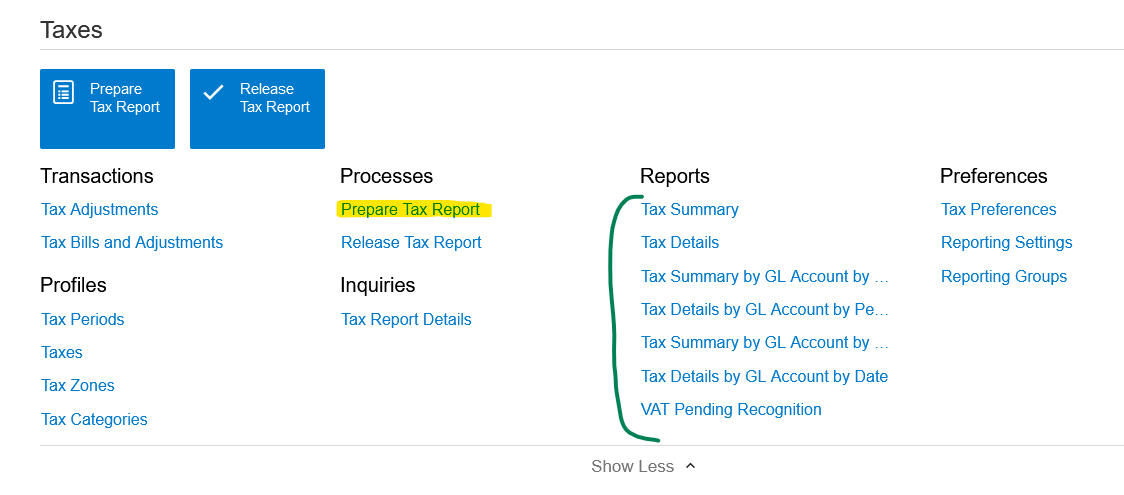
I think ​@arismiliotis40 refers to Sales Tax Reporting, “Prepare Tax Report” screen. I looked, but could not find any way to change the reports. What have we missed?

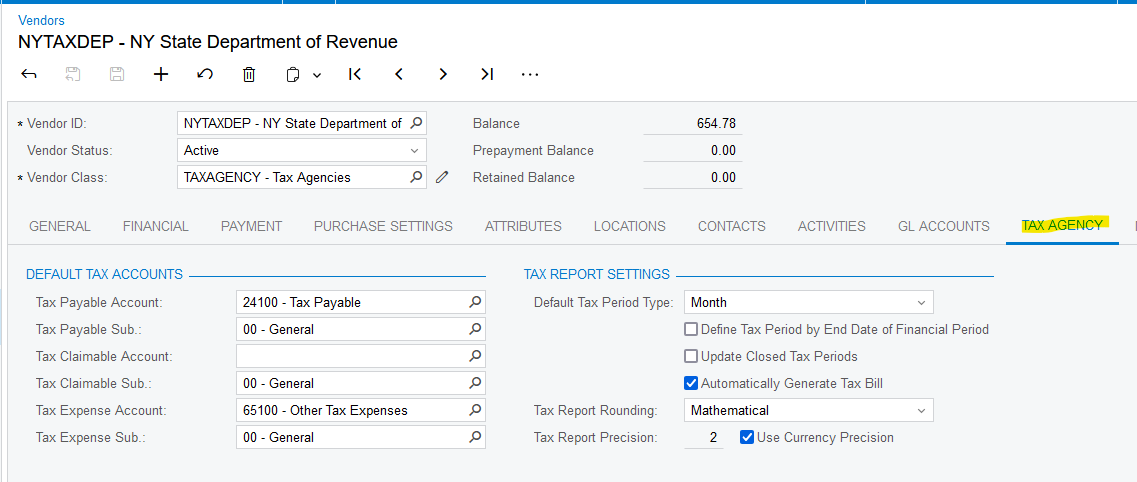
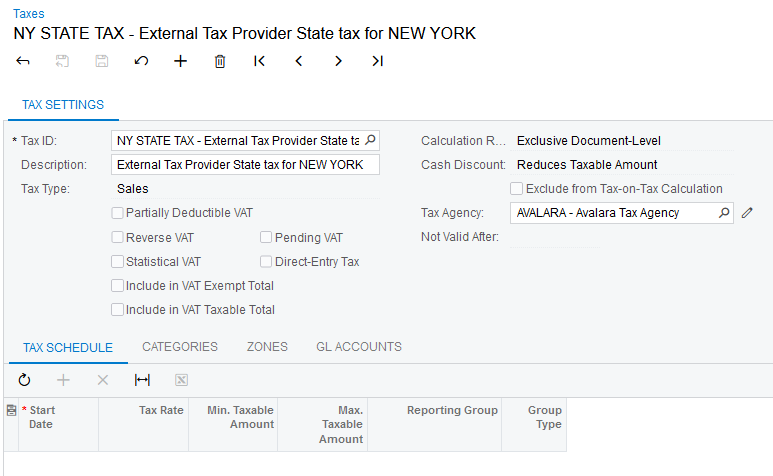
  Related settings can be found on the Tax Agency Vendor and in the summary area of Taxes screen.

Laura

2 replies

Forum|alt.badge.img+1

Is this a custom report? How is the VAT report being generated? 

It should be possible to add a parameter on the report based on Invoice Posting Period and setup filter conditions on the report so that the report displays items that fit within this period.


Laura03
Captain II
Forum|alt.badge.img+19
  • Captain II
  • Answer
  • December 23, 2024

Hello ​@MinushaWeerasuriya76 ,

I think ​@arismiliotis40 refers to Sales Tax Reporting, “Prepare Tax Report” screen. I looked, but could not find any way to change the reports. What have we missed?

  Related settings can be found on the Tax Agency Vendor and in the summary area of Taxes screen.

Laura