Answer

How to create an ARM report with two columns with branches?

  • February 19, 2025
  • 6 replies
  • 139 views

Forum|alt.badge.img

 Hello!
I’ve been trying my own to figure this out but couldn’t
I saw there is two ways for doing this, one is creating a unit set and the other one, that I prefer, is create a column set.
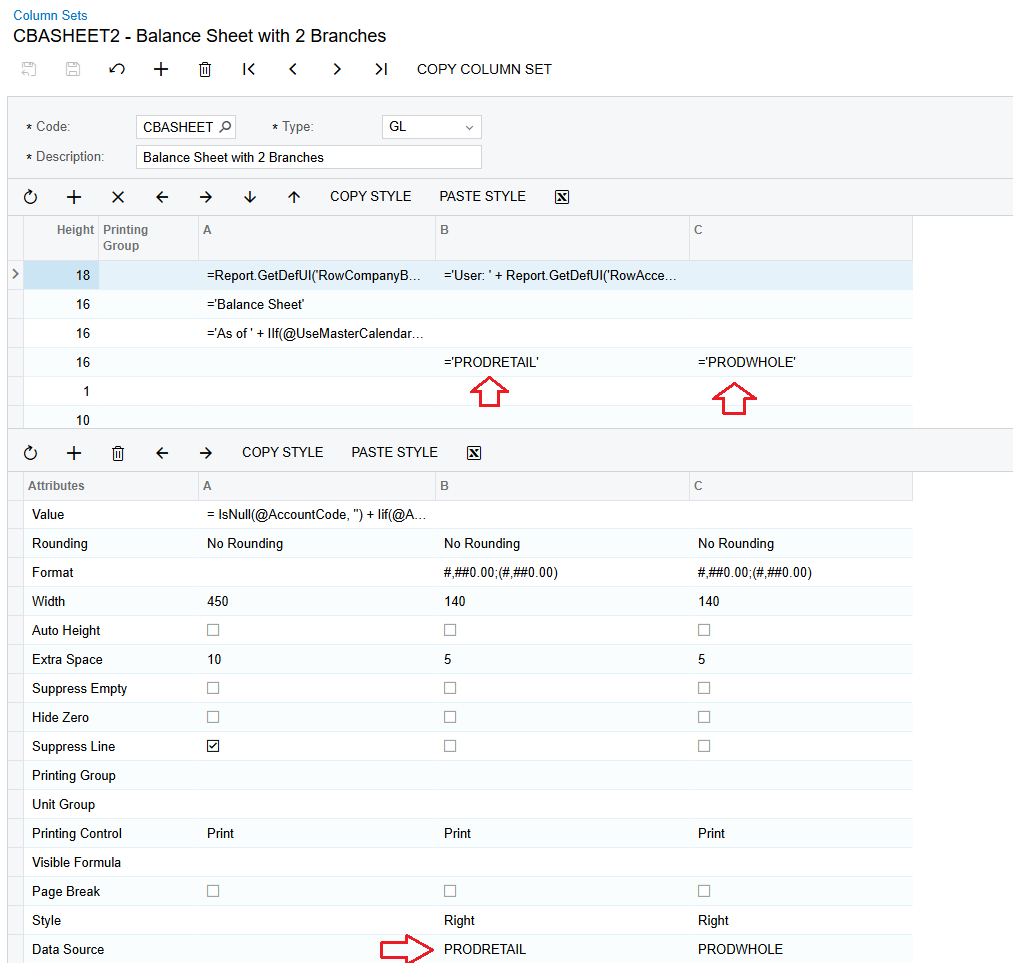
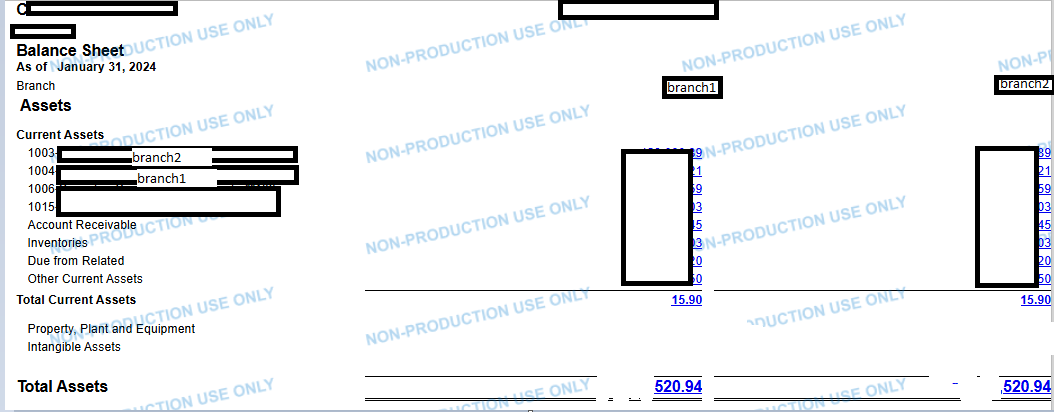
As you can see I was able to create two columns but I can’t call the branch I want, instead, the two of them are called together printing the same calc in two different columns.
Can you help me? I need to enter a value somewhere to get the branches separately
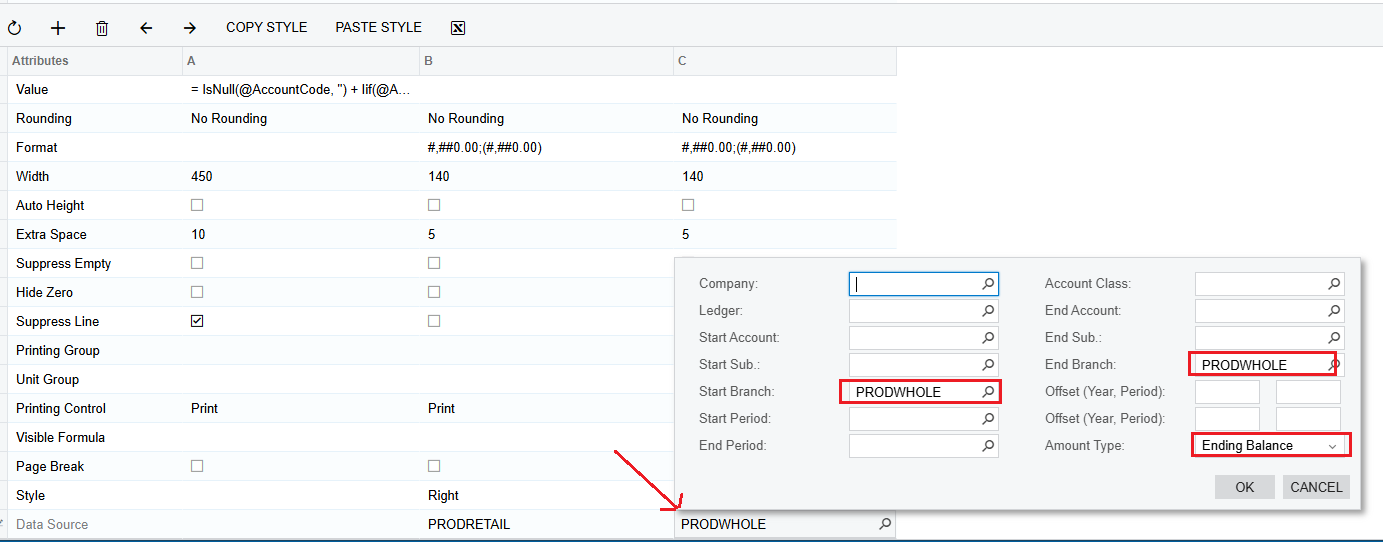
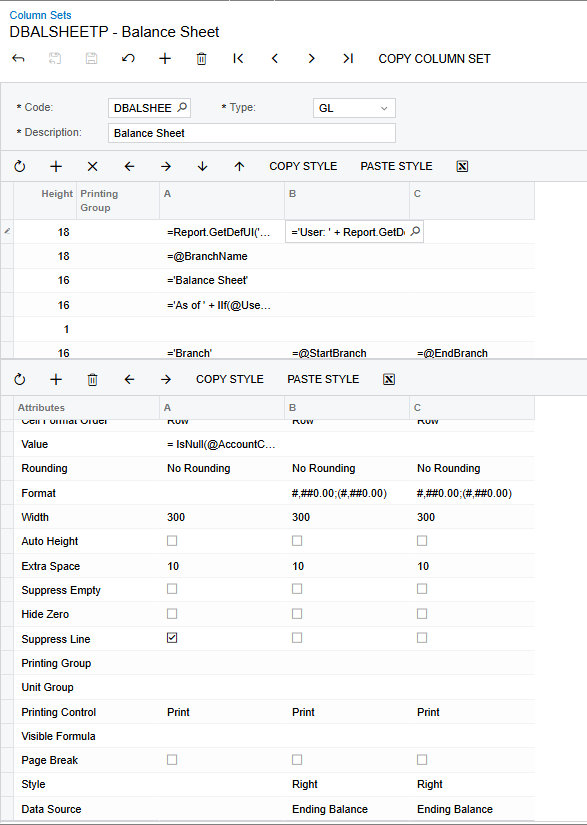
This is my column set
 

Thank you!
Best answer by nhatnghetinh

Hi ​@AFAguilera 

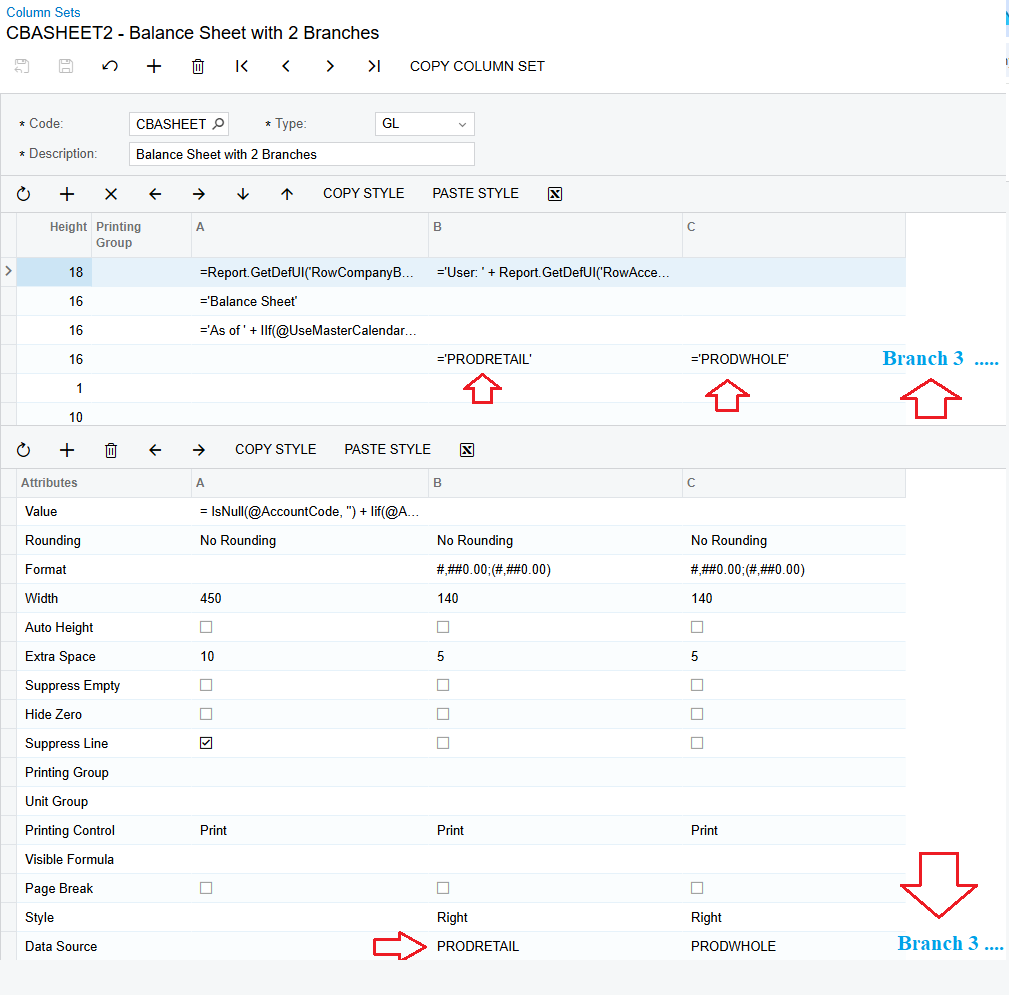
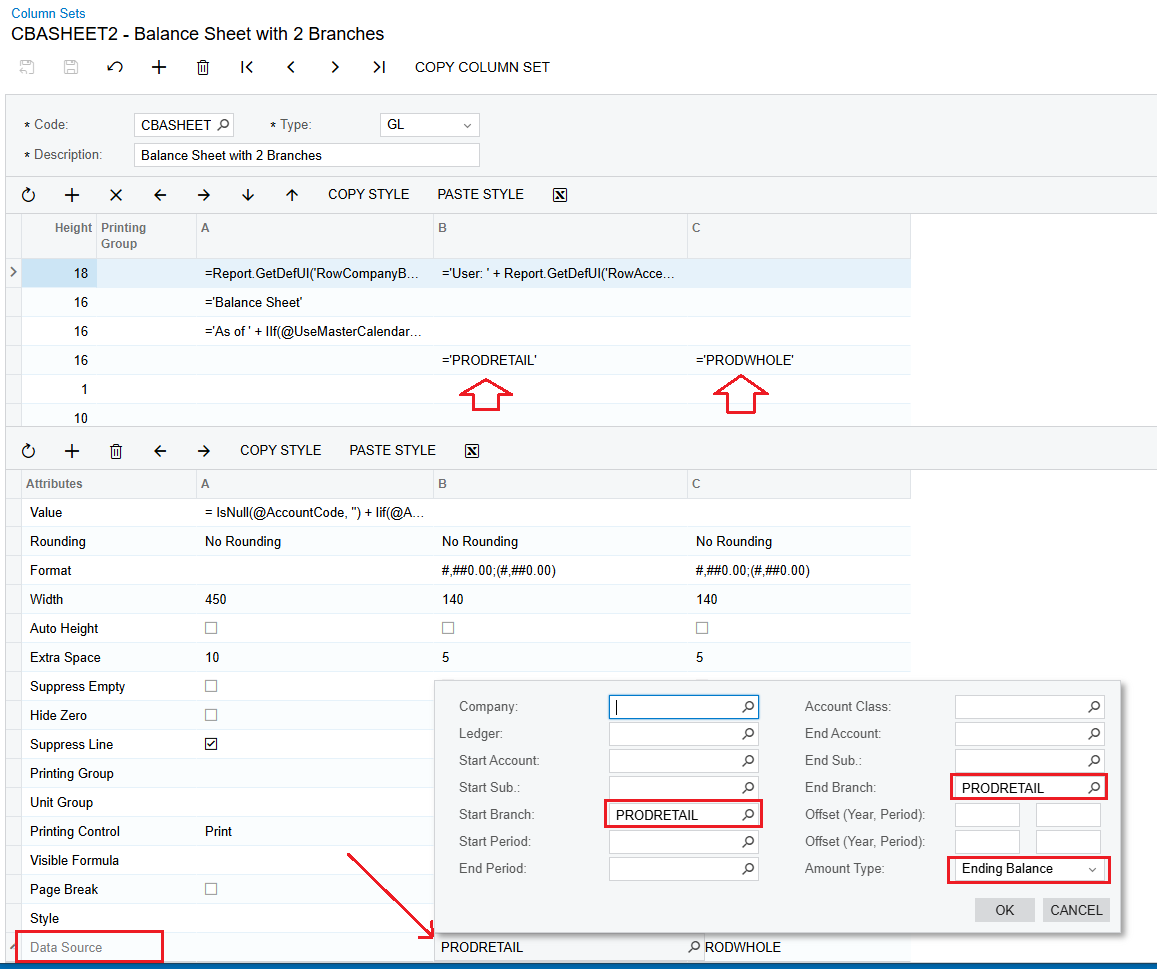
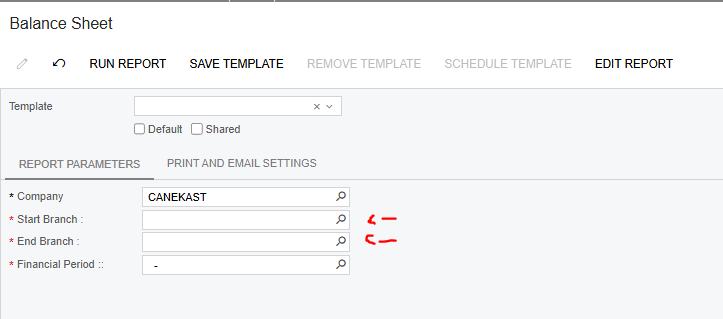
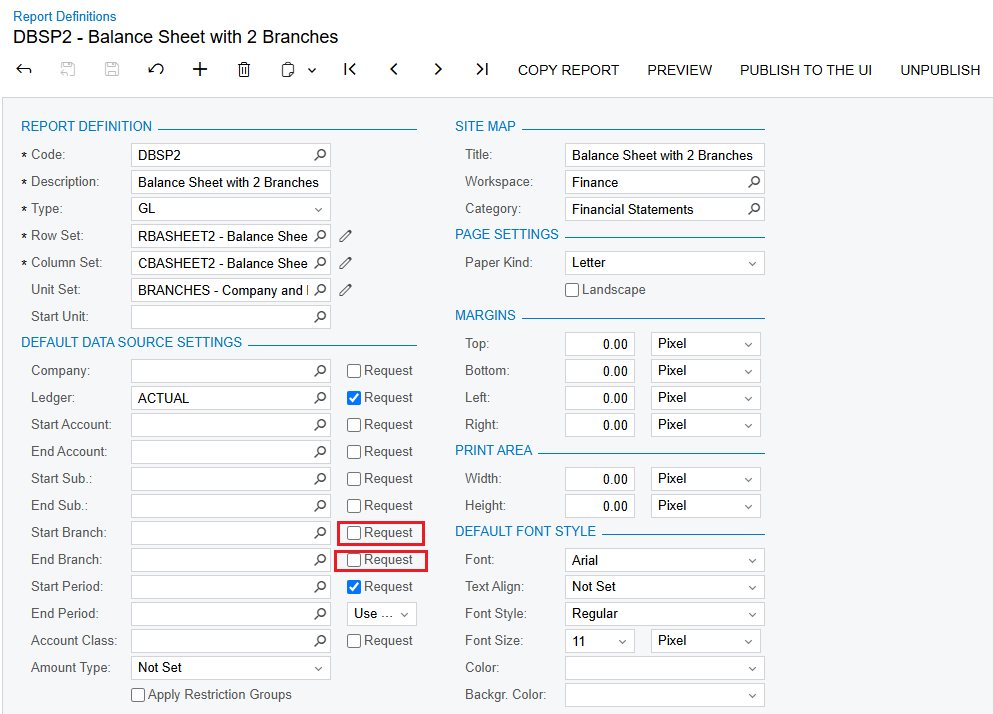
According to my example as shown in the screenshots. At the Report Definitions screen > You uncheck the Checkboxes: Start Branch & End Branch.


And you can add other remaining Branches on the Column Set if you want.


Best Regards,

NNT

6 replies

DasunPerera91
Acumatica Employee
Forum|alt.badge.img
  • Acumatica Employee
  • February 19, 2025

Hi,

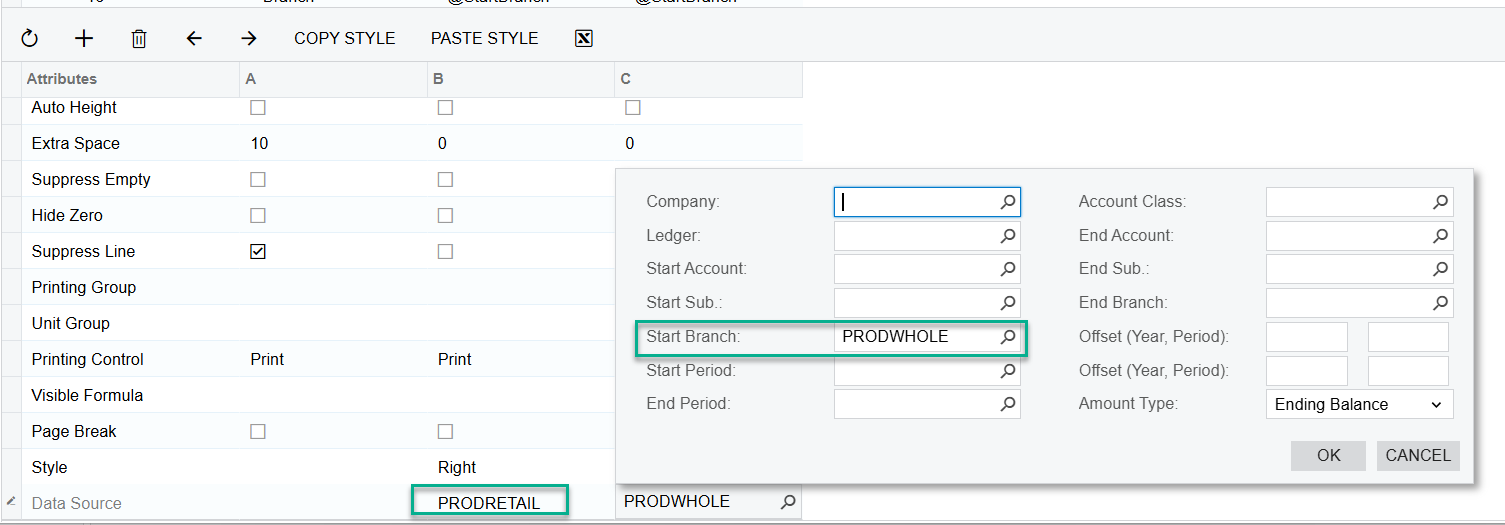
Can you try setting the Start Branch in Data Source for both columns and check?


Forum|alt.badge.img
  • Author
  • Jr Varsity II
  • February 20, 2025

Hi,

Can you try setting the Start Branch in Data Source for both columns and check?


Thing is I need to pick a branch and I don’t want that because is not always the same branch.
For example, branch A, B, C. Sometimes start branch will be A sometimes will be C


nhatnghetinh
Captain II
Forum|alt.badge.img+11
  • Captain II
  • February 20, 2025

Hi ​@AFAguilera 

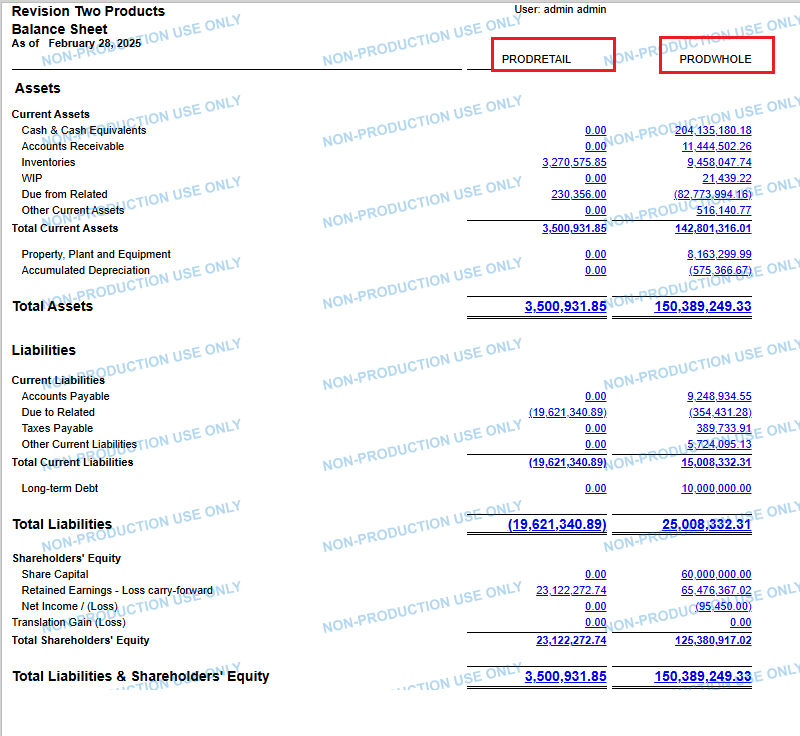
If you want to create ARM report with 2 columns as fixed Branches (same for 3,4,5.. columns) please refer as below screenshots.


Best Regards,

NNT


Forum|alt.badge.img
  • Author
  • Jr Varsity II
  • February 20, 2025

@nhatnghetinh Thank you very much for your answer, but I can’t do that because to run my report I need to select two branches that can be different everytime.
 

If I define the start and end branch with a specific branch then it will be showing always those ones.

Maybe I should so it with unit set after all, but I also don’t know how to do it


nhatnghetinh
Captain II
Forum|alt.badge.img+11
  • Captain II
  • Answer
  • February 21, 2025

Hi ​@AFAguilera 

According to my example as shown in the screenshots. At the Report Definitions screen > You uncheck the Checkboxes: Start Branch & End Branch.


And you can add other remaining Branches on the Column Set if you want.


Best Regards,

NNT


DasunPerera91
Acumatica Employee
Forum|alt.badge.img
  • Acumatica Employee
  • February 21, 2025

Hi,

Can you try setting the Start Branch in Data Source for both columns and check?


Thing is I need to pick a branch and I don’t want that because is not always the same branch.
For example, branch A, B, C. Sometimes start branch will be A sometimes will be C

Hi

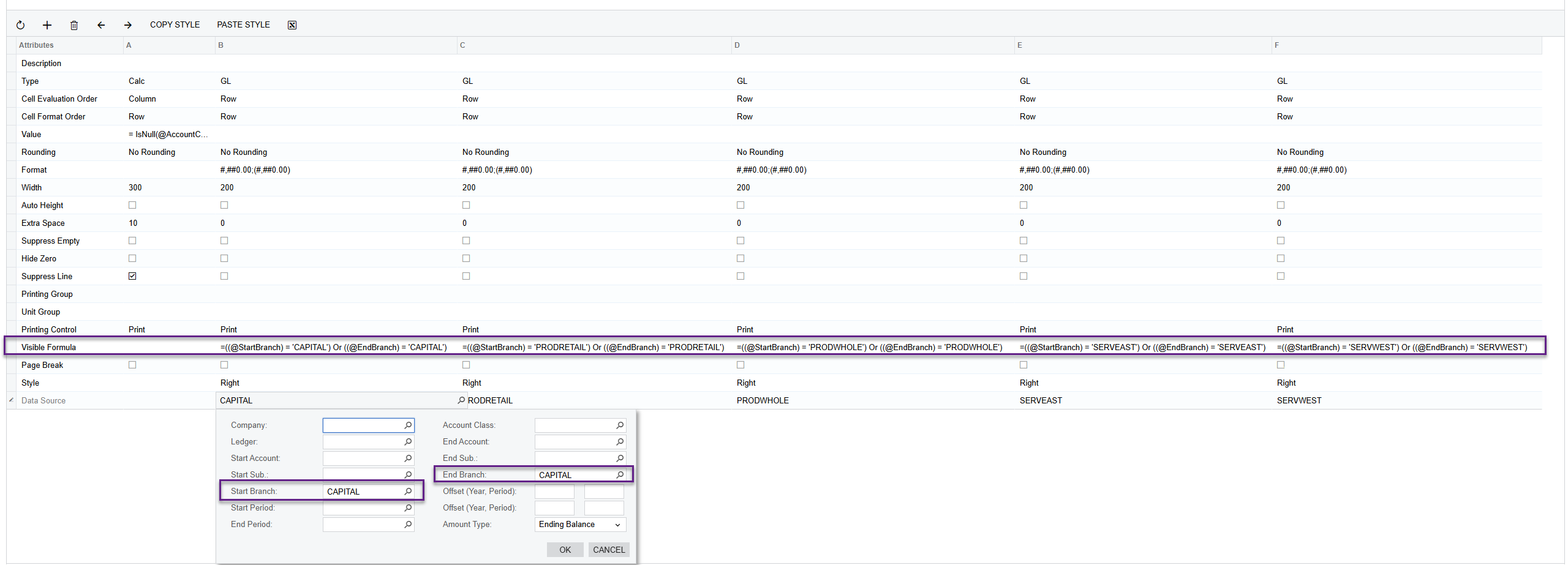
I made some progress by hardcoding the Visibility Formula. But sometimes it does not work when changing the Start Branch and End Branch. Maybe you can tweak it a bit and get the expected results.

Hope this helps!