How To Configure QR Code in Reports/Printed Forms for Acumatica Payments Pay Links

  • October 7, 2024
  • 5 replies
  • 1266 views

Dmitrii Naumov
Acumatica Moderator
Forum|alt.badge.img+7
  1. Open the report that you need to modify in the Report Designer (see more about the report designer here https://openuni.acumatica.com/courses/reporting/s150-reporting-report-designer/)
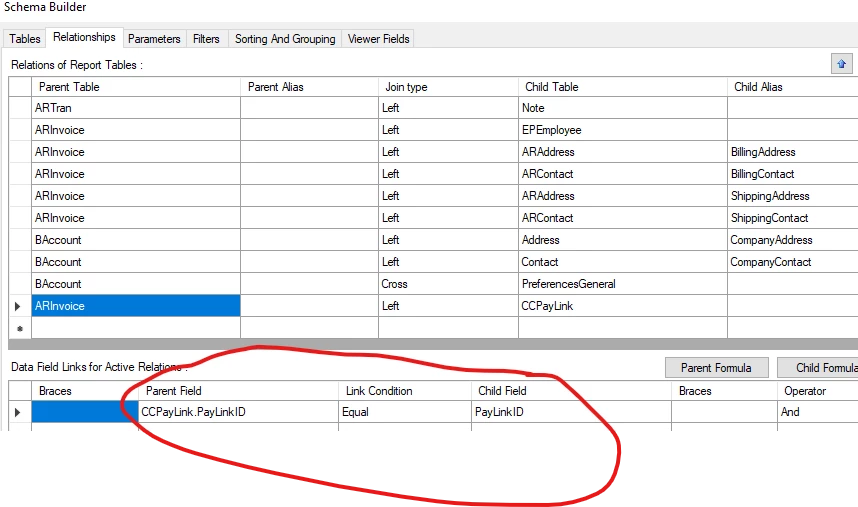
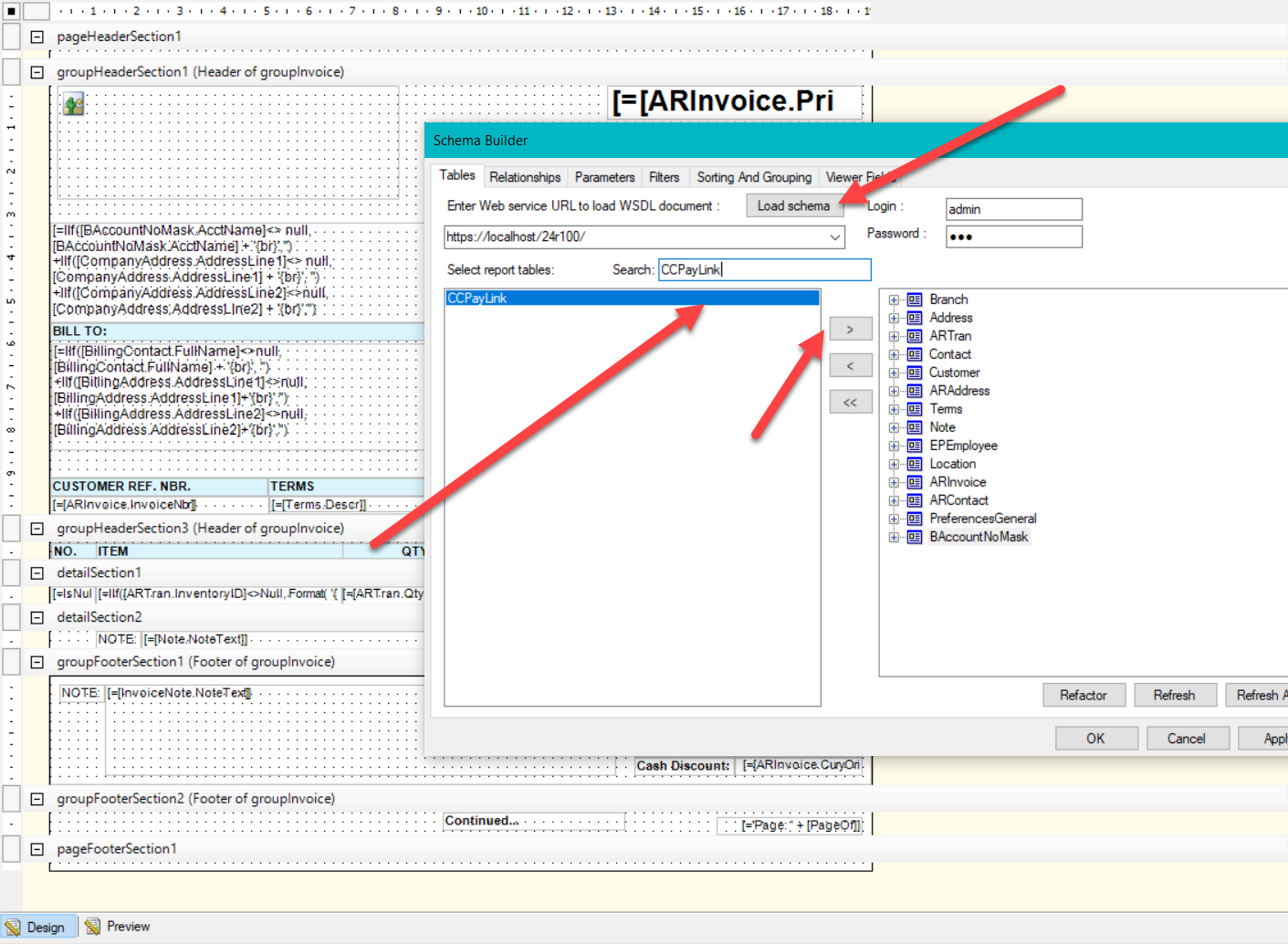
  2. Open File → Build Schema… menu and make sure the CCPayLink table is added to the report
     

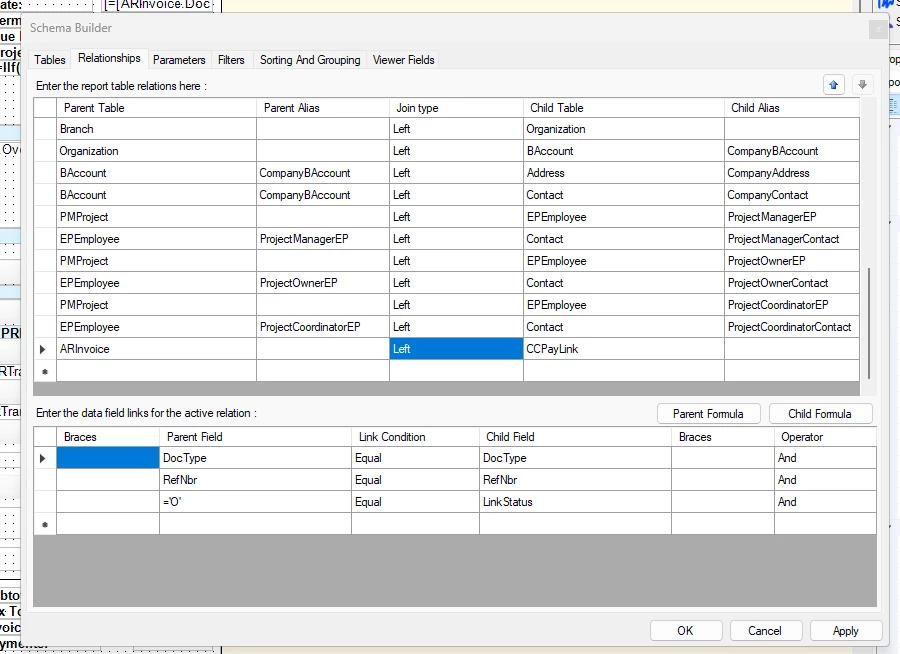
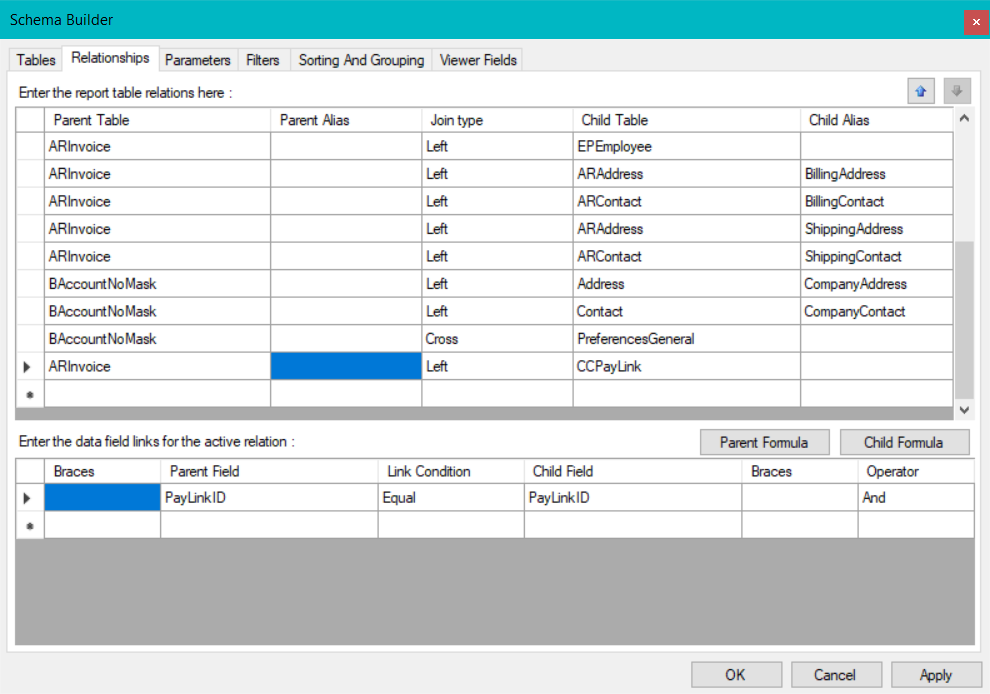
  3. Go to Relationships Tab and Left Join CCPayLink to ARInvoice or SOOrder based on PayLinkID
     

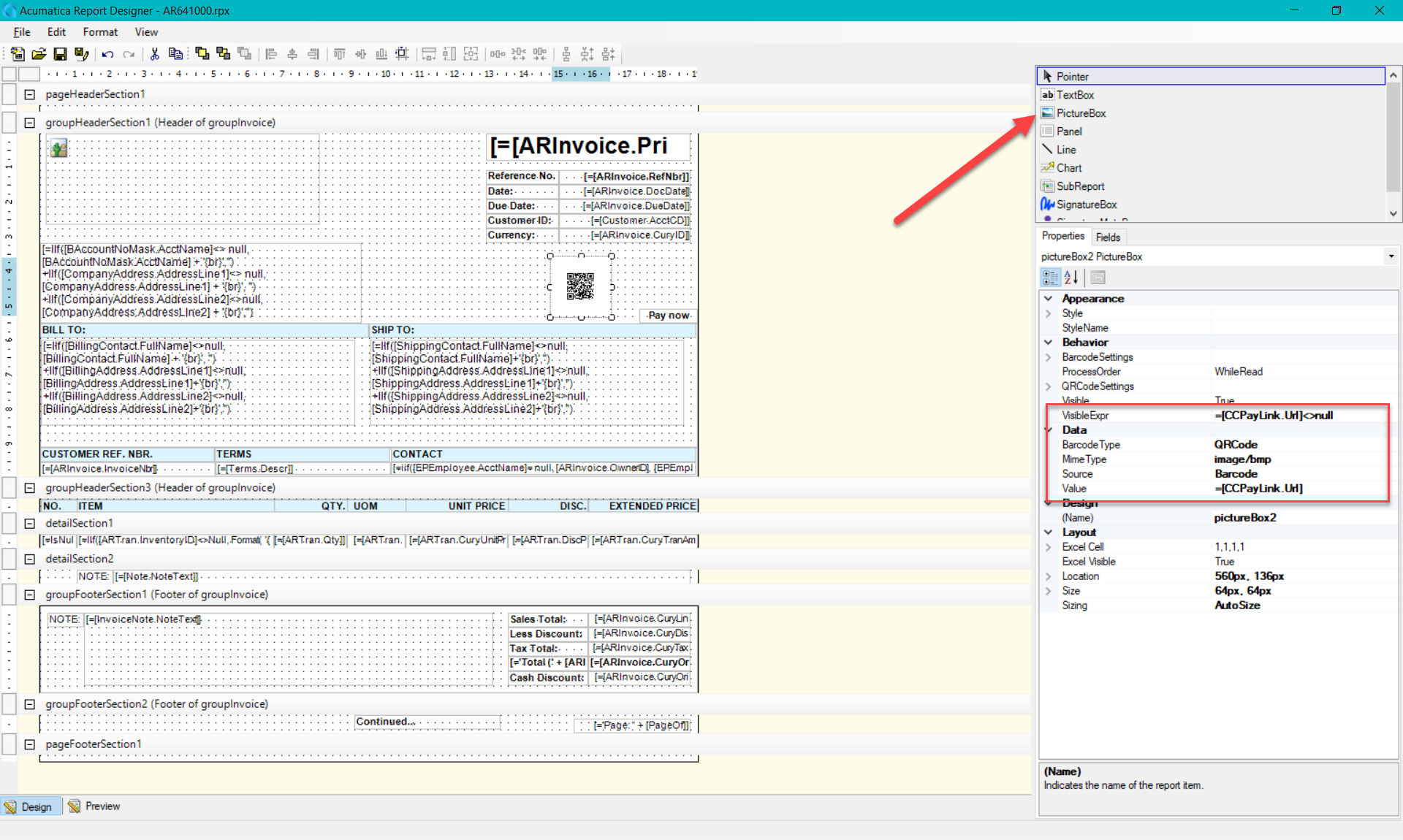
  4. Add new Picture Box control to the report and configure it the following way: 
  • VisibleExpr: =[CCPayLink.Url]<>null
  • BarcodeType: QRCode
  • Source: Barcode
  • Value: =[CCPayLink.Url]


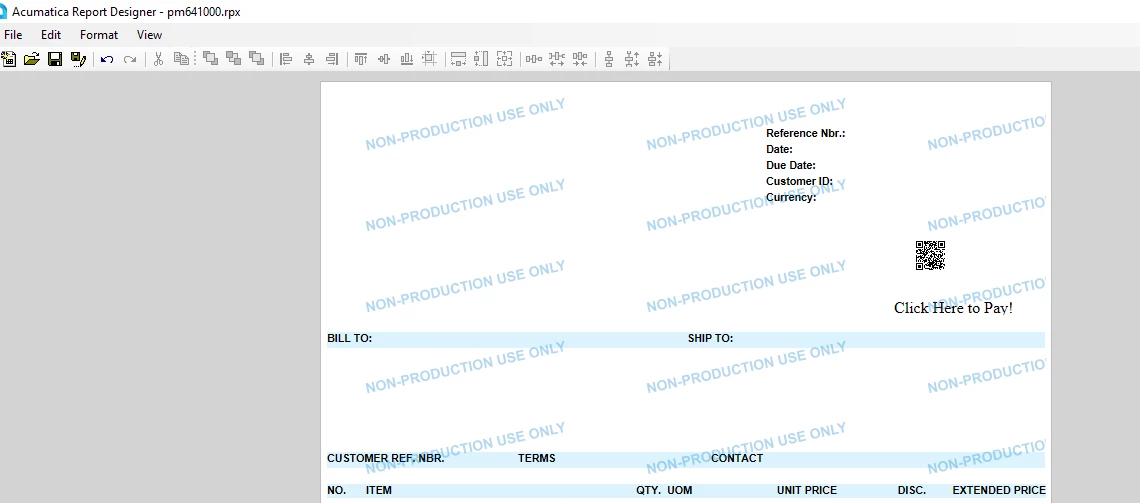
  1. Configure the size and position of the barcode.
  2. Add a new textbox and configure it the following way:
  • Value “Click Here To Pay!” or any other label
  • Navigate Url: =[CCPayLink.Url]
  • Visible Expr: =[CCPayLink.Url]<>null
  1. Save the report back to the server!

Done! You now have a report with a barcode and a link that navigates customer to the pay link!


Troubleshooting:

If you’ve configured the code and it still does not show up (or rather show up as an empty message) try setting the QRCodeSettings→ CodeSize to a bigger value (e.g. 80).

It’s possible that there is just not enough place to put all the bits from the payment link.

5 replies

schott61
Freshman I
Forum|alt.badge.img
  • Freshman I
  • October 16, 2025

@Dmitrii Naumov can this be done on statements?


Dmitrii Naumov
Acumatica Moderator
Forum|alt.badge.img+7
  • Author
  • Acumatica Moderator
  • October 16, 2025

@schott61 there is no ability to generate “generic” link for a customer that would not be specific to a single invoice. 

You can definitely put a QR code on the statement, but it’ll need to be a separate one for each invoice on that statement.


schott61
Freshman I
Forum|alt.badge.img
  • Freshman I
  • October 16, 2025

@Dmitrii Naumov what about if  they have a customer portal? is it possible to add a link to the payments section of their portal? or would the link be different for all customers?


Dmitrii Naumov
Acumatica Moderator
Forum|alt.badge.img+7
  • Author
  • Acumatica Moderator
  • October 16, 2025

@schott61 you can add a link to the customer portal, it’s the same link for all customers


I recommend “Refresh All” in the Schema Builder as well. I could not find the field ‘PayLinkId’ until I refreshed.