

Answer

How do I enter a prepayment for a vendor when we don't have a PO yet?

  • October 20, 2025
  • 2 replies
  • 33 views

Forum|alt.badge.img

How do I enter a prepayment for a vendor when we don't have a PO yet?

Best answer by meganfriesen37

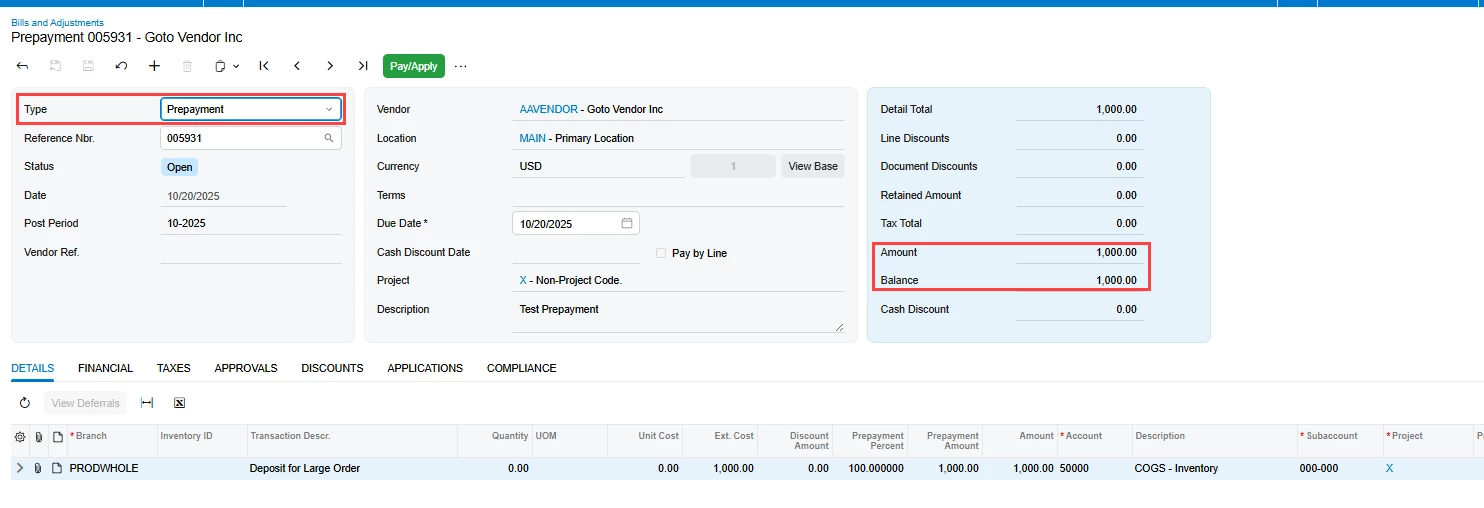
Create a Prepayment Request for your vendor on the Bills and Adjustments screen.  This won’t create a journal entry, but will give you something to process the payment against.  You will need to enter some details so that you can provide the amount to pay.
 

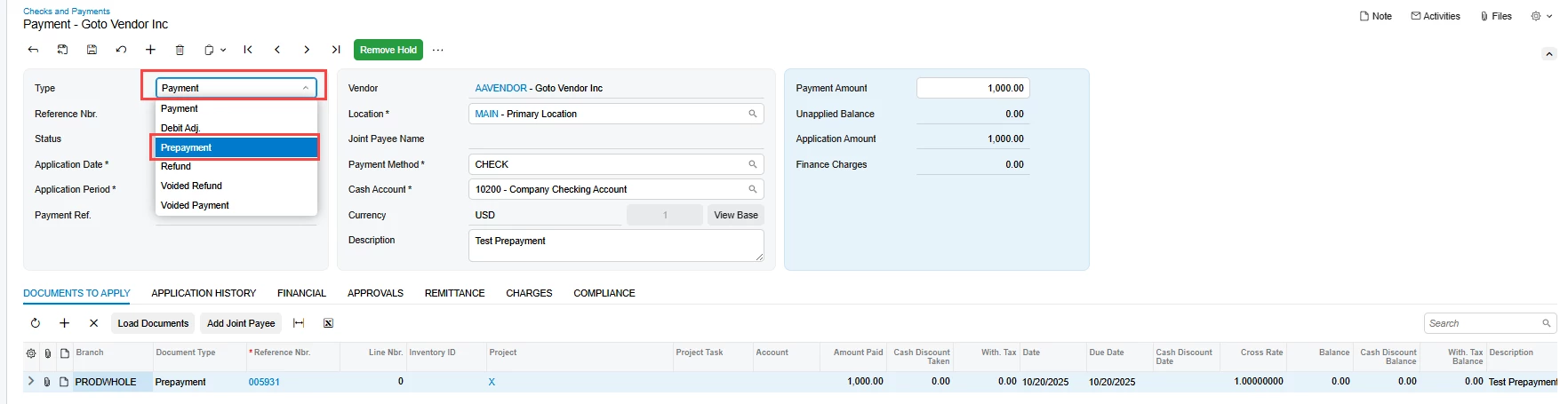
Then on the Checks and Payments screen, you can either add the prepayment request to an existing (or new) payment.  Or you can use the Prepayment type and select the prepayment request.


Later on, once you have the AP bill from the vendor for the PO, apply the prepayment to the bill and pay any remaining balance.

2 replies

jhouser
Captain II
Forum|alt.badge.img+6
  • Captain II
  • October 20, 2025

Hi ​@srengdahl You should be able to create a Prepayment on the Checks and Payments screen and then later link it to the PO, from either screen. 


meganfriesen37
Captain II
Forum|alt.badge.img+12
  • Captain II
  • Answer
  • October 20, 2025

Create a Prepayment Request for your vendor on the Bills and Adjustments screen.  This won’t create a journal entry, but will give you something to process the payment against.  You will need to enter some details so that you can provide the amount to pay.
 

Then on the Checks and Payments screen, you can either add the prepayment request to an existing (or new) payment.  Or you can use the Prepayment type and select the prepayment request.


Later on, once you have the AP bill from the vendor for the PO, apply the prepayment to the bill and pay any remaining balance.

