Answer

How can I display cash at the beginning of a period in Cash flow statement/ARM?

  • April 25, 2025
  • 6 replies
  • 107 views

Forum|alt.badge.img

Hello all,

I am finding ways to display the cash at the beginning of the period in Acumatica ARM report - Cash flow statement?


Best answer by Eric Ratté

Here is what comes from the default ARM report: 
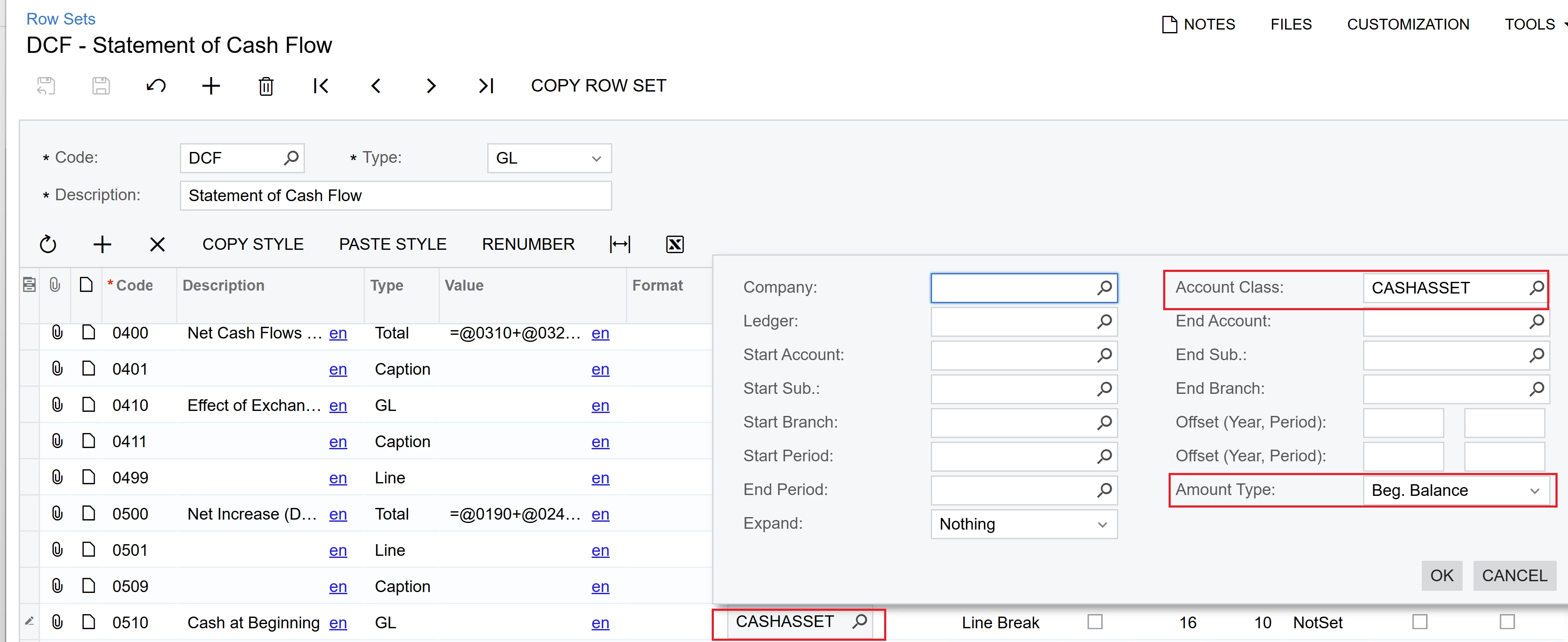
 

Your cash accounts should be associated with the CASHASSET account class in this example.

6 replies

Eric Ratté
Jr Varsity I
Forum|alt.badge.img+1
  • Jr Varsity I
  • Answer
  • April 25, 2025

Here is what comes from the default ARM report: 


Your cash accounts should be associated with the CASHASSET account class in this example.


Forum|alt.badge.img
  • Author
  • Semi-Pro II
  • April 25, 2025

Hey ​@Eric Ratté , thanks for your prompt response. I am also looking the reason behind the Accounts receivable and other accounts being displayed a negative instead of positive in Cash Flow Statement. The figure is correct but the only issue is with the negative sign. Is there any way to get rid of that negative sign? and that too only for assets.

Thanks.


DasunPerera91
Acumatica Employee
Forum|alt.badge.img
  • Acumatica Employee
  • April 26, 2025

Hi Harry,

Were you able to check the below section in the FAQ KB. Should be able to provide a solution.

  • How to display negative values in parentheses instead of using the negative sign?
  • How to display values in a row with the opposite sign?
  • How to display amounts on a report as positive values always?

ARM reports FAQs: Common questions | Community


Eric Ratté
Jr Varsity I
Forum|alt.badge.img+1
  • Jr Varsity I
  • April 26, 2025

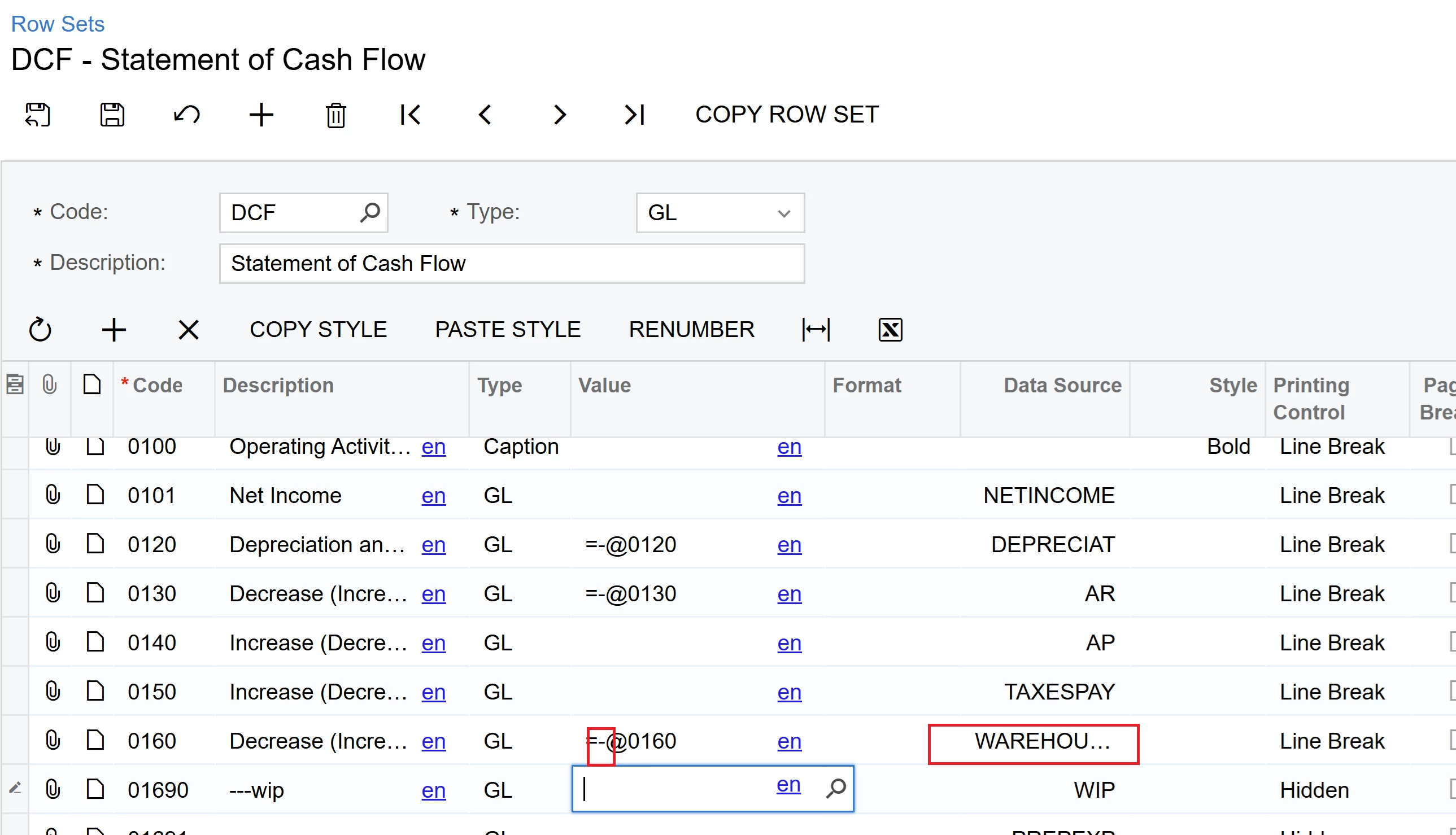
You have to reverse the sign of the value. To do this, you can do what is already in the cash flow report, which is setting up the row number itself and a minus sign or remove the minus sign, depending on the situation.

Because the AR account class contains asset GL accounts only, by adding a minus before the row number, it will reverse the sign of the value of the row specified, which is itself. 


Forum|alt.badge.img
  • Author
  • Semi-Pro II
  • May 1, 2025

Hey ​@Eric Ratté , ​@DasunPerera91 ,

Please correct me if I’m wrong - for Cash flow statement, for PTD in the column set the data source → Amount type would be TURNOVER?

and for YTD Amount Type would be ENDING BALANCE?

Or sum or turnovers for the periods of current fiscal year?


Eric Ratté
Jr Varsity I
Forum|alt.badge.img+1
  • Jr Varsity I
  • May 1, 2025

Turnover is the sum between the Start period and the End period of the report.

YTD = ending balance.