Answer

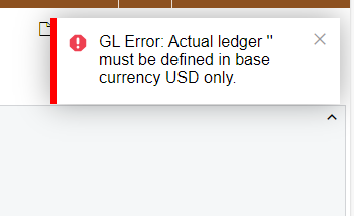
GL Error: Actual Ledger " must be defined in base currency USD only

  • October 28, 2024
  • 12 replies
  • 137 views

Forum|alt.badge.img

Hello! Does anyone know what is causing this error while trying to release an invoice? 

The system only has one currency set up which is USD; all chart of accounts has USD listed as currency; the ACTUAL ledger also has USD listed as currency. 

Am I missing anywhere to check for this? 


Best answer by Laura03

Hello,

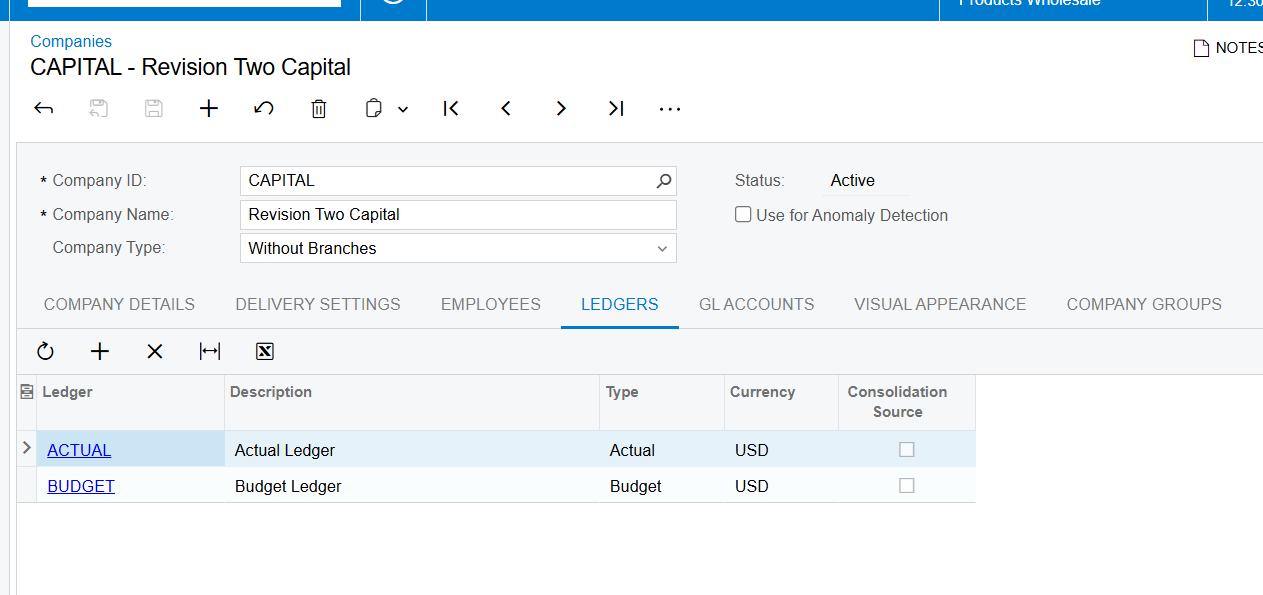
Are you showing the real company or an unrelated demo?  If you are talking about a real company and showing us your demo, please show us the Company Details and Ledgers tab for your real company that has the error -OK to hide or blur identifying details like company name/address line 1. (Sometimes we see something off that we are not thinking to ask.)

Can you try removing the Ledger from your company, save, and add it back?  If so, does that eliminate the error?

Does the error occur when you try to enter a GL transaction, or only invoices?  Please try debit/credit $1 to the same account - can you release it?

If GL is OK and AR is throwing the error, please show us AR Preferences.

Is there any more detailed information in Tools → Trace, when the error occurs?

Laura

12 replies

Laura03
Captain II
Forum|alt.badge.img+19
  • Captain II
  • October 28, 2024

Hello,

What is your Acumatica version?

Have you recently added a new ledger? 

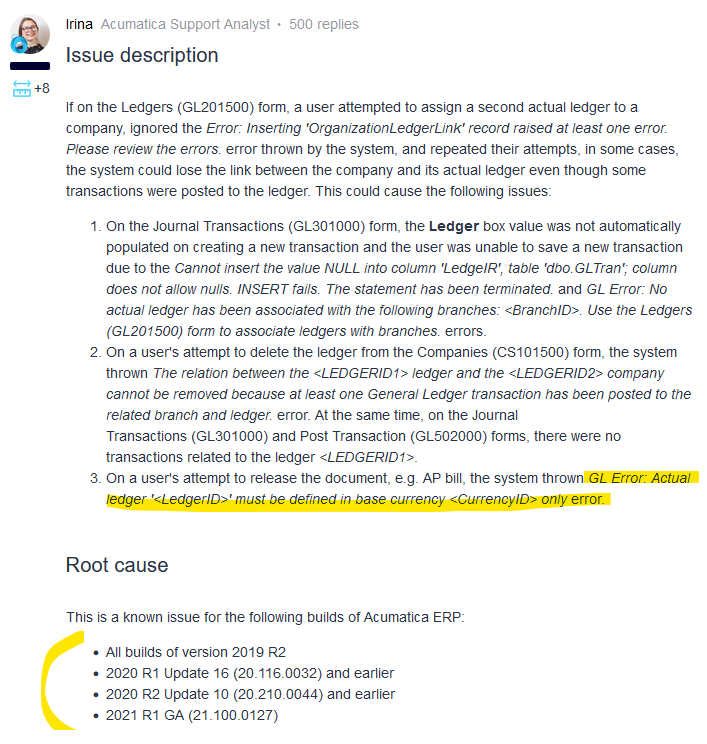
I see one known issue in certain version that causes the same error.


Laura


Forum|alt.badge.img
  • Author
  • Semi-Pro III
  • October 28, 2024

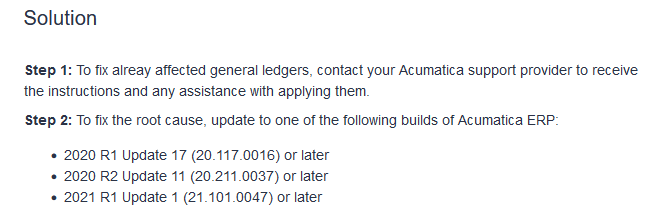
Hi @Laura02 I saw this known issue too. We are on the 2024 R1. We are in the test tenant and doing initial configuration. The ACTUAL Ledger is new and the only ledger in the tenant. The known issue may not help in this case? 


Laura03
Captain II
Forum|alt.badge.img+19
  • Captain II
  • October 28, 2024

Hi,

I agree, your version eliminates the known issue.

Your original post states all Chart of accounts has currency USD. If every account in the chart has currency populated, that’s unusual. In most cases, only bank accounts are denominated. 

Does the error still occur if currency is removed from the non-bank accounts in your chart?

Laura


Forum|alt.badge.img
  • Author
  • Semi-Pro III
  • October 28, 2024

Hi @Laura02 

Originally only the bank accounts have currency USD. I then went in and added all the USD currency for all COA hoping that would solve the issue, but it did not. So yes, even when currency is removed from non-bank accounts error still occur. 


Laura03
Captain II
Forum|alt.badge.img+19
  • Captain II
  • October 28, 2024

Hello,

Please provide details about what happened leading up to this invoice. 

Are you able to release other Invoices today? If yes, what is different about the ‘problem’ invoice? If no invoices will release today, what changed since invoicing last worked? Is this invoice for a new customer? Is this invoice in a new branch?

Is your site customized? If so, please temporarily unpublished customizations, then try to release this invoice. If the invoice releases successfully with customizations temporarily unpublished, customizations could be the cause of the error.

Is the customer denominated with any currency? If your system is only USD, then customers should have no currency denomination.

Laura


Forum|alt.badge.img
  • Author
  • Semi-Pro III
  • October 29, 2024

@Laura02 This is a new tenant, no other invoice has been processed. We tried creating the first invoice today and that error occurred. No customization projects and the system only have USD currency set up. Everything we are working with in this tenant is newly imported/set up during initial configuration. 


  • Freshman I
  • October 29, 2024

Good Morning

I was receiving the same error as you and after some playing around i saw that the company was not selected under my ledgers and once adding it the invoice could be released. 


Manikanta Dhulipudi
Captain II
Forum|alt.badge.img+15

@Laura02 This is a new tenant, no other invoice has been processed. We tried creating the first invoice today and that error occurred. No customization projects and the system only have USD currency set up. Everything we are working with in this tenant is newly imported/set up during initial configuration. 

@Jason Have you set up the ledger in the companies screen/Branches screen


  • Freshman I
  • October 29, 2024

@Laura02 This is a new tenant, no other invoice has been processed. We tried creating the first invoice today and that error occurred. No customization projects and the system only have USD currency set up. Everything we are working with in this tenant is newly imported/set up during initial configuration. 

@Jason Have you set up the ledger in the companies screen/Branches screen


@Manikanta Dhulipudi i went to Finance Ledgers under and linked it there this will automatically link then under the Companies screen.


Laura03
Captain II
Forum|alt.badge.img+19
  • Captain II
  • Answer
  • October 29, 2024

Hello,

Are you showing the real company or an unrelated demo?  If you are talking about a real company and showing us your demo, please show us the Company Details and Ledgers tab for your real company that has the error -OK to hide or blur identifying details like company name/address line 1. (Sometimes we see something off that we are not thinking to ask.)

Can you try removing the Ledger from your company, save, and add it back?  If so, does that eliminate the error?

Does the error occur when you try to enter a GL transaction, or only invoices?  Please try debit/credit $1 to the same account - can you release it?

If GL is OK and AR is throwing the error, please show us AR Preferences.

Is there any more detailed information in Tools → Trace, when the error occurs?

Laura


Forum|alt.badge.img
  • Author
  • Semi-Pro III
  • October 29, 2024

Hi @Laura02 This is the real company test tenant, not a demo. I just tried removing the Ledger from the company, and add it back, it did eliminate the error. The invoice is release. 

Can you help me understand why this would be the solution? Does it relate to a system glitch or initial configuration? Thanks!!


Laura03
Captain II
Forum|alt.badge.img+19
  • Captain II
  • October 29, 2024

Hi,

I’m not able to answer “Why this happened” - though it’s a common question with all problems.

I’m happy I was able to provide a solution to you. Maybe Acumatica can guess “why”.

Best regards,

Laura