Question

GI to show ending balance and Turnover amount

  • February 2, 2026
  • 2 replies
  • 56 views

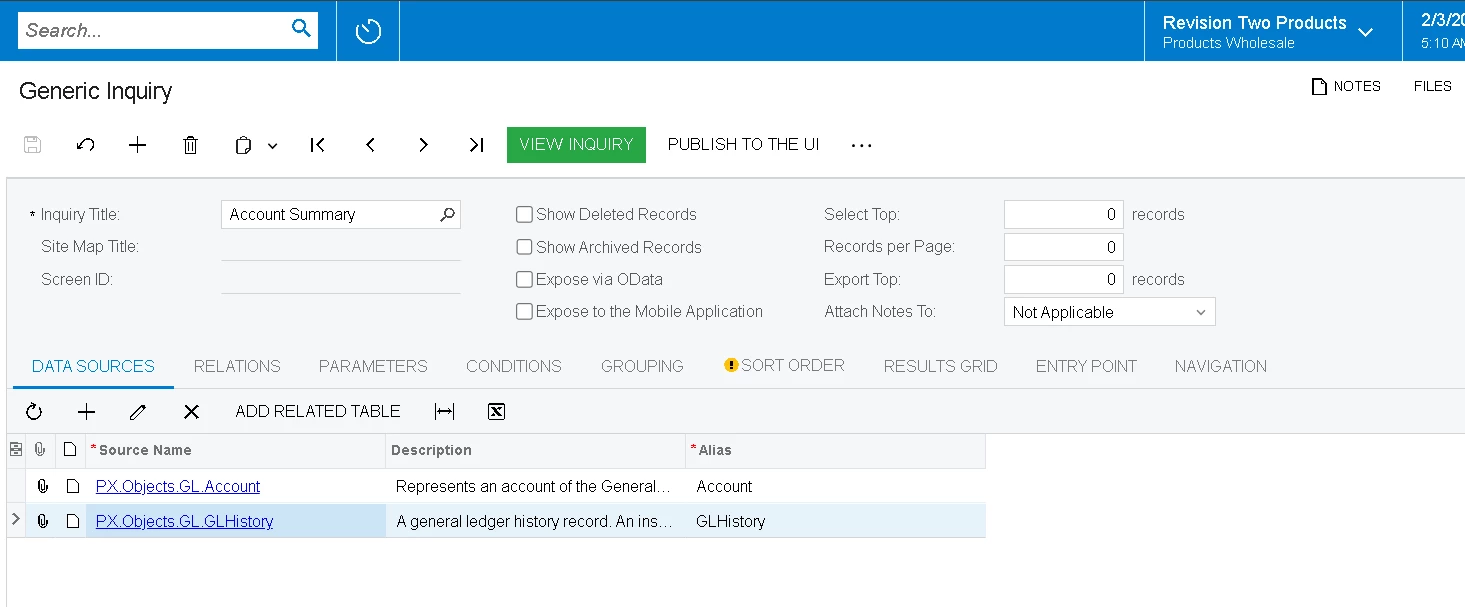
I am creating a GI where I want to show GL account wise period wise and branch wise ending balance and turnover amount .

Column A     |  Column B  | Column C |   Column D           | Column F
GL Account  |  Period       | Branch      | Ending Balance    | Turnover amount 
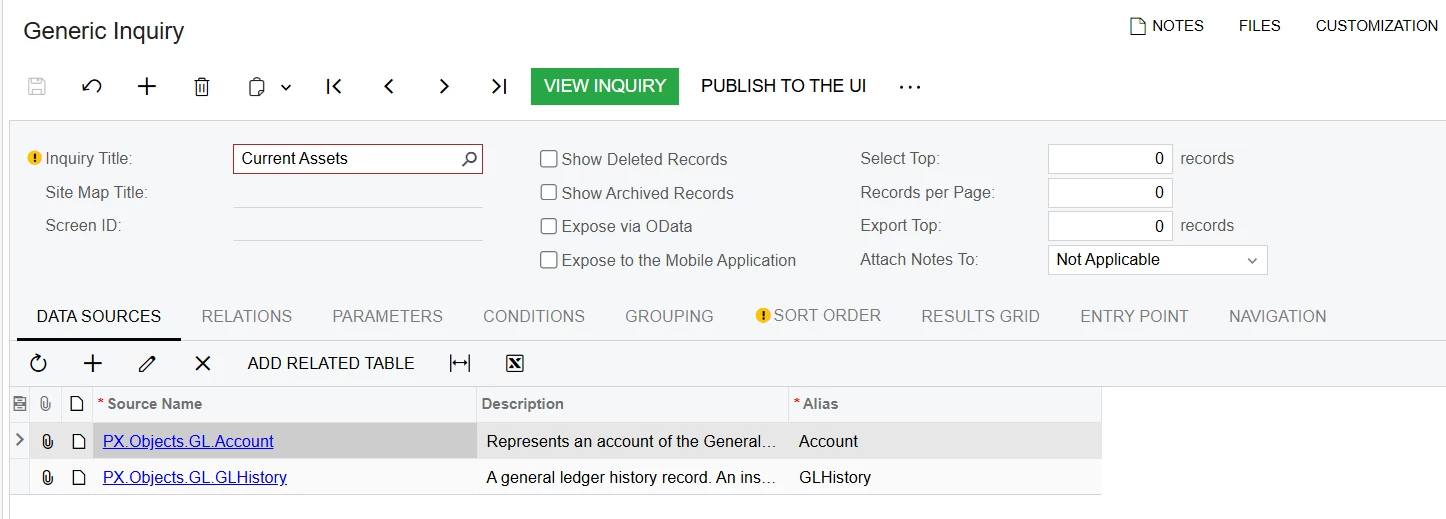


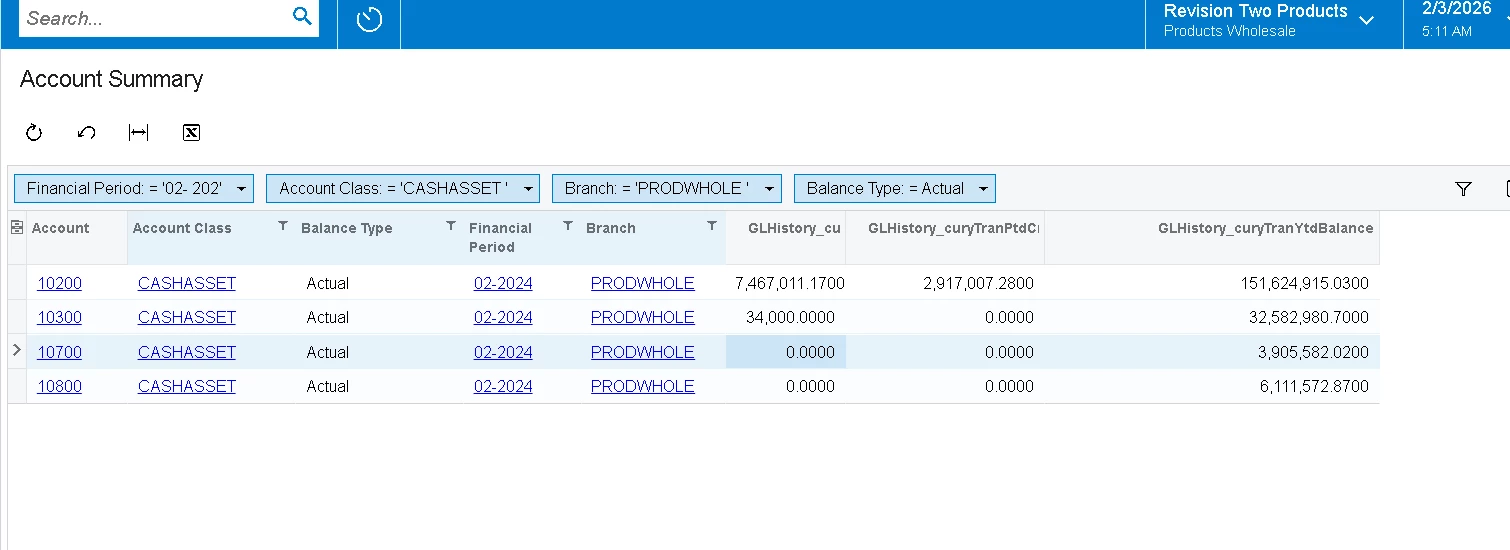
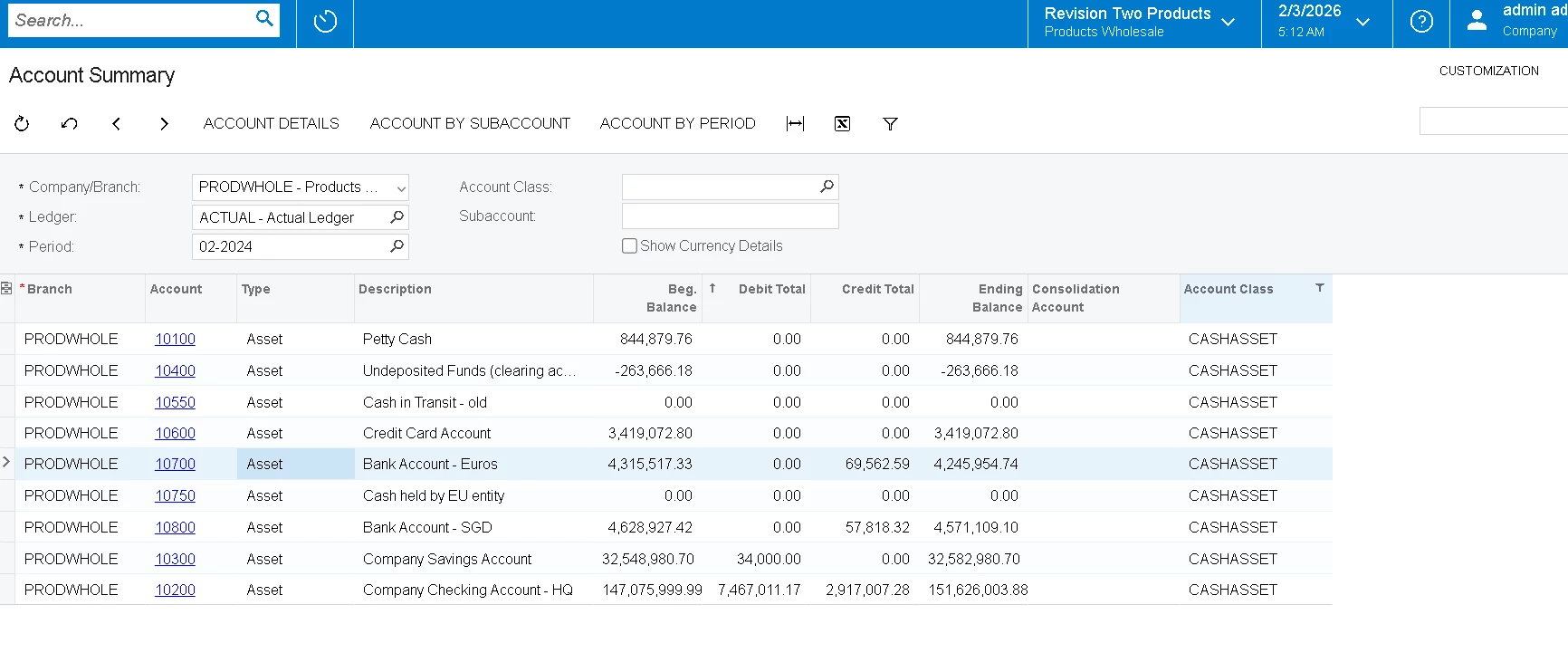
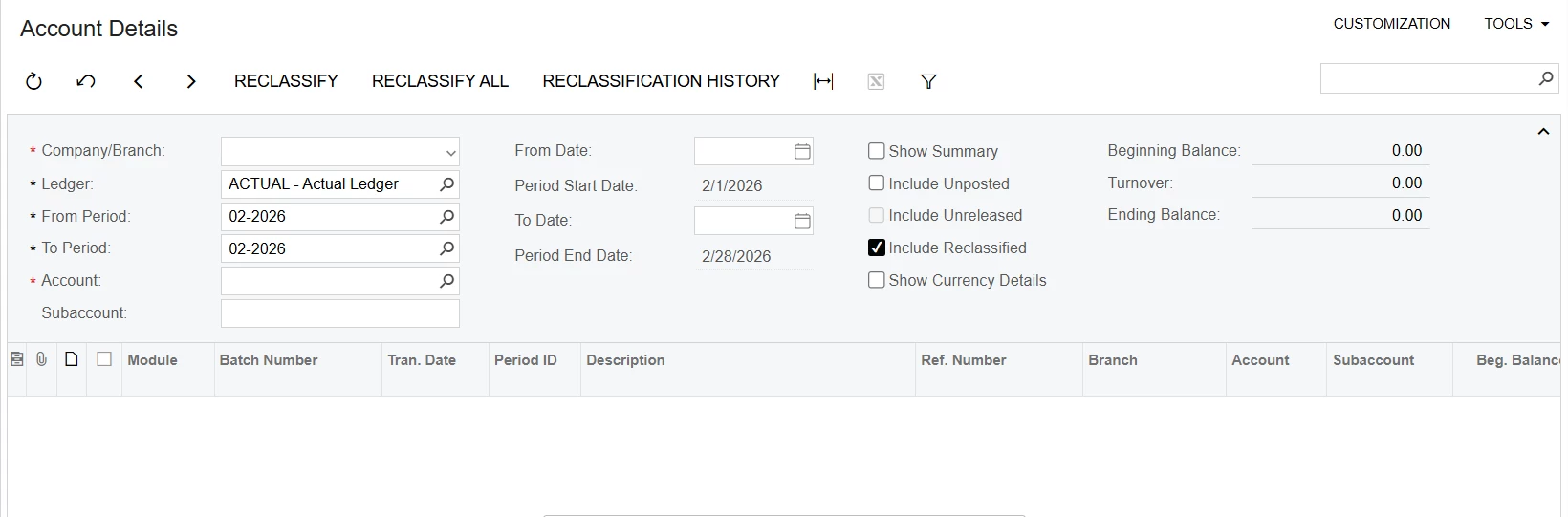
In the above GI (also attached the XML file ) , the ending balance and turnover amount for each GL account is not showing the correct data when compared with the Account Details screen.


2 replies

nhatnghetinh
Captain II
Forum|alt.badge.img+13
  • Captain II
  • February 2, 2026

Hi ​@saravana409865 

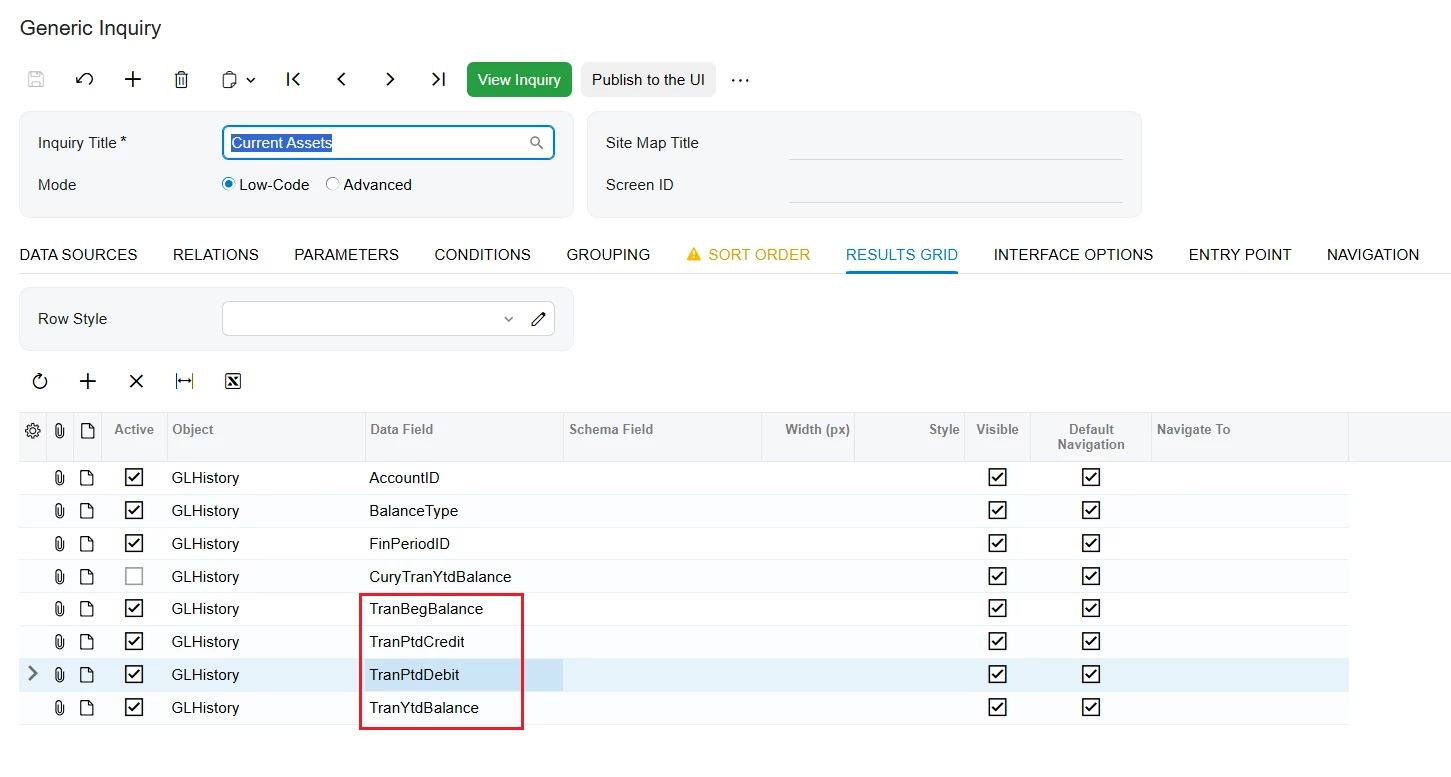
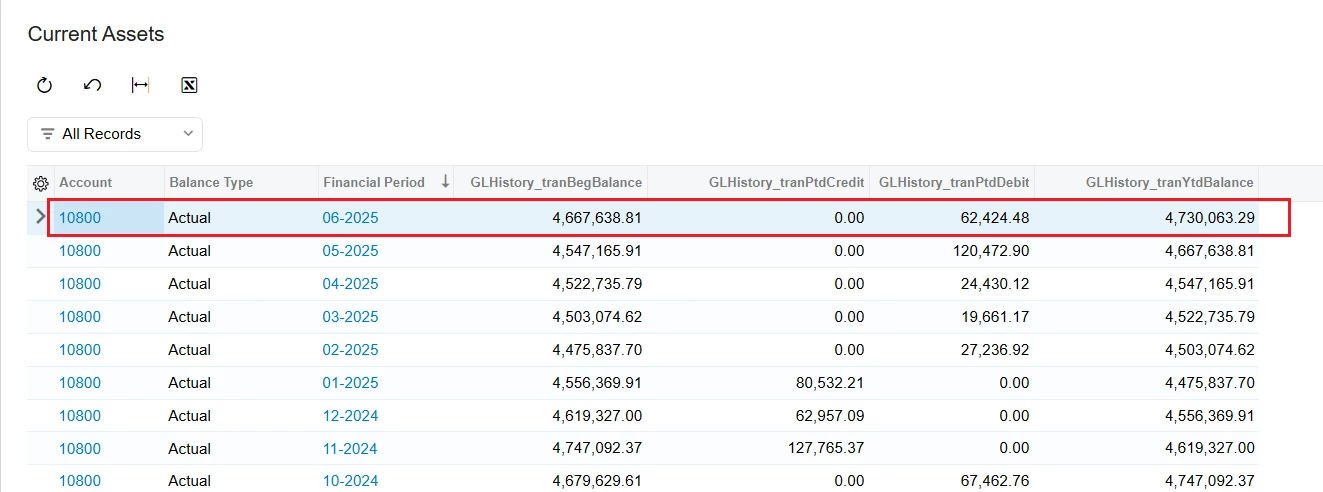
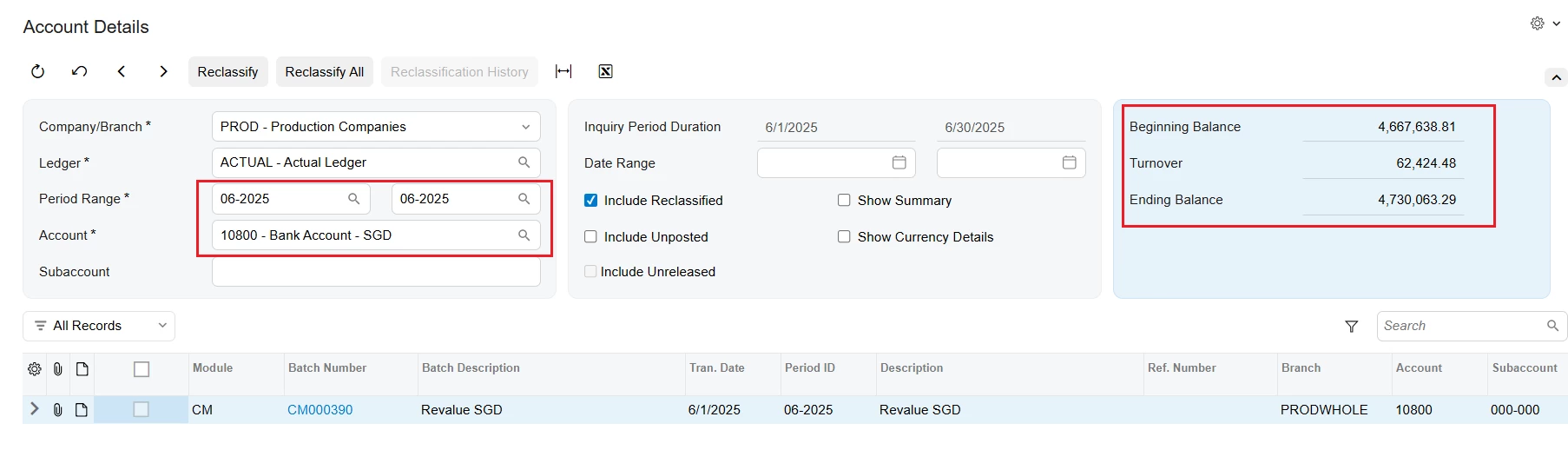
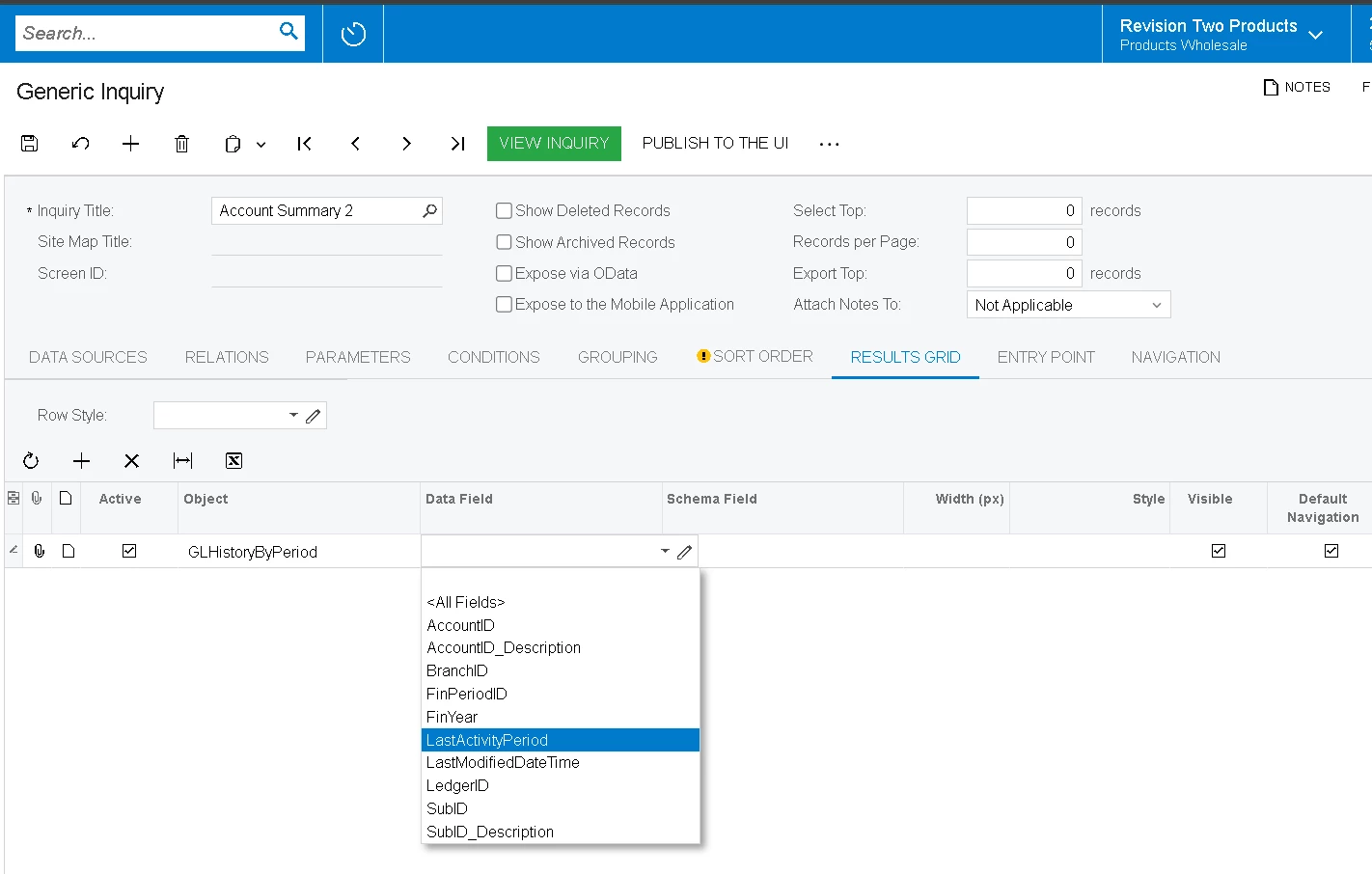
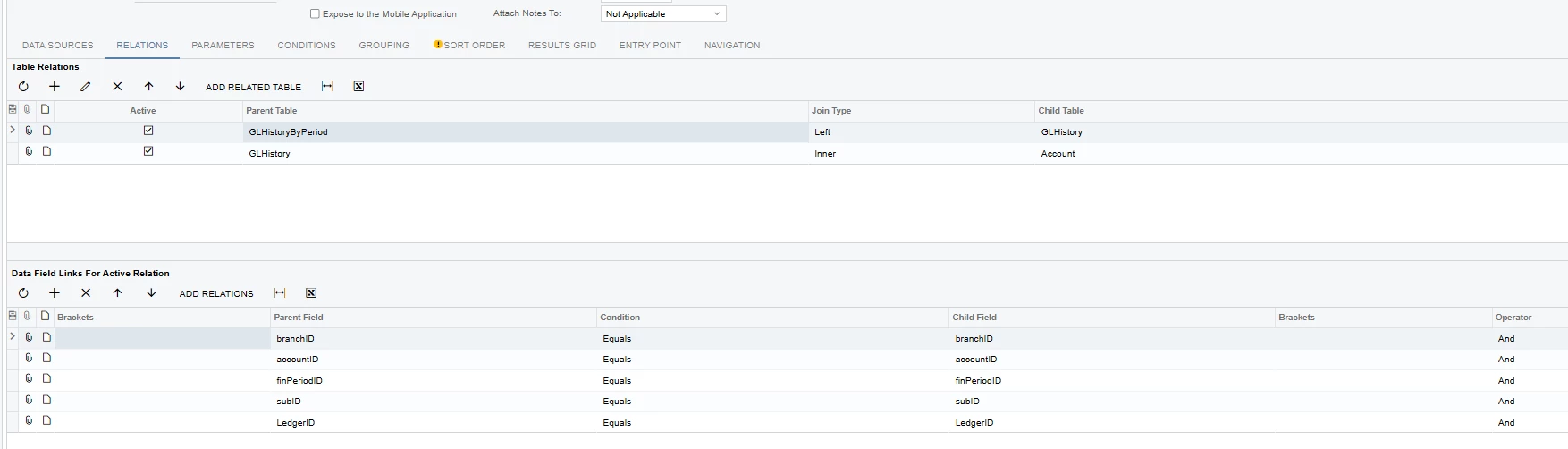
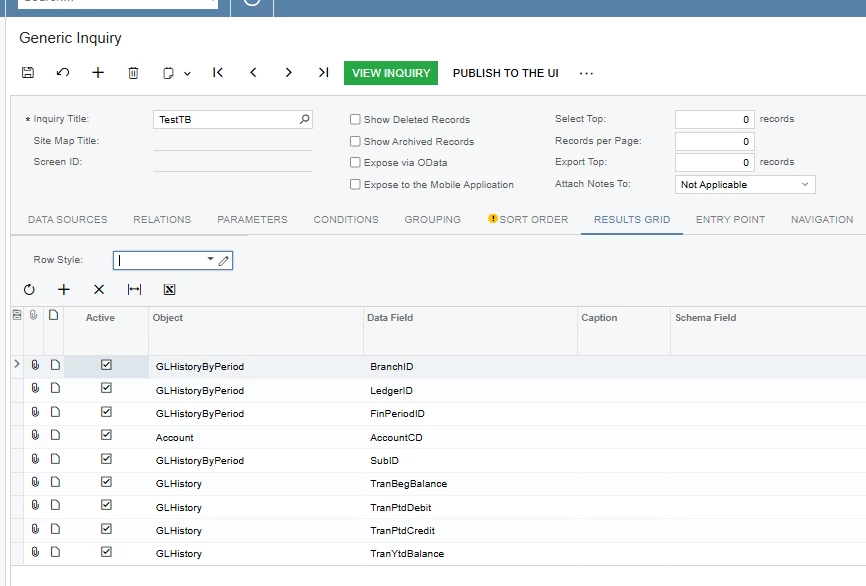
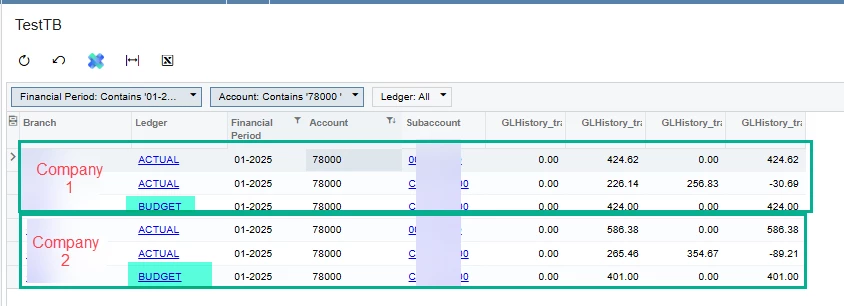
Please use the fields as shown in the screenshot below. I have tested this and found the results to be correct for Account Details.


Best Regards,

NNT


Forum|alt.badge.img
  • Freshman I
  • February 2, 2026

Hi ​@saravana409865,


The difference you’re seeing is expected based on how the GI is currently built.

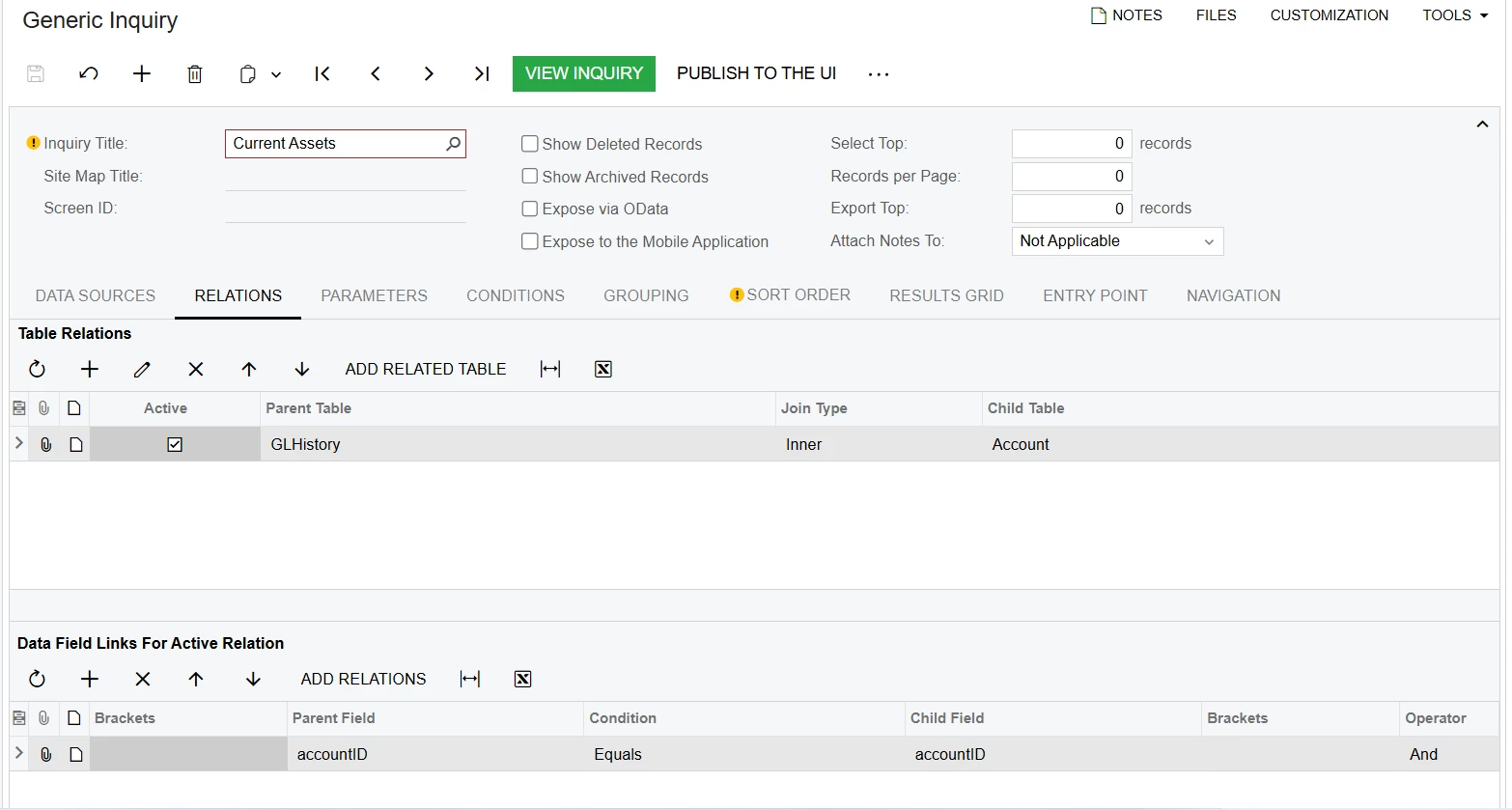
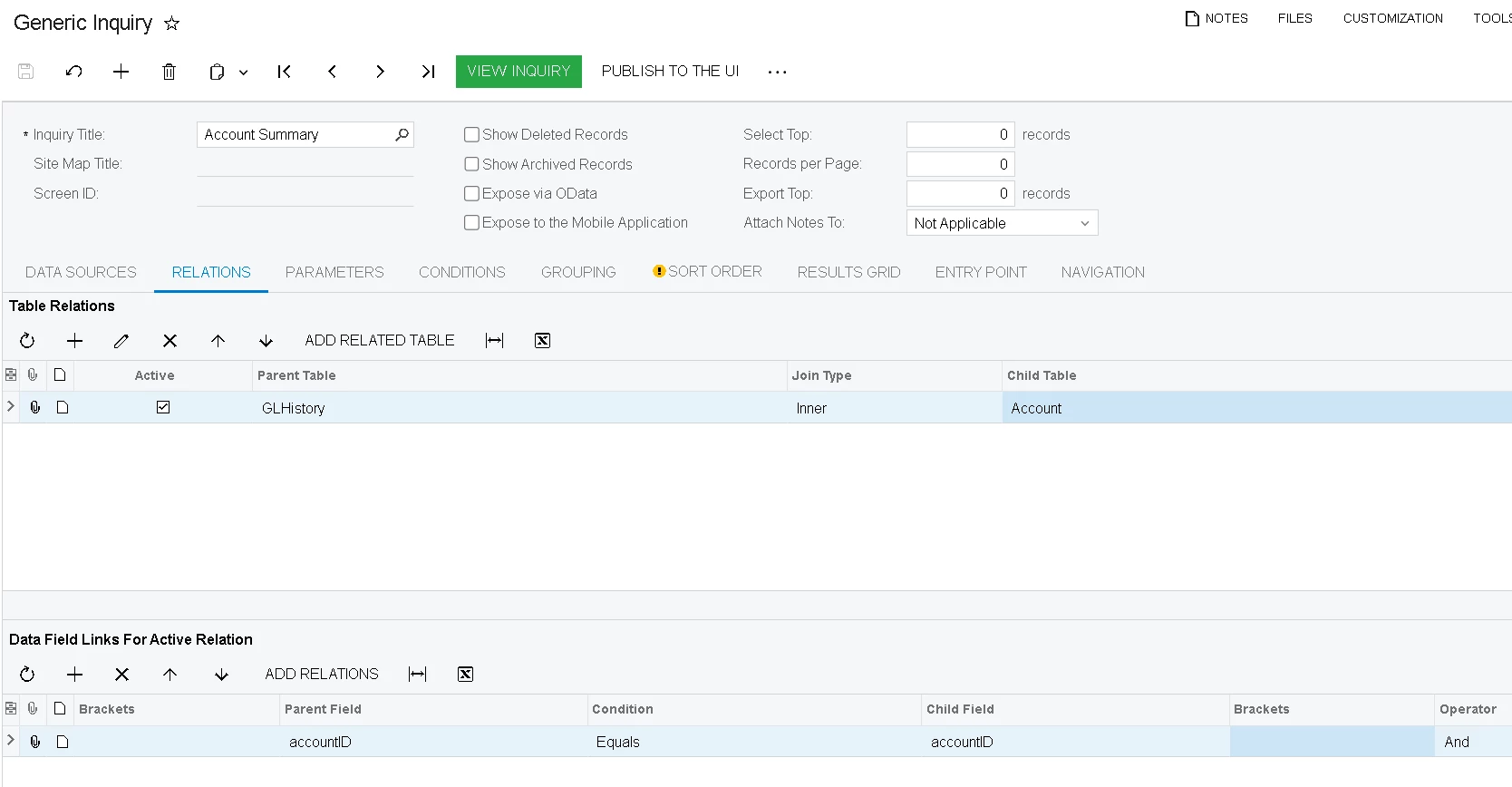
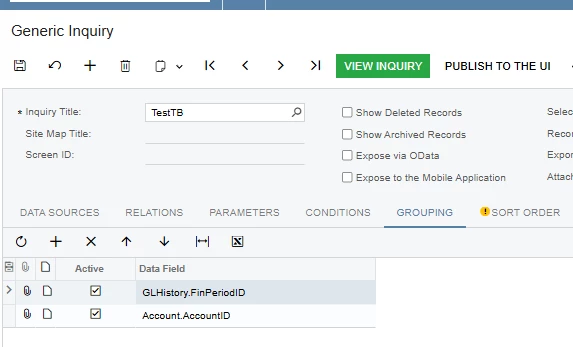
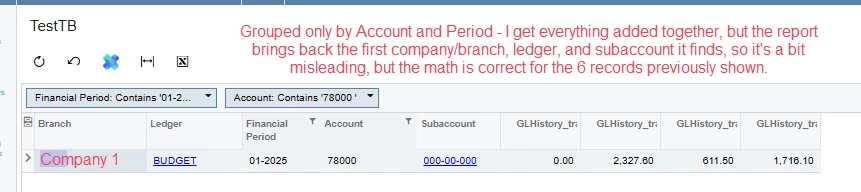
Your Generic Inquiry is based on PX.Objects.GL.GLHistory and is grouped only by Period. Because of that, Acumatica aggregates balances across all accounts, branches (and possibly subaccounts) for the same period. This causes the Ending Balance and Turnover amounts to differ from what you see on the Account Details screen, which calculates balances per Account + Branch (+ Subaccount) and for a specific period range.

How to fix it:

  1. Adjust the grouping

    • Either remove grouping entirely, or group by all required keys:

      • Account (AccountID / AccountCD)

      • BranchID

      • FinPeriodID

      • SubID (if subaccounts are used)

  2. Use the correct fields

    • For Ending Balance, use FinYtdBalance / CuryFinYtdBalance

    • For Turnover, use FinPtdDebit + FinPtdCredit (or debit/credit separately)

  3. Recommended approach

    • Build the GI on GLHistoryByPeriod instead of GLHistory.
      This is much closer to how Account Details calculates balances and helps avoid mismatches.

Also note that Account Details applies additional runtime filters (From/To Period, Include Reclassified, Include Unposted, etc.), which a GI will not automatically replicate unless you explicitly design it that way.

Once grouping and fields are aligned, the GI results should match Account Details much more closely.